
Motorola devices support firmware flashing through a limited set of official and legacy methods, depending on the device model, Android version, and bootloader state.
This guide explains how Motorola firmware flashing works, the available methods, and when each method should be used, so you can safely restore stock firmware or recover from software issues without relying on unsupported tools.
Who This Guide Is For
Use this guide if all of the following apply:
- ✔ You are using a Motorola smartphone
- ✔ You want to restore stock firmware or fix bootloops
- ✔ You are using official or manufacturer-supported flashing methods
- ✔ You understand that flashing may erase user data
Do NOT use this guide if:
- ❌ You expect flashing to unlock carrier-restricted devices
- ❌ You are attempting to bypass Motorola security protections
- ❌ You are using unofficial or modified firmware
Flashing Disclaimer
Flashing firmware always carries risk. While the methods described here are official or widely used, FlashGuideHub is not responsible for data loss or device damage caused by incompatible firmware or improper use. Always verify your exact device model and firmware before proceeding.
For full details, read our Flashing Disclaimer.
Important Motorola Flashing Limitations
Before proceeding, be aware of the following:
- Fastboot flashing requires an unlocked bootloader
- Bootloader unlocking wipes all user data
- Some carrier-branded devices cannot be unlocked
- Firmware downgrades may be blocked by anti-rollback protection
- Not all flashing tools support all Motorola models
There is no universal Motorola flashing method.
Motorola Firmware Flashing Methods (Overview)
| Method | Bootloader Unlock Required | Recommended For |
|---|---|---|
| Rescue and Smart Assistant | No | Most users (recommended) |
| Fastboot flashing | Yes | Advanced users |
| RSD Lite | No / Limited | Older or legacy models |
Method 1: Motorola Rescue and Smart Assistant (Recommended)
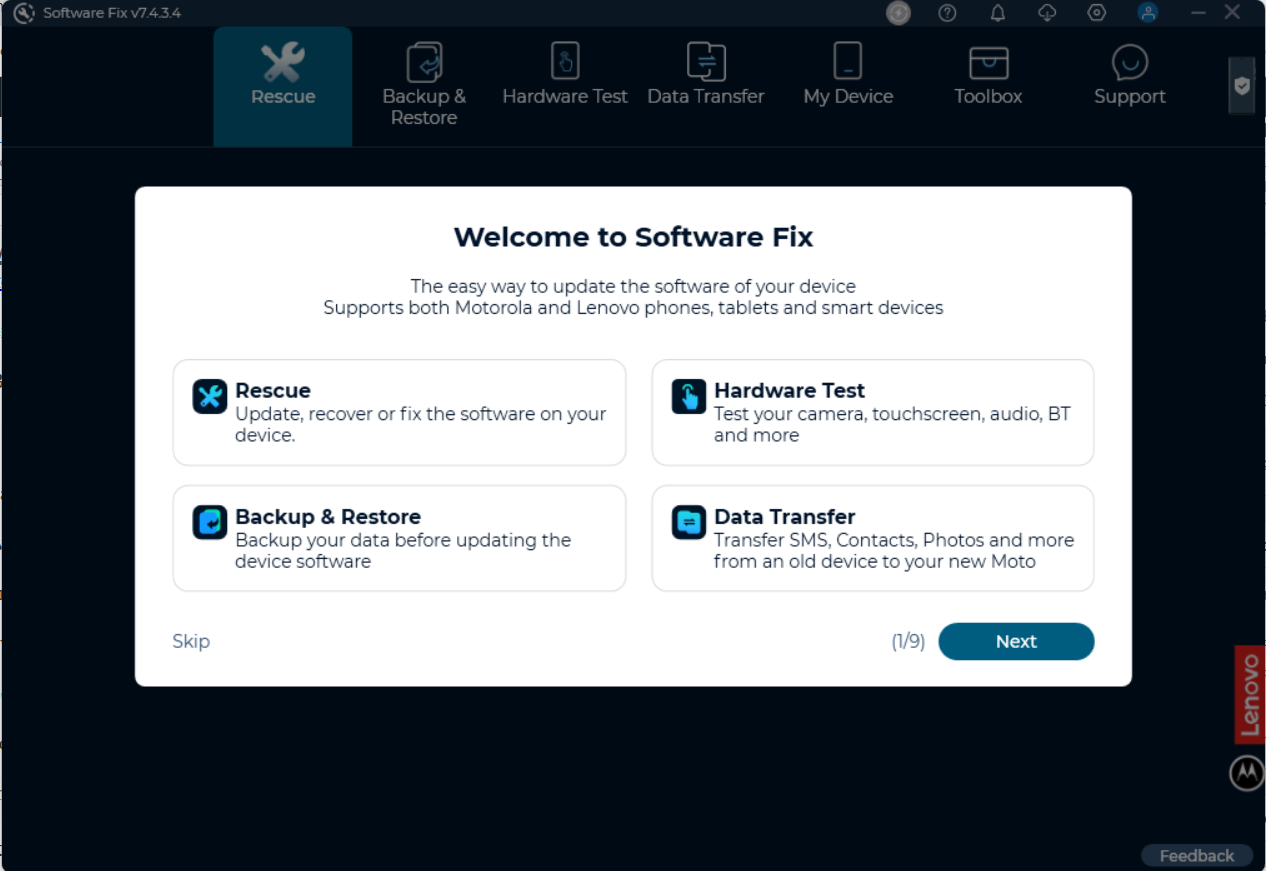
Motorola Rescue and Smart Assistant (RSA) is the official PC software used to repair, restore, or update Motorola firmware.
When to Use RSA
- The device boots or partially boots
- You want the safest recovery method
- You prefer an automated, tool-guided process
Requirements
- Windows PC
- Motorola USB drivers
- Internet connection
- USB cable
High-Level Steps
- Install Motorola USB drivers on your PC
- Download and install Rescue and Smart Assistant
- Launch the tool and connect your phone via USB
- Allow the tool to detect your device
- Select Rescue / Repair and follow on-screen instructions
Notes & Limitations
- Firmware is downloaded automatically
- Manual firmware selection is not supported
- Availability depends on model and region
Method 2: Fastboot Flashing (Advanced Users Only)
Fastboot flashing provides manual control over firmware installation but is intended for advanced users.
When to Use Fastboot
- The bootloader is already unlocked
- RSA does not support the device
- Manual firmware restoration is required
Requirements
- Unlocked bootloader
- Motorola USB drivers
- Android Platform Tools
- Correct firmware package (
.xml.zip)
Important Clarification About Motorola Firmware
Motorola firmware packages do not include executable flash scripts.
Instead, they contain a flashfile.xml file that defines:
- The required Fastboot commands
- The flashing order
- Partitions to erase or write
This XML file is not executable. It is intended to be:
- Read internally by Motorola tools (RSA / RSD Lite), or
- Used as a reference by advanced users for manual Fastboot flashing
How Fastboot Flashing Works (High-Level)
- Boot the device into Fastboot mode
- Connect the device to the PC
- Extract the firmware package
- Follow the flashing order defined in the firmware’s XML file
- Reboot the device after flashing completes
⚠️ Command order and file names vary by model. Always follow the instructions defined in the firmware XML.
Optional Helper Tools
Advanced users who prefer automation may use XML-to-Batch helper tools to convert Motorola firmware XML instructions into Fastboot scripts.
These tools do not unlock bootloaders or bypass restrictions and should only be used if you already understand Fastboot flashing.
Method 3: RSD Lite (Legacy Devices Only)
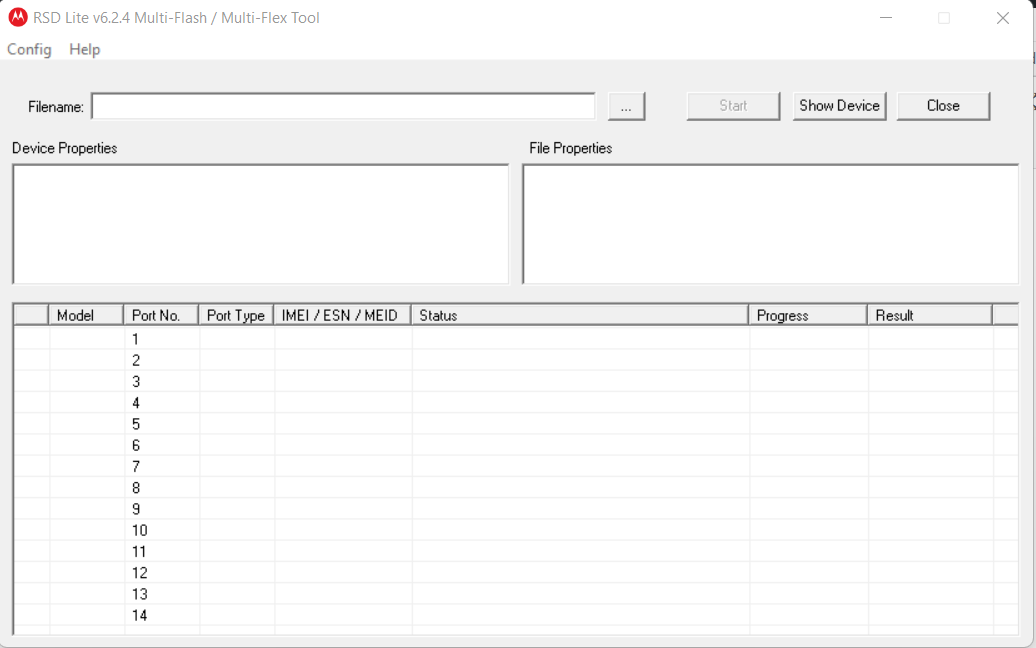
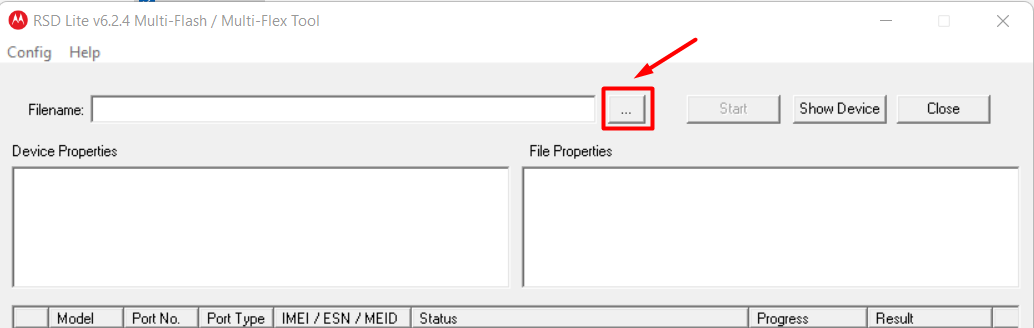
RSD Lite is an older Motorola flashing utility primarily used for legacy models.
When to Use RSD Lite
- The device is an older Motorola model
- Firmware is explicitly packaged for RSD Lite
- RSA does not support the device
Limitations
- Not recommended for modern Motorola phones
- Limited compatibility
- Development is largely discontinued
RSD Lite should be treated as a legacy recovery option, not a primary flashing method.
Common Reasons Motorola Flashing Fails
- ❌ Firmware does not match model or region
- ❌ Bootloader locked during Fastboot flashing
- ❌ Carrier restrictions
- ❌ Anti-rollback protection
- ❌ USB driver or cable issues
- ❌ Incomplete firmware package
Most failures occur due to firmware mismatch, not tool malfunction.
Frequently Asked Questions
Does flashing unlock my Motorola phone?
No. Bootloader unlocking and carrier unlocking are separate processes.
Will flashing erase my data?
Yes. Most flashing methods wipe all user data.
Can I downgrade Android versions?
Sometimes. Downgrades may be blocked by Motorola security policies.
Final Notes
Motorola firmware flashing is model- and method-dependent. For most users, Rescue and Smart Assistant is the safest option. Fastboot flashing should only be used when the bootloader is unlocked, and firmware compatibility is fully confirmed.
Avoid unofficial tools and never flash firmware intended for a different Motorola model.