

Before you flash: Flashing firmware will erase all data on your device. Back up contacts, photos, and apps before proceeding. FlashGuideHub is not responsible for any damage caused by following this guide.
About the ASUS ZenFone 5 (ZE620KL)
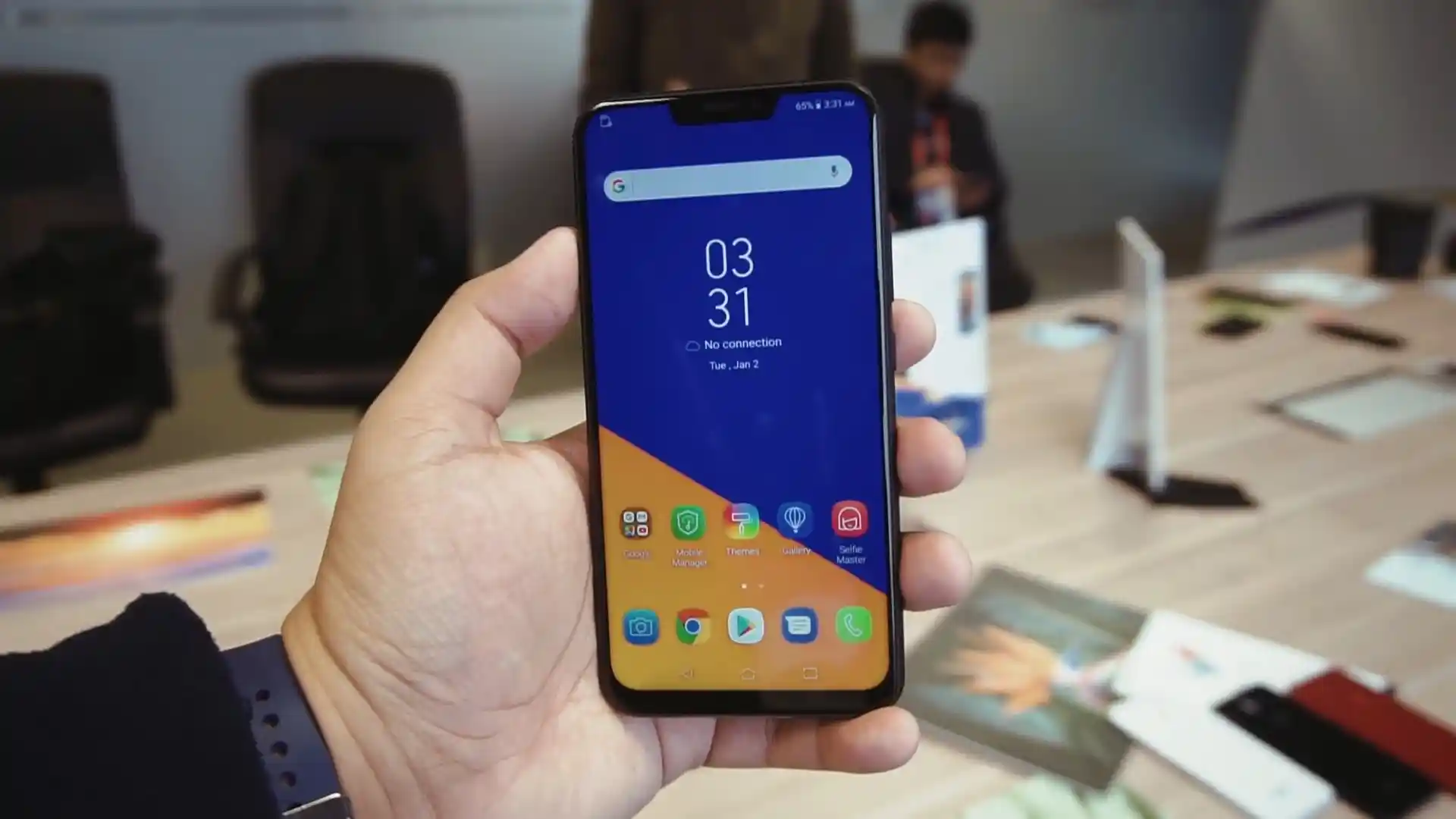
The ASUS ZenFone 5 (ZE620KL), released in May 2018 on the Qualcomm Qualcomm Snapdragon 636 (SDM636) platform, pairs a 6.2-inch Full HD+ Super IPS+ notched display with dual rear cameras and a 3,300 mAh USB-C battery. Whether you need to recover from a bootloop, fix a dm-verity lock, or unbrick a dead board, this guide walks through every supported flashing path.
Depending on your phone state, the ASUS ZenFone 5 (ZE620KL) can be restored using signed Local Update ZIPs, ASUS Flash Tool .raw.zip images in CSC Fastboot Mode, or Qualcomm QFIL in EDL 9008 mode. Always verify your board is the Snapdragon 636 ZE620KL rather than the ZS620KL before starting.
Which Flash Mode Should You Use?
Local Update / Stock Recovery
Official signed ZIP installation via internal storage prompt or Stock Recovery.
CSC Fastboot Mode (ASUS Flash Tool)
Full factory restoration using signed .raw.zip service archives.
Qualcomm EDL 9008 Mode (QFIL)
Low-level emergency unbrick for dead boards with corrupted bootloaders.
Essential Drivers & Hardware Checks Before Flashing ZE620KL
A 64-bit Windows PC with ASUS Android USB Drivers (for CSC Mode) and Qualcomm QDLoader 9008 Drivers (for QFIL).
Ensure the 3,300 mAh battery holds at least 50% charge before writing eMMC 5.1 system partitions.
Use a reliable USB-C data cable plugged directly into a rear motherboard USB 2.0 port.
Required to extract the QFIL EDL archive FUSE_ze620kl_QFIL_15.0501.1711.58_M1.2.2.P8-131774152923678240.zip.
5-Step Stock Recovery & CSC Flashing Walkthrough
A fast reference for flashing the ASUS ZenFone 5 (ZE620KL) (Snapdragon 636) using ASUS Flash Tool. For the complete walkthrough with images and error troubleshooting, see the full guide.
-
Verify ASUS_X00QD (ZE620KL) board ID and regional SKU before downloading
-
Copy UL-ASUS_X00QD-ASUS-16.0615.2006.131-1.1.41-user.zip to internal storage root
-
Tap the System Update prompt or boot Stock Recovery (Volume Down + Power)
-
Boot CSC Fastboot Mode (Volume Up + Power) to flash .raw.zip in ASUS Flash Tool
-
Wait 5 to 8 minutes for first boot after eMMC 5.1 partition writes complete
Firmware Package Formats on the ZenFone 5 (ZE620KL)
ASUS distributes ZenFone 5 (ZE620KL) firmware in three distinct formats: signed UL-ASUS_X00QD-*.zip recovery archives, .raw.zip Fastboot service images for ASUS Flash Tool, and factory Qualcomm QFIL EDL dumps.
UL-ASUS_X00QD-*.zip / .raw.zip / prog_emmc_firehose
Each ZE620KL recovery format targets a different failure state: UL-*.zip packages work on booting phones or in Stock Recovery, .raw.zip archives restore soft-bricked phones through CSC Fastboot Mode, and FUSE QFIL packages recover dead boards over Qualcomm EDL 9008.
Never flash Snapdragon 845 ZenFone 5Z (ZS620KL) files onto a Snapdragon 636 ASUS ZenFone 5 (ZE620KL) board, and verify whether your unit runs standard WW or VIVO Brazil firmware before flashing.
ASUS ZenFone 5 (ZE620KL) Firmware Versions
Recommended stock firmware packages for the ASUS ZenFone 5 (ZE620KL), covering Android 9.0 Pie recovery, RAW Fastboot unbricking, and emergency QFIL EDL recovery.
| Version | Region | Android Version | Size | MD5 | Download |
|---|---|---|---|---|---|
WW-16.0615.2006.131 |
Android 9.0 (Pie) | 2 GB | d49989235c5c12480e10e01d69c6dc07 |
⬇️ Download | |
WW-16.0615.1908.109 |
Android 9.0 (Pie) | 2.21 GB | — | ⬇️ Download | |
15.0501.1711.58 (QFIL) |
Android 8.0 (Oreo) | 1 GB | — | ⬇️ Download |
Need earlier Android 8.0 Oreo or 9.0 Pie .raw.zip builds, or the VIVO Brazil carrier release? Browse all 9 packages on AndroidFirmwareFile.com →
X00QD Partition Behavior & Snapdragon 636 Flashing Rules
Local Update Root Placement: When installing UL-ASUS_X00QD-ASUS-16.0615.2006.131-1.1.41-user.zip on a booting phone, copy the ZIP directly to the root of internal storage without extracting it, then unplug the USB-C cable to trigger the update prompt.
Rear USB 2.0 Port Stability: For ASUS Flash Tool .raw.zip writes in CSC Mode or QFIL EDL transfers, plug your USB-C cable directly into a rear motherboard USB 2.0 port on Windows to avoid Sahara or Fastboot timeouts.
Troubleshooting ASUS ZenFone 5 (ZE620KL) Flashing Errors
ASUS Flash Tool: "error 5 [FRP ERROR]" Status Prompt
XDA users frequently report ASUS Flash Tool displaying error 5 [FRP ERROR] right as a ZE620KL .raw.zip write finishes. Community threads confirm this is a non-fatal status check when the partition writes actually succeeded—reboot the phone normally.
Red Screen: "Your device is corrupt / system has been destroyed" After Bootloader Relock
Relocking the bootloader with fastboot oem force-reset while modified boot or recovery images remain installed triggers a dm-verity lock. Reflash a complete stock .raw.zip package in CSC Mode and run fastboot oem reset-dev_info only on clean stock firmware.
QFIL Error: "Sahara Fail / QDLoader 9008 Port Timeout" on Dead Board
When recovering a hard-bricked X00QD with FUSE_ze620kl_QFIL_15.0501.1711.58_M1.2.2.P8-131774152923678240.zip, Windows holds a stale 9008 handle if you wait too long after shorting EDL test points. Reconnect on a rear USB 2.0 port and click Download immediately after 9008 appears.
Resolve ASUS Flash Tool error 5 [FRP ERROR], dm-verity corrupt warnings, and Sahara QFIL 9008 timeouts. ZE620KL Troubleshooting & Error Fixes →
ZenFone 5 (ZE620KL) Bootloader, Encryption & Unbrick Questions
XDA threads for the X00QD note that Pie (16.x) and Oreo (15.x) use different vendor HALs and userdata encryption keys. Mixing boot and system images without a clean 15.0619.1810.73 Oreo baseline triggers encryption loops at boot.
Community developers on XDA recommend formatting /data in TWRP and installing the dedicated Android9EncryptionDisablerZE620KL.zip immediately after a Treble GSI, before rebooting into the system.
Yes. Official ASUS Flash Tool .raw.zip scripts overwrite system, boot, vendor, recovery, and userdata while leaving modemst1, modemst2, fsg, and persist intact. Only full chip-level erases in QFIL risk wiping radio calibration.
Ready to Flash?
Follow the full step-by-step ASUS Flash Tool guide with interactive progress tracking, prerequisite checklist, and complete troubleshooting.