

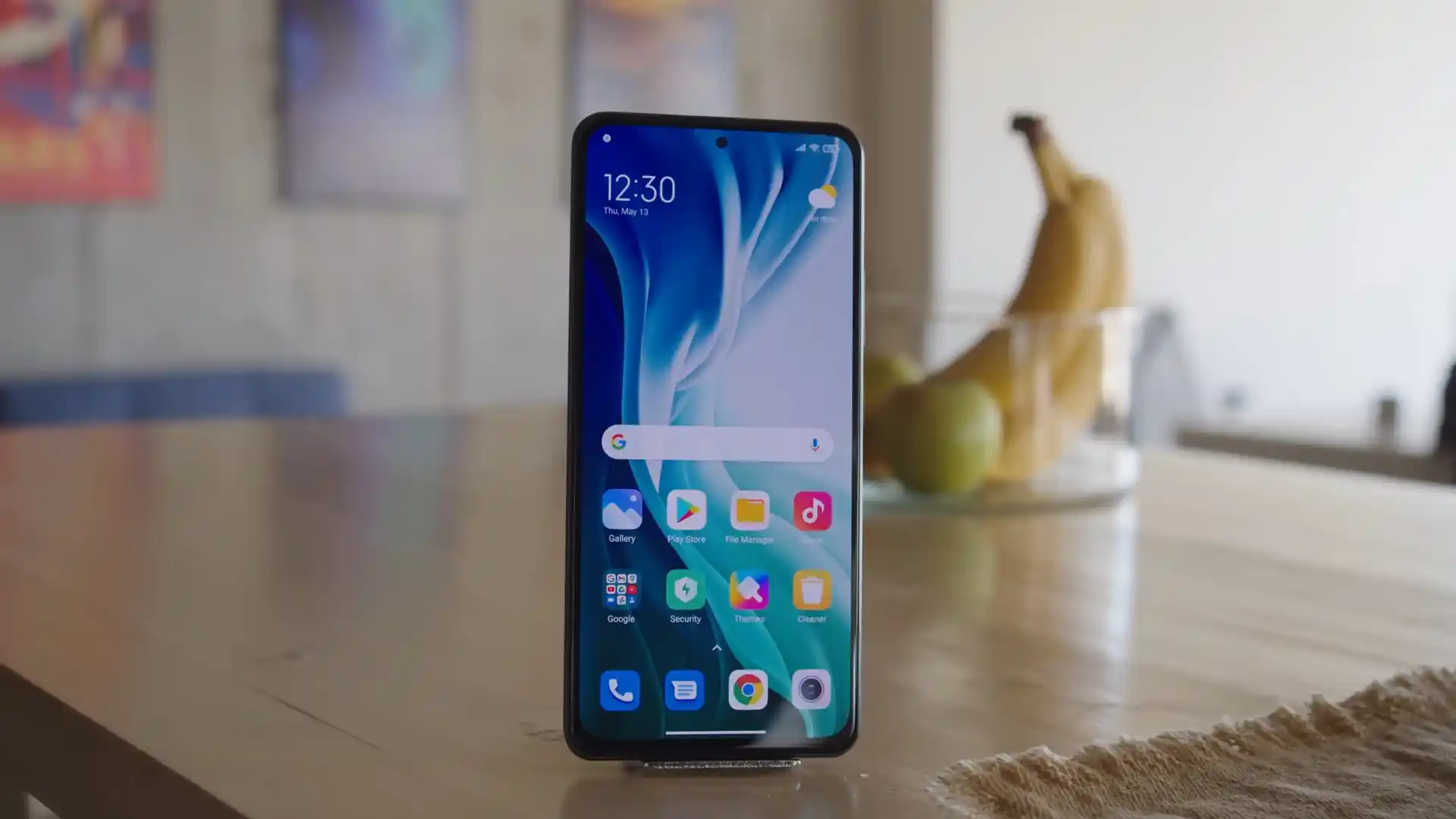
Before you flash: Flashing firmware will erase all data on your device. Back up contacts, photos, and apps before proceeding. FlashGuideHub is not responsible for any damage caused by following this guide.
About the Xiaomi Mi 11i / Redmi K40 Pro / Redmi K40 Pro+ / Mi 11X Pro
The Xiaomi Mi 11i / Redmi K40 Pro / Redmi K40 Pro+ / Mi 11X Pro was launched in March 2021 (Redmi K40 Pro) / May 2021 (Mi 11i), built on the Qualcomm Snapdragon 888 5G SM8350 (5nm Samsung) processor. Known under hardware codename haydn, this flagship platform powers the Xiaomi Mi 11i, Redmi K40 Pro, Redmi K40 Pro+, and Mi 11X Pro with up to 12GB of LPDDR5 RAM, a 120Hz E4 AMOLED display, and a 108MP camera.
Flashing official Fastboot firmware recovers devices from bootloops, unbricks damaged partition tables, and restores clean factory software. Follow the verified package downloads and step-by-step restoration instructions below to flash your phone safely.
Which Flash Mode Should You Use?
Xiaomi Mi Flash Fastboot Flashing (Recommended)
Standard official method for restoring stock HyperOS firmware using an unlocked bootloader and Mi Flash Tool in Fastboot mode.
Stock Recovery (System Updater)
Official on-device recovery method for installing signed Recovery OTA ZIP archives without wiping user files.
Custom Recovery Boot & Installation (TWRP / OrangeFox)
Flashing method for installing multilingual Xiaomi.eu custom ROMs and root packages via temporarily booted custom recovery.
Pre-Flash Hardware Checks & Snapdragon 888 Driver Setup
Fastboot partition flashing requires an officially unlocked bootloader via the Xiaomi Mi Unlock utility.
A 64-bit Windows PC with updated Qualcomm USB QDLoader drivers, Google USB drivers, and Android SDK Platform-Tools.
Ensure the 4520 mAh battery has at least 50% charge to prevent unexpected shutdown during super.img partition writing.
Connect directly to a native motherboard USB 2.0 port to prevent communication drops during multi-gigabyte transfers.
Flashing stock Fastboot firmware with clean all formats internal storage; save all essential personal files beforehand.
5-Step Fastboot & Mi Flash Walkthrough for haydn
These 5 steps are tailored to the Xiaomi Mi 11i / Redmi K40 Pro / Redmi K40 Pro+ / Mi 11X Pro (Snapdragon 888). For screenshots, an interactive checklist, and troubleshooting, open the full Mi Flash Tool guide.
-
Unlock bootloader via official Mi Unlock tool using linked Xiaomi account
-
Extract haydn_eea_global_images_OS1.0.18.0.UKKEUXM_20250326.0000.00_14.0_eea_5f76055c50.tgz with 7-Zip
-
Boot handset into Fastboot mode and verify Qualcomm Android Bootloader Interface in Device Manager
-
Switch active Virtual A/B slot and select clean all script in Mi Flash Tool
-
Flash UFS 3.1 dynamic partitions and monitor super.img sparse chunks write
Firmware Package for Qualcomm Snapdragon 888 (flash_all.bat)
Official Fastboot firmware packages for the Xiaomi Mi 11i and Redmi K40 Pro (haydn) are distributed as .tgz archives containing raw partition images executed via flash_all.bat across the Qualcomm Snapdragon 888 SM8350 UFS 3.1 storage controller.
flash_all.bat
Official stock Fastboot package containing the flash_all.bat flasher script, raw partition images, and SM8350 bootloader binaries.
Hardware Sibling Alert: Do NOT flash firmware meant for Snapdragon 870 devices (such as the standard Redmi K40, POCO F3, or Mi 11X codenamed alioth) onto haydn hardware. Cross-flashing will result in a hard brick.
Verified Fastboot & Recovery Packages (haydn)
Official stock firmware downloads for the Xiaomi Mi 11i / Redmi K40 Pro / Redmi K40 Pro+ / Mi 11X Pro. Make sure to check your exact model variant before downloading.
| Version | Region | Android Version | Size | MD5 | Download |
|---|---|---|---|---|---|
OS1.0.18.0.UKKEUXM (HyperOS 1.0) |
EEA (Europe) | Android 14.0 | 6.4 GB | 5f76055c5039e046eeeb9f8db2a9dacc |
⬇️ Download |
OS1.0.18.0.UKKEUXM (Recovery) |
EEA (Europe) | Android 14.0 | 5.0 GB | b4d53dfc08955c4b73bc555efb24bc6c |
⬇️ Download |
OS1.0.18.0.UKKMIXM (HyperOS 1.0) |
Global | Android 14.0 | 6.5 GB | 9262ac7ff3d4e12f06bd1f78225ca12f |
⬇️ Download |
OS1.0.15.0.UKKINXM (HyperOS 1.0) |
India (IN) | Android 14.0 | 5.5 GB | a7b5695557dbccbceafe2f6cf89615f6 |
⬇️ Download |
OS1.0.13.0.UKKCNXM (HyperOS 1.0) |
China (CN) | Android 14.0 | 6.4 GB | faf19c50996b648a8ce8c30d8251ff24 |
⬇️ Download |
Need all historical builds, custom recoveries, or Xiaomi.eu ROMs? Browse the complete haydn archive on AndroidFirmwareFile.com →
Virtual A/B Partition Layout & Unbrick Guidelines
The Xiaomi Mi 11i houses a 4520 mAh internal lithium-polymer battery supporting 33W wired charging. Flashing complete system and vendor partition images takes approximately 3 to 5 minutes over UFS 3.1 storage. Ensure your battery has at least 50% charge before beginning the flashing process to prevent unexpected shutdowns.
Troubleshooting Xiaomi Mi 11i Flashing Errors
FAILED (remote: Partition table does not exist / super.img timeout)
Occurs when writing 4GB+ dynamic partition super.img sparse chunks over high-impedance USB 3.0 ports. Switch to a rear motherboard USB 2.0 port with an authentic USB-C cable.
error: cannot load flash_all.bat / No such file or directory
Mi Flash cannot locate flasher scripts when the extracted firmware folder is nested within multiple folders or contains spaces in its file path. Move the folder to C:\haydn_fw.
The system has been destroyed (dm-verity hash mismatch)
Triggered when the kernel detects modified system partitions while the bootloader is locked or after an interrupted flash. Boot to Fastboot mode and run flash_all.bat with clean all.
FAILED (remote: Anti-rollback check failed)
Occurs when attempting to downgrade from HyperOS 1.0 (Android 14) to early Android 11 MIUI builds with a lower rollback index. Verify your ARB index using fastboot getvar anti.
Encountering issues during flashing? Review these verified workshop solutions for the Qualcomm Snapdragon 888 platform. Troubleshooting & Common Errors →
Flashing Workshop & Driver Troubleshooting FAQ
Snapdragon 888 devices employ Google Virtual A/B partition architecture without a dedicated physical recovery partition. The recovery ramdisk resides inside boot.img. Flashing recovery images directly with fastboot flash recovery causes boot failure; you must execute fastboot boot twrp.img instead.
The Snapdragon 888 chip generates noticeable heat during heavy multi-gigabyte UFS writes. If the handset is already hot, thermal trip protection can trigger an abrupt reboot midway through flashing super.img. Place the phone on a cool, flat surface and ensure the battery has at least 50% charge before starting.
Android 14 utilizes upgraded File-Based Encryption (FBEv2) with cryptographic keys stored in the metadata partition. Older custom recovery builds lacking updated Android 14 keymaster modules cannot decrypt user data. Use updated builds like skkk v9.0 or Lucifer to decrypt data partitions correctly.
Ready to Flash?
Follow the full step-by-step Mi Flash Tool guide with interactive progress tracking, prerequisite checklist, and complete troubleshooting.