

Before you flash: Flashing firmware will erase all data on your device. Back up contacts, photos, and apps before proceeding. FlashGuideHub is not responsible for any damage caused by following this guide.
About the Xiaomi Mi 8
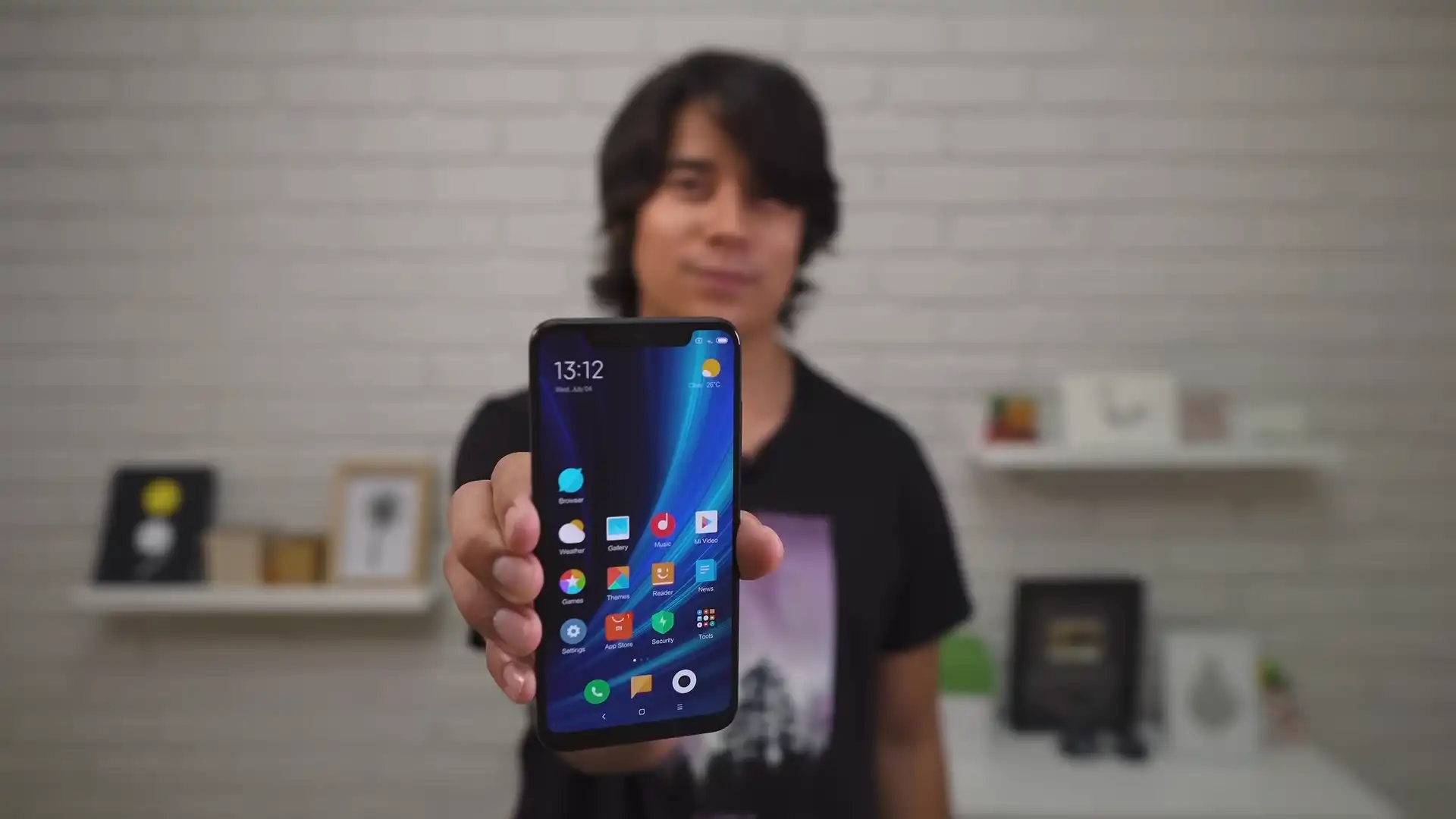
The Xiaomi Mi 8 was released in June 2018, built on the flagship Qualcomm Snapdragon 845 SDM845 (10nm LPP, 64-bit Octa-core: 4x 2.8 GHz Kryo 385 Gold + 4x 1.8 GHz Kryo 385 Silver) platform. Featuring a 6.21-inch Super AMOLED Full HD+ display, dual 12 MP cameras with 4-axis OIS, infrared face unlock, and dual-frequency GPS, the handset delivered flagship performance across global markets.
Flashing official factory Fastboot firmware using Xiaomi Mi Flash Tool repairs corrupted partitions, recovers bootlooping devices, and restores official MIUI stability. Follow the verified driver preparation and procedural steps below to flash your device safely.
Which Flash Mode Should You Use?
Fastboot Mode (Bootloader Flashing)
Official flashing interface for unlocked devices. Writes raw partition blocks via Mi Flash Tool or flash_all.bat scripts.
Qualcomm HS-USB QDLoader 9008 (EDL Mode)
Emergency download mode accessed via motherboard test points. Requires Xiaomi server authorization on the Snapdragon 845 platform.
Stock Android Recovery Mode
Stock recovery interface for executing factory data wipes or clearing cache partitions.
What You Need Before Flashing
A PC running 64-bit Windows with Mi Flash Tool and official Qualcomm USB drivers installed.
Download and unpack the official V12.0.3.0.QEAMIXM archive twice with 7-Zip until flash_all.bat is visible.
Ensure the 3400mAh battery has at least 50% charge to ensure stable power delivery throughout the flashing process.
Use a quality USB Type-C data cable connected directly to a rear USB 2.0 port on the computer motherboard.
In Mi Flash Tool, select "clean all" at the bottom right. Never select "clean all and lock" on cross-region hardware.
How to Flash the Xiaomi Mi 8 — Quick Overview
These 5 steps are tailored to the Xiaomi Mi 8 (Snapdragon 845). For screenshots, an interactive checklist, and troubleshooting, open the full Mi Flash Tool guide.
-
Unlock bootloader & extract Fastboot TGZ archive
-
Install Qualcomm USB Drivers & Mi Flash Tool
-
Boot Xiaomi Mi 8 into Fastboot mode
-
Select firmware folder & choose "clean all"
-
Flash partitions and await automatic reboot
Fastboot Rawprogram XML & Firmware Package for Snapdragon 845
Official Fastboot firmware packages for the Xiaomi Mi 8 (dipper) contain raw partition binaries (boot.img, system.img, vendor.img, cust.img, modem, and splash) orchestrated via rawprogram0.xml, patch0.xml, and flash_all.bat. When executed in Mi Flash Tool, these scripts write partition images directly to the Qualcomm Snapdragon 845 UFS 2.1 storage controller.
rawprogram0.xml
Official factory Fastboot firmware for the Xiaomi Mi 8 utilizes rawprogram0.xml and patch0.xml executed through flash_all.bat. In Mi Flash Tool, select the root extracted folder containing these scripts.
The Xiaomi Mi 8 (board codename dipper) features the Qualcomm Snapdragon 845 (SDM845) processor with 6GB/8GB LPDDR4X RAM, fast UFS 2.1 storage, a 6.21-inch Super AMOLED screen, and an infrared camera for 2D facial recognition.
Always confirm your device codename is "dipper" before flashing. Do not flash packages from related models such as Mi 8 SE (sirius), Mi 8 Pro (equuleus), or Mi 8 Lite (platina), as the partition tables and processor architectures differ fundamentally.
Xiaomi Mi 8 Firmware Versions
Tested stock firmware package for the confirmed hardware variant of the Xiaomi Mi 8. Always confirm your model codename is "dipper" before flashing.
| Version | Region | Android Version | Size | MD5 | Download |
|---|---|---|---|---|---|
V12.0.3.0.QEAMIXM (20211213.0000.00) |
Global Stable (MI) — Multilingual | Android 10.0 (MIUI 12.0) | 2.40 GB | — | ⬇️ Download |
This device family includes 5 verified packages across Global, China, Russian regional builds, Xiaomi.eu, and custom TWRP recovery releases. Browse the complete 5-package archive on AndroidFirmwareFile.com →
Xiaomi Mi 8 — Important Notes
Flashing official Fastboot TGZ firmware via Mi Flash Tool resolves system partition corruption, eliminates bootloops, and restores factory MIUI software stability.
Because the Snapdragon 845 architecture enforces Xiaomi server authentication on Qualcomm 9008 emergency download mode, open EDL testpoint flashing cannot be performed without authorized credentials. Ensure your bootloader remains unlocked and maintain Fastboot access as your primary workshop lifeline.
Troubleshooting Xiaomi Mi 8 (dipper) Mi Flash & Fastboot Errors
Regional Boot Failure: "This MIUI version can't be installed on this device" Regional Lockout
Occurs when flashing Global stable firmware (V12.0.3.0.QEAMIXM) onto Chinese domestic hardware models (M1803E1A / M1803E1T) while selecting "clean all and lock". The bootloader verification code detects the mismatch between the board's hardware region flag and the flashed firmware region. Workshop recovery requires returning to Fastboot and flashing with "clean all" (flash_all.bat) to keep the bootloader open.
GPS Calibration: Dual-Frequency GNSS (L1+L5) Signal Loss After Non-Stock Flashing
The Mi 8 was the first smartphone featuring dual-frequency GNSS via the Broadcom BCM47755 receiver. Community repair logs report that flashing third-party partitions or wiping persist can corrupt L5 carrier phase calibration tables, leaving only standard single-frequency L1 GPS active. Technicians advise flashing official stock modem and vendor partitions to reinstate sub-meter satellite accuracy.
For in-depth Xiaomi Fastboot error codes, EDL testpoint pinouts, and driver troubleshooting: Mi Flash Tool Error Directory →
Frequently Asked Questions — Xiaomi Mi 8
Hold down the Power button continuously for 10 to 12 seconds until the screen goes completely dark. Immediately hold down Volume Down and Power together until the orange Fastboot graphic appears on the Super AMOLED display.
The Mi 8 display notch houses an independent infrared camera and flood illuminator. Official stock Fastboot packages restore the proprietary biometric calibration tables in the vendor partition, allowing instant facial recognition in total darkness without requiring manual sensor recalibration.
Yes. If your handset is an authentic European/Global model (laser-engraved M1803E1G on the rear housing), running "flash_all_lock.bat" in Mi Flash Tool successfully re-locks the bootloader and restores certified Google Play Integrity without trigger errors.
Ready to Flash?
Follow the full step-by-step Mi Flash Tool guide with interactive progress tracking, prerequisite checklist, and complete troubleshooting.