

Before you flash: Flashing firmware will erase all data on your device. Back up contacts, photos, and apps before proceeding. FlashGuideHub is not responsible for any damage caused by following this guide.
About the Xiaomi Redmi 8A Dual / Redmi 8A Pro
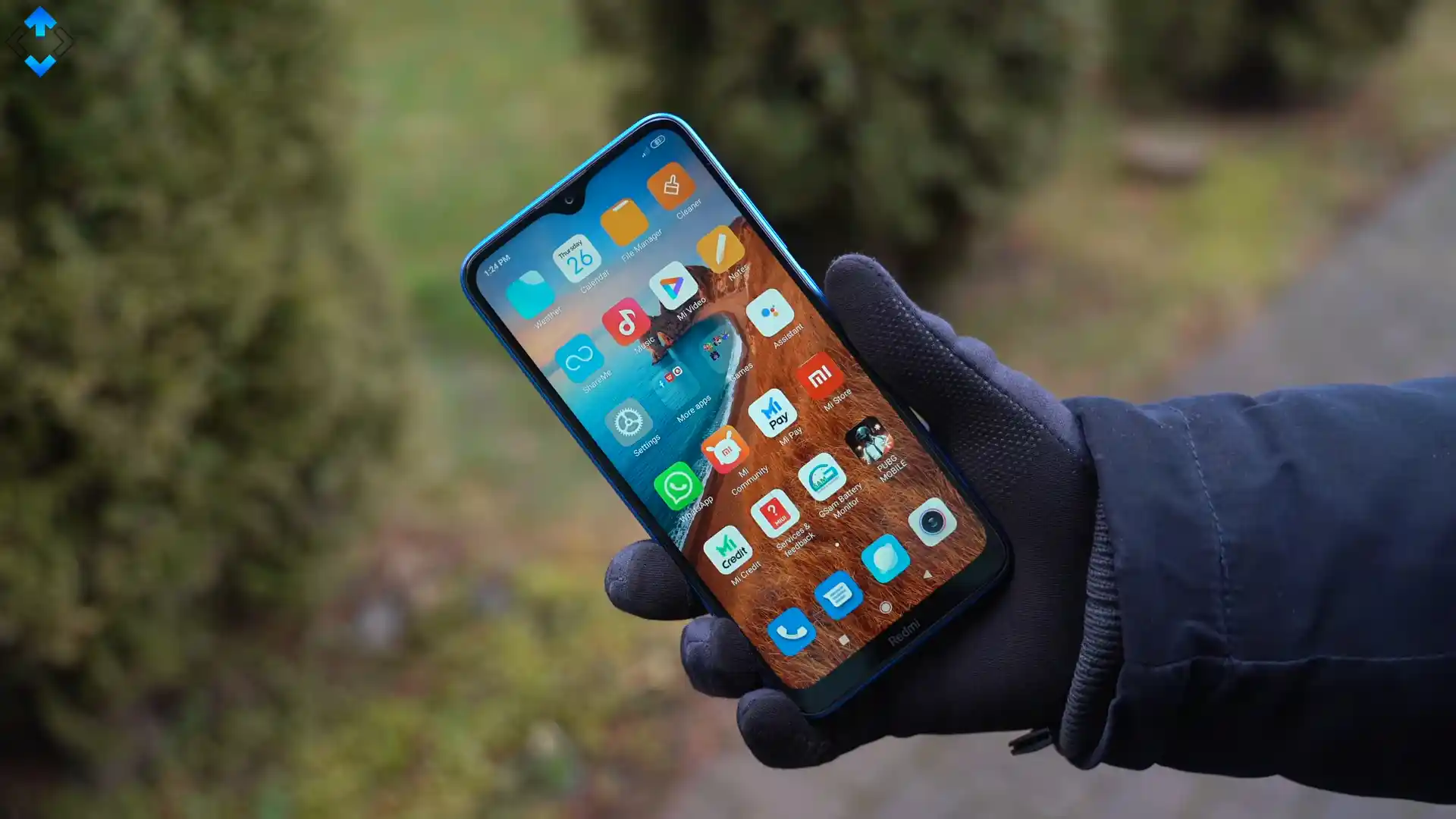
The Xiaomi Redmi 8A Dual / Redmi 8A Pro (hardware codename olivewood, model numbers M2001C3K3I and M2001C3K3G) was announced in February 2020 as an upgraded dual-camera iteration within Xiaomi's budget portfolio. Powered by the Qualcomm Snapdragon 439 (12nm FinFET) with Adreno 505 graphics, it pairs an upgraded dual 13 MP + 2 MP camera setup with a 6.22-inch HD+ display and an endurance-focused 5000 mAh battery with USB Type-C connectivity.
This flashing guide walks you through the complete stock firmware restoration workflow using the official Xiaomi Mi Flash Tool and Fastboot protocols. Whether you are unbricking a phone trapped in a bootloop, reverting to factory software, or preparing to flash PitchBlack Custom Recovery, following these exact steps ensures safe partition restoration.
Which Flash Mode Should You Use?
Fastboot Mode (Primary Flashing)
Standard bootloader flashing interface for flashing official Fastboot TGZ archives via Mi Flash Tool or platform-tools command line.
PitchBlack Recovery Mode (PBRP)
Custom touch-driven recovery interface for flashing custom ROMs, flashing Magisk root packages, and managing Android 10 encrypted storage.
Qualcomm Emergency Download (EDL 9008)
Low-level Qualcomm hardware recovery mode used for reviving hard-bricked handsets that fail to respond to physical buttons or power.
Essential Equipment & Pre-Flash Requirements
Ensure your handset holds at least 50% battery charge before beginning to avoid unexpected power loss while partition images are written.
Connect your phone using a sturdy USB Type-C cable directly to a black USB 2.0 port on your computer motherboard to avoid high-speed USB 3.0 timeout errors.
Fastboot flashing requires an unlocked bootloader via the official Xiaomi Mi Unlock tool. Ensure your Mi account binding period has expired.
Use 7-Zip to extract the .tgz archive twice until flash_all.bat and the images folder are visible. Windows built-in zip tools can corrupt .tar archives.
Install Xiaomi Mi USB drivers and Qualcomm HS-USB QDLoader drivers on your Windows PC to ensure stable device detection.
5-Step Mi Flash & Fastboot Execution Flow
A condensed step-by-step summary specific to the Xiaomi Redmi 8A Dual / Redmi 8A Pro. Follow the full Mi Flash Tool guide for screenshots, an interactive progress checklist, and complete troubleshooting.
-
Unlock olivewood bootloader using official Xiaomi Mi Unlock tool
-
Unpack olivewood_id_global_images_V12.5.4.0.QCQIDXM Fastboot package twice with 7-Zip
-
Reboot handset into Fastboot mode by holding Volume Down and Power buttons
-
Verify olivewood board ID and anti-rollback index using fastboot getvar product and anti
-
Configure Mi Flash Tool with clean all flash_all.bat and execute flash on USB 2.0 port
Redmi 8A Dual & 8A Pro Fastboot Partition Architecture
The primary flash script for the Xiaomi Redmi 8A Dual and Redmi 8A Pro is flash_all.bat, located in the root of the decompressed Fastboot TGZ package. It executes sequential fastboot commands to flash modem, boot, system, vendor, and cust partitions.
flash_all.bat
The Snapdragon 439 platform uses Qualcomm partition tables managed by partition.xml and rawprogram0.xml. When flashing via Fastboot CLI or Mi Flash Tool, flash_all.bat translates these configurations into sequential fastboot flash commands for each partition.
Always select "clean all" (flash_all.bat) at the bottom of Mi Flash Tool. Never select "clean all and lock" (flash_all_lock.bat) on an imported handset, as locking the bootloader with mismatched regional firmware triggers an instant recovery brick.
Xiaomi Redmi 8A Dual / Redmi 8A Pro Firmware Versions
Official factory Fastboot packages for the Xiaomi Redmi 8A Dual and Redmi 8A Pro. Extract with 7-Zip twice before flashing.
| Version | Region | Android Version | Size | MD5 | Download |
|---|---|---|---|---|---|
V12.5.4.0.QCQIDXM |
Indonesia (IDXM) — Global Channel | Android 10.0 (MIUI 12.5) | 3.0 GB | fc8723cbcb383f7799cb52d99d952808 |
⬇️ Download |
V12.5.6.0.QCQINXM |
India (INXM) — Regional Retail | Android 10.0 (MIUI 12.5) | 2.4 GB | b895f6bfc1cbb9ff9f72b64670545719 |
⬇️ Download |
Looking for additional regional updates or custom recovery packages? Browse the full Redmi 8A Dual & 8A Pro archive on AndroidFirmwareFile.com →
Redmi 8A Dual & 8A Pro Flashing Protocols & Platform Notes
The Xiaomi Redmi 8A Dual and Redmi 8A Pro (olivewood) utilize Qualcomm's Snapdragon 439 platform with an eMMC 5.1 storage layout. When performing a full system restoration using the factory package olivewood_id_global_images_V12.5.4.0.QCQIDXM_20220830.0000.00_10.0_global_fc8723cbcb.tgz, the flash_all.bat script flashes the partition table (gpt_both0.bin), boot image, system, vendor, and modem binaries in sequence.
For owners wishing to install custom ROMs or Magisk root, the official PitchBlack Recovery package PBRP-olivewood-3.1.0-20210328-1902-OFFICIAL.zip can be extracted to obtain recovery.img, which is then written to the recovery partition using fastboot flash recovery recovery.img. After flashing PBRP, reboot directly into recovery mode using Volume Up + Power to prevent the stock Android 10 bootloader from restoring the stock recovery image.
Troubleshooting Redmi 8A Dual & 8A Pro Mi Flash Errors
error: missmatching image and device
Triggered by flash_all.bat when the fastboot getvar product handshake does not return "olivewood". This occurs when attempting to flash these packages onto sibling hardware like Redmi 8 (olive) or Redmi 8A (olivelite), or when the fastboot binary fails to read the product identifier correctly.
This MIUI version can't be installed on this device
Occurs upon booting after selecting "clean all and lock" (flash_all_lock.bat) in Mi Flash Tool when flashing cross-region firmware (e.g., flashing the Indonesian QCQIDXM ROM onto the Indian M2001C3K3I hardware). Always use "clean all" (flash_all.bat) to leave the bootloader unlocked.
FAILED (remote: 'anti-rollback check failed')
Fastboot aborts flashing when attempting to downgrade MIUI 12.5 to an earlier MIUI 11 build that carries a lower anti-rollback protection index. Always check your current rollback counter using "fastboot getvar anti" before flashing older firmware.
Encountering flashing errors or connection timeouts? Check our verified solutions below. Troubleshooting Guide →
Workshop & Flashing Troubleshooting FAQ
The flash_all.bat script begins by querying "fastboot getvar product" and matching the string against "olivewood". If you accidentally try to flash these packages onto a sibling device like the standard Redmi 8 (olive) or single-camera Redmi 8A (olivelite), the script aborts immediately. This safety check prevents flashing incompatible camera sensor binaries or kernel tables that would disrupt hardware operation.
If your Redmi 8A Dual or 8A Pro is unresponsive and cannot enter Fastboot mode, you can force Qualcomm Emergency Download (EDL 9008) mode using motherboard test points. Turn off the device, remove the SIM tray and plastic back panel, unscrew the protective bracket over the upper motherboard, and unplug the battery connector. Using metallic tweezers, bridge the two small circular gold test pads located near the rear camera module while plugging in your USB Type-C cable to the PC. Windows Device Manager will register the connection as Qualcomm HS-USB QDLoader 9008.
Android 10 on the Snapdragon 439 platform enforces Qualcomm file-based encryption (FBE). If PBRP cannot automatically decrypt the data partition with your lock screen credentials, you will see random folder names like "a83fb90f...". To resolve this for custom ROM flashing, open PBRP, navigate to Wipe -> Format Data, type "yes", and swipe to confirm. This clears the encryption keys and mounts the storage cleanly for MTP file transfers.
Xiaomi bootloaders check cryptographic regional signatures during the locking sequence. If you flash the Indonesian Global firmware (QCQIDXM) onto an Indian retail model (M2001C3K3I) with "clean all and lock" (flash_all_lock.bat), the hardware mismatch causes the bootloader to reject the boot image, displaying "This MIUI version can't be installed on this device" and trapping the phone in a recovery loop. Always choose "clean all" (flash_all.bat) to keep the bootloader safely unlocked.
Ready to Flash?
Follow the full step-by-step Mi Flash Tool guide with interactive progress tracking, prerequisite checklist, and complete troubleshooting.