

Before you flash: Flashing firmware will erase all data on your device. Back up contacts, photos, and apps before proceeding. FlashGuideHub is not responsible for any damage caused by following this guide.
About the Xiaomi Redmi Note 5 Pro / Note 5 AI
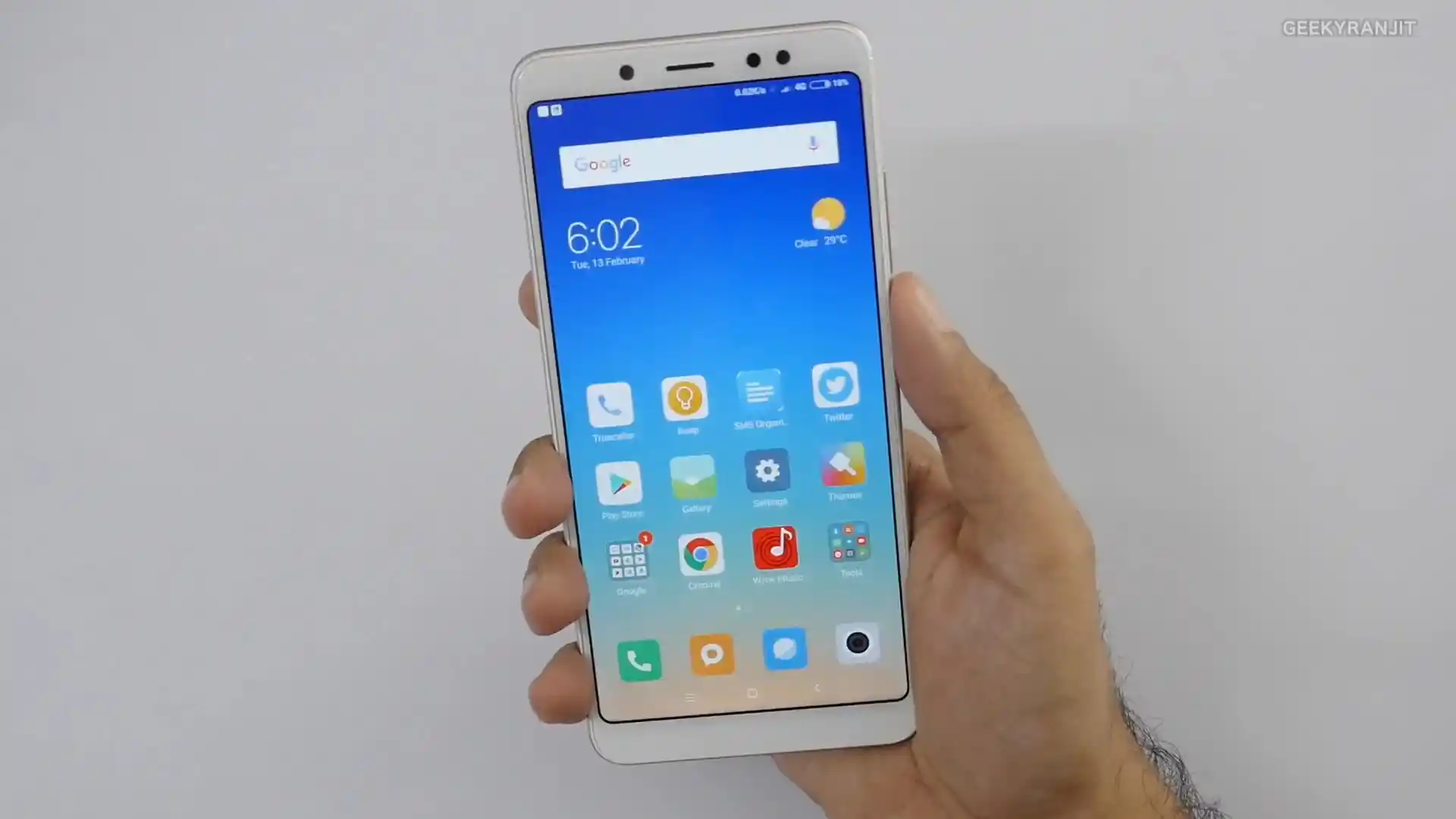
The Xiaomi Redmi Note 5 Pro / Note 5 AI was launched in February 2018, built on the Qualcomm Snapdragon 636 platform. Known under codename whyred (models M1803E7SG Global, M1803E7CE China, and MEI7S India), the handset features an unnotched 5.99-inch 18:9 Full HD+ display, up to 6 GB of RAM, vertical dual AI cameras, and a 4000 mAh battery.
Flashing official Fastboot firmware recovers devices from bootloops, unbricks damaged partition tables, and restores clean factory software. Follow the verified package links and bench steps below to flash your phone safely.
Which Flash Mode Should You Use?
Xiaomi Mi Flash Fastboot Flashing (Recommended)
Standard official method for restoring stock MIUI firmware using an unlocked bootloader and Mi Flash Tool in Fastboot mode.
Qualcomm Emergency Download (EDL 9008) Mode
Low-level emergency recovery method used when the bootloader is locked, ARB-tripped, or hard-bricked with no display.
TWRP / PBRP Custom Recovery Installation
Custom recovery environment used for installing debloated custom ROMs like Xiaomi.eu or creating full Nandroid backups.
What You Need Before Flashing
Fastboot flashing requires an officially unlocked bootloader via the Xiaomi Mi Unlock utility.
A 64-bit Windows computer with Mi Flash Tool (2018.05.28 or newer) and Qualcomm USB drivers.
Ensure the 4000 mAh battery has at least 50% charge to prevent shutdown during partition writes.
Use a quality data cable plugged into a rear USB 2.0 port to prevent communication drops.
Flashing Fastboot firmware with "clean all" completely wipes internal storage and applications.
Extract the .tgz archive twice using 7-Zip to reveal flash_all.bat in a clean directory path.
How to Flash the Xiaomi Redmi Note 5 Pro / Note 5 AI — Quick Overview
5-step quick reference for the Xiaomi Redmi Note 5 Pro / Note 5 AI. Need visuals or troubleshooting help? The full Mi Flash Tool guide covers everything in detail.
-
Unlock bootloader with Mi Unlock
-
Extract Fastboot TGZ archive twice
-
Enter Fastboot mode
-
Configure Mi Flash Tool with "clean all"
-
Flash firmware and await first reboot
Firmware Package for Snapdragon 636 (flash_all.bat)
Official Fastboot firmware packages for the Xiaomi Redmi Note 5 Pro are packaged as .tgz archives containing raw partition binaries (system.img, boot.img, recovery.img, vendor.img) managed by flash_all.bat, along with rawprogram0.xml and patch0.xml for low-level Qualcomm Snapdragon 636 EDL 9008 flashing.
flash_all.bat / rawprogram0.xml
Official Xiaomi Fastboot firmware is distributed as .tgz archives. Decompress the archive twice using 7-Zip until the folder containing "flash_all.bat" and the raw partition image files is visible.
Anti-Rollback Caution: Never attempt to downgrade below MIUI 10 / Android 8.1 builds with an ARB index lower than 4. Always flash using "clean all" (flash_all.bat) when handling cross-region units.
Xiaomi Redmi Note 5 Pro / Note 5 AI Firmware Versions
Curated official stock firmware packages for the Xiaomi Redmi Note 5 Pro / Note 5 AI. Verify your hardware model variant before downloading.
| Version | Region | Android Version | Size | MD5 | Download |
|---|---|---|---|---|---|
V12.0.2.0.PEIMIXM |
Global (M1803E7SG / MEI7S) | Android 9.0 (MIUI 12.0) | 2.53 GB | 561698251e93a3b357fe62e2b7cbec64 |
⬇️ Download |
V12.0.3.0.PEICNXM |
China Mainland (M1803E7CE) | Android 9.0 (MIUI 12.0) | 2.64 GB | 59bb23dffc4d5e63605e085ffd17e15c |
⬇️ Download |
This phone family has additional regional builds, carrier-customized packages, and community recovery files. Browse the complete archive on AndroidFirmwareFile.com →
Xiaomi Redmi Note 5 Pro / Note 5 AI — Important Notes
The Xiaomi Redmi Note 5 Pro houses a 4000 mAh internal lithium-polymer battery. Fastboot partition flashing takes between 3 and 5 minutes. Verify that the battery holds at least 50% charge before beginning flashing to ensure uninterrupted eMMC partition writes.
Troubleshooting Xiaomi Redmi Note 5 Pro Flashing & ARB Errors
Anti-Rollback (ARB 4) Brick: Phone dead after flashing older MIUI (EDL 9008 mode)
Whyred is famous for introducing Xiaomi's Anti-Rollback protection. Flashing any firmware with an ARB index lower than 4 (such as early MIUI 9 builds) causes the Qualcomm Primary BootLoader (PBL) to blow hardware fuse comparisons and lock execution into EDL 9008 mode. Workshop technicians report that recovering from an ARB mismatch requires authorized Xiaomi service credentials or deep board-level JTAG repairs.
Mi Flash Lock Brick: "This MIUI version can't be installed on this device"
Occurs when users flash Global firmware onto Chinese domestic hardware (M1803E7CE) while leaving "clean all and lock" checked. The re-locked bootloader detects the mismatched regional cust flag in the misc partition and halts boot. Technicians recommend shorting motherboard test points into EDL 9008 mode and re-flashing China Fastboot with "clean all" to revive the handset.
TWRP Recovery Data Decryption Error: "0MB internal storage"
Frequently reported when flashing custom recovery over official Android 9.0 Pie MIUI builds due to active forced filesystem encryption. Forum members suggest selecting Wipe > Format Data (typing "yes"), rebooting back into recovery, and then transferring ROM packages via MTP or USB OTG.
For solving Anti-Rollback (ARB 4) bricks, Mi Flash Tool error codes, and recovery decryption issues: Xiaomi & Qualcomm Flashing Error Directory →
Frequently Asked Questions — Xiaomi Redmi Note 5 Pro / Note 5 AI
To enter Fastboot mode: Power off the phone completely, then hold Volume Down and Power simultaneously until the device vibrates and displays the orange Fastboot mascot. To enter Recovery mode: Turn off the phone, hold Volume Up and Power together until the Mi splash screen appears, then release Power while holding Volume Up until the stock recovery or TWRP interface opens.
Connect the phone in Fastboot mode to a computer and execute the command "fastboot getvar anti". If the returned value is "anti: 4", the device has permanently blown hardware fuses. You must NEVER flash an older firmware package whose bootloader or recovery carries an anti index lower than 4 (such as early MIUI 9 builds), as doing so immediately triggers an irreversible hard brick into Qualcomm 9008 EDL mode.
On whyred, the two circular golden EDL test points are located on the mainboard directly above the battery connector and to the left of the rear camera sensor frame. To enter EDL 9008 mode: remove the rear metal housing, disconnect the battery flex cable, short both test points using precision tweezers, and insert the microUSB cable. Device Manager will detect "Qualcomm HS-USB QDLoader 9008".
Android 9.0 Pie on MIUI enforces File-Based Encryption (FBE) on the /data partition. When booting TWRP for the first time, stock encryption prevents the recovery from mounting storage. In TWRP or PitchBlack Recovery, navigate to "Wipe" > "Format Data", type "yes", and swipe to confirm. This formats the encryption footer and clears corrupted crypto keys, restoring full storage access.
Ready to Flash?
Follow the full step-by-step Mi Flash Tool guide with interactive progress tracking, prerequisite checklist, and complete troubleshooting.