

Before you flash: Flashing firmware will erase all data on your device. Back up contacts, photos, and apps before proceeding. FlashGuideHub is not responsible for any damage caused by following this guide.
About the ASUS ZenFone 4 Selfie
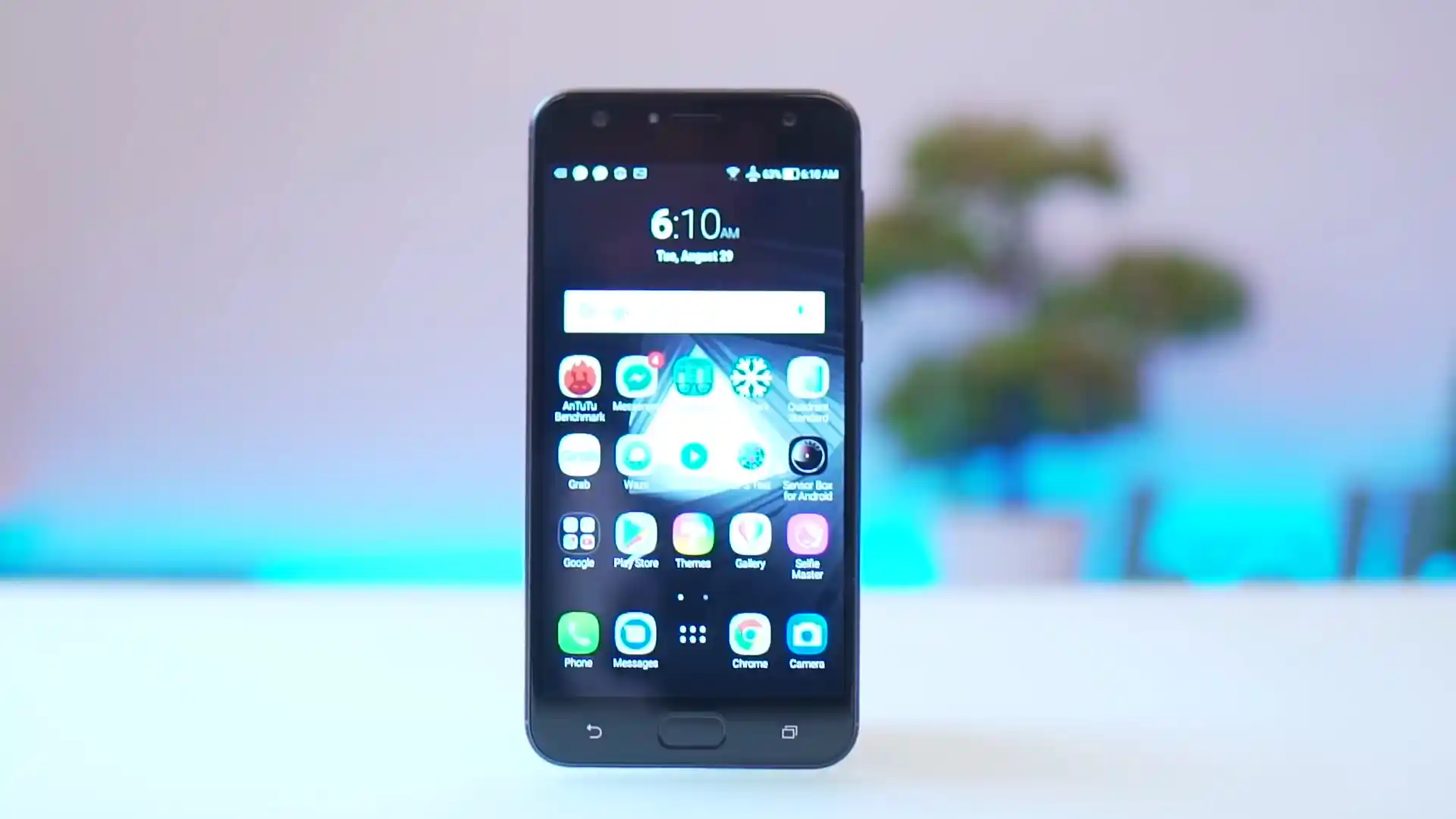
The ASUS ZenFone 4 Selfie launched in August 2017 on the Qualcomm Snapdragon 430 MSM8937 platform (board codename ASUS_X00LD / T89239), offered as the dual-selfie ZD553KL (4 GB / 64 GB) and the single-selfie ZB553KL Selfie Lite (3 GB / 32 GB).
Flashing official stock firmware clears OTA encryption loops, restores unresponsive cameras, and recovers dead Qualcomm 9008 units. Follow the verified builds and board-specific steps below.
Which Flash Mode Should You Use?
Stock Recovery / SD-Card Update (Recommended)
Official ASUS method for flashing signed WW__ZD553KL(ZB553KL)_*.zip recovery packages without unlocking the bootloader.
Fastboot CMD Script (flashall_AFT.cmd)
Automated Windows Fastboot script inside _CMD.zip archives for clean Android 8.1 Oreo partition flashing on ZB553KL.
ASUS Flash Tool (CSC NewAFT Service)
Service utility for flashing CSC_ZB553KL_*_NewAFT.zip packages when downgrading or repairing corrupted partitions.
QFIL (Qualcomm EDL 9008 Unbrick)
Low-level Emergency Download flashing for hard-bricked X00LD units stuck on a black screen in 9008 mode.
What You Need Before Flashing
Confirm whether your ASUS_X00LD unit is the dual-front-camera ZD553KL or single-camera ZB553KL before flashing service builds.
Ensure the 3000 mAh battery holds at least 40% charge so the phone does not shut down mid-write.
Aging microUSB ports on 2017 units can drop Fastboot or 9008 links; use a snug cable on a rear PC USB 2.0 port.
Use a clean FAT32/exFAT microSD card if Android will not boot and you need to flash via Stock Recovery.
Signed WW recovery updates keep data, whereas Fastboot CMD, NewAFT CSC, and QFIL packages wipe userdata.
How to Flash the ASUS ZenFone 4 Selfie — Quick Overview
5-step quick reference for the ASUS ZenFone 4 Selfie. Need visuals or troubleshooting help? The full ASUS Flash Tool guide covers everything in detail.
-
Verify your ASUS_X00LD model (ZD553KL dual-selfie vs ZB553KL Selfie Lite) before downloading
-
Download WW__ZD553KL(ZB553KL)_15.0400.1907.513_20190702.zip (or the ZB553KL CMD archive for PC Fastboot)
-
Place the unextracted WW ZIP in root storage / microSD, or extract the CMD folder to C:\x00ld_fw
-
Hold Volume Up + Power to open the ASUS_X00LD boot menu for Stock Recovery or Fastboot Mode
-
Apply the update from microSD, run flashall_AFT.cmd in Fastboot, or flash SW_T89239AA1_V002 via QFIL 9008
Firmware Package Layout for Snapdragon 430 (X00LD)
Official ASUS ZenFone 4 Selfie user updates ship as signed recovery ZIPs (WW__ZD553KL(ZB553KL)_15.0400.1907.513_20190702.zip), while PC service repairs use Fastboot CMD scripts (flashall_AFT.cmd), CSC NewAFT archives, or raw SW_T89239AA1_V002 Qualcomm EDL packages.
WW__ZD553KL(ZB553KL)_*.zip / flashall_AFT.cmd / SW_T89239AA1_*.rar
User updates use signed WW__ZD553KL(ZB553KL)_*.zip archives kept unextracted. PC service packages (CMD, CSC NewAFT, and SW_T89239AA1_V002) extract to raw partition images, flashall_AFT.cmd scripts, and Qualcomm Firehose files.
Hardware note: ZD553KL (dual 20 MP + 8 MP front cameras, 4 GB RAM) and ZB553KL (13 MP front camera, 3 GB RAM) share the ASUS_X00LD board. Unified WW Oreo ZIPs work on both, but Nougat CSC and CMD service builds must match your SKU.
ASUS ZenFone 4 Selfie Firmware Versions
Recommended builds for the ASUS ZenFone 4 Selfie (one per flashing method and hardware branch).
| Version | Region | Android Version | Size | MD5 | Download |
|---|---|---|---|---|---|
WW-15.0400.1907.513 |
Global / Worldwide (ZD553KL & ZB553KL) | Android 8.1 Oreo | 3.6 GB | 6c4f5cc586ffaa6c4d38a7850684ba18 |
⬇️ Download |
WW-15.0400.1809.405 (Fastboot CMD) |
Global / Worldwide (ZB553KL) | Android 8.1 Oreo | 3.55 GB | — |
⬇️ Download |
SW_T89239AA1_V002 (Raw / EDL) |
Global / Worldwide (X00LD Unbrick) | Android 7.1.1 Nougat | 1.77 GB | — |
⬇️ Download |
This device has 7 verified firmware packages including Android 8.1 Oreo WW ZIPs, Nougat 7.1.1 OTAs, CSC NewAFT, and QFIL raw archives. See all 7 files on AndroidFirmwareFile.com →
ASUS ZenFone 4 Selfie — Important Notes
For standard bootloop recovery on either model, copy WW__ZD553KL(ZB553KL)_15.0400.1907.513_20190702.zip to a FAT32/exFAT microSD card and flash it through Stock Recovery (Volume Up + Power). If you need a clean PC wipe on ZB553KL, extract Asus_Zenfone_4_Selfie_ZB553KL_15.0400.1809.405_20180927_CMD.zip and run flashall_AFT.cmd in Fastboot Mode. For hard-bricked units stuck on a black screen in Qualcomm 9008 mode, use SW_T89239AA1_V002_89239_1_10_R1_ASUS_USD_ATO-131480359057664744.rar with QFIL.
Troubleshooting ASUS ZenFone 4 Selfie Flashing & 9008 Errors
E:Error in /sideload/package.zip (Status 7) / OTA encryption loop
Reported on XDA when applying an OTA over a modified system partition or attempting to downgrade from Android 8.1 (15.0400) to Android 7.1.1 (14.0400) in Stock Recovery. Flash the full unified WW_15.0400.1907.513 ZIP or use a Fastboot CMD / NewAFT CSC package instead.
Front camera black screen or missing wide-angle mode after Nougat flash
Occurs when a ZB553KL (13 MP single front camera) Nougat CSC/CMD image is flashed onto a ZD553KL (20 MP + 8 MP dual front) board or vice versa. Flash the unified WW__ZD553KL(ZB553KL)_15.0400.1907.513_20190702.zip or the matching SKU package.
Stuck on ASUS logo / remote: wrong signature of image in Fastboot
Flashing unsigned images on a locked bootloader triggers "wrong signature of image". Either flash a signed WW recovery ZIP via microSD or, if Fastboot is unreachable, use Qualcomm 9008 EDL mode with SW_T89239AA1_V002 in QFIL.
For additional ASUS recovery and Fastboot error codes: ASUS Flashing Error Directory →
Frequently Asked Questions — ASUS ZenFone 4 Selfie
Power off completely, then hold Volume Up + Power until the ASUS logo appears to enter the boot menu and choose Recovery Mode. When the lying Android robot with "No Command" appears, press and hold Power, tap Volume Up once, and release Power to reveal the recovery options.
XDA threads for X00LD note that older TWRP builds frequently throw "Error 7" on Oreo or fail to decrypt userdata. Community members recommend extracting boot.img from your exact WW build, patching it with Magisk, and flashing it via fastboot flash boot patched_boot.img after unlocking.
ASUS retired the legacy ZenFone 4 Selfie official unlock app servers, so locked units should stick to signed WW Recovery ZIPs. If you run a Fastboot CMD or QFIL 9008 restore on an unlocked or bricked unit, avoid wiping persist or modemst1/modemst2 so Wi-Fi MAC addresses, IMEI, and sensor calibration remain intact.
Ready to Flash?
Follow the full step-by-step ASUS Flash Tool guide with interactive progress tracking, prerequisite checklist, and complete troubleshooting.