

Before you flash: Flashing firmware will erase all data on your device. Back up contacts, photos, and apps before proceeding. FlashGuideHub is not responsible for any damage caused by following this guide.
About the Lenovo Tab 4 10
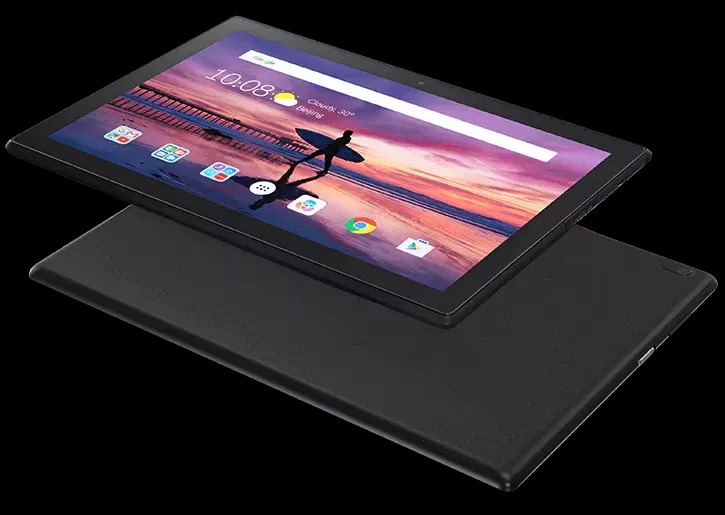
The Lenovo Tab 4 10 is a 10.1-inch Android tablet released in May 2017, powered by the Qualcomm Snapdragon 425 (MSM8917) platform. Lenovo produced three hardware variants: TB-X304F (Wi-Fi only), TB-X304L (LTE Data), and TB-X304X (LTE Voice/Data).
Flashing stock firmware restores corrupted partitions, unbricks dead devices, and cleans system modifications using Qualcomm Flash Image Loader (QFIL) in Emergency Download (EDL 9008) mode.
Which Flash Mode Should You Use?
Qualcomm QFIL / EDL 9008 Mode
The primary flashing method for the Snapdragon 425 platform. Writes all partitions directly to eMMC storage using rawprogram0.xml and prog_emmc_firehose_8917_ddr.mbn. Works on locked or unlocked bootloaders.
Open-Source Qualcomm EDL (bkerler/edl)
Cross-platform command-line alternative for Linux and macOS. Flashes rawprogram0.xml partition layouts over Qualcomm 9008 protocol using Python.
SP Flash Tool (Not Applicable)
SP Flash Tool is specific to MediaTek chipsets and is not compatible with the Lenovo Tab 4 10, which runs on a Qualcomm Snapdragon 425 (MSM8917) processor.
What You Need Before Flashing
QFIL requires Windows 7/8/10/11 with Qualcomm HS-USB QDLoader 9008 drivers installed.
Download the exact package matching your model variant (TB-X304F, TB-X304L, or TB-X304X).
Use a high-quality microUSB data cable and connect directly to a rear USB 2.0 port on the motherboard.
Charge the tablet to at least 40% to prevent power interruption during eMMC writing.
EDL flashing overwrites userdata. Back up important data prior to flashing.
How to Flash the Lenovo Tab 4 10 — Quick Overview
A quick 6-step overview built specifically for the Lenovo Tab 4 10. The full QFIL guide adds screenshots, progress tracking, and fixes for common errors.
-
Identify your exact model number
-
Install Qualcomm HS-USB QDLoader 9008 drivers
-
Download and extract the matching firmware package
-
Configure QFIL in Flat Build mode
-
Enter EDL Mode and initiate flashing
-
Wait for completion and reboot
Qualcomm EDL Package Structure for MSM8917
Lenovo Tab 4 10 firmware packages are distributed as Qualcomm EDL service packages containing rawprogram0.xml, patch0.xml, and the prog_emmc_firehose_8917_ddr.mbn programmer. Extract the archive on your PC before loading files into QFIL.
rawprogram0.xml
Lenovo Tab 4 10 firmware packages contain rawprogram0.xml (partition mapping), patch0.xml (disk patching instructions), and prog_emmc_firehose_8917_ddr.mbn (Firehose bootloader). Extract all files into a single directory before opening QFIL.
The Lenovo Tab 4 10 family comprises three distinct hardware variants: TB-X304F (Wi-Fi only), TB-X304L (LTE Data), and TB-X304X (LTE Voice/Data). Each model requires its respective firmware package with model-specific modem and partition tables. Flashing Wi-Fi firmware on an LTE variant or vice versa will cause baseband failure.
Always verify your model in Settings → About Tablet or on the back panel before flashing.
Lenovo Tab 4 10 Firmware Versions
A representative build for each confirmed variant of the Lenovo Tab 4 10. Verify your exact hardware model before flashing.
| Version | Region | Android Version | Size | MD5 | Download |
|---|---|---|---|---|---|
S001017_2211021443 |
TB-X304F — Global / ROW (Wi-Fi) | Android 8.1 Oreo | 2.1 GB | — | ⬇️ Download |
S001018_2210251309 |
TB-X304L — North America / US (LTE Data) | Android 8.1 Oreo | 2.11 GB | — | ⬇️ Download |
S001015_1903291715 |
TB-X304X — Global / ROW (LTE Voice/Data) | Android 8.1 Oreo | 2.08 GB | — | ⬇️ Download |
This device has 7 known files across three confirmed variants (TB-X304F, TB-X304L, TB-X304X). See the complete archive on AndroidFirmwareFile.com →
Lenovo Tab 4 10 — Important Notes
The Lenovo Tab 4 10 launched on Android 7.1.1 Nougat and received official maintenance and upgrade releases up to Android 8.1 Oreo across all hardware variants.
Qualcomm EDL 9008 mode operates at the primary bootloader level, allowing you to unbrick hard-bricked units, recover from corrupted partition tables, or restore factory software on locked bootloaders.
Common Errors on the Lenovo Tab 4 10
QFIL: "Download Fail: Sahara Fail / Function: rx_data:236"
The Emergency Download handshake timed out or was interrupted. Reconnect the tablet to a direct USB 2.0 port on the motherboard, verify Qualcomm driver installation in Device Manager, and re-trigger EDL mode before clicking Download.
QFIL: "Download Fail: FireHose Fail / Packet not acknowledged"
Mismatch between the selected Firehose programmer and the device chipset. Verify that the loaded file is prog_emmc_firehose_8917_ddr.mbn matching the Snapdragon 425 (MSM8917) platform.
Device Manager: "Qualcomm HS-USB Diagnostics 900E" instead of 9008
The tablet entered diagnostic fallback mode instead of emergency download mode. Disconnect USB, hold Power for 15 seconds to force power-off, then hold Volume Up while reconnecting USB to force EDL 9008 mode.
No mobile data or invalid baseband after flashing (TB-X304L/TB-X304X)
Caused by flashing non-LTE (TB-X304F) firmware onto an LTE model, or omitting NON-HLOS.bin during partition selection. Reflash the full stock package specific to your exact model variant.
For full troubleshooting steps across Qualcomm EDL error codes: QFIL Error Directory →
Frequently Asked Questions — Lenovo Tab 4 10
This occurs when EDL mode handshake times out or the COM port connection drops. Disconnect the tablet, hold Power + Volume Up for 15 seconds to reset, re-enter EDL mode (hold Volume Up while plugging in USB), and click Download immediately once the port appears in QFIL.
TB-X304F is the Wi-Fi-only model, TB-X304L is the LTE data variant, and TB-X304X is the LTE voice-enabled variant. Flashing firmware across these variants can disable cellular radios or fail during modem partition flashing in QFIL.
No. QFIL communicates directly with Qualcomm's Primary Bootloader via Emergency Download (EDL 9008) mode using signed Firehose programmers, bypassing the Android bootloader lock completely.
QFIL is a Windows-only tool bundled with QPST. For Linux or macOS systems, use the open-source bkerler/edl command-line tool with the same Firehose programmer and XML files.
An incomplete write or leftover cache data can cause boot loops. Boot into stock recovery by holding Volume Up + Volume Down + Power when powered off, perform a "Wipe data / factory reset", and reboot.
Ready to Flash?
Follow the full step-by-step QFIL guide with interactive progress tracking, prerequisite checklist, and complete troubleshooting.