

Before you flash: Flashing firmware will erase all data on your device. Back up contacts, photos, and apps before proceeding. FlashGuideHub is not responsible for any damage caused by following this guide.
About the Lenovo Tab 4 10 Plus
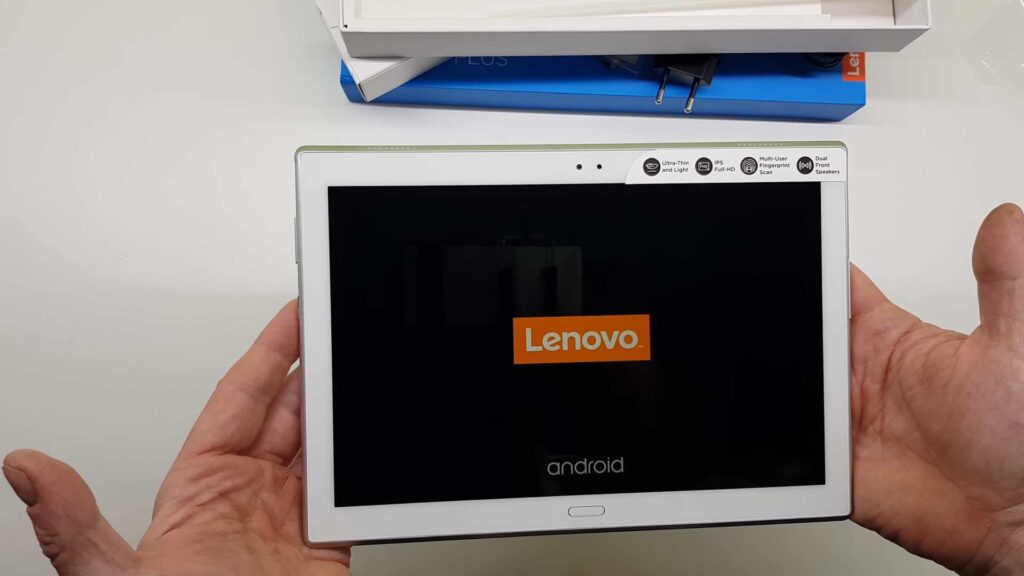
The Lenovo Tab 4 10 Plus is a 10.1-inch Android tablet released in July 2017, powered by the Qualcomm Snapdragon 625 (MSM8953) — LTE models; Qualcomm APQ8053 — Wi-Fi-only TB-X704F chipset. Lenovo distributed it across five model-letter variants, each targeting a different connectivity configuration or region/carrier.
TB-X704F drops the cellular modem entirely; the other four (L/A/V/Y) each carry their own radio provisioning. The Prerequisites and Firmware Package sections below explain how to identify your exact model and region before you begin.
Which Flash Mode Should You Use?
QFIL (Qualcomm EDL 9008)
The standard method for every TB-X704 model letter. Writes every partition via Qualcomm's Firehose/EDL protocol using the signed .mbn programmer included in the QDL package. Erases all user data on a full Download.
bkerler/edl (Open-Source Qualcomm EDL)
An open-source alternate to QFIL for the same Qualcomm Firehose/EDL protocol, useful if a signed QFIL programmer path is unavailable or QFIL itself won't run on your OS. Requires the same .mbn programmer from the QDL package.
SP Flash Tool (Not Applicable)
SP Flash Tool is specific to MediaTek chipsets and does not apply to the TB-X704, which uses Qualcomm Snapdragon 625 (MSM8953) or APQ8053 silicon depending on model. Some low-quality aggregator sites mislabel this exact device as MediaTek in their guides — that is incorrect; use QFIL or bkerler/edl instead.
What You Need Before Flashing
QFIL officially runs on Windows. Install the Qualcomm QDLoader HS-USB driver before connecting the tablet in EDL mode.
Download the QDL package matching your exact model letter (F/L/A/V/Y) and region/carrier tag (ROW, ATT_US, LRA_US). Confirm in Settings → About tablet → Model Number. A mismatched region's radio provisioning can affect network registration on LTE models.
A data-capable USB cable is essential — charge-only cables will not be recognized by QFIL. Connect directly to a USB 2.0 port rather than a hub.
A full QDL write takes several minutes given the 2-2.5GB package size. Charge to at least 30% before starting, since this device has a non-removable battery and a mid-flash power loss carries real risk.
A full QFIL Download wipes user data. Back up photos, contacts, and local files to a PC or cloud service before beginning.
How to Flash the Lenovo Tab 4 10 Plus — Quick Overview
A quick 7-step overview built specifically for the Lenovo Tab 4 10 Plus. The full QFIL guide adds screenshots, progress tracking, and fixes for common errors.
-
Identify your exact model and modem configuration
-
Install the Qualcomm QDLoader HS-USB driver and QFIL
-
Download the QDL package matching your exact model and region
-
Extract the archive and load it in QFIL
-
Power off the tablet and enter EDL mode
-
Click Download in QFIL and wait for completion
-
Reboot and confirm IMEI/network on first boot
Finding the Firmware Package for MSM8953 / APQ8053
TB-X704 firmware is distributed by Lenovo as a QDL package — a ZIP containing a signed .mbn Firehose programmer plus rawprogram/patch XML files and partition images, flashed via QFIL over Qualcomm's EDL 9008 protocol rather than a scatter file or fastboot images. After extracting the archive, point QFIL at the .mbn programmer and the accompanying XML files:
QDL packages contain a signed .mbn Firehose programmer file plus rawprogram/patch XML files and raw partition images. Fully extract the archive to a folder on your PC before opening QFIL — do not point QFIL at a compressed archive.
The Tab 4 10 Plus (codename X704) ships in five model-letter variants: TB-X704F (Wi-Fi only, APQ8053 — no cellular modem), TB-X704L (Wi-Fi + LTE, global/ROW), TB-X704A (Wi-Fi + LTE, AT&T US), TB-X704V (Wi-Fi + LTE, two distinct US-region builds — ROW and LRA_US, not mirrors of each other), and TB-X704Y (Wi-Fi + LTE, a separate SKU — its exact region/carrier is UNCONFIRMED). Always match both the model letter and the region tag in the filename.
One TB-X704F build in the download table (dated 2022, tag "ROW_JP") is a much later Japan-localized service pack of the same Wi-Fi-only build — still TB-X704F hardware, just years newer than the other files here.
Lenovo Tab 4 10 Plus Firmware Versions
A representative build for each confirmed model letter of the Lenovo Tab 4 10 Plus. Always verify the region/carrier tag matches your device before flashing.
| Version | Region | Android Version | Size | MD5 | Download |
|---|---|---|---|---|---|
S000056 |
TB-X704F — ROW (Rest of World), Wi-Fi only | Android 7.1.1 | 2.44 GB | — | ⬇️ Download |
S000056 |
TB-X704L — ROW (Rest of World), Wi-Fi + LTE | Android 7.1.1 | 2.45 GB | — | ⬇️ Download |
S000059 |
TB-X704A — ATT_US (AT&T USA) | Android 7.1 | 1.95 GB | — | ⬇️ Download |
S000038 |
TB-X704V — ROW (Rest of World) | Android 7.1 | 2.51 GB | — | ⬇️ Download |
S000020 |
TB-X704Y — region/carrier UNCONFIRMED | Android 7.1 | 2.47 GB | — | ⬇️ Download |
This device has 8 known files across five confirmed model letters. See the complete archive on AndroidFirmwareFile.com →
Lenovo Tab 4 10 Plus — Important Notes
All five TB-X704 model letters stayed on Android 7.1.1 for their documented lifecycle — no newer official OS version was found for any of them.
TB-X704F's lack of a cellular modem (APQ8053 vs the MSM8953 used on L/A/V/Y) means its QDL package cannot be substituted onto a cellular unit — the radio-related partitions are simply not present in an F-tagged package.
Common Errors on the Lenovo Tab 4 10 Plus
QFIL shows "Qualcomm HS-USB QDLoader 9008" but Download fails immediately
Usually a mismatched or corrupted .mbn programmer file for this model/region. Re-extract the QDL package fresh and confirm the programmer and rawprogram/patch XML files came from the same archive — do not mix files between different model letters or region tags.
QFIL does not detect the device / no QDLoader 9008 COM port appears
Install the Qualcomm QDLoader HS-USB driver before connecting the tablet in EDL mode — Windows will not auto-detect this interface otherwise. Make sure the tablet is fully powered off before holding Volume Up + Volume Down + Power and connecting USB.
No IMEI / no signal after flashing (LTE models only)
Usually caused by flashing a region-mismatched build on an LTE model (L/A/V/Y) — each region/carrier tag carries its own radio provisioning. Re-flash using the exact package matching your model letter and region tag from the firmware table below. Does not apply to the Wi-Fi-only TB-X704F.
Preloader/programmer mismatch — QFIL refuses to load the .mbn file
The programmer file is tied to a specific model's partition table. Confirm the .mbn file came from the same archive as the rawprogram XML and ROM images you're about to flash, and that the archive matches your exact model letter and region from the table below.
Tablet stuck on Lenovo boot logo after flashing
This points to an interrupted or partial partition write rather than a bad download — check the QFIL log for where it actually stopped, power off (hold Power for 10+ seconds), re-enter EDL mode, and re-run the complete Download from the same model+region package rather than switching to a different one to "fix" it.
For the full QFIL/EDL error database: QFIL Error Directory →
Frequently Asked Questions — Lenovo Tab 4 10 Plus
A first boot after a full QDL write on this device can take noticeably longer than a normal reboot while the system optimizes, especially on the larger 2.4-2.5GB packages. Give it up to five minutes before treating it as stuck; only if it's still on the logo after that should you treat it as the interrupted-write scenario in the errors section above.
It's the .mbn Firehose programmer bundled inside the QDL package you extracted, not a separate download — browse to the extracted folder and select the .mbn file there directly. If QFIL still won't accept it, re-extract the archive fresh rather than reusing a partially-extracted folder.
Signal and a valid IMEI should appear within the first minute or two after the initial boot completes on a correctly-matched flash. If Settings → About tablet → Status still shows no IMEI once the tablet has finished booting, that points to a region-mismatched package rather than something to wait out — see the "No IMEI / no signal" entry above.
Ready to Flash?
Follow the full step-by-step QFIL guide with interactive progress tracking, prerequisite checklist, and complete troubleshooting.