

Before you flash: Flashing firmware will erase all data on your device. Back up contacts, photos, and apps before proceeding. FlashGuideHub is not responsible for any damage caused by following this guide.
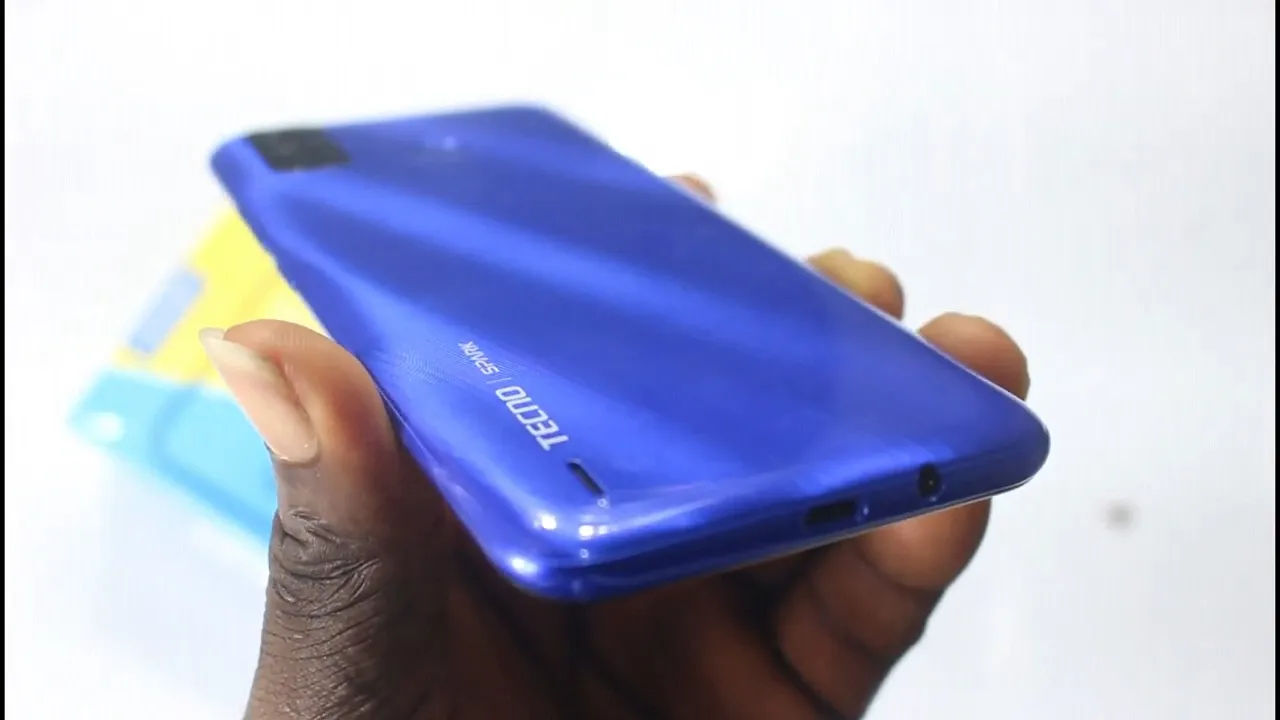
About the Tecno Spark Go 2020 / Spark 6 Go (KE5)
The Tecno Spark Go 2020 / Spark 6 Go (KE5) is an entry-level smartphone released in September 2020, built on the MediaTek Helio A20 (MT6761D) / Helio A22 (MT6761) platform. It was distributed across two distinct motherboard revisions: the Global H6123ABC revision (Android 10 Go) and the India/South Asia H6123D revision (Android 11 Go).
Because the MediaTek MT6761 chipset implements Secure Boot SLA authentication, flashing requires both an MTK Auth Bypass utility to disable BROM security and SP Flash Tool to write the factory scatter partitions. The step-by-step instructions below guide you through the entire recovery process.
Which Flash Mode Should You Use?
SP Flash Tool + MTK Auth Bypass (Recommended)
The standard factory flashing method for all Tecno KE5 devices. Uses an MTK Auth Bypass utility to disable MediaTek SLA/DAA security over BROM mode, then flashes the official scatter package via SP Flash Tool. Does not require an unlocked bootloader.
MTKClient (Open-Source Command Line Alternate)
An open-source Python utility capable of executing BROM exploit, dumping partitions, and flashing scatter images without proprietary Download Agent files. Recommended for Linux users or when SP Flash Tool throws persistent connection errors.
Qualcomm QFIL / EDL (Not Applicable)
Qualcomm Flash Image Loader (QFIL) and Emergency Download (EDL 9008) mode apply exclusively to Qualcomm Snapdragon processors. The Tecno Spark Go 2020 (KE5) uses a MediaTek MT6761 processor and cannot be flashed with Qualcomm tools.
What You Need Before Flashing
A PC running Windows 10 or 11 with MediaTek USB VCOM and LibUSB-win32 filter drivers installed.
Download the package matching your exact board revision (H6123ABC for Android 10 Go Global; H6123D for Android 11 Go India).
Required to bypass MediaTek MT6761 SLA/DAA security before connecting to SP Flash Tool.
Use a high-quality microUSB data cable connected directly to a rear motherboard USB 2.0 port.
The 5000mAh battery is non-removable; ensure sufficient charge to prevent mid-flash shutdown.
Flashing stock firmware via SP Flash Tool erases all user data on the device.
How to Flash the Tecno Spark Go 2020 / Spark 6 Go (KE5) — Quick Overview
A quick 6-step overview built specifically for the Tecno Spark Go 2020 / Spark 6 Go (KE5). The full SP Flash Tool guide adds screenshots, progress tracking, and fixes for common errors.
-
Identify your board revision and software branch
-
Install MediaTek USB VCOM and LibUSB filter drivers
-
Bypass MediaTek SLA/DAA Secure Boot
-
Load MT6761_Android_scatter.txt in SP Flash Tool
-
Flash the firmware package
-
Wait for the green checkmark and reboot
Locating the Scatter File for MT6761
The Tecno Spark Go 2020 / Spark 6 Go firmware is distributed as an SP Flash Tool scatter package containing MT6761_Android_scatter.txt alongside individual partition images (preloader, boot, super/system, recovery, nvram). Ensure all image paths are populated and select Download Only mode.
MT6761_Android_scatter.txt
Every Tecno KE5 stock firmware package extracts to a main folder containing MT6761_Android_scatter.txt along with individual partition images (preloader_ke5_h6123.bin, boot.img, super.img / system.img, recovery.img, nvram.bin). In SP Flash Tool, click Choose next to Scatter-loading File and select MT6761_Android_scatter.txt. Ensure all partitions are checked and the mode is set to Download Only.
The KE5 family uses two distinct motherboard revisions that require strictly matched firmware:
- H6123ABC: Standard Global hardware revision shipping on Android 10 (Go edition).
- H6123D: India and South Asian regional revision shipping on Android 11 (Go edition).
Flashing an H6123D firmware package onto an H6123ABC board (or vice versa) results in a preloader mismatch, display driver initialization failure (black screen), or a recurring vibration loop. Always verify the board token in Settings > About phone before downloading.
Tecno Spark Go 2020 / Spark 6 Go (KE5) Firmware Versions
Representative builds for the primary board revisions of the Tecno Spark Go 2020 / Spark 6 Go (KE5). Verify your board tag before downloading.
| Version | Region | Android Version | Size | MD5 | Download |
|---|---|---|---|---|---|
KE5-H6123D-RGo-INJO-LC-230405V445 |
KE5 (H6123D) — India / South Asia | Android 11 (Go edition) | 1.83 GB | — | ⬇️ Download |
KE5-H6123ABC-QGo-GL-220822V553 |
KE5 (H6123ABC) — Global | Android 10 (Go edition) | 1.75 GB | — | ⬇️ Download |
KE5-H6123ABC-QGo-GL-211130V453 |
KE5 (H6123ABC) — Global (Spark 6 Go) | Android 10 (Go edition) | 1.80 GB | — | ⬇️ Download |
This device has 15 known files across H6123ABC and H6123D board revisions. See the complete archive on AndroidFirmwareFile.com →
Tecno Spark Go 2020 / Spark 6 Go (KE5) — Important Notes
The Tecno KE5 platform features a 5000mAh non-removable battery. If a flash is interrupted or the phone becomes unresponsive in a preloader loop, press and hold Volume Up + Power for 15 seconds to force a complete hardware reset before reconnecting in BROM mode.
Because the MT6761 chipset uses MediaTek Serial Link Authentication (SLA), connecting to SP Flash Tool without prior authentication will cause a STATUS_SEC_AUTH_FILE_NEEDED error. Running an MTK Auth Bypass tool beforehand puts the SoC BROM into an unrestricted state for SP Flash Tool communication.
Common Errors on the Tecno Spark Go 2020 / Spark 6 Go (KE5)
SP Flash Tool: STATUS_SEC_AUTH_FILE_NEEDED (0xC0020005 / 0xC0030007)
The MT6761 SoC requires a signed SLA authentication file. Run MTK Auth Bypass Tool (or mtkclient) to disable SLA in BROM mode, configure SP Flash Tool connection to the resulting COM port, and retry flashing.
SP Flash Tool: BROM ERROR : S_FT_ENABLE_DRAM_FAIL (0xFC0)
The preloader file inside the firmware package does not match the EMI/DRAM calibration of the board, or the device was disconnected during DRAM handshake. Verify that you have selected the exact board package (H6123ABC vs H6123D) and use a direct USB 2.0 port.
Device disconnects immediately in BROM mode / Reconnect loop
Check that the LibUSB filter driver is correctly attached to the MediaTek USB Port (VID 0E8D / PID 0003). If the device drops out, hold Volume Down while plugging in USB to keep the BROM connection active.
For additional MediaTek SP Flash Tool error code resolutions: SP Flash Tool Error Directory →
Frequently Asked Questions — Tecno Spark Go 2020 / Spark 6 Go (KE5)
Tecno MT6761 devices enable MediaTek Secure Boot SLA. When SP Flash Tool connects directly without authentication, the SoC BROM rejects the Download Agent. You must execute MTK Auth Bypass Tool first to exploit and disable BROM SLA before clicking Download in SP Flash Tool.
A black screen with vibrating boot indicates a motherboard revision mismatch (such as flashing H6123D Android 11 firmware onto an H6123ABC Android 10 board, or vice versa). Re-flash the device with the exact board-matched package (H6123ABC for Global builds) using SP Flash Tool.
Yes. Because SP Flash Tool operates via the hardware MediaTek BROM interface before Android or the recovery kernel loads, a full Download Only flash with the matched scatter package restores corrupted system, boot, and preloader partitions.
Ready to Flash?
Follow the full step-by-step SP Flash Tool guide with interactive progress tracking, prerequisite checklist, and complete troubleshooting.