

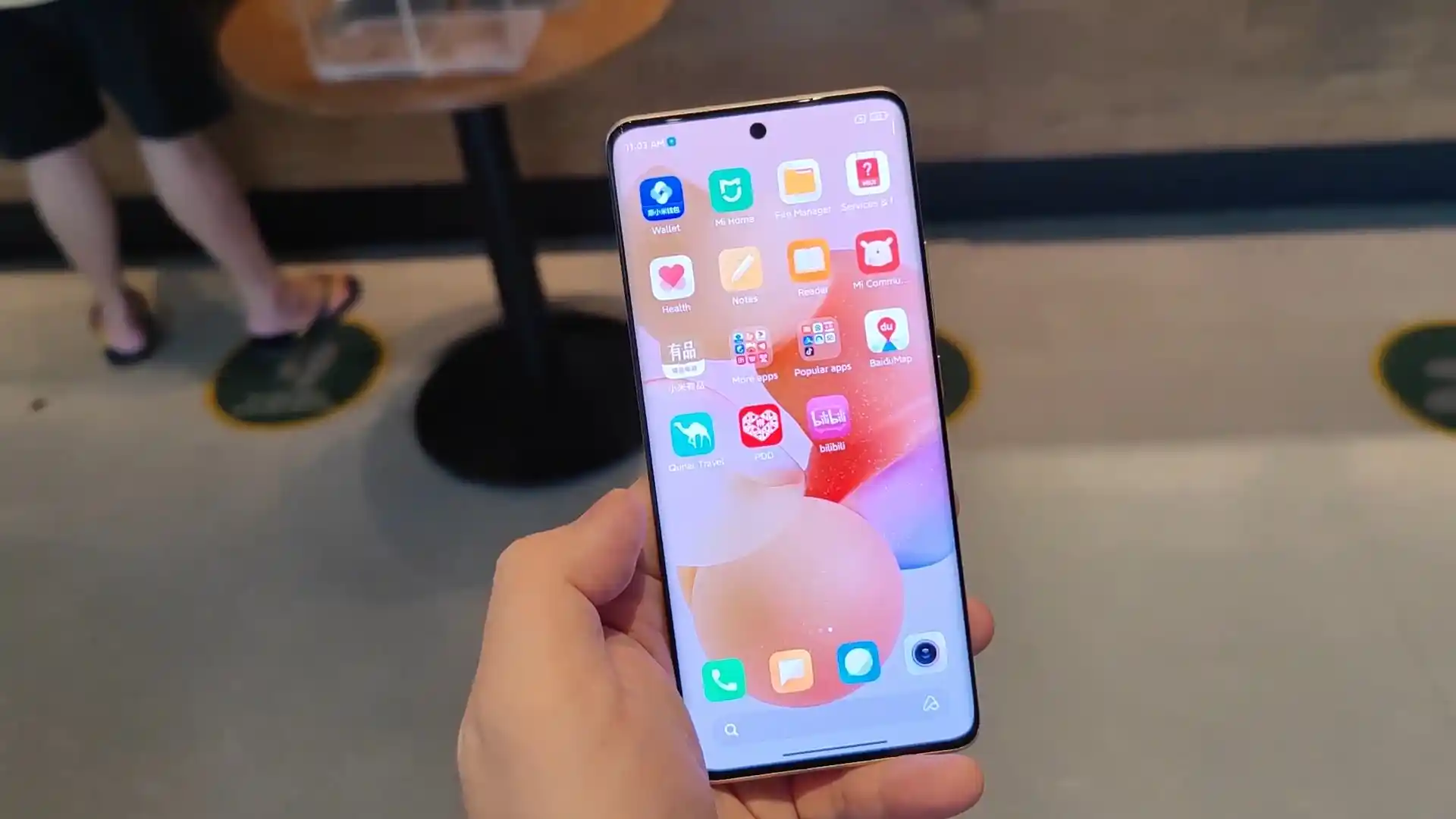
Before you flash: Flashing firmware will erase all data on your device. Back up contacts, photos, and apps before proceeding. FlashGuideHub is not responsible for any damage caused by following this guide.
About the Xiaomi Civi
This workshop guide provides step-by-step instructions to flash official stock Fastboot firmware to the Xiaomi Civi (September 2021) using Mi Flash Tool. Writing multi-gigabyte system and dynamic super partitions to Qualcomm's Qualcomm Snapdragon 778G 5G (SM7325) platform over UFS 2.2 storage requires stable USB driver handshakes and correct batch script selection.
Whether your phone is trapped in a startup loop, recovering from system errors, or returning to clean official HyperOS 1.0 (Android 13.0), follow the verified prerequisites, battery precautions, and step-by-step flashing procedures detailed below.
Which Flash Mode Should You Use?
Fastboot Mode (Mi Flash Tool)
Standard official flashing interface for unlocked Xiaomi devices via flash_all.bat.
Custom Recovery (TWRP / OrangeFox Ramdisk)
Touch recovery environment used to flash Xiaomi.eu custom ROMs and complete partition backups.
Qualcomm Emergency Download (EDL 9008)
Low-level hardware unbrick mode for hard-bricked handsets unable to reach Fastboot mode.
Essential Pre-Flash Hardware Checks for Xiaomi Civi
Fastboot flashing requires an officially unlocked bootloader via the Xiaomi Mi Unlock utility.
A 64-bit Windows PC with Qualcomm USB drivers and Google Android SDK Platform-Tools installed.
Ensure the battery holds at least 50% charge to prevent power cutoffs during multi-gigabyte writes.
Use a certified USB Type-C data sync cable connected directly to a native motherboard USB port.
Flashing stock Fastboot firmware with "clean all" completely formats internal storage partitions.
Decompress the .tgz archive twice using 7-Zip until flash_all.bat is visible in a short directory.
Quick Fastboot Walkthrough for Xiaomi Civi (mona)
5-step quick reference for the Xiaomi Civi. Need visuals or troubleshooting help? The full Mi Flash Tool guide covers everything in detail.
-
Verify Unlocked Bootloader Status on Xiaomi Civi
-
Extract mona_images_OS1.0.2.0.TKVCNXM Fastboot Archive Twice
-
Reboot Handset to Fastboot Mode (Hold Volume Down and Power)
-
Select Firmware Folder in Mi Flash and Verify Slot A via flash_all.bat
-
Flash UFS 2.2 Dynamic Super Partitions and Complete First Reboot
Firmware Package for Snapdragon 778G (flash_all.bat)
Official Fastboot firmware packages for the Xiaomi Civi are distributed as multi-gigabyte .tgz archives containing raw partition binaries (boot.img, dtbo.img, vbmeta.img, and sparse super.img dynamic partitions) written via flash_all.bat across the Qualcomm Snapdragon 778G UFS 2.2 storage controller.
flash_all.bat
Official Xiaomi Civi firmware is distributed as multi-gigabyte .tgz archives. Extract the archive twice using 7-Zip until the folder containing "flash_all.bat" and the raw partition images is visible.
Fastboot Flashing Rule: Always select "clean all" (flash_all.bat) when using Mi Flash Tool on imported hardware to avoid triggering the "The system has been destroyed" security lock.
Xiaomi Civi Firmware Versions
Official stock firmware downloads for the Xiaomi Civi. Verify your hardware model variant before downloading.
| Version | Region | Android Version | Size | MD5 | Download |
|---|---|---|---|---|---|
OS1.0.2.0.TKVCNXM (HyperOS 1.0) |
China (CN) | Android 13.0 | 6.8 GB | 9db4db06dc0a6771c839674b363bd921 |
⬇️ Download |
OS1.0.2.0.TKVCNXM (Xiaomi.eu Multilang) |
International (Xiaomi.eu) | Android 13.0 | 4.6 GB | — | ⬇️ Download |
This phone has additional recovery, fastboot, and custom ROM packages. Browse the complete archive on AndroidFirmwareFile.com →
Qualcomm Snapdragon 778G Partition Layout & Storage Notes
The Xiaomi Civi houses a 4,500 mAh internal battery supporting 55W fast charging. Writing full HyperOS 1.0 dynamic super partition images from mona_images_OS1.0.2.0.TKVCNXM_20240218.0000.00_13.0_cn_9db4db06dc.tgz takes approximately 4 to 7 minutes over UFS 2.2. Confirm that your battery has at least 50% charge before beginning the flashing process to prevent unexpected shutdowns during partition writes.
Troubleshooting Xiaomi Civi Flashing & Fastboot Issues
super.img Dynamic Partition Write Dropout: "FAILED (remote: 'data write failure' or 'sparse image size exceeds limit')"
When flashing dynamic super partitions on the Qualcomm Snapdragon 778G platform, system, product, and vendor logical blocks are written as multi-gigabyte sparse chunks. If older fastboot binaries or front-panel USB hubs cannot buffer large data packets, the flash script aborts. Update to Android SDK Platform-Tools v35+, connect directly to a rear motherboard USB port, and run Mi Flash as Administrator.
Virtual A/B Active Slot Mismatch: "fastboot: error: Device is not bootable / stuck in fastboot loop after flashing"
The Xiaomi Civi uses dual boot partitions (boot_a and boot_b). If a flash script terminates prematurely or writes partitions to slot _b while slot _a remains active without valid boot headers, the bootloader loops back to Fastboot. Verify the active slot with "fastboot getvar current-slot", and switch slots manually using "fastboot set_active a" (or set_active b) before rebooting.
Bootloader Relock Trap on Mismatched Regional Base: "The system has been destroyed / This MIUI version can't be installed on this device"
Because the Xiaomi Civi (mona) is an exclusive China domestic release (2109119BC), selecting "clean all and lock" (flash_all_lock.bat) in Mi Flash Tool when flashing modified firmware or cross-region custom software triggers a security lockout efuse check. Always verify that "clean all" (flash_all.bat) is selected. If locked into "system has been destroyed", an authorized Xiaomi EDL service account is required to reflash in Qualcomm 9008 mode.
For solving common Mi Flash Tool timeout codes, dynamic partition writing delays, and HyperOS recovery issues: Xiaomi Flashing Error Directory →
Xiaomi Civi Workshop Troubleshooting & Flashing FAQs
This occurs because of lingering cryptographic file-based encryption (FBE v2) keys left on the userdata partition from a previous MIUI or custom build. To resolve this, use the volume buttons in stock Mi Recovery to navigate to "Wipe Data", confirm "Wipe All Data" with the Power button, and allow the system to reformat the internal userdata partition before restarting.
Put the phone into Fastboot mode, connect it to your PC, open a command prompt, and execute "fastboot getvar anti". Compare the returned integer against the anti-rollback index declared in the target package's android-info.txt file. If the target package index is lower than your device's current ARB fuse value, the bootloader will reject the installation to prevent an unrecoverable hard brick.
The optical fingerprint sensor's baseline optical calibration values are stored in the hardware-specific persist partition (persist.img). If a user accidentally erases persist or flashes a generic persist.img from another phone, the optical sensor loses its factory calibration matrix, displaying "Fingerprint enrollment failed". Always preserve the original persist partition during restorations.
Because mona utilizes a boot-ramdisk architecture rather than a separate recovery partition, execute "fastboot boot twrp-3.7.0_12-v7.9_A13-mona-skkk.img" from your terminal to launch TWRP temporarily. Once the custom recovery graphical environment loads on screen, navigate to the "Advanced" menu, tap "Install Recovery Ramdisk", and select the image file to patch the active slot's boot kernel ramdisk permanently.
Ready to Flash?
Follow the full step-by-step Mi Flash Tool guide with interactive progress tracking, prerequisite checklist, and complete troubleshooting.