

Before you flash: Flashing firmware will erase all data on your device. Back up contacts, photos, and apps before proceeding. FlashGuideHub is not responsible for any damage caused by following this guide.
About the Xiaomi Mi 9 Pro 5G
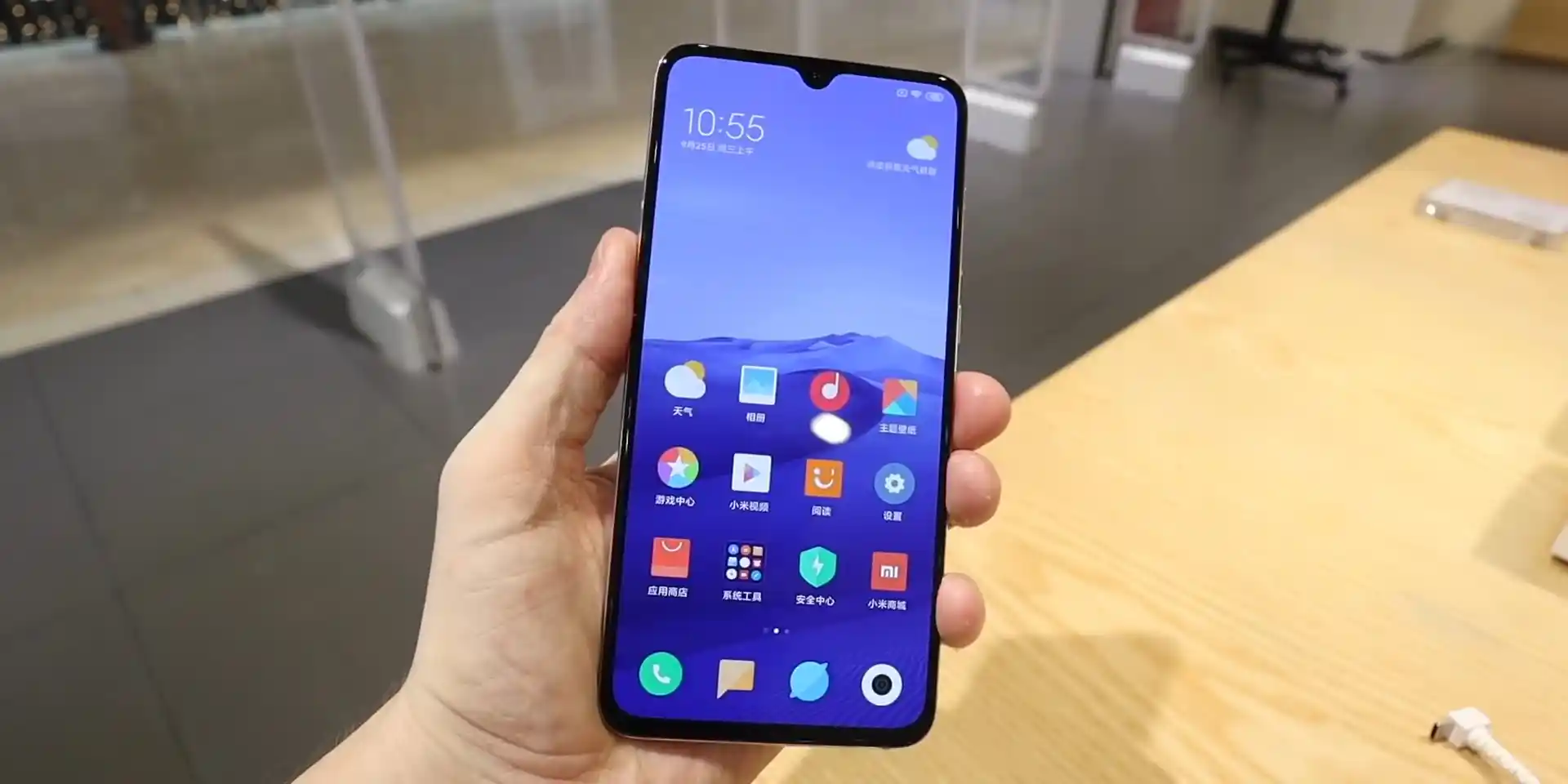
The Xiaomi Mi 9 Pro 5G (codename: crux) launched in September 2019 on Qualcomm's Qualcomm Snapdragon 855+ SM8150-AC (7nm) platform with high-speed UFS 2.1 storage, 40W wired plus 30W wireless charging, and an under-display optical fingerprint scanner.
Whether you are recovering an unbootable device using crux_images_V13.0.1.0.RFXCNXM_20220402.0000.00_11.0_cn_fdcbae7b88.tgz or setting up TWRP for custom ROMs, follow the verified steps below.
Which Flash Mode Should You Use?
Mi Flash Tool (Fastboot Mode — Unlocked)
Flashes official factory MIUI 13 China Fastboot partition images cleanly via flash_all.bat without requiring authorized EDL accounts.
TWRP Recovery (coachpo Decryption Build)
Installs xiaomi.eu_multi_MI9Pro5G_V13.0.1.0.RFXCNXM_v13-11.zip cleanly via MTP or USB Type-C OTG and creates partition backups.
Essential Pre-Flash Safety & Storage Verification for crux
The Mi 9 Pro 5G has no microSD card slot; copy photos, contacts, and personal data to your computer before formatting.
Use a reliable USB Type-C data cable connected directly to a rear PC USB port to avoid Fastboot transfer timeouts.
Ensure adequate battery charge before writing multi-gigabyte system partition images to UFS 2.1 storage.
Never wipe or format the persist partition in recovery; it holds unique optical sensor calibration data.
Mi Flash Clean Restoration Walkthrough for Mi 9 Pro 5G
A fast reference for flashing the Xiaomi Mi 9 Pro 5G (Snapdragon 855+) using Mi Flash Tool. For the complete walkthrough with images and error troubleshooting, see the full guide.
-
Install Mi Flash Tool, USB Drivers & Confirm Codename Reads "crux"
-
Extract crux_images_V13.0.1.0.RFXCNXM_20220402.0000.00_11.0_cn_fdcbae7b88.tgz Twice to C:\crux_fw\
-
Back Up Personal Files to PC or USB OTG (No microSD Slot on crux)
-
Select "clean all" in Mi Flash Tool (Never Choose "clean all and lock")
-
Click Flash and Allow Up to 10 Minutes for Initial MIUI 13 Startup
Locating flash_all.bat & Partition Images Inside SM8150-AC Packages
Qualcomm Snapdragon 855+ Fastboot packages for the Xiaomi Mi 9 Pro 5G (crux) include flash_all.bat alongside rawprogram0.xml, patch0.xml, and partition images inside the images folder:
flash_all.bat
Unpacking crux_images_V13.0.1.0.RFXCNXM_20220402.0000.00_11.0_cn_fdcbae7b88.tgz twice using 7-Zip exposes flash_all.bat alongside the images directory containing boot, system, and modem partitions.
Codename crux covers solely the 6.39-inch Snapdragon 855+ Xiaomi Mi 9 Pro 5G (model M1908F1XE). Never attempt to flash packages built for the standard Mi 9 (cepheus) or Mi 9 SE (grus).
Always back up your personal files and EFS/persist partitions before flashing. The Mi 9 Pro 5G has no microSD card slot, and formatting userdata will wipe all local files.
Xiaomi Mi 9 Pro 5G Firmware Versions
Tested factory Fastboot package for Xiaomi Mi 9 Pro 5G (crux). For the full archive—including official Recovery OTA V13.0.1.0, Xiaomi.eu Multilingual Stable, and TWRP 3.7.1_12—see the link below.
| Version | Region | Android Version | Size | MD5 | Download |
|---|---|---|---|---|---|
V13.0.1.0.RFXCNXM (China Fastboot) |
China Stable (CN) | Android 11.0 (R / MIUI 13) | 4.17 GB | fdcbae7b880ce0c3a3dd8d9bf79a3ea6 |
⬇️ Download |
Need additional packages including Recovery OTA, Xiaomi.eu, or TWRP? Browse all files on AndroidFirmwareFile.com → View complete Xiaomi Mi 9 Pro 5G archive on AndroidFirmwareFile.com →
Internal Storage Formatting & Optical Sensor Persist Guidelines
USB OTG Flashing & Biometric Persist Preservation on crux: Because the Mi 9 Pro 5G lacks a microSD card slot, running "Format Data" inside twrp-3.7.1_12-crux-coachpo.img removes internal storage encryption completely. Keep xiaomi.eu_multi_MI9Pro5G_V13.0.1.0.RFXCNXM_v13-11.zip ready on your PC or on a USB Type-C OTG flash drive for transfer after formatting.
When performing factory restorations using crux_images_V13.0.1.0.RFXCNXM_20220402.0000.00_11.0_cn_fdcbae7b88.tgz, always confirm that "clean all" (flash_all.bat) is selected in Mi Flash Tool to avoid accidental bootloader relocks on imported hardware.
Troubleshooting Mi 9 Pro 5G (crux) Fastboot Locks, EFS & Decryption Errors
Bootloader Relock Brick: "This version of MIUI cannot be installed on this device"
Experienced owners note that selecting "clean all and lock" (flash_all_lock.bat) in Mi Flash Tool on imported China M1908F1XE hardware with cross-region software triggers an immediate security lock. The device refuses to boot and loops back to recovery with this version check error. Always ensure "clean all" (flash_all.bat) is selected at the bottom right before clicking Flash.
Loss of Dual IMEI & Baseband Signal: "Null" or Blank Network After Accidental EFS Erase
Community discussions caution against running manual partition wipe commands such as "fastboot erase modemst1" or "fastboot erase modemst2". These commands destroy unique RF calibration and dual IMEI parameters stored in non-volatile memory, leaving the phone with zero signal. If this occurs, restore your previously backed-up EFS or NVData partition image via custom recovery.
Internal Storage Decryption Failure: "0 MB" or Scrambled Folders in Outdated Recovery
Using older custom recovery builds built for Android 9 or 10 results in decryption failures on Android 11 MIUI 13 (RFXCNXM), displaying garbled directory names and zero readable capacity. Community maintainers recommend switching to an updated build like twrp-3.7.1_12-crux-coachpo.img with verified Android 11/12 File-Based Encryption support.
Snapdragon 855+ Emergency EDL 9008 Handshake Blocked by Server Authorization
If the bootloader becomes completely corrupted and the phone enters Qualcomm EDL mode (QDLoader 9008), Mi Flash Tool halts flashing with an authorization prompt. Xiaomi restricts deep EDL programming on Snapdragon 855+ motherboards to authorized service accounts, making Fastboot-level recovery with flash_all.bat the primary unbricking path for owners.
Encountering a different Qualcomm Fastboot or recovery issue? Fastboot & Mi Flash Error Directory →
Mi 9 Pro 5G Flashing Mechanics & Partition Safety FAQ
Never select <code>persist</code> inside custom recovery wipe menus. On the Mi 9 Pro 5G, the <code>persist</code> partition stores factory optical calibration coefficients for the under-display fingerprint scanner along with Wi-Fi and Bluetooth MAC data. If persist is wiped or overwritten with a foreign image, the fingerprint reader will fail enrollment with a "Wait a moment" error until factory calibration is restored.
Because the Mi 9 Pro 5G has no microSD card slot, boot into <code>twrp-3.7.1_12-crux-coachpo.img</code>, navigate to Wipe > Format Data, and type "yes" to remove factory encryption. Reboot back into TWRP once so the memory partition mounts cleanly, then connect your phone to a PC via MTP (or attach a USB Type-C OTG flash drive) to copy the Xiaomi.eu installation ZIP before flashing.
Front-panel PC ports and external unpowered USB hubs often introduce transmission latency, micro-disconnects, or protocol timeouts during multi-gigabyte Fastboot transfers. Connecting directly to a native USB 2.0 or 3.0 port on the rear motherboard of your PC ensures an uninterrupted data link while writing system and super images.
No. Xiaomi's official <code>flash_all.bat</code> script writes updated modem baseband firmware via <code>NON-HLOS.bin</code> while leaving device-specific radio calibration partitions (<code>modemst1</code>, <code>modemst2</code>, and <code>fsg</code>) completely untouched. Your original IMEI numbers and cellular calibration parameters remain preserved.
Ready to Flash?
Follow the full step-by-step Mi Flash Tool guide with interactive progress tracking, prerequisite checklist, and complete troubleshooting.