

Before you flash: Flashing firmware will erase all data on your device. Back up contacts, photos, and apps before proceeding. FlashGuideHub is not responsible for any damage caused by following this guide.
About the Xiaomi Mi 6X
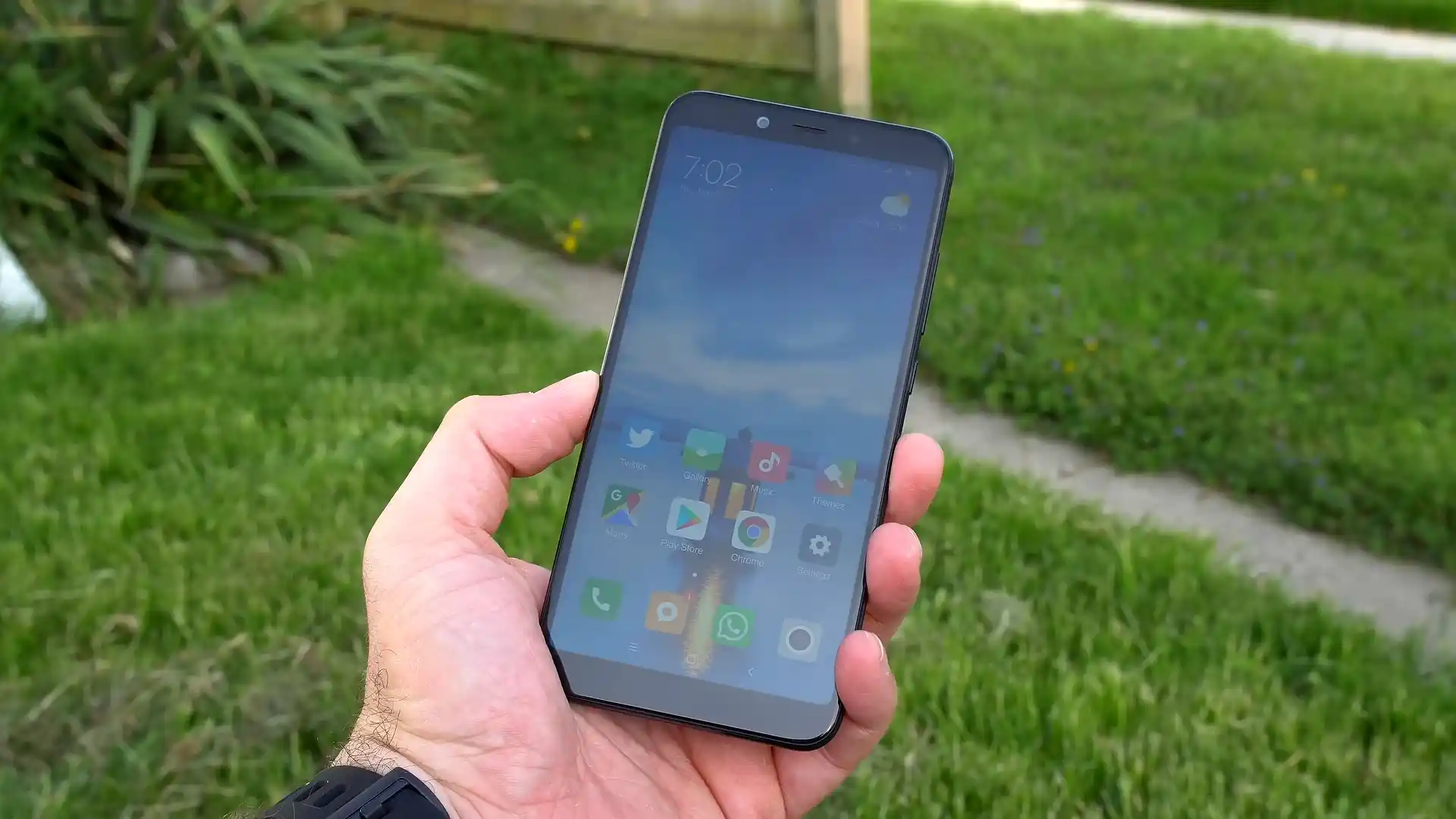
The Xiaomi Mi 6X (codename: wayne) launched in April 2018 as Xiaomi's domestic Chinese mid-range phone powered by Qualcomm's Qualcomm Snapdragon 660 SDM660 (14nm) processor with non-A/B single-slot partitions.
Whether you are restoring factory China MIUI 12 with wayne_images_V12.0.2.0.PDCCNXM_20210121.0000.00_9.0_cn_2475149323.tgz or flashing twrp-3.7.0_9-0-wayne.img to install Xiaomi.eu multilingual software, follow the checks below.
Which Flash Mode Should You Use?
Mi Flash Tool (Fastboot Factory Restore)
Writes complete factory MIUI 12 partitions (boot, recovery, system, vendor, cust, modem) via flash_all.bat on unlocked devices.
Stock Mi Recovery / Local Updater
Installs the official China Recovery package miui_MI6X_V12.0.2.0.PDCCNXM_7c0078f6ae_9.0.zip on locked or unlocked handsets.
TWRP / OrangeFox Custom Recovery
Flash twrp-3.7.0_9-0-wayne.img directly to /recovery to install xiaomi.eu_multi_MI6X_V12.0.2.0.PDCCNXM_v12-9.zip or OrangeFox R10.1_1.
Essential Checks Before Flashing Xiaomi Mi 6X (wayne)
Bind your Mi Account under Developer Options > Mi Unlock Status, complete the required account waiting period, and unlock via official Mi Unlock tool.
Plug into a rear motherboard USB 2.0 port with Google Android Bootloader and Qualcomm drivers installed to prevent SDM660 Fastboot dropouts.
Use a reliable USB Type-C data cable capable of high-speed packet transfer without loose connector movement.
Maintain adequate charge on the 3,010 mAh battery before rewriting critical system, vendor, and recovery partitions.
Selecting "clean all" in Mi Flash Tool formats the eMMC 5.1 userdata partition completely. Transfer important files off the handset first.
Mi Flash, ARB Index & Recovery Walkthrough for Mi 6X
A quick 5-step overview built specifically for the Xiaomi Mi 6X. The full Mi Flash Tool guide adds screenshots, progress tracking, and fixes for common errors.
-
Install Mi Flash Tool, Google Platform-Tools, and Qualcomm USB drivers on a native USB 2.0 port
-
Extract wayne_images_V12.0.2.0.PDCCNXM_20210121.0000.00_9.0_cn_2475149323.tgz twice to C:\wayne_fw\
-
Boot Fastboot (Volume Down + Power) and run "fastboot getvar anti" to verify rollback index 4
-
Select C:\wayne_fw\ in Mi Flash Tool, check "clean all" at bottom right, and click Flash
-
For custom ROMs, flash twrp-3.7.0_9-0-wayne.img directly to /recovery and boot immediately into recovery
Finding flash_all.bat & SDM660 Images in SDM660 Packages
Official Xiaomi Mi 6X Fastboot packages arrive as double-compressed .tgz archives. Extracting twice with 7-Zip exposes flash_all.bat at the top level alongside the images directory containing boot.img, recovery.img, system.img, vendor.img, and prog_emmc_firehose_Sdm660_ddr.mbn:
flash_all.bat
Unpacking wayne_images_V12.0.2.0.PDCCNXM_20210121.0000.00_9.0_cn_2475149323.tgz twice exposes flash_all.bat beside the images directory holding rawprogram0.xml and prog_emmc_firehose_Sdm660_ddr.mbn. Point Mi Flash Tool to the outer directory.
Codename wayne (M1804D2SC / M1804D2SE / M1804D2ST) is strictly for the China MIUI Mi 6X with non-A/B partitions. Never flash Android One software meant for the Xiaomi Mi A2 (jasmine_sprout).
Point Mi Flash Tool at the outer folder containing flash_all.bat (e.g. C:\wayne_fw\), never inside the images folder.
Keep "clean all" active, verify your Anti-Rollback index is 4 with fastboot getvar anti, and connect using a native USB 2.0 port.
Xiaomi Mi 6X Firmware Versions
Tested China MIUI 12 Fastboot & Recovery packages alongside Xiaomi.eu multilingual software, Official TWRP v3.7.0_9-0, and OrangeFox R10.1_1 for the Xiaomi Mi 6X (wayne). Check the full archive for legacy builds and complete board specs.
| Version | Region | Android Version | Size | MD5 | Download |
|---|---|---|---|---|---|
V12.0.2.0.PDCCNXM |
China Stable (CN) — Final Fastboot | Android 9.0 (MIUI 12), January 2021 | 2.70 GB | 247514932362d77a70eabbea21935687 |
⬇️ Download |
V12.0.2.0.PDCCNXM (OTA) |
China Recovery OTA ZIP | Android 9.0 (MIUI 12), January 2021 | 2.03 GB | 7c0078f6aeb3b5d92be9966008d92c86 |
⬇️ Download |
Xiaomi.eu V12.0.2.0.PDCCNXM |
Multilingual MIUI 12 Custom ROM | Android 9.0 (Xiaomi.eu), January 2021 | 2.54 GB | b73333168596f9b9c5be198e742e1e1d |
⬇️ Download |
TWRP v3.7.0_9-0 (Recovery IMG) |
Official TeamWin Fastboot Image | Fastboot /recovery target | 40.14 MB | 4c93802b5d0c86abf1dade15d68ac5e0 |
⬇️ Download |
OrangeFox R10.1_1 Stable |
Official OrangeFox Recovery ZIP | Custom Recovery Flashable ZIP | 41.92 MB | 122c7eb74a3b834aee9ed7da9b874044 |
⬇️ Download |
Browse all 6 MIUI 12, Xiaomi.eu, TWRP, and OrangeFox packages for Mi 6X on AndroidFirmwareFile.com → View full archive on AndroidFirmwareFile.com →
Fastboot, Stock Mi Recovery & Custom Recovery Modes
The Xiaomi Mi 6X (codename wayne, models M1804D2SC, M1804D2SE, M1804D2ST) runs proprietary MIUI on Qualcomm's Snapdragon 660 (SDM660) platform using a non-A/B physical partition architecture. With wayne_images_V12.0.2.0.PDCCNXM_20210121.0000.00_9.0_cn_2475149323.tgz, unlocked handsets restore cleanly via Mi Flash Tool once Anti-Rollback index 4 is verified.
For custom software, install twrp-3.7.0_9-0-wayne.img directly to the hardware recovery partition via fastboot flash recovery twrp-3.7.0_9-0-wayne.img to flash the multilingual xiaomi.eu_multi_MI6X_V12.0.2.0.PDCCNXM_v12-9.zip custom ROM or OrangeFox-wayne-stable@R10.1_1.zip.
Fixing Mi 6X (wayne) Anti-Rollback, Partition & USB Errors
Fastboot Error: "FAILED (remote: Anti-rollback check failed)"
The Mi 6X enforces Anti-Rollback index 4 across MIUI 10, 11, and 12. If you attempt to flash an older package (such as MIUI 9 V9.5 with ARB index 3), Fastboot terminates the transfer to protect hardware efuses. Run "fastboot getvar anti" before flashing to confirm your index is 4 and only flash builds matching index 4.
Cross-Flash Partition Rejection: "FAILED (remote: partition table doesn't exist)"
Community repair threads emphasize that wayne uses single-slot non-A/B partitions with a dedicated hardware recovery partition. This error occurs when attempting to flash Android One Mi A2 (jasmine_sprout) recovery commands or partition maps. Ensure you are flashing images built specifically for wayne (such as twrp-3.7.0_9-0-wayne.img).
Qualcomm 9008 Emergency State: Sahara Authentication Handshake Timeout
If the device hard-bricks into Qualcomm HS-USB QDLoader 9008 mode following an ARB mismatch or corrupted partition table, standard Mi Flash Tool requires an authorized Xiaomi service account for the SDM660 Firehose programmer (prog_emmc_firehose_Sdm660_ddr.mbn). Community technicians recommend using an authorized EDL account or a verified patched firehose file.
Camera Viewfinder Crash: "Can not connect to camera" After Clean Install
Formatting or wiping the /persist partition in custom recovery erases the factory calibration data for the dual 12 MP (Sony IMX486) + 20 MP (Sony IMX376) camera sensors. If your camera app crashes or shows a black viewfinder, restore the stock persist.img extracted from wayne_images_V12.0.2.0.PDCCNXM_20210121.0000.00_9.0_cn_2475149323.tgz via Fastboot: "fastboot flash persist persist.img".
Need help with another Fastboot or Qualcomm error code? Mi Flash & Fastboot Error Directory →
Recovery Retention, /persist Safety, Fastboot CLI & USB Stability Q&A
Stock MIUI builds on wayne include a recovery-from-boot install script that automatically replaces custom recoveries with stock Mi Recovery during the standard Android boot sequence. To retain custom recovery, execute "fastboot flash recovery twrp-3.7.0_9-0-wayne.img", then hold the Volume Up button immediately while rebooting until the TWRP or OrangeFox splash screen appears. Once booted, the custom recovery patches the install script permanently.
Community repair logs confirm that the /persist partition stores unique factory hardware calibration tables for the dual 12 MP (Sony IMX486) + 20 MP (Sony IMX376) camera array, proximity sensor, and optical light sensor. Formatting /persist in TWRP strips these calibration baselines, resulting in black viewfinders or camera error messages. If damaged, owners restore the original persist.img from stock Fastboot firmware.
Before flashing any partition images, put the handset into Fastboot mode (hold Volume Down + Power) and execute "fastboot getvar product" in a command terminal. If the device returns "wayne", it is safe to proceed with Mi 6X firmware. If the output returns "jasmine_sprout", you are holding the Google Android One Mi A2, which uses incompatible A/B partitions.
The Snapdragon 660 bootloader often exhibits packet negotiation timeouts when connected to modern AMD or Intel USB 3.0/3.1 xHCI host controllers, resulting in "press any key to shutdown" or failed handshakes. Experienced repair community members recommend plugging the Type-C cable directly into a native USB 2.0 port on the motherboard or connecting through a passive USB 2.0 hub.
Ready to Flash?
Follow the full step-by-step Mi Flash Tool guide with interactive progress tracking, prerequisite checklist, and complete troubleshooting.