

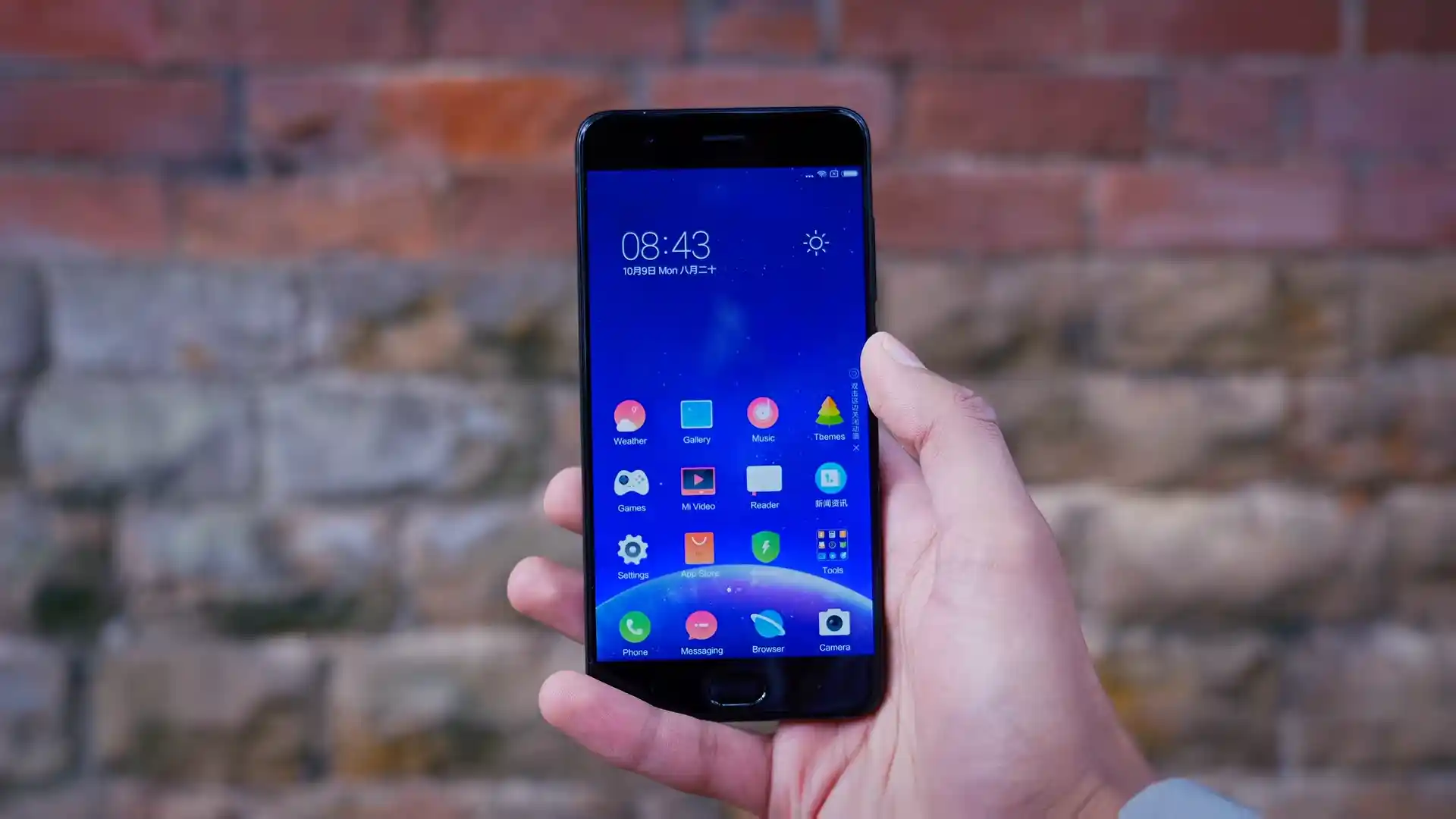
Before you flash: Flashing firmware will erase all data on your device. Back up contacts, photos, and apps before proceeding. FlashGuideHub is not responsible for any damage caused by following this guide.
About the Xiaomi Mi Note 3
The Xiaomi Mi Note 3 was released in September 2017, built on the octa-core Qualcomm Snapdragon 660 SDM660 (14nm FinFET) platform. Featuring a 5.5-inch Full HD display, dual 12 MP cameras with 4-axis OIS, and an under-glass capacitive fingerprint reader, the handset delivered upper mid-range performance in an ergonomic curved glass body.
Flashing official factory Fastboot firmware using Xiaomi Mi Flash Tool repairs corrupted partitions, recovers bootlooping devices, and restores official MIUI stability. Follow the verified driver preparation and procedural steps below to flash your device safely.
Which Flash Mode Should You Use?
Fastboot Mode (Bootloader Flashing)
Official flashing interface for unlocked devices. Writes raw partition blocks via Mi Flash Tool or flash_all.bat scripts.
Custom Recovery Mode (TWRP & OrangeFox)
Custom recovery environment for installing Xiaomi.eu custom ROMs, flashing Magisk, and performing full partition backups.
Qualcomm HS-USB QDLoader 9008 (EDL Mode)
Emergency download mode accessed via motherboard test points when Fastboot mode is broken or the bootloader is locked.
Stock Android Recovery Mode
Stock recovery interface for performing factory data resets and clearing system caches.
Pre-Flash Equipment & Software Prerequisites for Mi Note 3
A PC running 64-bit Windows with Mi Flash Tool and official Qualcomm USB drivers installed.
Download and unpack the official V12.0.1.0.PCHMIXM archive twice with 7-Zip until flash_all.bat is visible.
Ensure the 3,500 mAh battery has at least 50% charge to ensure stable power delivery throughout the flashing process.
Use a quality USB Type-C data cable connected directly to a rear USB 2.0 port on the computer motherboard.
In Mi Flash Tool, select "clean all" at the bottom right. Never select "clean all and lock" on cross-region hardware.
5-Step Mi Flash & Fastboot Walkthrough for Xiaomi Mi Note 3
These 5 steps are tailored to the Xiaomi Mi Note 3 (Snapdragon 660). For screenshots, an interactive checklist, and troubleshooting, open the full Mi Flash Tool guide.
-
Unlock bootloader with official Mi Unlock tool
-
Extract jason_global_images_V12.0.1.0.PCHMIXM_20200913.0000.00_9.0_global_b7800ab3ce.tgz with 7-Zip
-
Boot into Fastboot mode and verify anti-rollback index
-
Target extracted directory in Mi Flash Tool with "clean all"
-
Flash partitions and preserve camera persist calibration
Fastboot Rawprogram XML & Firmware Package for Snapdragon 660
Official Fastboot firmware packages for the Xiaomi Mi Note 3 (jason) contain raw partition binaries (boot.img, system.img, vendor.img, cust.img, modem, and splash) orchestrated via flash_all.bat, rawprogram0.xml, and patch0.xml. When executed in Mi Flash Tool, these scripts write partition images directly to the Qualcomm Snapdragon 660 eMMC 5.1 storage controller.
flash_all.bat / rawprogram0.xml
Official factory Fastboot firmware for the Xiaomi Mi Note 3 utilizes rawprogram0.xml and patch0.xml executed through flash_all.bat. In Mi Flash Tool, select the root extracted folder containing these scripts.
The Xiaomi Mi Note 3 (board codename jason) is engineered on Qualcomm's Snapdragon 660 (SDM660) platform with 6GB LPDDR4X RAM, eMMC 5.1 internal flash storage, dual 12 MP cameras with 4-axis OIS, and a 5.5-inch Full HD display.
Always verify that your device codename is "jason" before flashing. Do not attempt to flash firmware intended for the Mi 6 (sagit), Mi 6X (wayne), or Mi Note 2 (scorpio), as memory architectures and partition structures differ fundamentally.
Verified Firmware Packages for Xiaomi Mi Note 3
Tested stock firmware packages for confirmed hardware variants of the Xiaomi Mi Note 3. Always confirm your model codename is "jason" before flashing.
| Version | Region | Android Version | Size | MD5 | Download |
|---|---|---|---|---|---|
V12.0.1.0.PCHMIXM (Android 9.0) |
Global (MI) | Android 9.0 (MIUI 12) | 2.47 GB | b7800ab3ce54e06f929d36eb98a38dec |
⬇️ Download |
V12.0.1.0.PCHCNXM (Android 9.0) |
China (CN) | Android 9.0 (MIUI 12) | 2.86 GB | 9bf2b14cde12691cdf007306aa0a1d36 |
⬇️ Download |
V12.0.1.0.PCHCNXM (Android 9.0) |
Multilingual / Europe | Android 9.0 (MIUI 12) | 2.10 GB | 2cd929362c5453b912d328a7c2336e14 |
⬇️ Download |
This device family includes 5 additional China stable, recovery OTA, and legacy TWRP recovery packages in the full archive. Browse the complete 8-package archive on AndroidFirmwareFile.com →
Xiaomi Mi Note 3 Architecture & Partition Specifications
Flashing official Fastboot TGZ packages (such as jason_global_images_V12.0.1.0.PCHMIXM_20200913.0000.00_9.0_global_b7800ab3ce.tgz) via Xiaomi Mi Flash Tool resolves bootloops, fixes corrupted system partitions, and returns your phone to its factory MIUI 12 operating system.
Because the Snapdragon 660 platform enforces anti-rollback index protection on Android 9.0, keeping an unlocked bootloader and verifying the index before flashing ensures safe restoration without triggering bootloader locks.
Troubleshooting Xiaomi Mi Note 3 (jason) Mi Flash & Fastboot Errors
Anti-Rollback Version Protection: "FAILED (remote: Rollback check failed)"
Attempting to downgrade from MIUI 12 or MIUI 11 to early MIUI 9 builds triggers Qualcomm hardware anti-rollback fuse verification. The bootloader compares the anti-rollback index in the firmware against the hardware counter stored in write-protected memory and halts. Experienced owners recommend verifying your device index using "fastboot getvar anti" and flashing only builds with an equal or higher index.
Dual Camera Viewfinder Blank Display: "Camera error / persist.img calibration missing"
The dual camera assembly (12 MP Sony IMX386 with 4-axis OIS and Samsung telephoto) relies on sensor baseline calibration stored exclusively inside the persist partition. If custom recovery wipes or third-party scripts overwrite persist, the camera app will crash on launch or fail dual-sensor fusion. Community repair discussions recommend re-flashing a clean stock persist.img extracted from the official Fastboot package via "fastboot flash persist persist.img".
eMMC Storage Read-Only Timeout: "FAILED (remote: Partition table doesn't exist or write timeout)"
Unlike flagship models with UFS storage, the Mi Note 3 uses eMMC 5.1 storage that can enter hardware write-protection mode following severe partition corruption or flash wear. If Mi Flash fails immediately on the partition table or partition writing times out, testing connection integrity on a direct rear USB 2.0 port or flashing single partition blocks in Fastboot helps verify whether the eMMC memory has locked into read-only state.
For in-depth Xiaomi Fastboot error codes, EDL testpoint pinouts, and driver troubleshooting: Mi Flash Tool Error Directory →
Xiaomi Mi Note 3 Workshop & Flashing Troubleshooting FAQ
If the Mi Note 3 is stuck in a bootloop, press and hold the Power button firmly for 10 to 12 seconds until the screen turns completely black and the phone vibrates once. The moment the screen powers down, immediately press and hold Volume Down and Power buttons together until the orange Fastboot rabbit graphic appears.
The Qualcomm HS-USB QDLoader 9008 hardware test points on the Mi Note 3 are located on the main logic board beneath the protective metal shield near the battery connector and volume button flex ribbon. Accessing them requires gently warming and removing the rear curved glass cover, unscrewing the top motherboard bracket, and shorting the two circular gold contact pads with fine tweezers while inserting the USB Type-C cable.
Stock MIUI automatically restores the factory recovery image on first boot if Android boots normally immediately after flashing. To preserve custom recovery, run "fastboot flash recovery twrp-3.7.0_9-0-jason.img" and immediately follow with "fastboot boot twrp-3.7.0_9-0-jason.img", or immediately hold Volume Up and Power as you disconnect the cable to force entry into TWRP before the system partition mounts.
A completely blank panel with Windows Device Manager registering Qualcomm HS-USB QDLoader 9008 indicates the bootloader has halted in Emergency Download Mode. You can restore the phone by opening Mi Flash Tool, verifying the COM port appears under the device column, selecting the unpacked Fastboot firmware folder, and flashing the raw partition images via rawprogram0.xml.
Ready to Flash?
Follow the full step-by-step Mi Flash Tool guide with interactive progress tracking, prerequisite checklist, and complete troubleshooting.