

Before you flash: Flashing firmware will erase all data on your device. Back up contacts, photos, and apps before proceeding. FlashGuideHub is not responsible for any damage caused by following this guide.
About the Xiaomi POCO X3 NFC / POCO X3 India
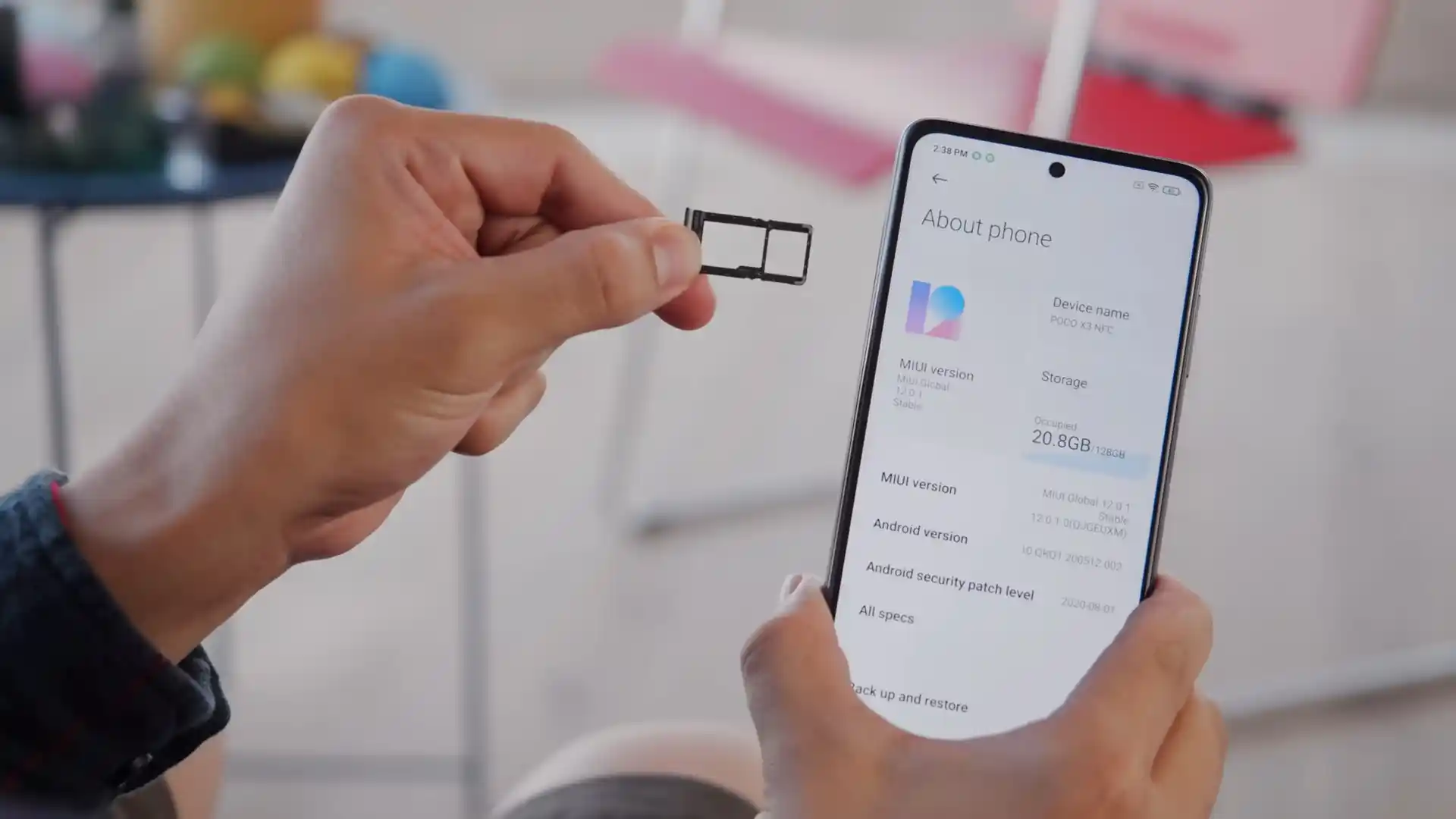
The Xiaomi POCO X3 NFC / POCO X3 India (codenames: surya / karna) launched in September 2020 on Qualcomm's Qualcomm SM7150-AC Snapdragon 732G (8nm) platform with a 6.67-inch 120Hz IPS LCD display, 33W fast charging, stereo speakers, and a 3.5mm headphone jack.
Whether you are restoring a UK/EEA handset with surya_eea_global_images_V14.0.5.0.SJGEUXM_20230619.0000.00_12.0_eea_988d1dccd9.tgz, fixing an Indian karna model, or installing OrangeFox R12.0 with Xiaomi.eu MIUI 14, follow the steps below carefully.
Which Flash Mode Should You Use?
Mi Flash Tool (Fastboot .tgz Factory Restore)
Executes flash_all.bat over Fastboot to write MIUI 14 Android 12 system, vendor, and product logical partitions within super.img cleanly on unlocked devices.
Custom Recovery (OrangeFox / TWRP Physical Partition)
Flash OrangeFox-R12.0-Unofficial-surya or TWRP 3.7.1 directly to the dedicated physical recovery partition, disable AVB verification, and flash Xiaomi.eu or custom ROMs.
Qualcomm EDL 9008 (Authorized Service Unbrick)
Emergency Download mode (HS-USB QDLoader 9008) when Fastboot is unbootable after an interrupted flash or hard brick. Enforces authorized Xiaomi service authentication.
Pre-Flash Setup for Xiaomi POCO X3 NFC (surya / karna)
Confirm Mi Unlock status and ensure firmware matches surya (M2007J20CG) or karna (M2007J20CI) before flashing.
Current Fastboot binaries ensure stable communication during multi-gigabyte super.img dynamic partition writing.
Avoid front-panel hubs or USB 3.0 ports during 4.7 GB+ Fastboot flashing to prevent xHCI transfer timeouts.
Ensure the 5,160 mAh or 6,000 mAh battery holds adequate charge before starting the flashing process.
Executing flash_all.bat completely erases all personal data, photos, and apps stored on the device.
Mi Flash & Custom Recovery Walkthrough for Snapdragon 732G
5-step quick reference for the Xiaomi POCO X3 NFC / POCO X3 India. Need visuals or troubleshooting help? The full Mi Flash Tool guide covers everything in detail.
-
Confirm codename surya or karna via fastboot getvar product and verify Mi Unlock status
-
Extract surya_eea_global_images_V14.0.5.0.SJGEUXM_20230619.0000.00_12.0_eea_988d1dccd9.tgz to C:\surya_fw\
-
Hold Volume Down + Power for Fastboot and connect via a direct rear motherboard USB 2.0 port
-
Select "clean all" (flash_all.bat) in Mi Flash Tool, or flash custom recovery to the physical recovery partition
-
If flashing custom recovery, disable AVB verification with fastboot --disable-verity --disable-verification flash vbmeta vbmeta.img
Finding flash_all.bat & Rawprogram XML Maps in SM7150-AC Packages
On the Qualcomm Xiaomi POCO X3 platform, Mi Flash Tool executes flash_all.bat alongside rawprogram XML maps rather than a MediaTek scatter file. Extracting the .tgz package twice with 7-Zip places flash_all.bat in the outer directory next to the images folder:
flash_all.bat
Double-extracting surya_eea_global_images_V14.0.5.0.SJGEUXM_20230619.0000.00_12.0_eea_988d1dccd9.tgz with 7-Zip places flash_all.bat in the outer directory alongside the images folder containing prog_firehose_ddr.elf, rawprogram0.xml, super.img, modem.img, and recovery.img. Select only the outer directory inside Mi Flash Tool.
Confirm your board reports 'surya' (M2007J20CG) or 'karna' (M2007J20CI) and never cross-flash POCO X3 Pro (vayu) or POCO X3 GT (chopin) packages.
Always select the outer folder holding flash_all.bat inside Mi Flash Tool (such as C:\surya_fw\) rather than the inner images directory.
Keep "clean all" selected; clicking "clean all and lock" on cross-regional firmware locks the phone into a bricked state.
Xiaomi POCO X3 NFC / POCO X3 India Firmware Versions
Tested official Fastboot and custom ROM packages for Xiaomi POCO X3 NFC / POCO X3 India (EEA M2007J20CG, Global M2007J20CG, India M2007J20CI, and Xiaomi.eu Multilingual). Visit AndroidFirmwareFile for ID, RU, TR, Recovery OTA ZIPs, and all 6 custom recoveries.
| Version | Region | Android Version | Size | MD5 | Download |
|---|---|---|---|---|---|
V14.0.5.0.SJGEUXM |
Europe / UK EEA (EU) — POCO X3 NFC (M2007J20CG) Fastboot | Android 12.0 (June 2023) | 4.7 GB | 988d1dccd905b224bb3cc6b21561bbac |
⬇️ Download |
V14.0.2.0.SJGMIXM |
Global (MI) — POCO X3 NFC (M2007J20CG) Fastboot | Android 12.0 (June 2023) | 4.8 GB | 5c97f3fb79e7100c23c46e4a57eca73f |
⬇️ Download |
V13.0.1.0.SJGINXM |
India (IN) — POCO X3 India (M2007J20CI) Fastboot | Android 12.0 (August 2022) | 3.5 GB | 15727cb7de21880a9f0ff788f1e4a035 |
⬇️ Download |
V14.0.2.0.SJGMIXM |
Xiaomi.eu Multi-Lang Custom ROM (surya / karna) | Android 12.0 (December 2023) | 3.6 GB | 14ba3bf2cdf3882cf2ae616053961143e748527b2e98b7d5c6a0b10bf529ee88 |
⬇️ Download |
Need Indonesia, Russia, Turkey, TWRP builds, or full historical archives? Browse all 19 surya and karna packages on AndroidFirmwareFile.com → View full archive on AndroidFirmwareFile.com →
Fastboot, Recovery Partition & Qualcomm EDL Options
Restoring a Xiaomi POCO X3 NFC (surya) or POCO X3 India (karna) with Mi Flash Tool begins by selecting the official Fastboot package matching your hardware variant. UK and European M2007J20CG handsets use surya_eea_global_images_V14.0.5.0.SJGEUXM_20230619.0000.00_12.0_eea_988d1dccd9.tgz with Band 20 and NFC support, while Indian M2007J20CI handsets run surya_in_global_images_V13.0.1.0.SJGINXM_20220818.0000.00_12.0_in_15727cb7de.tgz calibrated for the 6,000 mAh battery.
For custom recovery installations on an unlocked bootloader, surya includes a dedicated physical recovery partition: flash fastboot flash recovery OrangeFox-R12.0-Unofficial-surya.img (or twrp-3.7.1_12-1-surya-brigudav.img), then disable AVB verification with fastboot --disable-verity --disable-verification flash vbmeta vbmeta.img before flashing xiaomi.eu_multi_POCOX3NFC_V14.0.2.0.SJGMIXM_v14-12.zip.
Fixing POCO X3 NFC (surya) AVB dm-verity Traps, Assertion Errors & Mount Failures
AVB dm-verity Verification Loop: "The system has been destroyed" or Fastboot Bootloop
Flashing custom recoveries (OrangeFox/TWRP) or modified kernels on stock MIUI Android 10/11/12 triggers Android Verified Boot signature checks. Community maintainers recommend disabling verification flags by executing fastboot --disable-verity --disable-verification flash vbmeta vbmeta.img using the stock vbmeta from your exact MIUI package before booting recovery.
TWRP Sibling Assertion Failure: "Updater process ended with ERROR: 7 / getprop ro.product.device == surya"
When installing stock-derived or regional firmware ZIPs on an Indian POCO X3 (karna / M2007J20CI), the recovery updater script often aborts because the board reports karna instead of surya. Experienced users recommend using unified OrangeFox Recovery R12.0 which bypasses strict assert checks, or updating to the unified Xiaomi.eu MIUI 14 package.
Dynamic Partition Mount Failure: "Failed to mount '/vendor' (Invalid argument)" in Custom Recovery
Users transitioning between custom AOSP ROMs and MIUI often encounter partition table corruption where recovery fails to map the dynamic logical blocks inside super.img. XDA developers recommend performing a clean factory restore using Mi Flash Tool with flash_all.bat to reset the dynamic partition tables to their factory state.
Anti-Rollback Downgrade Block: "FAILED (remote: 'Error flashing partition : Write Protect')"
Attempting to downgrade from Android 12 (MIUI 14) back to early Android 10 (MIUI 12) releases triggers hardware anti-rollback protection (ARB). Always run fastboot getvar anti before flashing older builds, and never attempt to bypass rollback counters through EDL without authorized credentials.
Looking up another Mi Flash error code or Fastboot failure? Snapdragon 732G Fastboot & Recovery Error Directory →
Dedicated Recovery Partition, AVB dm-verity & Workshop Q&A
Selecting "clean all and lock" executes flash_all_lock.bat, which relocks the bootloader at the end of the flashing sequence. If your handset is an imported Indian karna (M2007J20CI) or if you are flashing a regional ROM different from the factory SKU burned into the motherboard, the bootloader will reject the cryptographic signature on first reboot and permanently lock the device into a recovery bootloop or EDL 9008 mode.
Official stock MIUI packages contain a recovery restoration script located at /vendor/bin/install-recovery.sh that automatically overwrites custom recoveries with stock Mi-Recovery on the first normal Android boot. To prevent this, immediately boot into your custom recovery (holding Volume Up + Power) after flashing, where OrangeFox automatically disables the recovery overwrite script.
Unlike newer Virtual A/B handsets (where recovery is embedded directly inside boot.img ramdisks), the POCO X3 NFC features a dedicated physical recovery partition (/dev/block/by-name/recovery). This allows you to flash, update, or restore custom recoveries using "fastboot flash recovery .img" without touching the active kernel or boot slot, significantly simplifying custom ROM installations.
The POCO X3 NFC utilizes dynamic partitions, where the super partition exceeds 4.5 GB in size. Connecting the phone through USB 3.0/3.1 front-panel hubs or using damaged USB-C charging cables frequently causes xHCI controller timeout errors during large block transfers. Always connect directly to a rear motherboard USB 2.0 port using the original 3A white Xiaomi cable or a certified data cable.
Ready to Flash?
Follow the full step-by-step Mi Flash Tool guide with interactive progress tracking, prerequisite checklist, and complete troubleshooting.