

Before you flash: Flashing firmware will erase all data on your device. Back up contacts, photos, and apps before proceeding. FlashGuideHub is not responsible for any damage caused by following this guide.
About the Xiaomi Redmi K30 5G
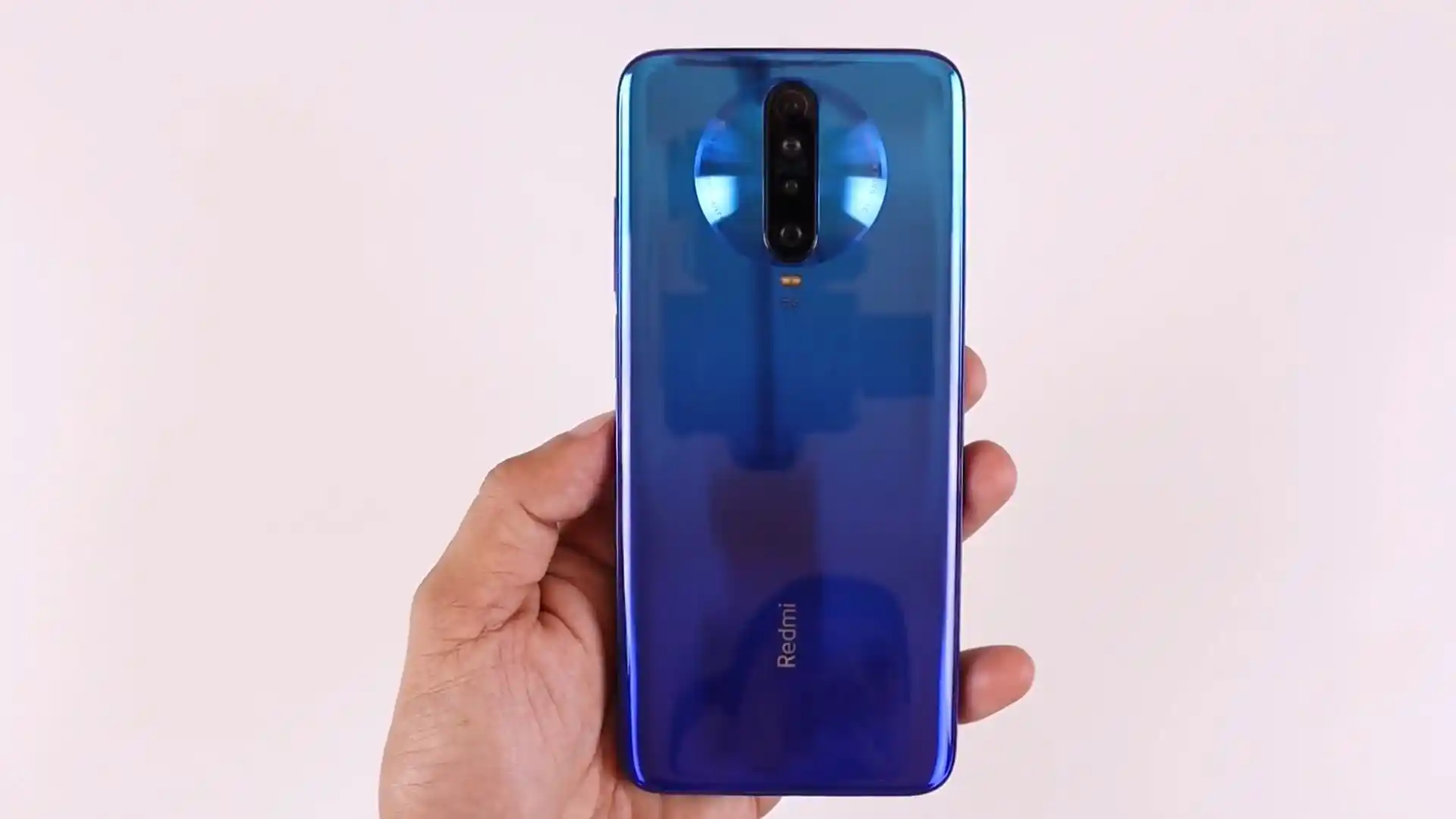
The Xiaomi Redmi K30 5G (hardware codename picasso, model numbers M1912G7BC and M1912G7BE) was released in January 2020, built on the Qualcomm Snapdragon 765G 5G (7nm EUV) platform with an Adreno 620 GPU, 6.67-inch Full HD+ 120Hz IPS display, quad rear cameras featuring a 64 MP Sony IMX686 sensor, and a 4500 mAh battery with 30W wired fast charging.
This guide provides step-by-step instructions for flashing official stock Fastboot firmware on the Xiaomi Redmi K30 5G using Xiaomi Mi Flash Tool. Whether you need to recover a device stuck on the boot screen, fix software errors after an update, or return to a clean factory state, follow these verified steps to flash safely.
Which Flash Mode Should You Use?
Xiaomi Mi Flash Tool (Fastboot)
Official flashing utility for unlocked Xiaomi devices. Writes partition images directly over Fastboot.
Stock Recovery / Local Update
Official on-device recovery update method for installing official Recovery OTA ZIP packages without wiping personal data.
Essential Equipment & Pre-Flash Driver Preparation
A 64-bit Windows 10/11 computer with official Qualcomm Android USB drivers and Android SDK Platform Tools.
An officially unlocked bootloader via the Xiaomi Mi Unlock utility is mandatory for Fastboot partition flashing.
Ensure the 4500 mAh battery holds at least 50% charge to prevent power loss while writing 5GB+ system partition images.
Use an authentic data sync cable connected directly to a rear motherboard USB 2.0 port to prevent communication drops.
5-Step Mi Flash & Fastboot Restoration Walkthrough
These 5 steps are tailored to the Xiaomi Redmi K30 5G (Snapdragon 765G). For screenshots, an interactive checklist, and troubleshooting, open the full Mi Flash Tool guide.
-
Download and unpack picasso_images_V13.0.5.0.SGICNXM_20221028.0000.00_12.0_cn_chinatelecom_208c44e5c4.tgz with 7-Zip
-
Reboot device to Fastboot mode via physical key combo
-
Connect to PC USB 2.0 port and verify handshake via fastboot devices
-
Configure Mi Flash with clean all script and verify device ID
-
Flash device and complete initial first-boot MIUI 13 cache rebuild
Fastboot Script Structure & Flashing Modes
Fastboot firmware archives for the Xiaomi Redmi K30 5G unpack into an images folder containing raw partition binaries alongside automated flashing scripts: flash_all.bat (clean flash), flash_all_except_storage.bat (preserve user data), and flash_all_lock.bat (clean flash and relock bootloader). Technicians recommend strictly selecting flash_all.bat to format user storage cleanly across UFS 2.1 partitions.
flash_all.bat
Official Fastboot packages for the Xiaomi Redmi K30 5G contain automated batch scripts for different repair scenarios. Understanding these scripts ensures you select the correct flashing operation in Mi Flash Tool.
Never run flash_all_lock.bat when flashing cross-regional or Xiaomi.eu software on an imported Chinese model, as relocking the bootloader against modified cryptographic signatures will result in an immediate hard brick.
Xiaomi Redmi K30 5G Firmware Versions
Below are verified Fastboot packages for the Xiaomi Redmi K30 5G, including the European Xiaomi.eu multilingual release and the official China Telecom factory archive. For custom recoveries like TWRP and OrangeFox, browse the master archive.
| Version | Region | Android Version | Size | MD5 | Download |
|---|---|---|---|---|---|
V13.0.5.0.SGICNXM (MIUI 13 Xiaomi.eu) |
Europe / Multilingual (EU) — Fastboot | Android 12.0 | 3.62 GB | cbdab394c4721248f97be1fc6f7b59ae |
⬇️ Download |
V13.0.5.0.SGICNXM (MIUI 13 Official) |
China (CN) — China Telecom | Android 12.0 | 5.29 GB | — | ⬇️ Download |
Need additional packages like TWRP wzsx150 or OrangeFox custom recovery? Browse the full Xiaomi Redmi K30 5G archive on AndroidFirmwareFile.com →
Snapdragon 765G Partition Layout & Script Execution Notes
The Qualcomm Snapdragon 765G platform employs standard Android partition layouts with dynamic partition management on newer MIUI releases. Flashing is performed directly over Fastboot mode via automated batch scripts. Maintain an uninterrupted USB connection throughout the entire process.
Troubleshooting Xiaomi Redmi K30 5G Flashing Errors
Fastboot detection timeout: "device not recognized in fastboot mode over USB 3.0"
The Snapdragon 765G bootloader interface can drop communication on Windows 10/11 when connected to USB 3.0 ports. Plug the device directly into a rear motherboard USB 2.0 port, update to the latest Google Android USB drivers via Device Manager, and verify connectivity using "fastboot devices".
Bootloader locked rejection: "FAILED (remote: 'Erase is not allowed in Lock State')"
Mi Flash cannot write partition binaries because the device bootloader is locked. Ensure "OEM Unlocking" is activated in Developer Options, bind your authorized Xiaomi account, and unlock the bootloader with the official Mi Unlock tool before flashing Fastboot packages.
Camera crash: "Can't connect to camera / black viewfinder after cross-flashing"
Occurs when firmware intended for the 48 MP Redmi K30i 5G (picasso_48m) is flashed onto the standard 64 MP Redmi K30 5G (picasso). Camera kernel modules fail to initialize the Sony IMX686 sensor. Clean flash the official picasso V13.0.5.0 Fastboot package using flash_all.bat to restore camera operation.
Encountering issues during flashing? Review these verified workshop troubleshooting notes for the Xiaomi Redmi K30 5G. Troubleshooting & Common Errors →
Technical Workshop Questions & Unbricking Mechanics
Qualcomm Snapdragon 765G Fastboot interfaces frequently experience packet handshake timing failures when connected to high-speed USB 3.0/3.1 ports (blue or red ports) governed by AMD or ASMedia USB controller chipsets. The phone may be recognized in ADB while Android is running, but disappears in Fastboot mode. Connecting the handset directly to an Intel-driven USB 2.0 port on the rear motherboard or through an unpowered USB 2.0 hub establishes a stable handshake.
Because official Chinese MIUI 13 and custom Xiaomi.eu ROMs use distinct cryptographic keystore implementations for user data encryption on Android 12, performing a standard factory reset (wipe cache/data) in recovery will result in a bootloop on the Mi splash logo. Users must perform a full "Format Data" by typing "yes" in OrangeFox/TWRP or executing the windows_fastboot_first_install_with_data_format.bat script to rebuild storage partitions with matching encryption keys.
If a corrupt partition table prevents the device from powering on or entering Fastboot mode, emergency recovery is achieved via Qualcomm EDL mode (HS-USB QDLoader 9008). After heating the rear glass panel and unclipping the motherboard bracket, shorting the two designated gold test point pins adjacent to the battery connector while inserting the USB cable forces the Snapdragon 765G into EDL mode for emergency partition programming.
Ready to Flash?
Follow the full step-by-step Mi Flash Tool guide with interactive progress tracking, prerequisite checklist, and complete troubleshooting.