

Before you flash: Flashing firmware will erase all data on your device. Back up contacts, photos, and apps before proceeding. FlashGuideHub is not responsible for any damage caused by following this guide.
About the Xiaomi Redmi K50
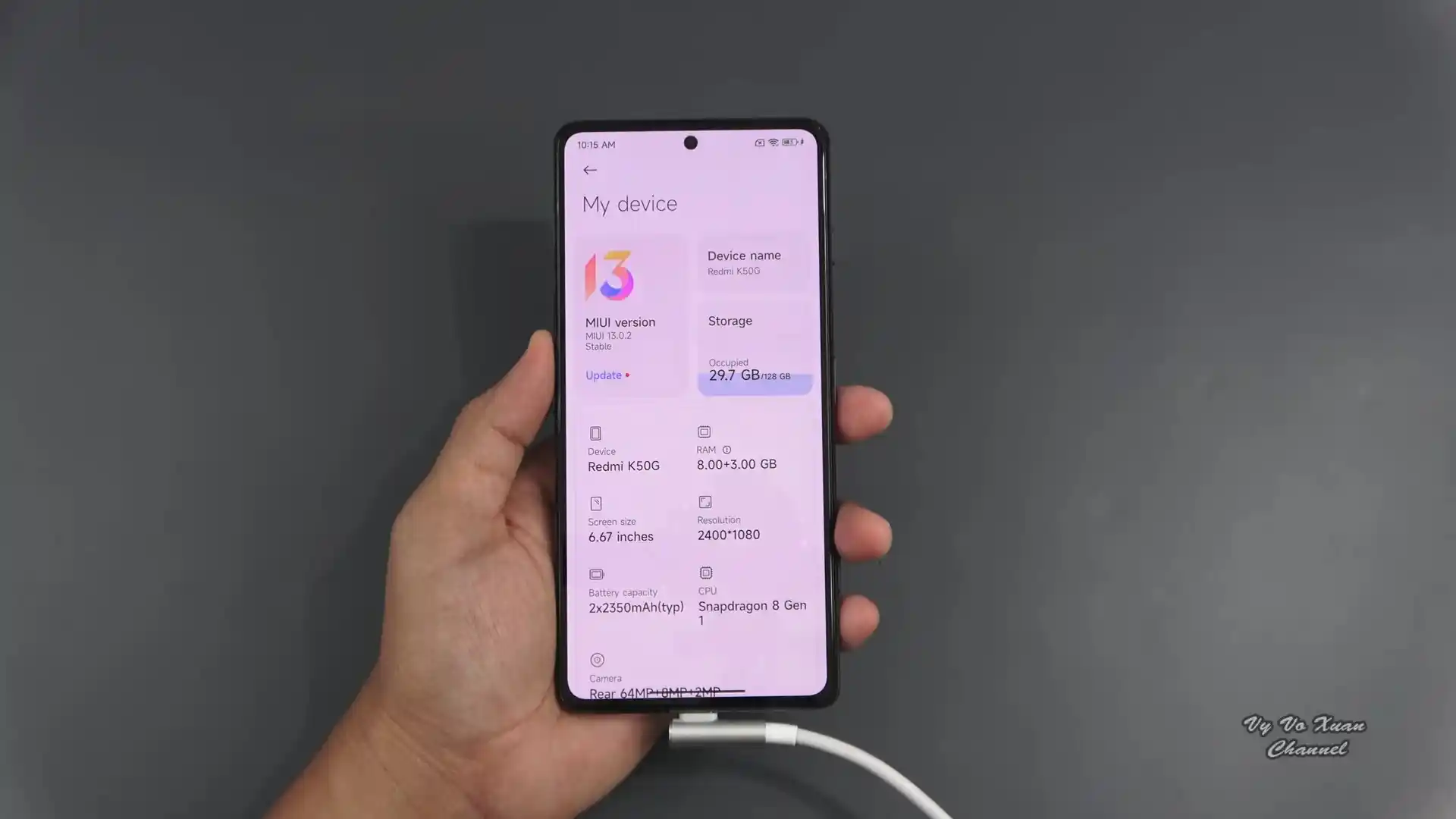
The Xiaomi Redmi K50 (codename: rubens) launched in March 2022 as a China-exclusive performance smartphone powered by MediaTek's MediaTek Dimensity 8100 (5nm TSMC, MT6895) processor with UFS 3.1 storage and a 2K AMOLED display.
Whether you need to resolve a bootloop after an update, unbrick a soft-bricked phone, or restore factory HyperOS 2.0 using rubens_images_OS2.0.5.0.ULNCNXM_20250429.0000.00_14.0_cn_d501afff82.tgz, follow the steps below.
Which Flash Mode Should You Use?
Mi Flash Tool (Fastboot / fastbootd ROM)
Official factory restore method for rubens. Runs flash_all.bat to rewrite boot, vendor_boot, super, and userdata over fastbootd. Requires an unlocked bootloader and erases all data.
Fastboot CLI (vendor_boot Flash & Slot Control)
Runs fastboot commands from terminal to flash vendor_boot recovery images, verify current-slot, or disable dm-verity on vbmeta.
Custom Recovery Flash (vendor_boot Partition)
Flashes community recovery ramdisks directly to the vendor_boot partition on MT6895. Executing fastboot boot is unsupported by the bootloader.
MediaTek BROM / SP Flash Tool (Emergency)
Low-level MT6895 USB BootROM mode for bricked units that cannot enter Fastboot. Dimensity 8100 hardware enforces signed SLA/DA authentication.
Essential Setup Before Flashing 6.84GB HyperOS 2.0 Files
Fastboot .tgz flashing requires Xiaomi account unlock permission on China-region hardware before flash_all.bat can run.
Install Xiaomi/MTK drivers and Google Platform-Tools v35+ so 6.84 GB HyperOS 2.0 super.img sparse transfers never stall.
Plug a reliable Type-C data cable straight into a rear motherboard USB 2.0 port to avoid USB 3.x controller drops during fastbootd reboots.
Keep the 5,500 mAh battery well charged before starting so power remains stable during dynamic super partition writes.
Redmi K50 has no microSD card slot and flash_all.bat formats internal UFS 3.1 storage clean. Back up personal files off the phone first.
Mi Flash & Fastbootd Walkthrough for Redmi K50 (rubens)
These 5 steps are tailored to the Xiaomi Redmi K50 (Dimensity 8100). For screenshots, an interactive checklist, and troubleshooting, open the full Mi Flash Tool guide.
-
Verify unlocked bootloader status on China model 22041211AC via Mi Unlock before flashing
-
Extract rubens_images_OS2.0.5.0.ULNCNXM_20250429.0000.00_14.0_cn_d501afff82.tgz twice to C:\rubens_fw\
-
Boot into Fastboot mode with Volume Down + Power and connect to a rear USB 2.0 port
-
In Mi Flash Tool select C:\rubens_fw\, confirm "clean all" is active, and click Flash
-
Allow userspace fastbootd to write dynamic super partitions and vendor_boot without disconnecting
Finding flash_all.bat Inside Dimensity 8100 Packages
Official Xiaomi Redmi K50 Fastboot archives arrive as double-compressed .tgz packages. Unpacking twice with 7-Zip reveals flash_all.bat at the top level alongside the images folder containing preloader, boot, vendor_boot, vbmeta, and super.img:
flash_all.bat
After unpacking rubens_images_OS2.0.5.0.ULNCNXM_20250429.0000.00_14.0_cn_d501afff82.tgz twice with 7-Zip, flash_all.bat sits at the root folder beside the images directory containing preloader, boot, vendor_boot, vbmeta, and super.img. Point Mi Flash Tool to that outer directory.
Codename rubens (model 22041211AC) identifies ONLY the MediaTek Dimensity 8100 Redmi K50. Never flash images meant for the Dimensity 9000 Redmi K50 Pro (matisse) or Snapdragon Redmi K50 Gaming (ingres).
Point Mi Flash Tool directly to the extracted folder containing flash_all.bat (such as C:\rubens_fw\), never inside the images directory.
Always select "clean all" (flash_all.bat) and avoid "clean all and lock" unless completely returning pure unmodified China stock on factory hardware.
Xiaomi Redmi K50 Firmware Versions
Verified China Stable HyperOS 2.0 Fastboot and community builds tested for the Xiaomi Redmi K50 (rubens). Check the complete archive entry below for full board taxonomy and release details.
| Version | Region | Android Version | Size | MD5 | Download |
|---|---|---|---|---|---|
OS2.0.5.0.ULNCNXM |
China (CN) — HyperOS 2.0 | Android 14.0, Apr 2025 | 6.84 GB | d501afff822ee13bd2484c780a483fdd |
⬇️ Download |
V13.0.24.0.SLNCNXM |
Multilingual / EU Community | Android 12.0, Sep 2022 | 4.55 GB | — | ⬇️ Download |
View the full Redmi K50 (rubens) technical profile and archive on AndroidFirmwareFile.com → View full archive on AndroidFirmwareFile.com →
Fastbootd, Vendor Boot Recovery & MT6895 BROM Notes
The Xiaomi Redmi K50 (codename rubens, model 22041211AC) is powered by the 5nm MediaTek Dimensity 8100 (MT6895) processor with a 2K 120Hz Samsung AMOLED screen and 67W fast charging.
On bootloader-unlocked handsets, Mi Flash Tool runs flash_all.bat from rubens_images_OS2.0.5.0.ULNCNXM_20250429.0000.00_14.0_cn_d501afff82.tgz, transferring into userspace fastbootd to write the dynamic super.img partition cleanly. Custom recoveries must be written to vendor_boot using vendor_boot.img rather than booting directly from RAM.
Fixing Redmi K50 Sparse Write, Vendor Boot & AVB Errors
Fastboot Command Error: "FAILED (remote: 'unknown command')" on boot <recovery>.img
The MediaTek MT6895 bootloader does not support booting recovery images directly in RAM via the "fastboot boot" command. On Dimensity 8100, custom recovery resides inside vendor_boot and must be flashed permanently to the partition using "fastboot flash vendor_boot vendor_boot.img".
Fastbootd Log: "FAILED (remote: 'data too large')" or Timeout Writing super.img
Writing the 6.84 GB HyperOS 2.0 dynamic super.img container requires userspace fastbootd. Older Google Platform-Tools binaries or USB 3.x xHCI controller timeouts fail during the transition from bootloader to fastbootd. Update to Platform-Tools v35+ and connect via a rear motherboard USB 2.0 port.
AVB 2.0 dm-verity Bootloop: Device Boots to "The system has been destroyed" After Flashing Recovery
Android Verified Boot 2.0 detects unauthorized partition modifications when custom vendor_boot images are flashed. Resolve this by flashing disabled vbmeta flags from fastboot: "fastboot --disable-verity --disable-verification flash vbmeta vbmeta.img".
SP Flash / BROM Handshake: "STATUS_SEC_AUTH_FILE_NEEDED" or SLA Authentication Error
The MediaTek Dimensity 8100 (MT6895) utilizes hardware-fused SLA and DAA security keys. Standard SP Flash Tool cannot communicate with BROM without an authorized Xiaomi service account or specialized MTK bypass tools like mtkclient.
Need troubleshooting for another fastbootd or MediaTek error code? Fastboot & Mi Flash Error Directory →
China Unlock Rules, Xiaomi.eu Status & Partition Q&A
Because the Redmi K50 (model 22041211AC) was manufactured exclusively for mainland China, unlocking the bootloader requires binding a verified Xiaomi Community account inside developer options. When flashing stock firmware in Mi Flash Tool, always ensure "clean all" (flash_all.bat) is selected rather than "clean all and lock", as locking the bootloader with modified or non-stock partitions can cause unrecoverable boot failures.
The Xiaomi.eu developer team released stable MIUI 13 fastboot builds for the Redmi K50 (such as V13.0.24.0.SLNCNXM), but suspended ongoing builds starting with MIUI 14. MediaTek Dimensity chipsets rely on closed-source Board Support Packages (BSPs) and dynamic partition implementations that make fastboot flashing unpredictable, creating brick hazards requiring authorized service accounts.
No. The official flash_all.bat restoration script deliberately protects critical hardware calibration blocks. Baseband identifiers, Wi-Fi MAC configurations in nvram and nvdata, and optical image stabilization (OIS) calibration stored in the persist partition are preserved across factory wipes.
If a USB interruption occurs during userspace fastbootd, power cycle back into bootloader Fastboot mode (Volume Down + Power) and run "fastboot getvar current-slot" from your PC command prompt. If slot a or b fails to boot, you can toggle active slots using "fastboot set_active a" or "fastboot set_active b" and restart flash_all.bat.
Ready to Flash?
Follow the full step-by-step Mi Flash Tool guide with interactive progress tracking, prerequisite checklist, and complete troubleshooting.