

Before you flash: Flashing firmware will erase all data on your device. Back up contacts, photos, and apps before proceeding. FlashGuideHub is not responsible for any damage caused by following this guide.
About the Xiaomi Redmi Note 11 Pro 4G (vida)
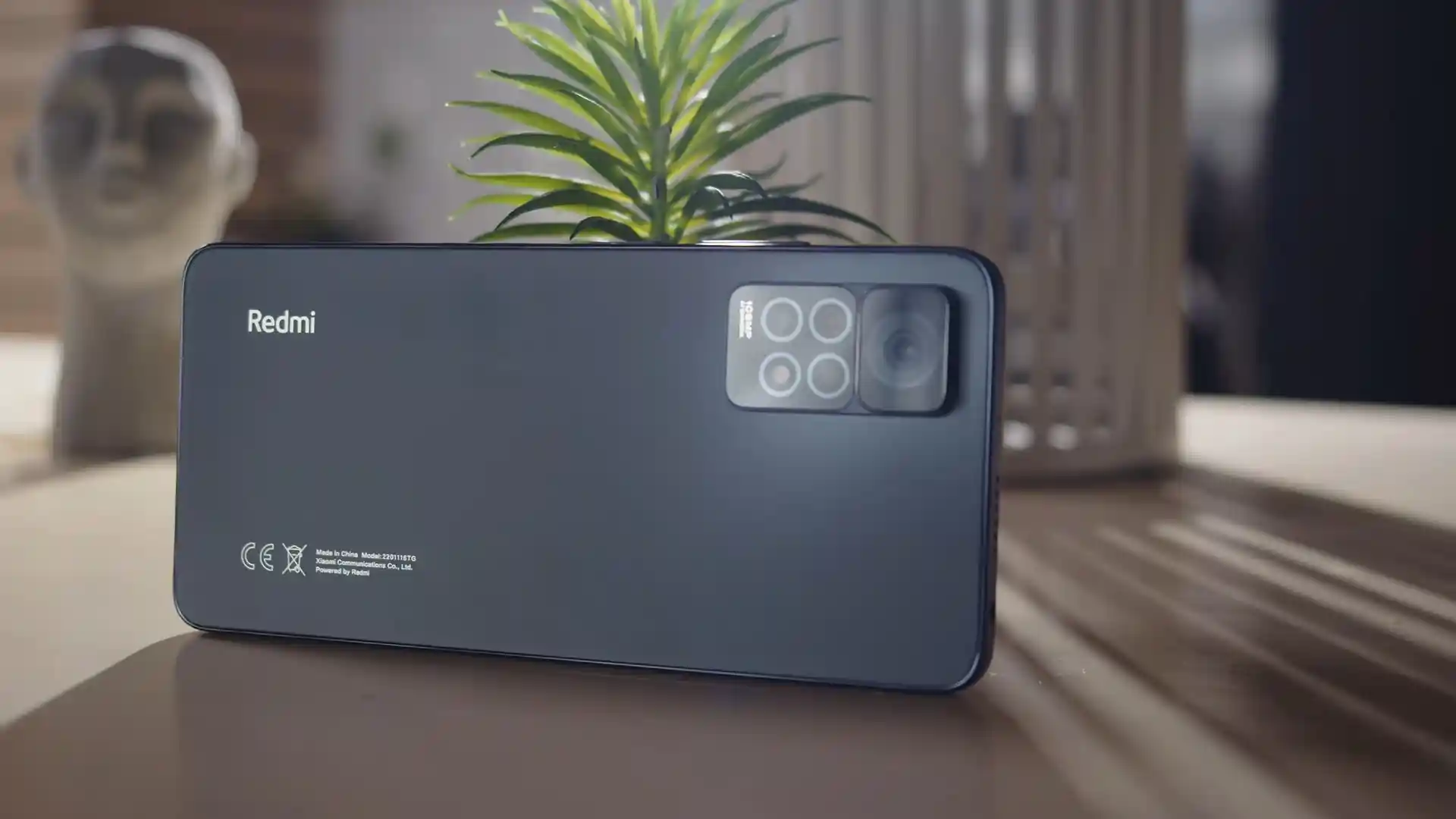
The Xiaomi Redmi Note 11 Pro 4G (vida), launched in January 2022 on MediaTek's MediaTek Helio G96 MT6781 (12nm FinFET) processor, brings a 6.67-inch 120Hz Full HD+ Super AMOLED display, a 108 MP quad rear camera array, and 67W fast charging. Whether you need to recover a phone stuck on the boot logo, fix system errors after an update, or return to a clean factory state, this guide provides verified Fastboot flashing steps.
Official stock restoration on the Xiaomi Redmi Note 11 Pro 4G (vida) is performed using Xiaomi's Mi Flash Tool in Fastboot mode. Follow each preparatory step carefully to ensure smooth partition deployment without risking bootloader or modem errors.
Which Flash Mode Should You Use?
Fastboot Mode
Primary flashing environment used by Mi Flash Tool to write bootloader, radio, and system partitions.
Recovery Mode
Stock recovery environment for OTA zip sideloading, factory data wipes, and Mi Assistant connections.
MediaTek BROM / Preloader Mode
Low-level hardware recovery mode used when the phone is completely unbootable or cannot enter Fastboot.
What You Need Before Flashing
A computer running Windows 10 or 11 with MediaTek USB VCOM drivers and Android SDK Platform-Tools installed.
An officially unlocked bootloader via the Xiaomi Mi Unlock utility. Flashing stock Fastboot images on locked devices will fail.
Use the original Xiaomi data cable or a certified USB cable plugged directly into a rear motherboard USB 2.0 port.
Ensure the 5,000 mAh battery holds at least 50% capacity to prevent power interruption during the 5-minute flash operation.
Fastboot .tgz packages require two extractions (tar.gz -> tar -> folder) using 7-Zip to extract the images directory properly.
How to Flash the Xiaomi Redmi Note 11 Pro 4G (vida) — Quick Overview
These 5 steps are tailored to the Xiaomi Redmi Note 11 Pro 4G (vida) (Helio G96). For screenshots, an interactive checklist, and troubleshooting, open the full Mi Flash Tool guide.
-
Unlock bootloader with Mi Unlock
-
Decompress Fastboot TGZ archive twice
-
Enter Fastboot mode
-
Configure Mi Flash Tool with "clean all"
-
Flash firmware and await first boot
Understanding the Fastboot Flash Script on Redmi Note 11 Pro 4G
On Xiaomi MediaTek platforms like the %1$s, official Fastboot flashing is managed by the %2$s batch script rather than loading a scatter file in SP Flash Tool. This script coordinates the sequential flashing of boot, preloader, and dynamic super partition sparse chunks through Fastboot and fastbootd protocols.
flash_all.bat
While the MediaTek Helio G96 processor internally supports scatter-based flashing via SP Flash Tool, official Xiaomi customer packages are structured as Fastboot archives managed by Windows batch scripts (flash_all.bat). The script automatically detects the device communication mode, provisions partition tables, writes essential modem and boot firmware, and streams the dynamic super partition.
Always confirm that "clean all" (%2$s) is selected in Mi Flash Tool. Selecting "clean all and lock" on cross-regional firmware builds (such as flashing Indian vida ROMs on European viva hardware) locks the bootloader against mismatched security certificates and causes an unbootable recovery state.
Xiaomi Redmi Note 11 Pro 4G (vida) Firmware Versions
Tested and recommended official stock Fastboot firmware build for the Xiaomi Redmi Note 11 Pro 4G (vida).
| Version | Region | Android Version | Size | MD5 | Download |
|---|---|---|---|---|---|
OS1.0.4.0.TGDINXM (Android 13.0) |
4.8 GB | f85ede6682e1d7d58df02cc9840140cc |
⬇️ Download |
Looking for additional recovery builds or full device specs? Browse the full archive on AndroidFirmwareFile.com →
Xiaomi Redmi Note 11 Pro 4G (vida) — Important Notes
Workshop Technician Tips for the Helio G96 Platform
When servicing the Xiaomi Redmi Note 11 Pro 4G (vida) at the bench, keep the following hardware and protocol rules in mind:
USB Controller Stability: Because dynamic super partition chunks total over 5GB on HyperOS 1.0, connect the device directly to a rear motherboard USB 2.0 port. Front panel USB hubs and USB 3.2 ports can cause handoff timeouts when the phone writes dynamic chunks.
Battery Safety Threshold: The internal 5,000 mAh battery must have at least 50% charge. If power drops mid-flash while writing the super partition, the device will require low-level recovery procedures to revive.
Decompression Hierarchy: Xiaomi Fastboot archives (.tgz) contain an internal tar archive. Always use 7-Zip to extract the file twice until the 'images' folder and 'Xiaomi Redmi Note 11 Pro 4G (vida)' batch script appear in the primary directory.
Troubleshooting Redmi Note 11 Pro 4G Flashing Issues
Mi Flash Tool Codename Mismatch: "FAILED (remote: 'Mismatching image and device')"
Occurs when attempting to flash an Indian "vida" fastboot package on a Global "viva" handset or when the bootloader variable parsing fails. The flash_all.bat script checks "fastboot getvar product" against "vida". Technicians verify the device codename in fastboot mode. If flashing cross-regionally intentionally, repair forum members note that the product verification line in flash_all.bat can be adjusted, provided "clean all" is strictly selected and bootloader relocking is avoided.
Dynamic Super Partition Stream Interruption: "FAILED (remote: 'data too large' or 'Write to device failed (Too many links)')"
The MediaTek Helio G96 dynamic super partition requires writing multiple large sparse image blocks. Front-panel USB hubs, USB 3.0 ports, or loose Type-C cables can stall the USB pipeline mid-stream, leaving system partitions half-written. Workshop technicians recommend using a native USB 2.0 port directly on the motherboard, a certified 3A+ Type-C cable, and increasing Windows power plan USB settings to avoid selective suspend.
Bootloader Relock Trap on Mismatched Regional Firmware: "This MIUI/HyperOS version can't be installed on this device"
Leaving the default "clean all and lock" option selected in Mi Flash Tool when flashing an Indian vida build onto an imported or cross-regional device relocks the bootloader against mismatched cryptographic certificates. The device halts in Mi Recovery with red warning text. Community repair discussions indicate this requires an authorized Mi account or authorized testpoint EDL/BROM recovery. Always confirm that "clean all" (flash_all.bat) is selected before clicking Flash.
Fix common flashing interruptions, Fastboot handshake errors, and bootloop issues encountered on the Redmi Note 11 Pro 4G. Troubleshooting & Error Resolutions →
Frequently Asked Questions — Xiaomi Redmi Note 11 Pro 4G (vida)
Xiaomi's flash_all.bat script queries "fastboot getvar product" before executing partition writes. If an Indian "vida" package is executed against a Global "viva" handset (or vice versa), the safety string comparison triggers an immediate abort to protect device partitions. Always verify the exact board string via "fastboot getvar product" in command prompt before initiating flashing.
The MediaTek Helio G96 preloader port handshake stays active for only 3 to 5 seconds before dropping if the computer does not establish immediate communication. Workshop technicians recommend installing signed MediaTek MTK USB VCOM Drivers, connecting the phone directly to a rear motherboard USB 2.0 port via a quality Type-C cable, and running Mi Flash Tool with Administrator privileges.
Under Android 13 HyperOS 1.0, the dynamic super partition contains over 5GB of combined system, system_ext, product, and vendor partition chunks. During flashing, the handset transitions into userspace fastbootd to stream these chunks. If the USB connection is disturbed or power-saving suspended during this handoff, dynamic writing will halt.
Put the phone into Fastboot mode, open a terminal window, and run "fastboot getvar anti". Compare the integer returned by your phone against the "anti" parameter inside android-info.txt in the firmware archive. If the device index is higher than the ROM package index, the hardware fuse blocks the rollback, and forcing it will trigger a hard brick.
Ready to Flash?
Follow the full step-by-step Mi Flash Tool guide with interactive progress tracking, prerequisite checklist, and complete troubleshooting.