

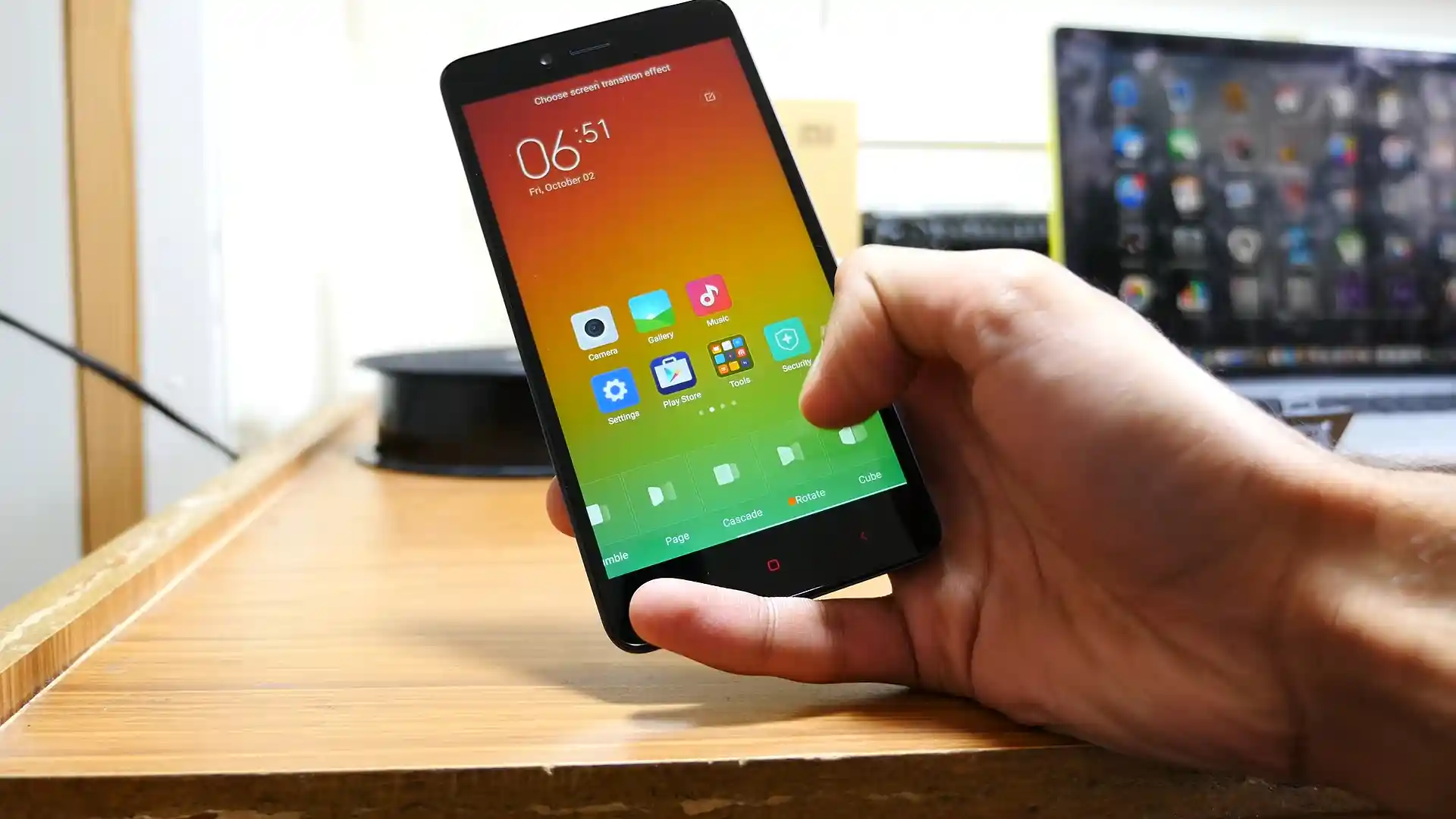
Before you flash: Flashing firmware will erase all data on your device. Back up contacts, photos, and apps before proceeding. FlashGuideHub is not responsible for any damage caused by following this guide.
About the Xiaomi Redmi Note 2 / Redmi Note 2 Prime
The Xiaomi Redmi Note 2 / Redmi Note 2 Prime (codename: hermes) launched in August 2015 on MediaTek's 28nm MediaTek Helio X10 (MT6795 / MT6795T, 28nm) chip with a removable 3,060 mAh battery, Dual Micro-SIM + microSD slots, and official MIUI support spanning MIUI 7 through MIUI 9.6 atop Android 5.0 Lollipop.
Whether you are wiping an old reseller ROM back to official Global V9.6.3.0 via hermes_global_images_V9.6.3.0.LHMMIFD_20180801.0000.00_5.0_global_0dc0ffff2c.tgz or restoring twrp-3.7.0_9-0-hermes.img for recovery wipes, follow the steps below carefully.
Which Flash Mode Should You Use?
SP Flash Tool (MT6795_Android_scatter.txt — Download Only)
Direct hardware flashing path for standard or soft-bricked Redmi Note 2 units without Mi Account server authentication. Rewrites Android partitions cleanly while leaving NVRAM IMEI calibration intact.
Fastboot & Mi Flash Tool (Unlocked Pre-2016 Bootloader)
Runs flash_all.bat over standard Fastboot to install Global Stable V9.6.3.0, China V9.6.1.0, or Weekly 8.4.19 directly when the bootloader responds normally.
Official TWRP 3.7.0_9-0 (Recovery & NVRAM Backups)
Flash twrp-3.7.0_9-0-hermes.img via Fastboot or SP Flash Tool to back up /nvram and /persist partitions, perform clean /data resets, or install Recovery ZIPs.
Pre-Flash Setup for MediaTek Helio X10 (hermes)
Never switch SP Flash Tool to "Format All + Download" or your dual-SIM IMEI and Wi-Fi MAC blocks will erase.
Connect to a rear motherboard USB 2.0 port; USB 3.0 ports frequently drop 2015 MT6795 VCOM connections mid-write.
Pop open the snap-on cover only if needing a cold reset; confirm 40%+ charge before flashing.
Worn 2015 microUSB ports drop easily—keep the phone flat on a steady surface while writing 1.4 GB images.
Clean Fastboot installs and discontinuous MIUI switches require wiping /data and erase internal eMMC files.
SP Flash Tool & TWRP Steps for Redmi Note 2 / Prime
A fast reference for flashing the Xiaomi Redmi Note 2 / Redmi Note 2 Prime (Helio X10) using SP Flash Tool. For the complete walkthrough with images and error troubleshooting, see the full guide.
-
Install signed MediaTek MTK USB VCOM Preloader drivers (plus Google Fastboot drivers for TWRP)
-
Double-extract hermes_global_images_V9.6.3.0.LHMMIFD_20180801.0000.00_5.0_global_0dc0ffff2c.tgz to C:\hermes_fw\
-
Load C:\hermes_fw\images\MT6795_Android_scatter.txt in SP Flash Tool and verify "Download Only"
-
Click Download, remove/reseat the 3,060 mAh battery if unresponsive, and plug microUSB into a rear PC port
-
Wait for the green OK checkmark, power on, or boot twrp-3.7.0_9-0-hermes.img to factory reset cleanly
Locating MT6795_Android_scatter.txt & flash_all.bat in MT6795 Bundles
Official Xiaomi Redmi Note 2 / Prime (hermes) Fastboot bundles unpack from a double-compressed .tgz archive. Extracting twice with 7-Zip produces flash_all.bat outside and an images folder containing MT6795_Android_scatter.txt, preloader_hermes.bin, system.img, and boot.img:
MT6795_Android_scatter.txt
Double-extracting hermes_global_images_V9.6.3.0.LHMMIFD_20180801.0000.00_5.0_global_0dc0ffff2c.tgz with 7-Zip places flash_all.bat at the top directory beside the images folder containing MT6795_Android_scatter.txt, preloader_hermes.bin, boot.img, and system.img. Point SP Flash Tool to MT6795_Android_scatter.txt inside images\ in "Download Only" mode.
Codename hermes covers all Redmi Note 2 (2015051 / 2015052) and Redmi Note 2 Prime (2015055 / 2015056 / 2015712) models.
Keep SP Flash Tool strictly in "Download Only" mode when loading MT6795_Android_scatter.txt—choosing "Format All + Download" destroys your NVRAM/IMEI calibration.
Connect strictly to a PC USB 2.0 motherboard port (many USB 3.0 ports drop MT6795 VCOM mid-write).
Xiaomi Redmi Note 2 / Redmi Note 2 Prime Firmware Versions
Verified Global, China, Weekly Fastboot, and Official TWRP 3.7.0 builds for Xiaomi Redmi Note 2 / Redmi Note 2 Prime (hermes). Grab Recovery OTA ZIPs—including the China V9.6.2.0.LHMCNFD OTA patch and Weekly 8.4.26—from AndroidFirmwareFile.
| Version | Region | Android Version | Size | MD5 | Download |
|---|---|---|---|---|---|
V9.6.3.0.LHMMIFD |
Global (MI) — Final Stable Fastboot | Android 5.0 Lollipop (Aug 2018) | 1.4 GB | 0dc0ffff2ca6c0db2de6a15029e2c4a9 |
⬇️ Download |
V9.6.1.0.LHMCNFD |
China (CN) — Latest Full Fastboot | Android 5.0 Lollipop (Jun 2018) | 1.5 GB | 5ceb2c867c8a07fc197b4df8adf8ab6c |
⬇️ Download |
8.4.19 |
Global Weekly Beta — Fastboot | Android 5.0 Lollipop (Apr 2018) | 1.5 GB | f73b8ca2d7eca4b3923971a6a2c3ceff |
⬇️ Download |
TWRP 3.7.0_9-0 |
Official Custom Recovery (hermes) | Android 5.0–9.0 Recovery (Oct 2022) | 10.6 MB | 4cf33ca3bbe7cb8db6fcba9b6045b124 |
⬇️ Download |
Need China V9.6.2.0.LHMCNFD Recovery OTA, Weekly 8.4.26, or Global/China ZIPs? View all 10 hermes files on AndroidFirmwareFile.com → View full archive on AndroidFirmwareFile.com →
SP Flash BROM, Fastboot & Official TWRP Paths
Because Xiaomi launched the Redmi Note 2 (hermes) prior to modern bootloader lockouts, flashing hermes_global_images_V9.6.3.0.LHMMIFD_20180801.0000.00_5.0_global_0dc0ffff2c.tgz in SP Flash Tool works directly over MT6795 Preloader without server authorization—ideal for stripping bloated grey-market seller ROMs.
If upgrading via custom recovery instead, install twrp-3.7.0_9-0-hermes.img, keep a backup of /nvram and /persist safe on your microSD card, and always wipe /data when switching between Global, China, and Weekly channels.
Fixing Redmi Note 2 (hermes) NVRAM 0x10, MIUI Force Closes & Sensor Errors
"NVRAM WARNING: Err = 0x10" & Blank IMEI After Format All + Download
System App Force Closes (Launcher / Gallery Crash) After Discontinuous MIUI Jump
Broken Proximity/Light Sensors or Failed /system Mount in Custom Recovery
Need help decoding another SP Flash Tool code or MIUI crash? MT6795 SP Flash & Recovery Error Directory →
Pre-Lock Bootloader Rules, Battery Pulls & V9.6.3.0 Q&A
No. Xiaomi shipped the Redmi Note 2 in August 2015 before locking MediaTek bootloaders behind Mi Unlock cloud verification or SLA download agents. Both Fastboot image commands and SP Flash Tool preloader scatter writes (MT6795_Android_scatter.txt) run directly without an authorized Xiaomi account.
On a healthy phone you only need a clean power-off before plugging into a rear PC USB 2.0 port. However, if a soft-bricked hermes keeps bootlooping out of Preloader mode within 2 seconds, popping off the plastic back cover, pulling the 3,060 mAh battery out for 5 seconds, and connecting while holding Volume Down catches MT6795 BROM cleanly (reseating the battery once flashing starts or if required by your DA).
Community threads on XDA and Xiaomi.eu traced random Bluetooth disconnection quirks on early MIUI 7 builds to aging modem binaries, while panel ghost touches can stem from degraded ground shielding or static. Performing a clean Fastboot/SP Flash install to Global V9.6.3.0.LHMMIFD installs the latest official MT6795 modem and touch firmware; hardware ghosting that persists afterward points to an aging digitizer.
Ready to Flash?
Follow the full step-by-step SP Flash Tool guide with interactive progress tracking, prerequisite checklist, and complete troubleshooting.