

Before you flash: Flashing firmware will erase all data on your device. Back up contacts, photos, and apps before proceeding. FlashGuideHub is not responsible for any damage caused by following this guide.
About the ASUS ZenFone Max (M1)
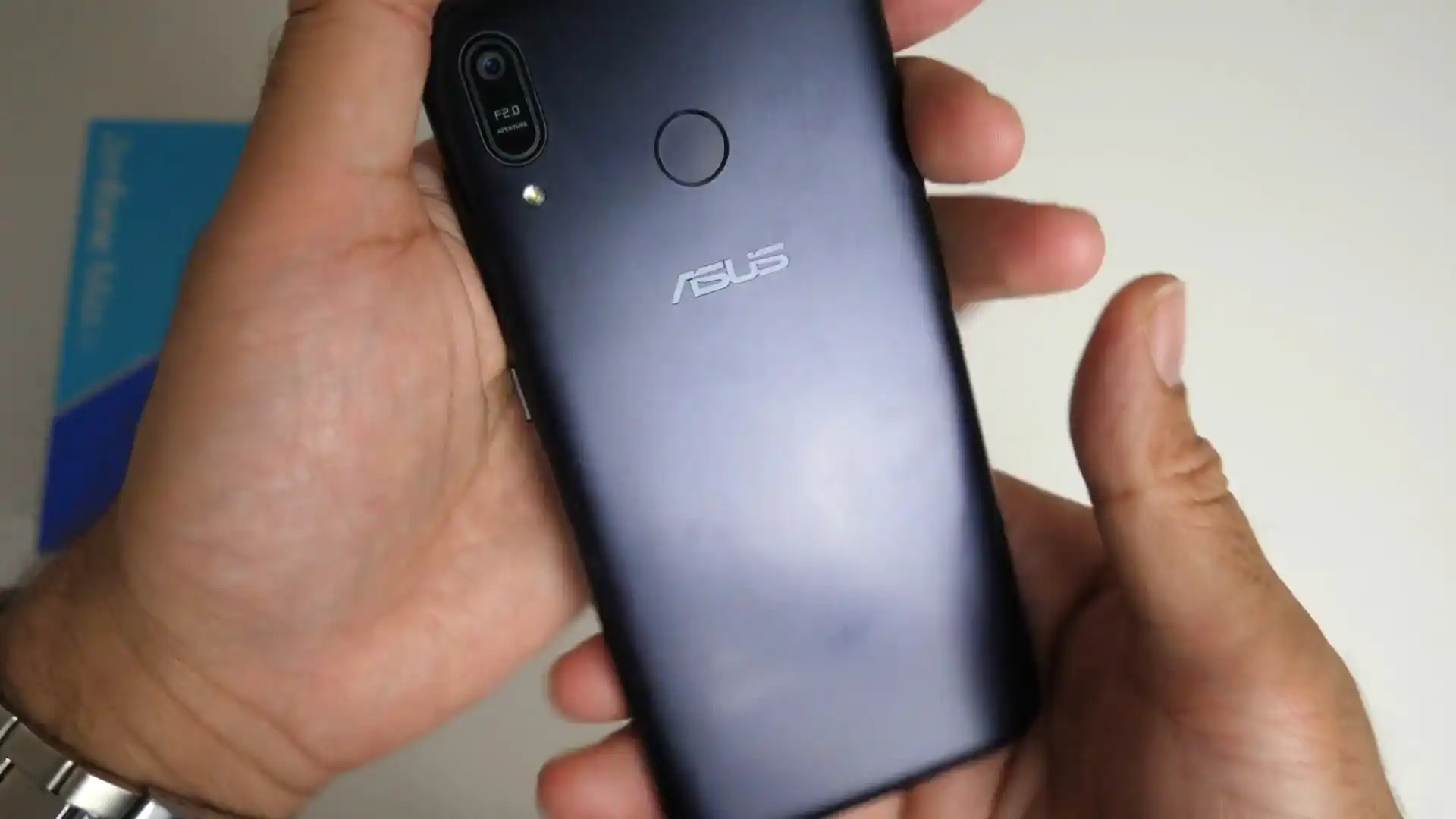
The ASUS ZenFone Max (M1) was released in February 2018, built on the Qualcomm Snapdragon 425 MSM8917 / Snapdragon 430 MSM8937 platform. Sold under model numbers ZB555KL and ZB556KL (internal codename ASUS_X00P), the device is equipped with a 5.5-inch display and a 4000mAh battery.
Flashing factory stock firmware restores clean software, fixes persistent boot loops, and removes system bugs. Follow the verified package details and simple step-by-step instructions below to service your phone safely.
Which Flash Mode Should You Use?
Recovery / SD-Card Update (Recommended)
Official ASUS procedure for flashing signed UL-*.zip firmware packages via internal storage or microSD card.
ADB Sideload via Stock Recovery
Direct computer-to-phone update method using standard ADB tools when the internal storage is inaccessible.
What You Need Before Flashing
Confirm your model is ZB555KL or ZB556KL. Verify the firmware filename starts with ASUS_X00P (not ASUS_X00T).
System partition verification and writing take several minutes. Keep battery well charged before starting.
A clean microSD card formatted as FAT32 or exFAT is recommended if your phone is stuck in a boot loop.
If flashing via computer with ADB or ASUS Flash Tool, use a good USB data cable plugged into a rear PC port.
Standard updates preserve data, but if a factory reset is required to fix a boot loop, all files will be erased.
How to Flash the ASUS ZenFone Max (M1) — Quick Overview
These 5 steps are tailored to the ASUS ZenFone Max (M1) (Snapdragon 425 / 430). For screenshots, an interactive checklist, and troubleshooting, open the full ASUS Flash Tool guide.
-
Check your model number and codename
-
Download official firmware package
-
Place package on storage or microSD card
-
Trigger update via Android or Recovery Mode
-
Wait for installation to finish
Firmware Package for Snapdragon 425 / 430
Official ASUS ZenFone Max (M1) firmware packages are packaged as signed update zip files (prefixed with UL-ASUS_X00P-). These archives contain complete system partition images (boot, system, vendor, and modem baseband) verified by the ASUS stock recovery updater script.
UL-ASUS_X00P-WW-*.zip / RAW package
Official ASUS firmware is delivered as a complete signed ZIP archive (UL-ASUS_X00P-*.zip). Copy the complete ZIP archive directly without extracting its contents.
Model check: Make sure your phone is the ZenFone Max (M1) (codename ASUS_X00P, models ZB555KL/ZB556KL). Do not confuse it with the ZenFone Max Pro (M1) (codename ASUS_X00T, models ZB601KL/ZB602KL), which runs on Snapdragon 636 hardware. Firmware files for X00T will fail signature checks and will not install on X00P devices.
ASUS ZenFone Max (M1) Firmware Versions
Official firmware packages for the ASUS ZenFone Max (M1). Verify your model number (ZB555KL or ZB556KL) before downloading.
| Version | Region | Android Version | Size | MD5 | Download |
|---|---|---|---|---|---|
WW-15.00.2007.122 |
Global / Worldwide (ZB556KL) | Android 8.0 Oreo | 2.05 GB | 8ed5cef36fd817861c80ad314e1325c1 |
⬇️ Download |
WW-15.00.1905.101 |
Global / Worldwide (ZB555KL) | Android 8.0 Oreo | 2 GB | c9660d4d076cb58b7642240f5a882e59 |
⬇️ Download |
WW-15.00.1902.98 |
Global / Worldwide (ZB555KL) | Android 8.0 Oreo | 2.2 GB | 54009c8130cb17d870c8cb76e537ed37 |
⬇️ Download |
This device has 3 verified stock firmware packages across all regional models. See the complete archive on AndroidFirmwareFile.com →
ASUS ZenFone Max (M1) — Important Notes
The ASUS ZenFone Max (M1) features a 4000 mAh battery. Flashing stock recovery packages writes system and vendor images over several minutes, so ensure your battery is charged to at least 40% before you begin. To enter stock Recovery Mode, turn off the phone, then press and hold Volume Down and Power until the ASUS logo appears.
Common Errors on the ASUS ZenFone Max (M1)
Recovery Error: Status 7 / E:Error in /sideload/package.zip
Occurs when trying to flash a package meant for a different model. Always verify that your model is ZB555KL or ZB556KL and that your filename contains ASUS_X00P.
No "Update File Detected" notification appears after copying ZIP
Make sure the zip file is placed in the root directory of your storage, not inside a subfolder like "Download". The filename must start with "UL-" or match the original factory naming format.
Device reboots back into recovery after installation
If your phone was previously boot-looping, leftover app caches might block normal startup. In recovery mode, select "Wipe cache partition", or select "Wipe data/factory reset" to perform a clean boot.
For troubleshooting common ASUS recovery and update errors: ASUS Flashing Error Directory →
Frequently Asked Questions — ASUS ZenFone Max (M1)
This guide supports the ASUS ZenFone Max (M1) models ZB555KL and ZB556KL (internal codename ASUS_X00P / X00PD).
Yes. Download the official UL-*.zip file straight to your phone. Move it to the root folder of your internal storage using a file manager app. Restart your phone, and tap the update notification that appears on your screen.
Copy the firmware zip file onto a microSD card using another phone or computer. Insert the card into your ASUS phone. Turn the phone off, hold Volume Down + Power until recovery mode opens, and select "Apply update from microSD".
No. Official ASUS user firmware packages (UL-*.zip) are signed by ASUS factory keys. Flashing them restores clean stock partitions and keeps your device in factory compliance.
Ready to Flash?
Follow the full step-by-step ASUS Flash Tool guide with interactive progress tracking, prerequisite checklist, and complete troubleshooting.