

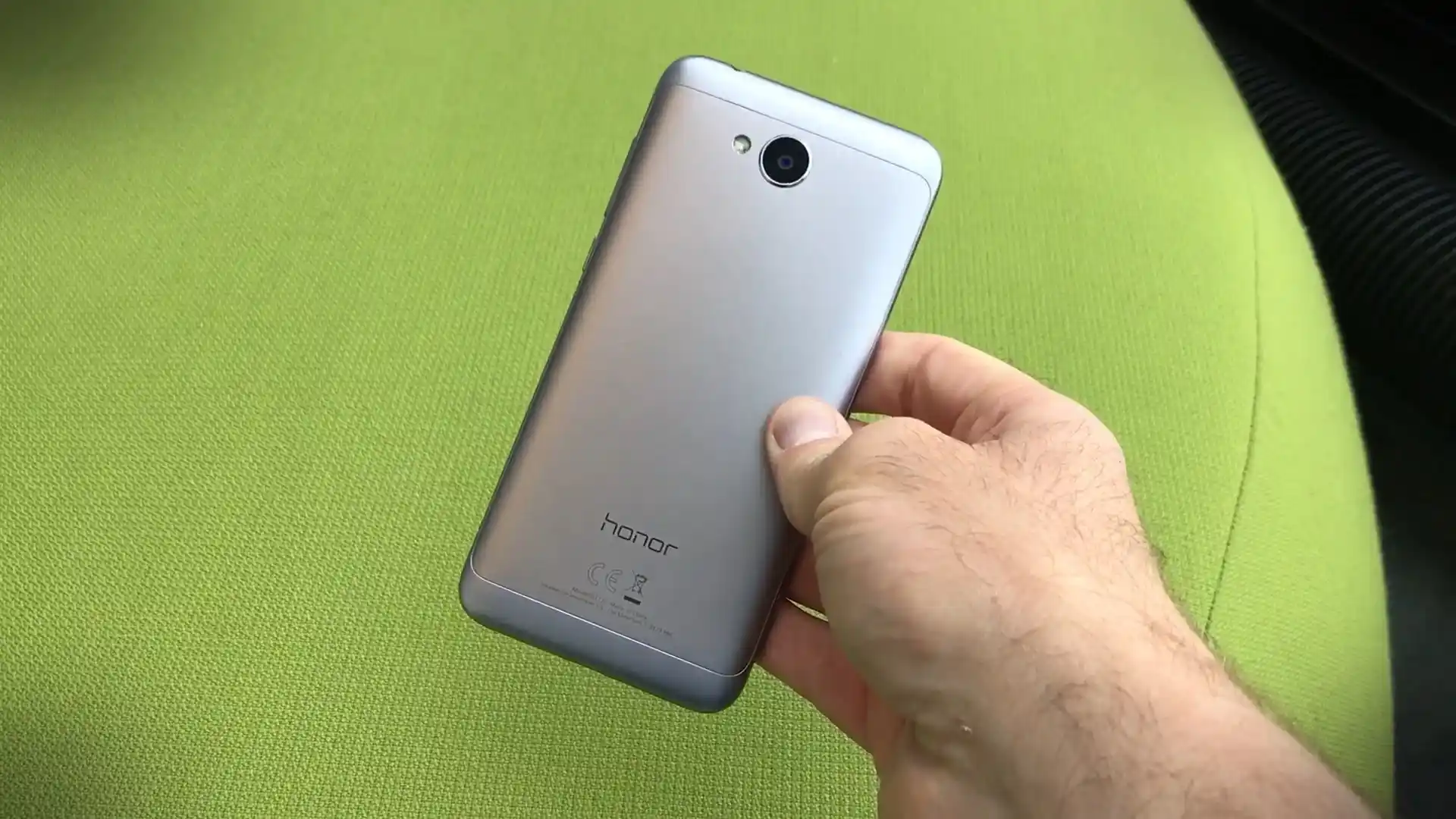
Before you flash: Flashing firmware will erase all data on your device. Back up contacts, photos, and apps before proceeding. FlashGuideHub is not responsible for any damage caused by following this guide.
About the Honor 6A
The Honor 6A was launched in May 2017, powered by the Qualcomm Snapdragon 430 (MSM8937) platform. Known under model family DLI (hardware codename Delhi), the phone combines a compact 5.0-inch 720p HD display, up to 3GB of RAM, and a durable metal unibody chassis.
Flashing official stock firmware recovers phones from bootloops, unbricks damaged partition structures, and restores clean factory EMUI 5.1 software. Follow the verified package downloads and step-by-step restoration instructions below to flash your handset safely.
Which Flash Mode Should You Use?
Huawei Dload 3-Button (microSD Method)
Standard offline installation method using UPDATE.APP on a FAT32-formatted microSD card.
Qualcomm Emergency Download (EDL 9008)
Low-level hardware recovery mode used when the phone is completely bricked, unbootable, or fails to enter recovery.
Fastboot & Rescue Mode
Diagnostic interface used to query bootloader lock status, verify current build numbers, and test basic USB communication.
Pre-Flash Setup & Memory Card Requirements
Charge the 3020mAh battery to at least 40% (minimum 3.7V) to prevent unexpected shutdown during eMMC partition writing.
Prepare a genuine 4GB to 32GB microSD card formatted cleanly to FAT32 MBR and create a root directory titled "dload".
Decompress the downloaded firmware archive on PC and copy UPDATE.APP directly into the dload folder on your card.
Use an authentic microUSB 2.0 cable connected directly to a rear PC motherboard USB port for emergency QPST recovery.
Verify that your package regional cust (C432 for Europe, C636 for Asia, C00 for China) matches your original oeminfo.
5-Step Huawei 3-Button Dload Walkthrough
A condensed step-by-step summary specific to the Honor 6A. Follow the full Huawei UPDATE.APP guide for screenshots, an interactive progress checklist, and complete troubleshooting.
-
Verify Honor 6A model number and matching regional cust code
-
Extract Huawei Honor 6A DLI-L22 Delhi-L22C432B129 Firmware 7.0.0 r1 EMUI5.1 05014PYH_By(DzTechPhone.Com).rar to PC
-
Format microSD card to FAT32 MBR and create root dload folder
-
Insert microSD card into hybrid tray and power down Honor 6A
-
Hold Volume Up + Volume Down + Power to trigger EMUI update
Firmware Package & Architecture for Snapdragon 430
Official stock firmware packages for the Honor 6A (Delhi) are distributed as UPDATE.APP container archives for on-device dload SD card recovery, or as raw XML partition structures for Qualcomm QPST and QFIL emergency unbricking.
UPDATE.APP
Honor 6A firmware packages contain an UPDATE.APP container for microSD card recovery installations, or rawprogram0.xml and patch0.xml files for Qualcomm QPST service flashing.
The Honor 6A is powered by the Qualcomm Snapdragon 430 (MSM8937) processor under the Delhi hardware family (models DLI-L22, DLI-L42, DLI-AL10, and DLI-TL20). Flashing via dload does not require an unlocked bootloader, but the package custody code (such as C432 for Europe, C636 for Asia, or C00 for China) must match the device factory oeminfo signature.
Verified Firmware Releases (Honor 6A / Delhi)
Official stock firmware downloads for the Honor 6A. Verify your hardware model variant before downloading.
| Version | Region | Android Version | Size | MD5 | Download |
|---|---|---|---|---|---|
C432B129 (05014PYH) — DLI-L22 Europe Retail |
Europe Open Market (C432) | Android 7.0 (EMUI 5.1) | 1.8GB | 162f205e5d4962bdfaf03ca93f23a1ae |
⬇️ Download |
C432B129 — DLI-L22 Qualcomm EDL Unbrick |
Europe Open Market (C432) | Android 7.0 (EMUI 5.1) | 1.5GB | — | ⬇️ Download |
C636B121 — DLI-L42 South East Asia Retail |
South East Asia (C636) | Android 7.0 (EMUI 5.1) | 2.40GB | — | ⬇️ Download |
C00B160 — DLI-AL10 China All-Netcom |
China All-Netcom (C00) | Android 7.0 (EMUI 5.1) | 1.25GB | — | ⬇️ Download |
Need emergency Qualcomm 9008 raw flash files or China Mobile packages? Browse all 8 Honor 6A firmware packages on AndroidFirmwareFile.com →
Qualcomm MSM8937 Architecture & Partition Notes
The Honor 6A features a 3020 mAh non-removable battery and 16GB or 32GB of internal eMMC 5.1 storage. Performing an official 3-button dload installation restores stock system, boot, and cust partitions while resolving software-induced bootloops.
For hard-bricked devices where the screen remains blank and Fastboot cannot be reached, shorting the motherboard hardware testpoints allows Qualcomm Flash Image Loader (QFIL) or QPST to write raw partition images directly to the internal flash memory over EDL 9008 mode.
Troubleshooting Honor 6A Flashing Errors
Software install failed at 5% (Cust Regional Mismatch)
Occurs when attempting to flash a package whose regional cust code does not match the factory oeminfo signature (e.g. attempting to install C432 onto a C636 or C00 device). Boot into Fastboot mode and run "fastboot oem get-build-number" to verify your exact custody code before downloading.
MicroSD Card Unrecognized: "Software install failed - Get online help"
Stock EMUI recovery cannot read memory cards formatted with exFAT or GPT partition tables, or cards larger than 32GB formatted with improper cluster size. Format a 4GB to 32GB microSD card strictly to FAT32 with Master Boot Record (MBR) and 32KB cluster allocation.
Qualcomm MSM8937 Sahara Handshake Timeout (0x10000002 / Hello Packet)
During Qualcomm EDL 9008 unbricking via QPST or QFIL, loose USB cables, USB 3.0 controller latency, or keeping the battery flex connected causes Sahara packet timeouts. Disconnect the battery flex, switch to a native rear motherboard USB 2.0 port, and release the EDL testpoint pins once the COM port enumerates.
Power Management IC Low Voltage Lock: Red LED blinking on startup
The Qualcomm PM8937 power management controller halts device startup and disables eMMC flash memory if battery voltage drops below 3.6V. Charge the phone for at least 45 minutes using a 5V/1A or 5V/2A wall charger before attempting 3-button dload installation.
Encountering issues during flashing? Review these verified workshop troubleshooting notes for the Qualcomm Snapdragon 430 platform. Troubleshooting & Common Errors →
Frequently Asked Questions About Flashing Honor 6A
Huawei equipped the budget Honor 6A with Qualcomm 28nm Snapdragon 430 (MSM8937) octa-core processor and Adreno 505 GPU to simplify carrier band compliance across international markets. Unlike HiSilicon Kirin devices that use proprietary Balong modems, the MSM8937 integrates Qualcomm Hexagon DSP and WorldMode LTE radios, requiring Qualcomm HS-USB QDLoader 9008 drivers rather than Huawei USB COM 1.0 drivers for board recovery.
No. Stock EMUI recovery enforces cryptographic regional custody verification against the secure oeminfo partition. Flashing a package from a different regional cust (such as installing Asian C636 or Chinese C00 software onto a European C432 device) causes recovery verification to halt immediately with an installation failure.
The European DLI-L22 supports vital European LTE frequency bands including Band 20 (800MHz), Band 7 (2600MHz), Band 3 (1800MHz), and Band 1 (2100MHz). In contrast, Chinese domestic models (DLI-AL10 and DLI-TL20) omit Band 20 in hardware RF filtering, resulting in poor indoor signal and rural 4G dead zones on European networks.
Yes, if you previously obtained an official bootloader unlock code from Huawei before their unlock portal closed in mid-2018. With an unlocked bootloader, TWRP can be flashed via "fastboot flash recovery twrp.img". However, stock EMUI recovery will restore itself on normal boot unless you immediately hold Volume Up and Power to boot directly into TWRP.
Ready to Flash?
Follow the full step-by-step Huawei UPDATE.APP guide with interactive progress tracking, prerequisite checklist, and complete troubleshooting.