

Before you flash: Flashing firmware will erase all data on your device. Back up contacts, photos, and apps before proceeding. FlashGuideHub is not responsible for any damage caused by following this guide.
About the Honor 7S
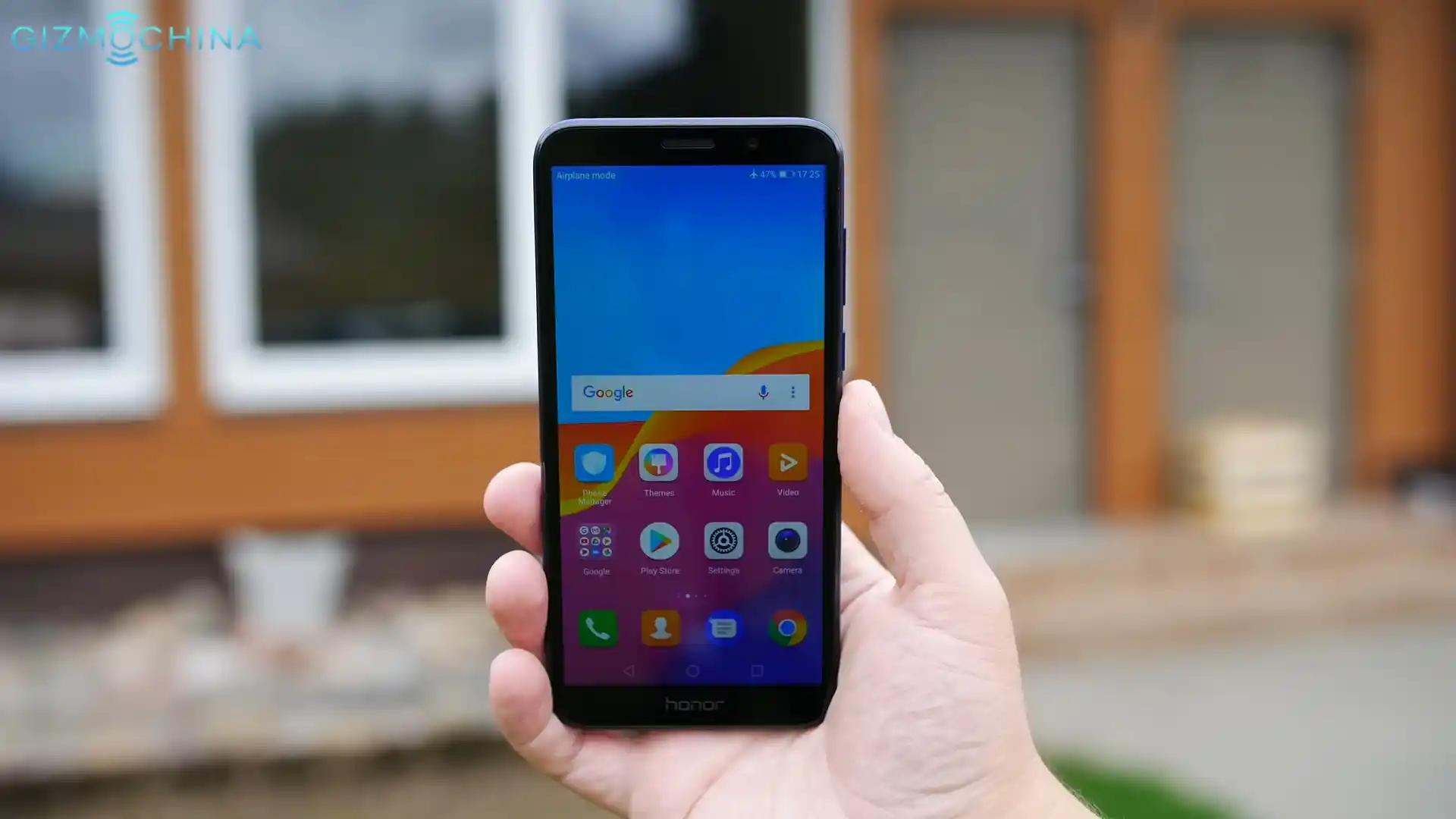
The Honor 7S, launched in 2018, operates on the MediaTek MT6739 (28nm) processor. While standard recovery operations use Honor's native dload SD update protocol, unbricking dead or bootlooping units requires strict attention to the DUA motherboard architecture.
This workshop tutorial provides repair technicians and owners with verified steps to flash stock firmware on the Honor 7S, explaining both the on-device dload SD card recovery process and MediaTek SP Flash Tool scatter procedures.
Which Flash Mode Should You Use?
Huawei Dload 3-Button SD Update
The official recovery update procedure for the Honor 7S. Reads UPDATE.APP from the /dload directory on a FAT32 microSD card. Does not require bootloader unlock.
SP Flash Tool (Scatter Flashing)
Direct MediaTek BootROM / Preloader flashing for unbricking hard-bricked handsets or flashing raw partition dumps.
Huawei eRecovery Mode
Automated stock emergency restore interface for Wi-Fi recovery directly on the handset.
What You Need Before Flashing
Charge the 3020mAh battery to at least 50% to prevent sudden power cuts during the partition write phase.
Format a microSD card (up to 32GB) to FAT32 MBR and create a root directory titled "dload".
Use a reliable microUSB cable connected directly to a rear PC motherboard USB 2.0 port.
Install signed MediaTek MTK VCOM USB drivers on Windows 10 or 11 to ensure proper handshake detection.
Confirm your handset model is a DUA-* device before transferring UPDATE.APP to prevent signature rejections.
How to Flash the Honor 7S — Quick Overview
A condensed step-by-step summary specific to the Honor 7S. Follow the full Huawei UPDATE.APP guide for screenshots, an interactive progress checklist, and complete troubleshooting.
-
Download Matching DUA Package
-
Format FAT32 MicroSD Card
-
Place UPDATE.APP File
-
Hold 3-Button Combination
-
Wait for Initialization
Firmware Package & Architecture for MT6739
Official firmware archives for the Honor 7S (DUA) are supplied as UPDATE.APP packages for standard SD card recovery, or as extracted MT6739 scatter archives for low-level service repair.
UPDATE.APP
Honor 7S firmware packages contain an UPDATE.APP container for recovery installations or a scatter.txt file mapping partitions for SP Flash Tool.
Always verify that your device model starts with DUA. Attempting to install Huawei Y5 (DRA) packages will trigger an immediate recovery block due to OEMinfo signature protection.
Honor 7S Firmware Versions
Official stock firmware Dload builds for the Honor 7S. Confirm your hardware model variant and regional cust identifier before initiating installation.
| Version | Region | Android Version | Size | MD5 | Download |
|---|---|---|---|---|---|
1.0.0.104 (C185) — DUA-L22 Global Retail |
Middle East & Africa / Global (C185) | Android 8.1.0 (EMUI 8.0) | 2.04GB | — | ⬇️ Download |
1.0.0.101 (C675) — DUA-AL00 India Retail |
India Open Market (C675) | Android 8.1.0 (EMUI 8.0) | 1.55GB | — | ⬇️ Download |
Need firmware for Middle East (C185), Latin America, or China DUA-AL00? Browse the full archive on AndroidFirmwareFile.com →
Honor 7S — Important Notes
For devices that are unresponsive or stuck on a red LED error state, hardware testpoint unbricking can force the MediaTek USB COM handshake without battery interaction.
Troubleshooting Honor 7S Flashing & MT6739 Errors
Software install failed (OEMinfo Signature Mismatch)
Community repair discussions indicate this error occurs when a technician attempts to flash Huawei Y5 2018 (DRA) firmware on an Honor 7S (DUA) handset. Stock recovery halts immediately because the cryptographic certificate does not match the Honor OEMinfo partition.
SP Flash Tool Error 0x7D4 (S_FT_DOWNLOAD_FAIL)
Forum members report this error when attempting low-level scatter flashing over front-panel PC ports or low-quality microUSB cables. Repair technicians suggest switching to a rear USB 2.0 port to maintain continuous VBUS power during the eMMC partition write.
Encountering installation aborts, SD card detection failures, or cust verification errors? Consult the comprehensive troubleshooting directory: Dload Error Directory →
Frequently Asked Questions — Honor 7S
This error indicates that you are attempting to install a package meant for the Huawei Y5 (DRA platform) or a package with an incompatible regional cust (such as installing Indian C675 software on a C185 Middle Eastern board). Verify that the package carries the DUA prefix and your matching regional code.
Repeated vibration and disconnect loops on MediaTek MT6739 devices usually happen when the battery charge drops below the 3.6V preloader threshold. Connect the device to a 5V/1A wall charger for at least 30 minutes before reconnecting to the PC, and ensure you use a rear motherboard USB 2.0 port.
Use `MTK_AllInOne_DA.bin` combined with an MTK auth bypass utility to handle the secure MediaTek bootrom handshake. Never use "Format All + Download", as this will erase your unique NVRAM baseband calibrations.
Yes. If your Honor 7S lacks a microSD card, you can format a USB flash drive to FAT32, create the root "dload" directory containing UPDATE.APP, connect it via a microUSB OTG adapter, and trigger the 3-button combination.
Ready to Flash?
Follow the full step-by-step Huawei UPDATE.APP guide with interactive progress tracking, prerequisite checklist, and complete troubleshooting.