

Before you flash: Flashing firmware will erase all data on your device. Back up contacts, photos, and apps before proceeding. FlashGuideHub is not responsible for any damage caused by following this guide.
About the Lenovo Vibe C2
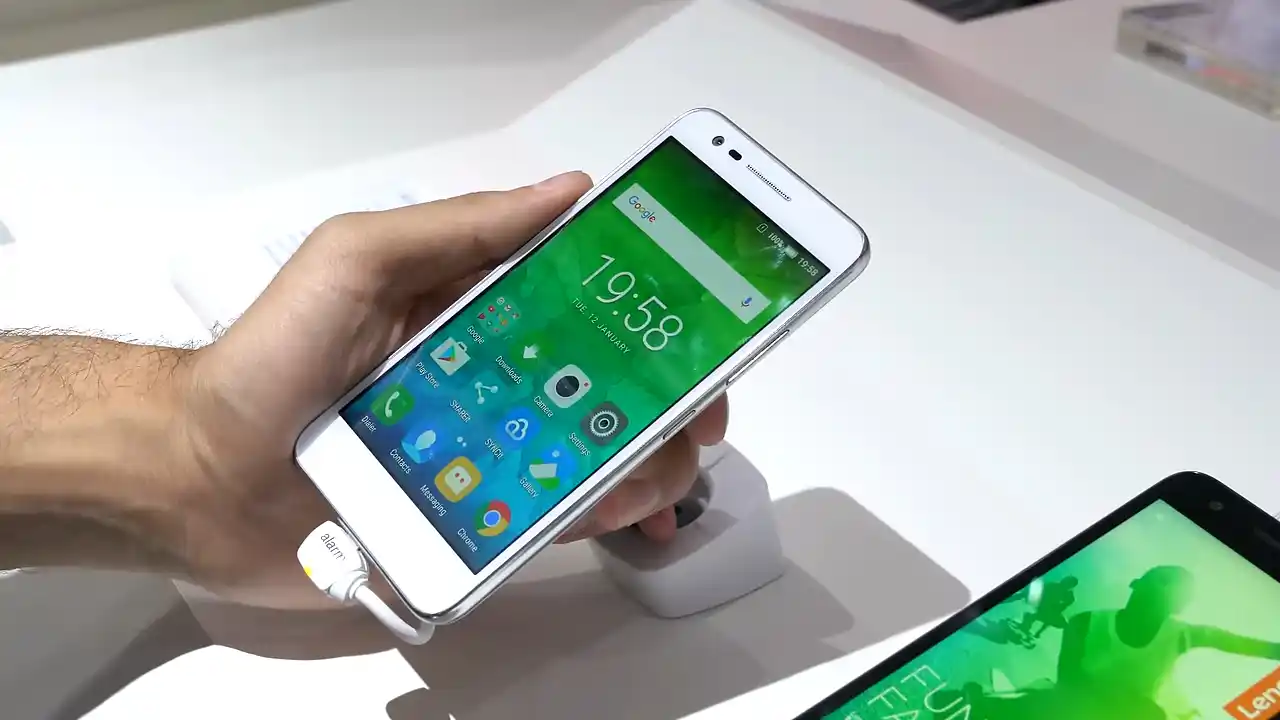
The Lenovo Vibe C2 (model number K10a40) was released in July 2016, built on the MediaTek MT6735P processor. It features a 5.0-inch HD display, 4G LTE connectivity, and a removable 2750mAh battery running Android 6.0 Marshmallow.
Flashing factory stock firmware restores original system partitions, fixes persistent boot loops, and removes software errors. Follow the step-by-step instructions below to service the device safely using SP Flash Tool.
Which Flash Mode Should You Use?
SP Flash Tool (Download Only Mode)
Standard factory servicing workflow for MediaTek MT6735P firmware packages via Preloader mode.
What You Need Before Flashing
SP Flash Tool runs on Windows. Install MediaTek USB VCOM drivers prior to connecting the device.
Confirm your model is K10a40 on the regulatory sticker beneath the battery.
Use a verified data cable connected directly to a rear motherboard USB port on your PC.
The phone does not charge during SP Flash Tool writing. Ensure adequate battery charge before starting.
Flashing stock firmware will wipe all user data, apps, and photos. Back up files if the phone is accessible.
How to Flash the Lenovo Vibe C2 — Quick Overview
A quick 5-step overview built specifically for the Lenovo Vibe C2. The full SP Flash Tool guide adds screenshots, progress tracking, and fixes for common errors.
-
Check model number under the battery
-
Install MediaTek USB VCOM drivers
-
Extract firmware and open SP Flash Tool
-
Select Download Only mode and click Download
-
Connect powered-off phone with Volume Down
Firmware Package for MediaTek MT6735P
Official firmware for the Lenovo Vibe C2 (K10a40) is packaged as a standard MediaTek scatter ROM. It contains the MT6735_Android_scatter.txt partition map alongside official partition binaries including preloader, boot, recovery, system, and userdata.
MT6735_Android_scatter.txt
In SP Flash Tool, click "Choose" next to Scatter-Loading File and select MT6735_Android_scatter.txt from the extracted firmware folder. Ensure the flashing mode is set to "Download Only".
Technician note on partition formatting: Always verify that the flashing dropdown menu in SP Flash Tool is set to "Download Only". Never select "Format All + Download", because complete formatting deletes the factory NVRAM partition. Wiping NVRAM deletes the phone IMEI numbers and network calibration, which will cause permanent SIM card signal failure.
Lenovo Vibe C2 Firmware Versions
Official stock firmware package for the Lenovo Vibe C2 (model K10a40). Verify your model number before downloading.
| Version | Region | Android Version | Size | MD5 | Download |
|---|---|---|---|---|---|
S230 (20170517) |
Global / Official | Android 6.0 Marshmallow | 1.30 GB | — | ⬇️ Download |
This device has 1 verified official stock firmware package. See the complete archive on AndroidFirmwareFile.com →
Lenovo Vibe C2 — Important Notes
The Lenovo Vibe C2 features a removable 2750 mAh battery. If the device does not respond or becomes unresponsive during flashing attempts, pull the battery out for 5 seconds to completely reset the power state. Ensure the battery has at least 40% charge before beginning the flashing procedure.
Common Errors on the Lenovo Vibe C2
BROM ERROR : S_BROM_CMD_STARTCMD_FAIL (2005)
The computer lost connection with the MediaTek processor during handshake. Pull the battery out for 5 seconds, reinsert it, and try a different USB port or microUSB cable.
BROM ERROR : S_CHKSUM_ERROR (1041)
A partition image file failed checksum validation. Make sure the downloaded firmware archive was extracted completely without corruption.
Phone reboots back into recovery or hangs on Lenovo logo
Old user data cache can cause boot loops after flashing. Turn off the phone, boot into recovery mode by holding Volume Up + Power, and select "Wipe data/factory reset".
For common MediaTek BROM and SP Flash Tool error resolutions: SP Flash Tool Error Directory →
Frequently Asked Questions — Lenovo Vibe C2
The Lenovo Vibe C2 uses a MediaTek MT6735P processor. It must be flashed using SP Flash Tool (Smart Phone Flash Tool) on a Windows computer using the included MT6735_Android_scatter.txt file.
Never use "Format All + Download". It wipes the entire eMMC storage, including the protected NVRAM partition containing your device IMEI numbers and cellular calibration. Always leave the tool set to "Download Only".
Disconnect the USB cable. Take the removable battery out for 5 seconds and put it back in. Hold the Volume Down button firmly, and plug the USB cable into a rear USB port on your PC.
Yes. Flashing official stock firmware writes clean boot, recovery, system, and cache partitions. This resolves boot loops and software crashes completely.
Ready to Flash?
Follow the full step-by-step SP Flash Tool guide with interactive progress tracking, prerequisite checklist, and complete troubleshooting.