

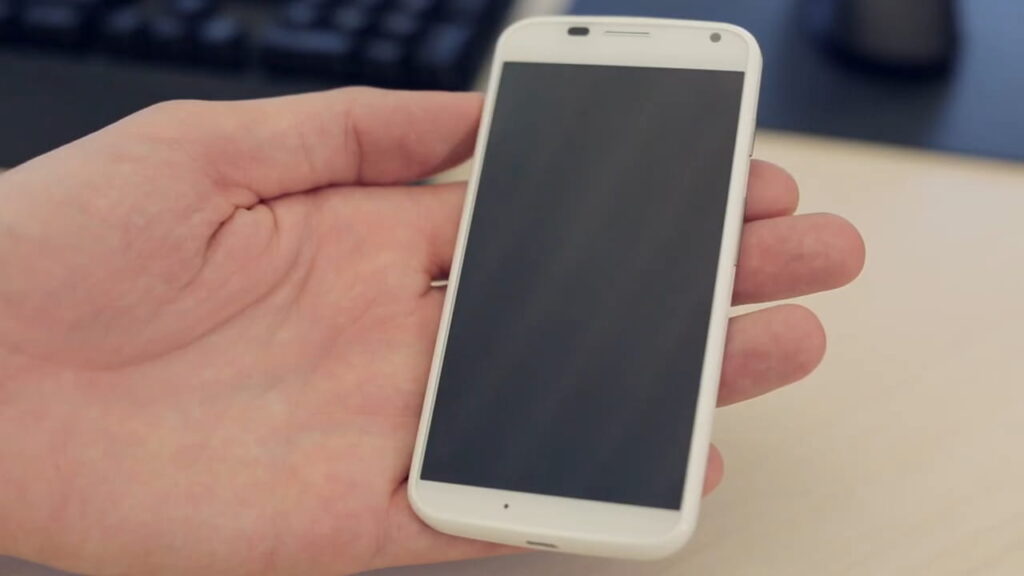
Before you flash: Flashing firmware will erase all data on your device. Back up contacts, photos, and apps before proceeding. FlashGuideHub is not responsible for any damage caused by following this guide.
About the Motorola Moto X 2013
The Motorola Moto X 2013 (filename codename tag: ghost), which Motorola marketed as running on the "X8 Mobile Computing System," was released in August 2013, powered by the Qualcomm Snapdragon S4 Pro MSM8960DT ("X8 Mobile Computing System") chipset. Motorola distributed it across seven model numbers, each tied to a specific carrier or regional branch.
Every build in this archive is a CFC.xml/flashfile.xml service package. mfastboot is the standard method, RSD Lite is a confirmed alternate for this device generation (with one known XML-editing gotcha — see the errors directory below), and a manual partition-by-partition fastboot path is available as an advanced option.
Which Flash Mode Should You Use?
mfastboot (CFC.xml Package)
The standard method for every ghost build in this archive. Runs the CFC.xml package's flash script with Motorola's mfastboot binary, writing system, boot, and radio images in sequence. Erases all user data.
RSD Lite (Legacy Tool)
A confirmed alternate for this device generation — loads the same CFC.xml/flashfile.xml package through a GUI instead of a command-line script. Requires a one-time XML edit on packages that include a max-download-size getvar step (see the errors directory). Erases all user data.
Manual Fastboot (Partition-by-Partition)
An advanced alternate using the individual partition images (boot.img, system.img, and the radio/modem image) inside the same extracted CFC.xml package, flashed one at a time with standard fastboot. Useful if neither mfastboot nor RSD Lite runs cleanly on your OS. Erases all user data on a full reflash.
EDL / QFIL (Not Applicable)
This device's Snapdragon S4 Pro chipset is EDL-capable in principle, but no EDL-mode package exists in this archive — every known ghost file is a CFC.xml/flashfile.xml mfastboot-family package. QFIL/EDL would only apply for recovering a hard-bricked unit with no fastboot access, which requires a Qualcomm EDL service package not currently listed here.
What You Need Before Flashing
Motorola's mfastboot binary, RSD Lite, and the Motorola USB drivers are all built for Windows; install the Motorola USB drivers before connecting the phone.
Download the CFC.xml/flashfile.xml package that matches your exact model number and carrier/branch tag. Confirm in Settings → About Phone → Model Number. A mismatched branch's radio provisioning can affect network registration if flashed.
A data-capable USB cable is essential — charge-only cables will not be recognized by mfastboot or RSD Lite. Use the original Motorola cable where possible, and connect directly to a USB 2.0 port rather than a hub.
The flash writes several partitions in sequence over a few minutes. This device has a non-removable battery, so a mid-flash power interruption carries more risk than on removable-battery hardware — charge to at least 30% first.
A full flash on this device can format internal storage, not just wipe the usual userdata partition. Back up photos to Google Photos, contacts to Google Contacts, and any local files to a PC before beginning.
How to Flash the Motorola Moto X 2013 — Quick Overview
6-step quick reference for the Motorola Moto X 2013. Need visuals or troubleshooting help? The full Motorola flashfile.bat / CFC XML Script guide covers everything in detail.
-
Identify your exact model number and carrier branch
-
Install the Motorola USB drivers and either mfastboot or RSD Lite
-
Download the CFC.xml package matching your model + branch
-
Boot to the bootloader and flash with mfastboot or RSD Lite
-
Wait for the script to finish, then boot
-
Confirm IMEI/network on first boot
Finding the Firmware Package for MSM8960DT
Moto X 2013 firmware is distributed by Motorola as a CFC/flashfile.xml package containing separate .img files for each partition plus an XML script that maps mfastboot commands to those images. After extracting the archive, locate:
flashfile.xml
Every ghost CFC.xml package extracts to a top-level CFC.xml file (some builds also ship the identical script as flashfile.xml) alongside a servicefile.xml and the individual partition images — boot.img, system.img, the radio/modem image, and so on — that mfastboot or RSD Lite flashes in sequence. There is no scatter file here; that format is MediaTek-specific and does not apply to this Qualcomm Snapdragon S4 Pro device. Fully extract the archive to its own folder on your PC before running anything.
The Moto X 2013 (codename: ghost) has seven XT hardware variants, each further split into multiple carrier-specific builds (e.g. ATT, VZW, TMO-RETAIL, and a dozen-plus Latin American Telefónica/Claro branches on XT1058 alone) with their own radio (modem) firmware and CID (Carrier/Config ID): XT1049 (Republic Wireless, C Spire), XT1052 (GSM Europe/Asia/Australia retail), XT1053 (US GSM/T-Mobile/Mexico Nextel), XT1055 (U.S. Cellular), XT1056 (Sprint), XT1058 (AT&T plus the broadest Latin American carrier set), and XT1060 (Verizon). Always match both the XT number and the carrier/branch tag in the filename — two builds can share an XT number and Android version yet still carry different, incompatible radio images.
Before flashing, run fastboot getvar all to read the device's current CID — this confirms which carrier/region package is actually compatible, since a phone's outward branding does not always match its provisioned CID. Flashing a CID-mismatched package is the most common cause of a "Preflash validation failed" bootloader rejection (see Common Errors below).
Firmware packages from third-party repositories (such as androidfirmwarefile.com) are typically distributed as CFC.xml or flashfile.xml service packages rather than a flash-all.bat/.sh script — extract fully and run the bundled script with Motorola's mfastboot binary, not stock Android SDK fastboot.
Note: This is the first-generation (2013) Moto X. The second-generation Moto X (2014, XT1092–XT1097) is a different, larger 5.2-inch device with a different chipset (Snapdragon 801). Its factory images are incompatible with this device. Never flash 2014 Moto X images onto a 2013 Moto X or vice versa.
Motorola Moto X 2013 Firmware Versions
A representative build for each confirmed model number of the Motorola Moto X 2013. Always verify the branch matches your device before flashing.
| Version | Region | Android Version | Size | MD5 | Download |
|---|---|---|---|---|---|
LPA23.12-39-R-15 / cid6 |
XT1049 — REPW (Republic Wireless) | Android 5.1 | 894.6 MB | — | ⬇️ Download |
LPAS23.12-15.5-1 / cid7 |
XT1052 — RETEU (Retail Europe) | Android 5.1 | 852.2 MB | — | ⬇️ Download |
LPAS23.12-15.5-1 / cid9 |
XT1053 — TMO-RETAIL (T-Mobile US) | Android 5.1 | 879.7 MB | — | ⬇️ Download |
LPA23.12-21.8 / cid9 |
XT1055 — USC (U.S. Cellular) | Android 5.1 | 890 MB | — | ⬇️ Download |
LPA23.12-39.10 / cid9 |
XT1056 — SPRINT (Sprint USA) | Android 5.1 | 912 MB | — | ⬇️ Download |
LPAS23.12-21.7-1 / cid1 |
XT1058 — ATT (AT&T USA) | Android 5.1 | 894.8 MB | — | ⬇️ Download |
LPA23.12-39.7 / cid2 |
XT1060 — VZW (Verizon USA) | Android 5.1 | 990 MB | — | ⬇️ Download |
This device has 48 known files across seven confirmed model numbers. See the complete archive on AndroidFirmwareFile.com →
Motorola Moto X 2013 — Important Notes
The Moto X 2013 officially received Android 5.1 Lollipop as its final software version on most of the carrier branches represented in this archive. A smaller number of branches in this archive top out at Android 4.4.2/4.4.4 KitKat as their newest known build — check the firmware table below and the full archive on AndroidFirmwareFile.com to confirm what was actually released for your specific XT number and branch before attempting an upgrade flash.
The 2200mAh battery on this device is non-removable, unlike some later Motorola budget devices — a mid-flash power loss cannot be worked around by swapping in a charged battery. Keep the USB cable connected throughout the entire flashing process and start with the battery reasonably charged.
Common Errors on the Motorola Moto X 2013
RSD Lite: "failed flashing process. Unknown fastboot command. (getvar)"
Confirmed for this device generation: delete the <step operation="getvar" var="max-download-size" /> line from the package's XML file before loading it into RSD Lite. This line is present in some but not all of this device's CFC.xml/flashfile.xml packages and is not understood by RSD Lite's fastboot implementation.
mfastboot: "FAILED (remote: unknown command)" or the script exits immediately
Confirm you're running Motorola's mfastboot binary from the same folder the CFC.xml package extracted into, not a stock Android SDK platform-tools fastboot.exe. Standard fastboot does not recognize several of the OEM commands Motorola's CFC.xml scripts issue.
Device not detected / mfastboot devices returns nothing
Power the phone off completely, then hold Volume Down + Power to boot straight to the bootloader/fastboot screen before connecting USB. Confirm the Motorola USB driver is installed and the phone shows up in Device Manager. Use a data-capable USB cable and a USB 2.0 port directly on the motherboard rather than a hub.
Script completes but device won't boot past the Motorola logo
An interrupted or mismatched-branch flash can leave a partition inconsistent. Re-run the full CFC.xml script from scratch (or the equivalent RSD Lite load) with the exact package matching your model number and branch tag — don't assume a partial re-flash of just one partition will fix it.
No signal / wrong IMEI after flashing
Usually caused by flashing a branch-mismatched CFC.xml package — each branch carries its own radio provisioning. Re-flash using the exact package matching your model number and branch tag from the firmware table below.
For the full mfastboot and RSD Lite error database: mfastboot / RSD Lite Error Directory →
Frequently Asked Questions — Motorola Moto X 2013
RSD Lite chokes on a <step operation="getvar" var="max-download-size" /> line that some of this device's CFC.xml/flashfile.xml packages include. Open the XML file in a text editor, delete that line, save, and reload the edited package into RSD Lite — the flash then proceeds normally. This does not affect the mfastboot script route, only RSD Lite.
Not necessarily. A stall or mid-script error usually means a driver or cable issue, not a bricked device — as long as the phone still shows the bootloader/fastboot screen when powered on, it can be re-flashed. Reconnect, confirm mfastboot devices lists the phone, and re-run the same CFC.xml script from the start rather than trying to resume partway through.
XT1058 ships across more than a dozen non-interchangeable Latin American carrier branches plus AT&T. A signature/model mismatch during the flash almost always means the branch tag in the package (TEF*, AMX*, NII*, RETBR, ATT, etc.) doesn't match the branch already provisioned on the device — re-check the exact tag on the fastboot screen against the filename before retrying.
No — reflashing the stock CFC.xml package over mfastboot or RSD Lite does not itself require an unlocked bootloader, since it writes the same signed images Motorola ships. An unlock is only needed if you're installing a custom recovery or ROM afterward, which is outside the scope of this stock-firmware guide.
Ready to Flash?
Follow the full step-by-step Motorola flashfile.bat / CFC XML Script guide with interactive progress tracking, prerequisite checklist, and complete troubleshooting.