

Before you flash: Flashing firmware will erase all data on your device. Back up contacts, photos, and apps before proceeding. FlashGuideHub is not responsible for any damage caused by following this guide.
About the Motorola Moto Z2 Play
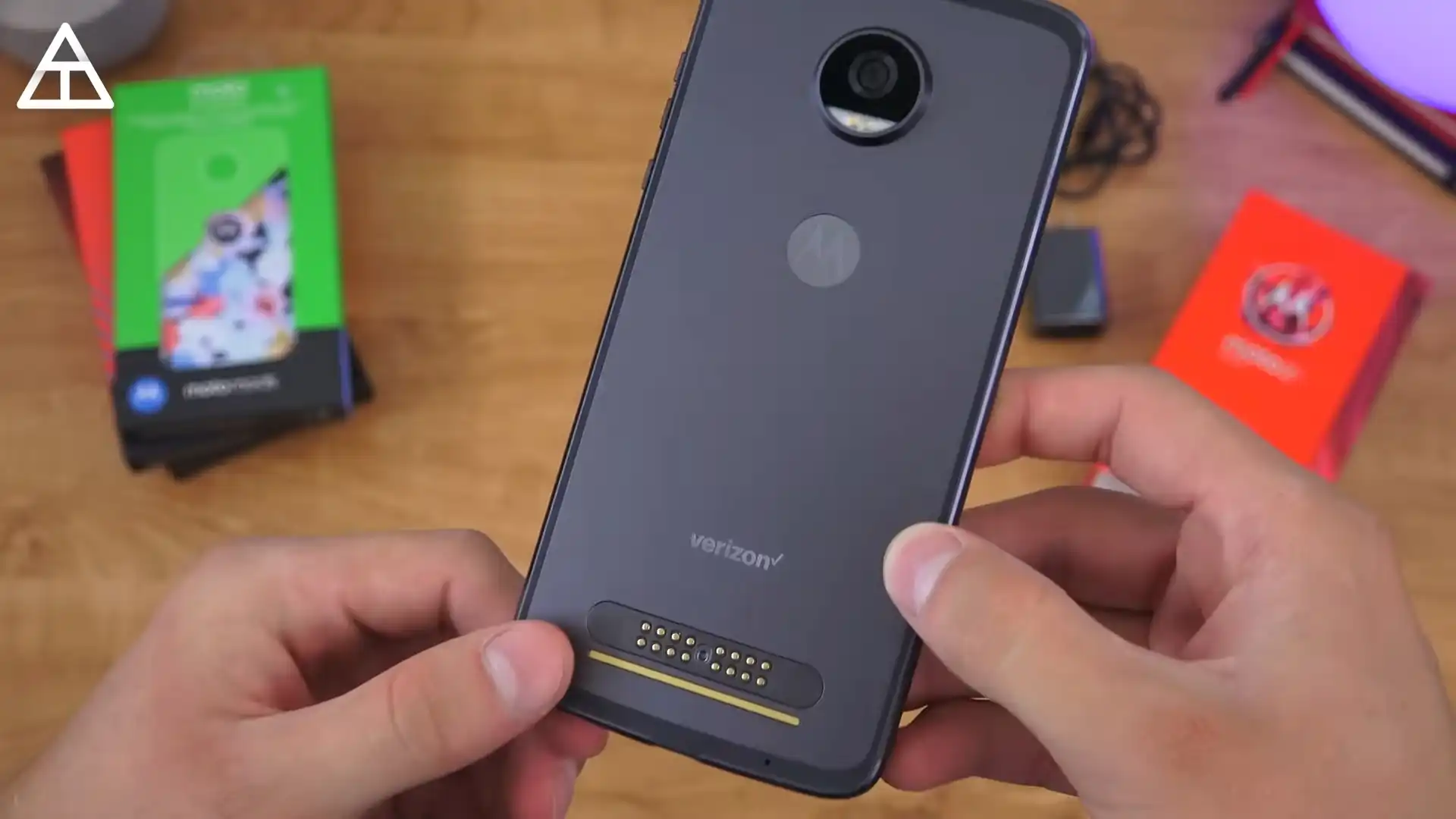
The Motorola Moto Z2 Play (codename albus) launched in June 2017 on the Qualcomm Snapdragon 626 (MSM8953 Pro) platform, with multiple XT1710 model suffixes and carrier channels.
This guide shows one representative package per confirmed model suffix. AndroidFirmwareFile carries all 32 labelled regional and carrier files.
Which Flash Mode Should You Use?
Motorola CFC.xml / Flashfile
Recommended for every supplied archive. Runs the signed package-defined sequence in Motorola bootloader mode.
RSD Lite
Windows alternate for compatible Motorola XML service packages, using the same exact-channel and anti-downgrade checks.
QFIL / EDL (Not Applicable to These Files)
The downloads are Motorola CFC.xml fastboot packages, not signed programmer/rawprogram EDL sets.
What You Need Before Flashing
Record XT1710 suffix, channel, CID, build, and Android branch.
Install the Motorola USB driver before connecting in bootloader mode.
Keep the XML and every referenced image together.
Connect directly to the PC and avoid unstable hubs.
A full stock service flash can erase user storage.
How to Flash the Motorola Moto Z2 Play — Quick Overview
6-step quick reference for the Motorola Moto Z2 Play. Need visuals or troubleshooting help? The full Motorola flashfile.bat / CFC XML Script guide covers everything in detail.
-
Record every identity field before choosing a file
-
Select one exact channel package
-
Prepare the Motorola flashing environment
-
Inspect the XML before execution
-
Enter bootloader mode and flash
-
Validate the restored branch
Finding the Firmware Package for MSM8953 Pro
These are Motorola CFC.xml service archives, not MediaTek scatter packages. Extract the chosen archive and keep its XML/flashfile script beside all referenced images. Select by the complete XT1710 suffix, channel token, CID, and Android/security branch.
Motorola Moto Z2 Play Firmware Versions
One representative package for each confirmed XT1710 suffix is shown below.
| Version | Region | Android Version | Size | MD5 | Download |
|---|---|---|---|---|---|
OPSS27.76-12-42-13 |
XT1710-01 — RETCA | Android 8.0.0 | 1.76GB | — | ⬇️ Download |
ODSS27.76-12-42-9 |
XT1710-02 — Verizon | Android 8.0.0 | 2.08GB | c98774fbab4aa51a5afa38d4bd7faa60 |
⬇️ Download |
OPSS27.76-12-25-23 |
XT1710-06 — RETLA | Android 8.0.0 | 1.76GB | ac33542624ec5d12d91eda06e6c51a38 |
⬇️ Download |
PPS29.133-30 |
XT1710-07 — RETBR | Android 9.0 | 1.89GB | 0d5e27ddb3a5e36974ea82fac48dcf3d |
⬇️ Download |
OCN27.59-30 |
XT1710-08 — RETCN | Android 8.0.0 | 2.38GB | 2d870cac2e32cd33db35d9ca228d03bd |
⬇️ Download |
OPSS27.76-12-25-23 |
XT1710-09 — RETEU | Android 8.0.0 | 1794.97 MB | ac33542624ec5d12d91eda06e6c51a38 |
⬇️ Download |
OPSS27.76-12-25-23 |
XT1710-10 — RETIN | Android 8.0.0 | 1794.97 MB | ac33542624ec5d12d91eda06e6c51a38 |
⬇️ Download |
OCN27.59-34-2 |
XT1710-11 — CMCC | Android 8.0.0 | 2.63GB | — | ⬇️ Download |
This device has 32 known labelled regional and carrier files. See the complete archive on AndroidFirmwareFile.com →
Common Errors on the Motorola Moto Z2 Play
Preflash validation failed / security downgrade
Check the complete model suffix, channel, CID, and installed security branch. Use a same-or-newer package for the exact channel rather than forcing older bootloader components.
Device not detected in bootloader mode
Reinstall Motorola drivers, reconnect with a data cable directly to the PC, and confirm the phone remains on the bootloader screen before restarting.
No signal after successful boot
Verify that the flashed regional/carrier token matches the phone. XT1710-09 alone spans Vodafone, RETEU, TIM, WINDTRE, Orange, Play, Russia, Indonesia, and other branches.
For the full Motorola package error reference: Motorola CFC.xml Error Directory →
Frequently Asked Questions — Motorola Moto Z2 Play
The suffix, CID, carrier channel, and security version can still differ. A package for XT1710-09 RETEU is not automatically valid for XT1710-09 VF, and neither belongs on XT1710-08 RETCN.
The bootloader rejected one or more signed components because the model/channel is wrong or the package is older than the installed security branch. Stop and select a same-or-newer exact-channel package; do not force the rejected command.
A mismatched carrier package can restore Android while leaving unsuitable radio provisioning. Compare the installed channel with the original bootloader values and reflash the exact matching branch.
Ready to Flash?
Follow the full step-by-step Motorola flashfile.bat / CFC XML Script guide with interactive progress tracking, prerequisite checklist, and complete troubleshooting.