

Before you flash: Flashing firmware will erase all data on your device. Back up contacts, photos, and apps before proceeding. FlashGuideHub is not responsible for any damage caused by following this guide.
About the Nokia 3.1 Plus
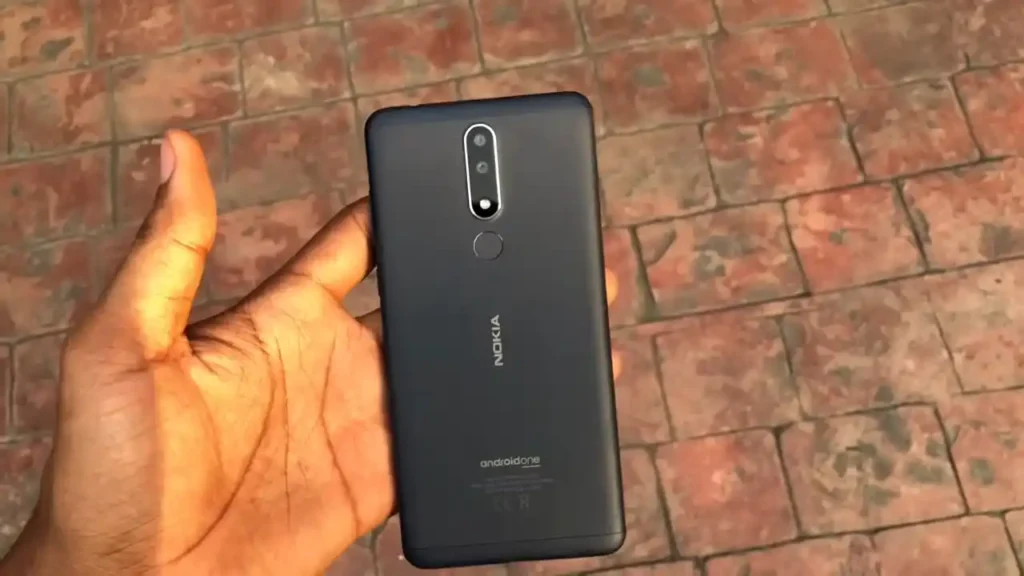
The Nokia 3.1 Plus is HMD Global's 2018 entry-level Android One phone, released October 2018. Six of its seven model numbers — TA-1104, TA-1113, TA-1115, TA-1117, TA-1118, and TA-1125 — share the MediaTek MT6762 (Helio P22) on six of seven model numbers; Qualcomm Snapdragon 439 (SDM439) on TA-1124 (Cricket Wireless, US) only chipset. The seventh, TA-1124, is the Cricket Wireless (US carrier-exclusive) SKU and uses a different chipset entirely, Qualcomm Snapdragon 439 — a genuine hardware split within one product name, not just a regional software variant.
MediaTek model numbers flash through SP Flash Tool with a Download Agent (DA) file and scatter file. Files ending in `_OST` — including several MediaTek packages on TA-1115 and every TA-1124 file — instead use Nokia's own Online Service Tool, a separate proprietary tool that some newer builds require service-account authentication for. The Prerequisites and Firmware Package sections below explain how to identify which path applies to your exact model number.
Which Flash Mode Should You Use?
SP Flash Tool (MediaTek MT6762)
The standard method for every plain (non-OST) MediaTek build in this archive — every model number except TA-1124. Requires a compatible Download Agent (DA) file and the scatter file bundled with the firmware package. Erases all user data by default (configurable to preserve data in SP Flash Tool's options).
Nokia OST Tool
Required for every `_OST`-suffixed package in this archive, and for all of TA-1124's files (since TA-1124 is Qualcomm, not MediaTek, and SP Flash Tool doesn't apply to it at all). Some newer OST builds require Nokia service-account authentication rather than working fully offline — confirm you can complete the login step before relying on this as your only option.
QFIL / EDL (Qualcomm) — TA-1124 only, unconfirmed for this exact device
TA-1124 is genuinely Qualcomm Snapdragon 439 silicon, so EDL-mode servicing is architecturally possible in principle the way it isn't on the MediaTek model numbers here — but no dedicated EDL-mode package is confirmed in the source archive for this device, and TA-1124's non-OST file (RHD-126H) is not confirmed against a specific Qualcomm-side consumer tool. Treat this as a theoretical alternate for TA-1124 specifically, not a confirmed working path.
What You Need Before Flashing
Both SP Flash Tool and Nokia OST Tool are Windows-based; install the correct USB drivers for your chipset (MediaTek VCOM for the six MediaTek models, or the drivers OST Tool prompts for) before connecting the phone.
Download the package matching your exact model number, build family, and region — then confirm you're using SP Flash Tool for a plain MediaTek package or Nokia OST Tool for an `_OST` package or any TA-1124 file. Confirm your model number in Settings → About Phone.
A data-capable USB cable is essential for both tools — charge-only cables will not be recognized. Use a USB 2.0 port directly on the motherboard rather than a hub.
Both flashing tools write several partitions in sequence over a few minutes. This device has a non-removable battery, so a mid-flash power interruption carries more risk than on removable-battery hardware — charge to at least 30% first.
Both SP Flash Tool and OST Tool typically wipe user data on a full firmware flash. Back up photos to Google Photos, contacts to Google Contacts, and any local files to a PC before beginning.
How to Flash the Nokia 3.1 Plus — Quick Overview
A quick 6-step overview built specifically for the Nokia 3.1 Plus. The full SP Flash Tool guide adds screenshots, progress tracking, and fixes for common errors.
-
Identify your exact model number and chipset
-
Install the right tool for your chipset
-
Download the package matching your model, build family, and region
-
Boot to the correct mode and flash
-
Wait for the flash to finish, then boot
-
Confirm IMEI/network on first boot
Finding the Scatter File for MT6762 / SDM439 (TA-1124 only)
Every plain MediaTek MT6762 package in this archive extracts to a scatter-loading text file (commonly named something like MT6762_Android_scatter.txt) alongside the individual partition images and a Download Agent reference — load the scatter file into SP Flash Tool's "Scatter-loading File" field to populate the partition list automatically. `_OST`-suffixed packages and TA-1124's files do not use a scatter file at all — they're proprietary Nokia OST packages (`.mlf`/`.nb0`-style) loaded directly into the OST application instead. Fully extract any archive to its own folder on your PC before running anything.
Nokia 3.1 Plus Firmware Versions
A representative build for each confirmed model number of the Nokia 3.1 Plus. Always verify your model number and chipset (MediaTek vs. Qualcomm TA-1124) before choosing a flashing tool.
| Version | Region | Android Version | Size | MD5 | Download |
|---|---|---|---|---|---|
ROO-131K-0-00WW-B04 |
TA-1104 — Worldwide (00WW) | 1.83 GB | — | ⬇️ Download | |
ROO-131K-0-00WW-B04 |
TA-1113 — Worldwide (00WW) | 1.83 GB | — | ⬇️ Download | |
ROO-131K-0-00WW-B04 |
TA-1115 — Worldwide (00WW), plain SP Flash Tool package | 1.83 GB | — | ⬇️ Download | |
ROO-131K-0-00WW-B04 |
TA-1117 — Worldwide (00WW) | 1.83 GB | — | ⬇️ Download | |
ROO-131K-0-00WW-B04 |
TA-1118 — Worldwide (00WW) | 1.82 GB | — | ⬇️ Download | |
RHD-126E-0-00N0-B01 |
TA-1124 — Cricket Wireless (US, 00N0), Qualcomm SDM439, requires Nokia OST Tool | 1.72 GB | — | ⬇️ Download | |
ROO-131K-0-00WW-B04 |
TA-1125 — Worldwide (00WW) | 1.83 GB | — | ⬇️ Download |
This device has 23 known files across seven confirmed model numbers. See the complete archive on AndroidFirmwareFile.com →
Common Errors on the Nokia 3.1 Plus
SP Flash Tool: "STATUS_SEC_STOP_FAIL" or similar security error
Usually means Secure Boot on this device is blocking an unsigned or mismatched Download Agent. Confirm you're using a DA file confirmed for the Nokia 3.1 Plus / MT6762 specifically, not a generic MediaTek DA meant for a different chipset generation.
Device not detected / COM port never appears
Install the MediaTek USB VCOM drivers, power the phone off completely, and connect USB only after SP Flash Tool is already scanning for the device. Use a data-capable USB cable and a USB 2.0 port directly on the motherboard rather than a hub.
OST Tool reports a login or authentication requirement
Some Nokia OST builds require a Nokia Care/service-account login rather than working offline. If you don't have service credentials, this specific package may not be flashable through OST for you — check whether a plain (non-OST) SP Flash Tool package exists for your model number instead.
Flash completes but device won't boot past the Nokia logo
An interrupted or model-mismatched flash can leave a partition inconsistent. Re-run the full flash from scratch with the exact package matching your model number and chipset — don't assume a partial re-flash of just one partition will fix it.
For the full SP Flash Tool error database: SP Flash Tool Error Directory →
Frequently Asked Questions — Nokia 3.1 Plus
This almost always means the Download Agent (DA) file doesn't match the device or is corrupted. Confirm you're using a DA file specifically compatible with MT6762, not a generic or wrong-chipset DA — and confirm you're not accidentally trying this on TA-1124, which isn't MediaTek at all and will never authenticate with an MTK DA file.
Power the phone off completely, install the MediaTek USB VCOM drivers, then connect the USB cable while SP Flash Tool is already waiting on Download — many MediaTek devices need the cable connected after the tool starts scanning, not before. Try a different USB port and a data-capable cable if it still isn't detected.
No. SP Flash Tool expects a scatter file and MediaTek-format partition images; a Nokia OST package doesn't have either, so the tool will fail to load it or error out immediately rather than write anything to the device. The reverse is also true — OST Tool won't recognize a plain MediaTek package as one of its own service files. Nothing gets flashed in either mismatch, so there's no partial-write risk; just switch to the correct tool for that specific file.
No — flashing stock firmware through either tool does not change the bootloader lock state. Nokia/HMD's unlock process is a separate, request-based procedure through Nokia's own support channel, not something either flashing tool does automatically.
Ready to Flash?
Follow the full step-by-step SP Flash Tool guide with interactive progress tracking, prerequisite checklist, and complete troubleshooting.