

Before you flash: Flashing firmware will erase all data on your device. Back up contacts, photos, and apps before proceeding. FlashGuideHub is not responsible for any damage caused by following this guide.
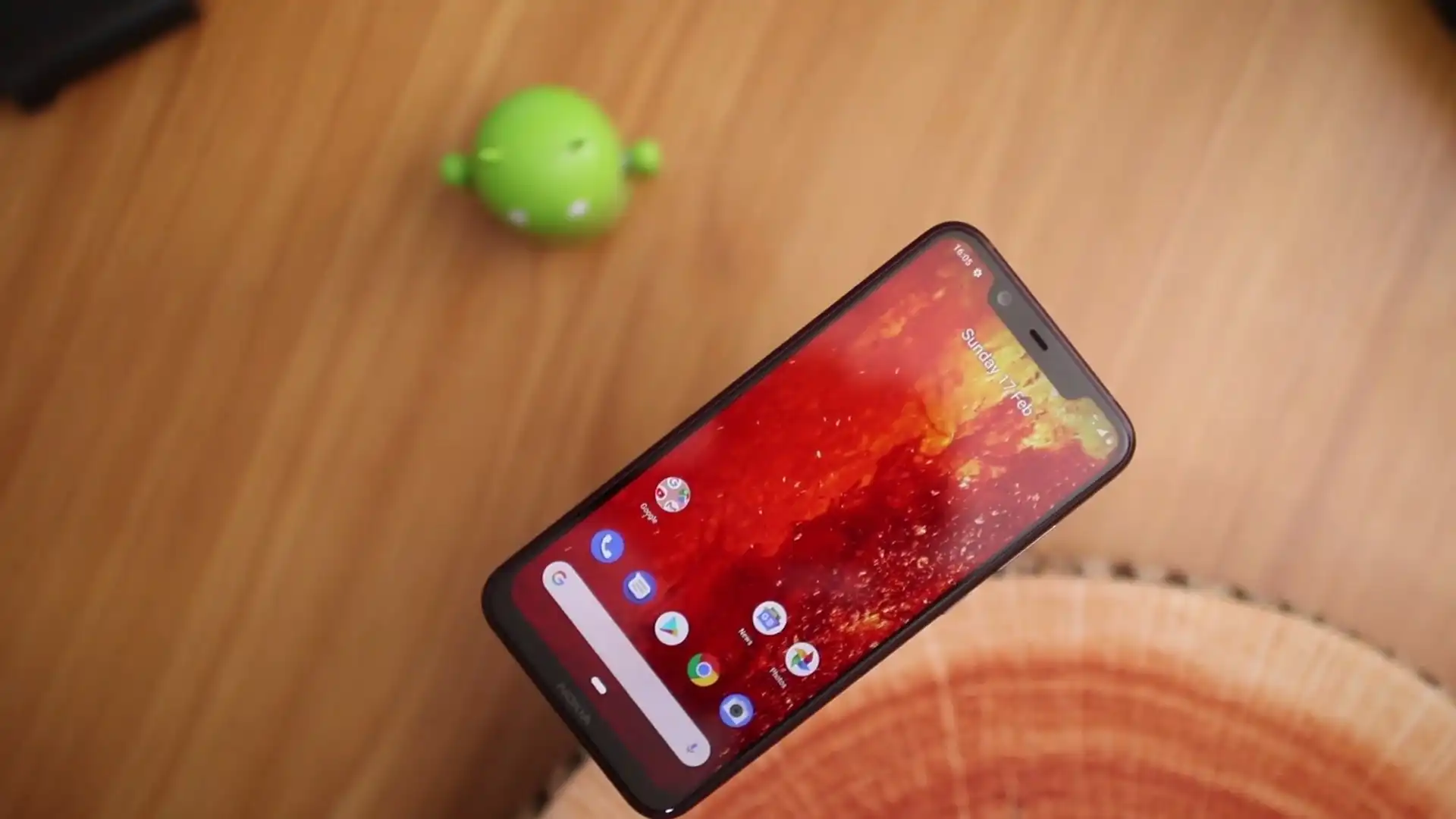
About the Nokia 8.1 / Nokia X7
The Nokia 8.1 / Nokia X7 (codenamed Phoenix / PNX) is a mid-range smartphone released in December 2018, built on the Qualcomm Snapdragon 710 (SDM710) platform. Sold internationally as the Nokia 8.1 under the Android One program and in China as the Nokia X7, the device is supported across multiple model codes including TA-1119, TA-1121, TA-1128, and TA-1131.
Flashing factory firmware restores stock software, unbricks devices stuck in bootloops, and enables regional branch switching. HMD Nokia Snapdragon devices utilize Nokia Online Service Tool (OST LA) via Download Mode. Use the verified guide and package details below to service the device safely.
Which Flash Mode Should You Use?
Nokia Online Service Tool (OST LA)
Standard factory servicing workflow for official .zip and .nb0 firmware packages via Download Mode.
What You Need Before Flashing
Nokia OST LA runs on Windows. Install the official Nokia USB driver package before connecting the phone.
Verify your model code (TA-1119, TA-1121, TA-1128, TA-1131). Ensure the firmware filename begins with PNX — do not flash ANT-prefixed files meant for the Nokia 1 Plus.
Use a verified USB Type-C data cable connected directly to a rear motherboard USB port rather than a hub.
Flashing writes system and vendor partitions over several minutes. The 3500mAh battery is non-removable, so ensure sufficient charge before starting.
A factory reflash through OST wipes userdata. Back up accessible personal files before proceeding.
How to Flash the Nokia 8.1 / Nokia X7 — Quick Overview
A quick 5-step overview built specifically for the Nokia 8.1 / Nokia X7. The full OST Tool (Nokia/HMD) guide adds screenshots, progress tracking, and fixes for common errors.
-
Confirm model code and PNX build prefix
-
Install Nokia USB Drivers
-
Configure Nokia OST Tool with Offline Patch
-
Boot device into Download Mode
-
Load package and execute flash
Firmware Package for Snapdragon 710
Official Nokia 8.1 / Nokia X7 firmware is packaged as signed Nokia Online Service Tool archives (.zip) or raw image binaries (.nb0). The archive targets the Qualcomm Snapdragon 710 partition layout:
PNX-530B-0-00WW-B01.zip (or raw .nb0)
Official Nokia OST firmware is delivered as a signed .zip archive or an unpackaged .nb0 raw image. In Nokia Online Service Tool (OST LA), load the complete .zip file directly without extracting internal partition archives.
Critical variant and prefix notice: Always confirm that your firmware package begins with the PNX prefix (Phoenix). Several online download repositories host packages with the ANT prefix mislabelled as TA-1131. ANT files belong to the MediaTek-based Nokia 1 Plus and are strictly incompatible with this Qualcomm Snapdragon 710 board. Additionally, ensure you select the appropriate software branch: Global Android One (00WW) for international variants (TA-1119, TA-1121, TA-1128) or China domestic (00CN) for TA-1131.
Nokia 8.1 / Nokia X7 Firmware Versions
Representative firmware packages for global and regional variants of the Nokia 8.1 / Nokia X7. Verify model and build branch before downloading.
| Version | Region | Android Version | Size | MD5 | Download |
|---|---|---|---|---|---|
PNX-530B-0-00WW-B01 |
Global (TA-1128 / TA-1119, Android 10) | Android 10 | 1.98 GB | — | ⬇️ Download |
PNX-6210-0-00WW-B01 |
India / Global (TA-1121, Android 11) | Android 11 | 2.12 GB | — | ⬇️ Download |
PNX-2590-0-00CN-B03 |
China (TA-1131 / TA-1119, Android 9.0 Pie) | Android 9.0 Pie | 2.2 GB | 642c9d718698be75706e7878eb30f8d2 |
⬇️ Download |
This device has 17 verified stock firmware packages across all regional models. See the complete archive on AndroidFirmwareFile.com →
Nokia 8.1 / Nokia X7 — Important Notes
The Nokia 8.1 / Nokia X7 features an internal 3500 mAh battery with 18W fast charging support. Ensure the battery is charged to at least 40% before flashing. Flashing official firmware through OST LA communicates through Download Mode (Fastboot) and restores all stock partitions without requiring bootloader unlocking.
Common Errors on the Nokia 8.1 / Nokia X7
OST Error: SE_ERR_ADB_SERVER_FAIL / Login Failed
Occurs when running unpatched OST LA or when an active background ADB server conflicts with OST. Close all adb.exe processes in Task Manager and use the patched OnlineUpdateTool.exe.
Device not detected in Download Mode
Nokia phones in Download mode require proper fastboot drivers. Verify that the device appears under Device Manager as "Android Composite ADB Interface".
Invalid Image Format or Checksum Error
Ensure you have not extracted the internal files of the OST .zip archive. Nokia OST LA expects the complete .zip file intact or an unpackaged .nb0 raw image.
For the full Nokia OST error and troubleshooting database: Nokia OST Error Directory →
Frequently Asked Questions — Nokia 8.1 / Nokia X7
Official HMD Online Service Tool installations are intended for authorized service centers. Using a community-patched OnlineUpdateTool.exe executable bypasses this prompt for offline flashing.
ANT is the internal code for the Nokia 1 Plus (Antman), which is built on a MediaTek MT6739 processor. The Nokia 8.1 / X7 uses a Qualcomm Snapdragon 710 SoC. MediaTek partition packages will not boot on Qualcomm hardware.
Flashing stock firmware through OST Tool writes factory system partitions but does not alter the underlying bootloader unlock state.
Ready to Flash?
Follow the full step-by-step OST Tool (Nokia/HMD) guide with interactive progress tracking, prerequisite checklist, and complete troubleshooting.