

Before you flash: Flashing firmware will erase all data on your device. Back up contacts, photos, and apps before proceeding. FlashGuideHub is not responsible for any damage caused by following this guide.
About the Tecno Spark 4 Lite / Spark Go Plus
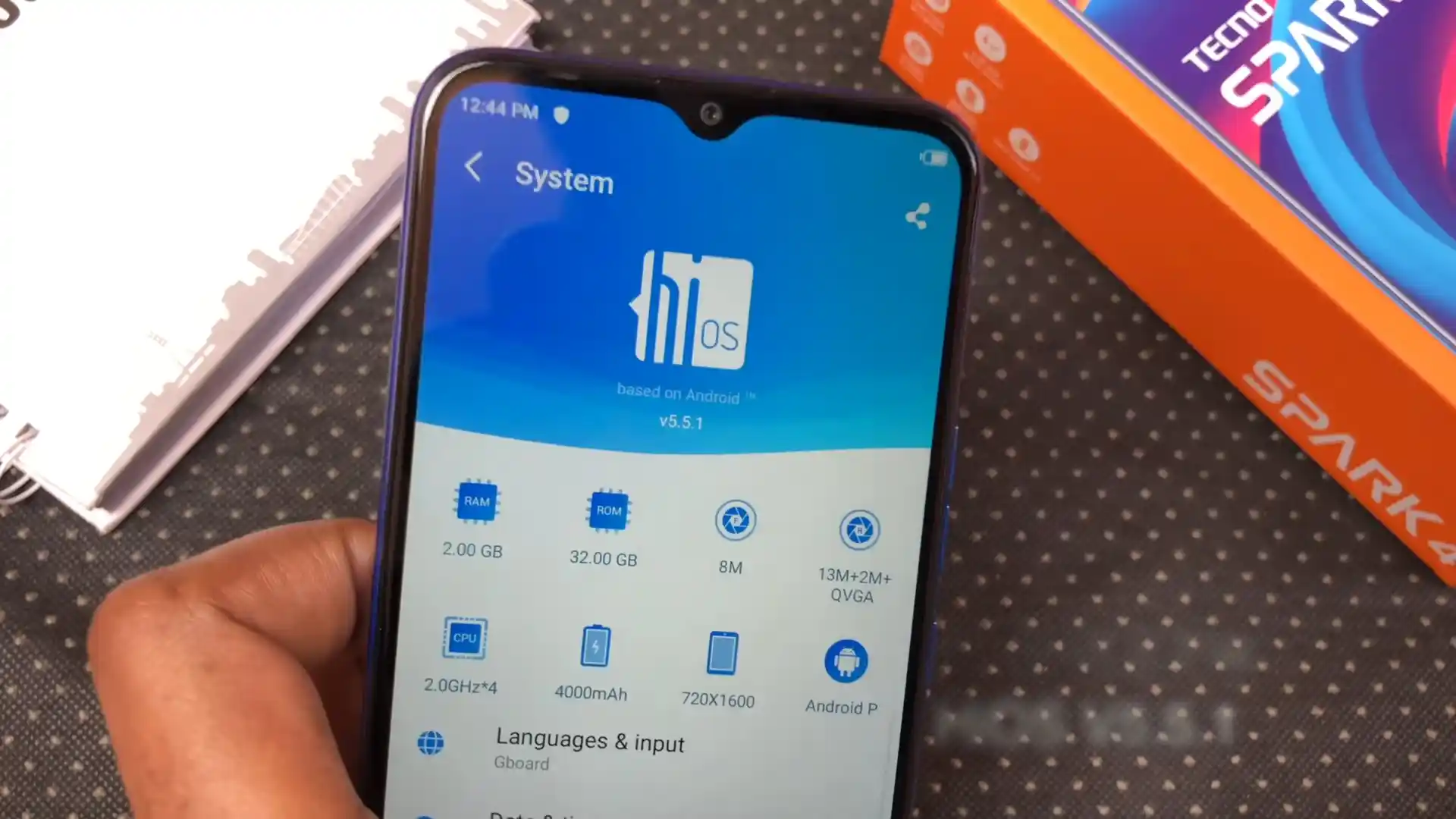
The Tecno Spark 4 Lite / Spark Go Plus family (codename: BB4k) launched on MediaTek's MediaTek Helio A22 MT6761 (12 nm) processor with Android 9.0 (Pie — Go Edition), 2 GB RAM, and a 4,000 mAh battery.
Whether recovering from a bootloop using BB4k-H6114UVW-PGo-211026V137.zip or restoring an Indian unit with BB4k-H6114V-PGo-IN-211103V94.zip, follow the verified steps below.
Which Flash Mode Should You Use?
SP Flash Tool (MediaTek BROM Mode)
Primary low-level factory restoration path writing partition images directly to eMMC storage via MT6761_Android_scatter.txt.
MTKClient (Direct Command Line Flashing)
Open-source flashing and bootloader utility capable of bypassing SLA/DAA security and reading or writing raw partition blocks.
Essential Setup Before Flashing Tecno BB4k
Install signed 64-bit MediaTek USB VCOM and Preloader drivers to prevent connection drops in BROM mode.
Use a reliable microUSB data cable plugged directly into a rear motherboard port rather than a front USB hub.
Ensure the 4,000 mAh battery has sufficient charge so the phone does not power down during partition writing.
Run MTK Auth Bypass tool to filter SLA/DAA authentication before opening the port in SP Flash Tool.
Flashing stock firmware erases user data partitions. Ensure critical personal files are saved beforehand.
SP Flash Tool & MTK Auth Steps for Helio A22
5-step quick reference for the Tecno Spark 4 Lite / Spark Go Plus. Need visuals or troubleshooting help? The full SP Flash Tool guide covers everything in detail.
-
Install MediaTek MTK USB VCOM and Preloader drivers on your Windows PC
-
Extract BB4k-H6114UVW-PGo-211026V137.zip and locate MT6761_Android_scatter.txt
-
Launch MTK Auth Bypass to disable Secure Boot SLA/DAA authentication
-
Load MT6761_Android_scatter.txt in SP Flash Tool and confirm Download Only
-
Power off phone, hold Volume Down, and connect microUSB cable to start flash
Locating MT6761_Android_scatter.txt in Helio A22 MT6761 Packages
Official Tecno Spark 4 Lite and Spark Go Plus firmware packages contain raw partition binaries paired with an MT6761 scatter configuration file. Extracting the archive with 7-Zip exposes MT6761_Android_scatter.txt alongside preloader, boot, recovery, and system partition images:
MT6761_Android_scatter.txt
Unzipping BB4k-H6114UVW-PGo-211026V137.zip with 7-Zip exposes MT6761_Android_scatter.txt at the top level alongside partition images including boot.img, recovery.img, and system.img. Select this scatter file in SP Flash Tool.
Hardware code BB4k covers both H6114UVW Global and H6114V Indian motherboards. Never cross-flash between these two revisions to prevent touchscreen inverting.
Always load MT6761_Android_scatter.txt directly into SP Flash Tool from your extracted folder.
Keep 'Download Only' highlighted; running format modes erases your NVRAM cellular calibration.
Tecno Spark 4 Lite / Spark Go Plus Firmware Versions
Tested Global and Indian stock ROM packages for the Tecno Spark 4 Lite / Spark Go Plus (BB4k). Access the complete multi-branch archive below.
| Version | Region | Android Version | Size | MD5 | Download |
|---|---|---|---|---|---|
211026V137 |
Global (UVW) — Android 9.0 Go | Android 9.0 (Pie — Go Edition), Oct 2021 | 1.2 GB | — | ⬇️ Download |
211103V94 |
India (IN) — Android 9.0 Go | Android 9.0 (Pie — Go Edition), Nov 2021 | 1.18 GB | — | ⬇️ Download |
200112V66 |
Global (UVW) — Android 9.0 Go | Android 9.0 (Pie — Go Edition), Jan 2020 | 1.17 GB | — | ⬇️ Download |
Browse all 12 regional Android 9.0 Go packages for Tecno Spark 4 Lite & Spark Go Plus on AndroidFirmwareFile.com → View full archive on AndroidFirmwareFile.com →
Available MediaTek Flashing Modes for BB4k
The Tecno Spark 4 Lite and Spark Go Plus (model identifier BB4k) are built upon MediaTek's Helio A22 MT6761 processor running Android 9.0 (Pie — Go Edition) with HiOS 5.5. Unbricking bootloops or reinstalling factory software is performed via SP Flash Tool using scatter packages like BB4k-H6114UVW-PGo-211026V137.zip for international units or BB4k-H6114V-PGo-IN-211103V94.zip for Indian market boards.
Because Transsion implements MediaTek Secure Boot authentication across Helio A22 chipsets, initiating the flash handshake requires running MTK Auth Bypass to disable SLA/DAA verification before connecting your USB cable in BROM mode.
Resolving Tecno BB4k SP Flash Tool & Secure Boot Errors
BROM Auth Block: "STATUS_SEC_AUTH_FILE_NEEDED (0xC0020005)"
The Helio A22 bootrom enforces MediaTek SLA/DAA secure boot authentication. Standard SP Flash Tool configurations cannot proceed without a matched authentication file. Run MTK Auth Bypass or mtkclient before starting SP Flash Tool to filter the handshake over the libusb port filter.
Preloader USB VCOM Port Drops After 2–3 Seconds During Connect
MediaTek Preloader handshakes disconnect quickly if communication is not established immediately or if a driver conflict exists. Install clean 64-bit MTK VCOM drivers, ensure the phone is completely powered down, and connect a short microUSB cable directly to a rear motherboard USB 2.0 port.
SP Flash Tool Error: "STATUS_ERR (-1073414143) / S_CHKSUM_ERROR"
This occurs when partition files are corrupted during download or unzipping, causing checksum mismatches with MT6761_Android_scatter.txt. Delete the damaged folder, redownload the archive cleanly, and unpack using 7-Zip rather than standard Windows archive utilities.
Encountering an authorization error or disconnect during BROM connection? MediaTek MT6761 Error Directory →
MT6761 Architecture, Power & Workshop Q&A
If your BB4k phone shows no signs of life and the computer makes no USB detection sound when connected, the battery voltage may have dropped below the power management IC threshold. Leave the phone plugged into a 2A wall charger for at least 45 minutes, or temporarily disconnect and reconnect the battery flex connector internally to reset the hardware latch before entering BROM mode.
Selecting "Format All + Download" completely wipes the eMMC storage blocks, including the protected nvram and nvdata partitions that hold your device unique IMEI numbers, Wi-Fi MAC addresses, and cellular RF calibration. Using "Download Only" flashes the system, recovery, and boot partitions cleanly while preserving your network identity.
You can check your board revision by rebooting into stock recovery (hold Volume Up + Power from power-off) and inspecting the build banner at the top of the display. Global and African units display the H6114UVW tag, while units manufactured for the Indian market display H6114V.
Ready to Flash?
Follow the full step-by-step SP Flash Tool guide with interactive progress tracking, prerequisite checklist, and complete troubleshooting.