

Before you flash: Flashing firmware will erase all data on your device. Back up contacts, photos, and apps before proceeding. FlashGuideHub is not responsible for any damage caused by following this guide.
About the Xiaomi 13T
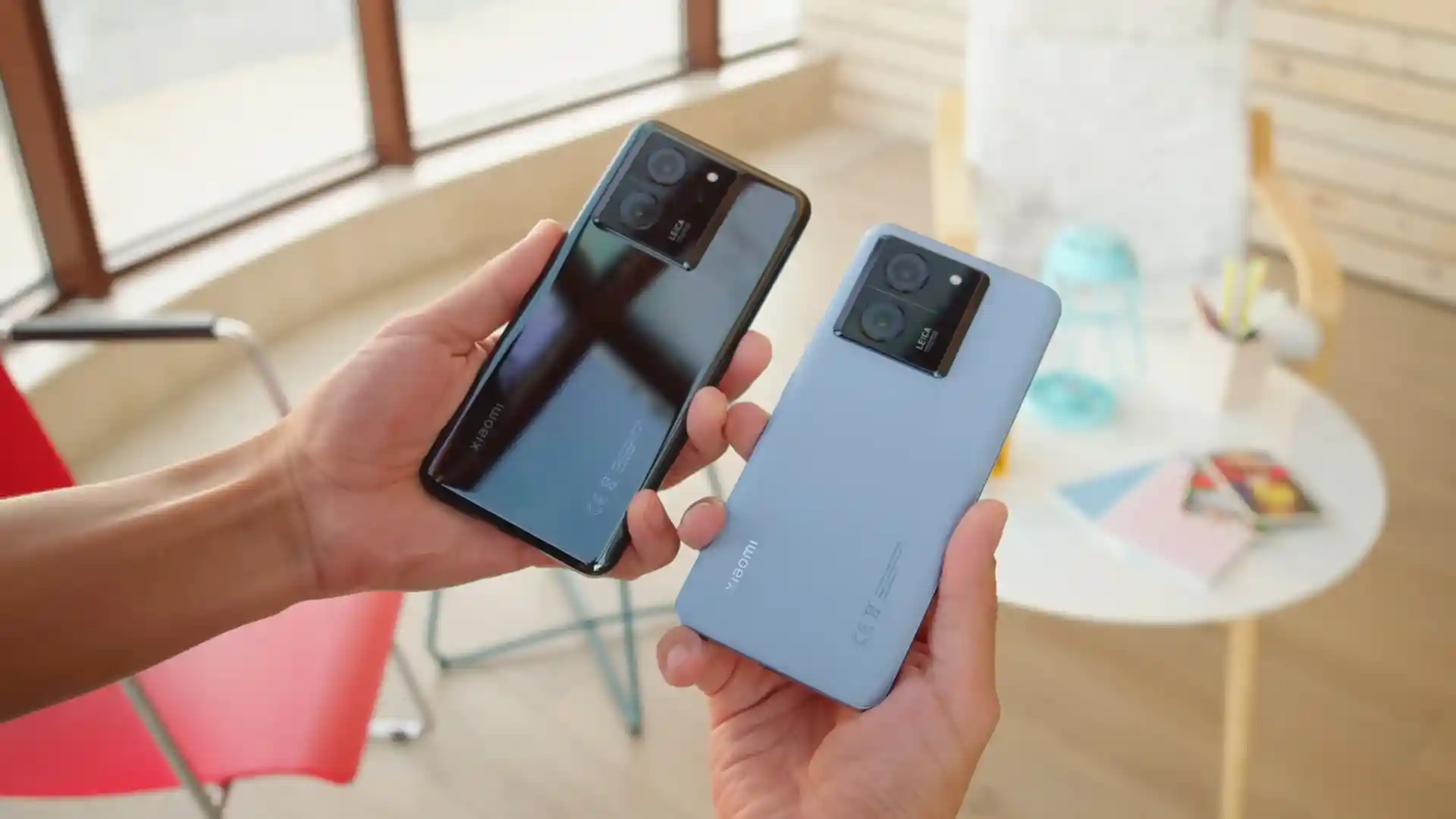
The Xiaomi 13T (hardware codename aristotle, model number 2306EPN60G) was released in September 2023, built on the MediaTek Dimensity 8200-Ultra (MT6896Z) platform with an Arm Mali-G610 MC6 GPU, 6.67-inch 1.5K 144Hz CrystalRes AMOLED display, Leica co-engineered 50 MP triple camera with OIS, and a 5,000 mAh battery supporting 67W Turbo Charge wired charging.
This workshop bench guide walks you through flashing official stock Fastboot firmware on the Xiaomi 13T using Xiaomi Mi Flash Tool. Whether you are restoring a device stuck on the boot screen, recovering from failed modifications, or returning to a clean factory state, follow these verified steps to flash safely.
Which Flash Mode Should You Use?
Xiaomi Mi Flash Tool (Fastboot)
Official flashing utility for unlocked Xiaomi devices. Streams partition images directly over Fastboot and userspace fastbootd.
Stock Recovery / Local Update
Official on-device recovery update method for flashing official Recovery OTA ZIP packages without wiping personal data.
What You Need Before Flashing
A 64-bit Windows 10/11 computer with updated Xiaomi USB drivers and Android SDK Platform Tools (v35+).
An officially unlocked bootloader via the Xiaomi Mi Unlock utility is mandatory for Fastboot partition flashing.
Ensure the 5,000 mAh battery holds at least 50% charge to prevent power loss during 8GB+ super partition streaming.
Use an authentic data cable connected directly to a rear motherboard USB port to avoid transmission interruptions.
How to Flash the Xiaomi 13T — Quick Overview
5-step quick reference for the Xiaomi 13T. Need visuals or troubleshooting help? The full Mi Flash Tool guide covers everything in detail.
-
Unlock bootloader with Mi Unlock
-
Decompress Fastboot TGZ archive twice
-
Enter Fastboot mode
-
Configure Mi Flash Tool with "clean all"
-
Flash firmware and await first boot
Fastboot Script Structure & Flashing Modes
Fastboot firmware packages for the Xiaomi 13T unpack into an images folder containing raw partition binaries alongside automated flashing scripts: flash_all.bat (clean flash), flash_all_except_storage.bat (preserve user data), and flash_all_lock.bat (clean flash and relock bootloader). Technicians recommend strictly selecting flash_all.bat to ensure clean partition formatting across UFS 3.1 storage.
flash_all.bat
Official Fastboot images for the Xiaomi 13T include automated command scripts for different repair scenarios. Understanding these scripts ensures you select the correct operation in Mi Flash Tool.
Never select flash_all_lock.bat when flashing cross-regional firmware (for example, flashing European EEA firmware onto a Global hardware model), as relocking the bootloader against mismatched regional root-of-trust certificates will result in an irrecoverable brick.
Xiaomi 13T Firmware Versions
Below is the verified factory Fastboot image for the Xiaomi 13T European edition. For additional regional packages and recovery files, visit the master archive.
| Version | Region | Android Version | Size | MD5 | Download |
|---|---|---|---|---|---|
OS3.0.4.0.WMFEUXM (HyperOS 3.0) |
EEA (Europe / UK) | Android 16.0 | 8.0 GB | 40086e7827e97a470bd879f0f2a9795e |
⬇️ Download |
Need additional regional builds, older updates, or recovery packages? Browse the full Xiaomi 13T archive on AndroidFirmwareFile.com →
Xiaomi 13T — Important Notes
The MediaTek Dimensity 8200-Ultra platform employs Google Virtual A/B partition architecture with dynamic partitions (super.img). Flashing begins in standard bootloader Fastboot mode and automatically transitions into userspace fastbootd to stream dynamic logical partitions (system, system_ext, product, vendor, odm). Maintain a steady USB connection throughout this process.
Troubleshooting Xiaomi 13T Flashing & Dimensity 8200-Ultra Errors
Fastbootd Transport Stalled: "FAILED (remote: 'fastbootd transport stalled') during super.img chunk streaming"
When flashing dynamic super partitions on the MediaTek Dimensity 8200-Ultra platform, the phone transitions from bootloader Fastboot into userspace fastbootd. If host USB 3.2 controllers apply power-saving suspensions or take longer than 10 seconds to re-enumerate the fastbootd interface, the flash script aborts mid-stream. Repair technicians suggest connecting directly to a rear motherboard USB port, running Mi Flash Tool as Administrator, and temporarily disabling Windows USB selective suspend.
MediaTek MT6896Z Preloader Handshake Interruption: "STATUS_ERR / BROM connection dropped during Dimensity handshake"
Attempting low-level SP Flash Tool recovery without an active authorization bypass causes the MT6896Z BootROM to terminate the USB connection after 2 seconds. Because Xiaomi enforces secure boot challenge-response verification on Dimensity hardware, flashing scatter files requires passing an authorized service account challenge or using Fastboot mode with an officially unlocked bootloader.
Anti-Rollback (ARB) Protection Trap: "The system has been destroyed / dm-verity verification failed after flashing"
Attempting to downgrade from HyperOS 3.0 (Android 16.0) to older MIUI 14 builds with a lower Anti-Rollback index triggers hardware efuse mismatch protection. Furthermore, selecting "clean all and lock" (flash_all_lock.bat) when flashing cross-regional firmware locks the bootloader against mismatched cryptographic signatures, causing an immediate boot failure. Technicians recommend flashing matching or newer firmware and always selecting "clean all" (flash_all.bat).
Encountering issues during flashing? Review these verified workshop troubleshooting notes for the Xiaomi 13T. Troubleshooting & Common Errors →
Frequently Asked Questions — Xiaomi 13T
On modern HyperOS versions, the dynamic super partition exceeds 8GB and contains system, system_ext, product, and vendor logical partitions. During execution of flash_all.bat, the flashing script automatically commands the phone to restart from bootloader Fastboot into userspace fastbootd (which displays an on-screen fastbootd menu). Do not disconnect the USB cable during this 8 to 10-second handover; Mi Flash Tool will re-enumerate the device interface and continue streaming the remaining chunks into UFS 3.1 storage.
On Windows 10 and 11, MediaTek MT6896Z preloader ports enumerate for only 2 to 3 seconds before the phone switches into standard charging mode if an active handshake is not established. Workshop technicians recommend installing signed MediaTek USB VCOM drivers, opening Device Manager to confirm the "MediaTek PreLoader USB VCOM Port" appears without warning icons, and using a high-quality USB 2.0 port on the PC to avoid transmission drops.
The optical fingerprint sensor on the Xiaomi 13T depends on factory optical calibration tables stored inside the hardware persist partition. Official Fastboot flashing with flash_all.bat protects the persist partition from being formatted. If biometric enrollment fails after flashing, ensure the screen protector is clean and enter the CIT hardware diagnostic menu by dialling *#*#6484#*#* to run the optical fingerprint sensor test and perform ambient light recalibration.
For hard-bricked units unable to reach Fastboot mode, emergency MediaTek BootROM (BROM) mode is reached via hardware test points on the motherboard. Because the Xiaomi 13T features IP68 water resistance with tight perimeter adhesive, the rear glass panel must be warmed to approximately 80°C before gently lifting it with a suction cup. Technicians advise extreme caution around the upper camera housing to avoid damaging the Leica camera module and NFC antenna flex ribbon. Bridging the two gold test pads near the Dimensity shield while connecting the USB cable forces BROM mode.
Ready to Flash?
Follow the full step-by-step Mi Flash Tool guide with interactive progress tracking, prerequisite checklist, and complete troubleshooting.