

Before you flash: Flashing firmware will erase all data on your device. Back up contacts, photos, and apps before proceeding. FlashGuideHub is not responsible for any damage caused by following this guide.
About the Xiaomi MIX Flip 2
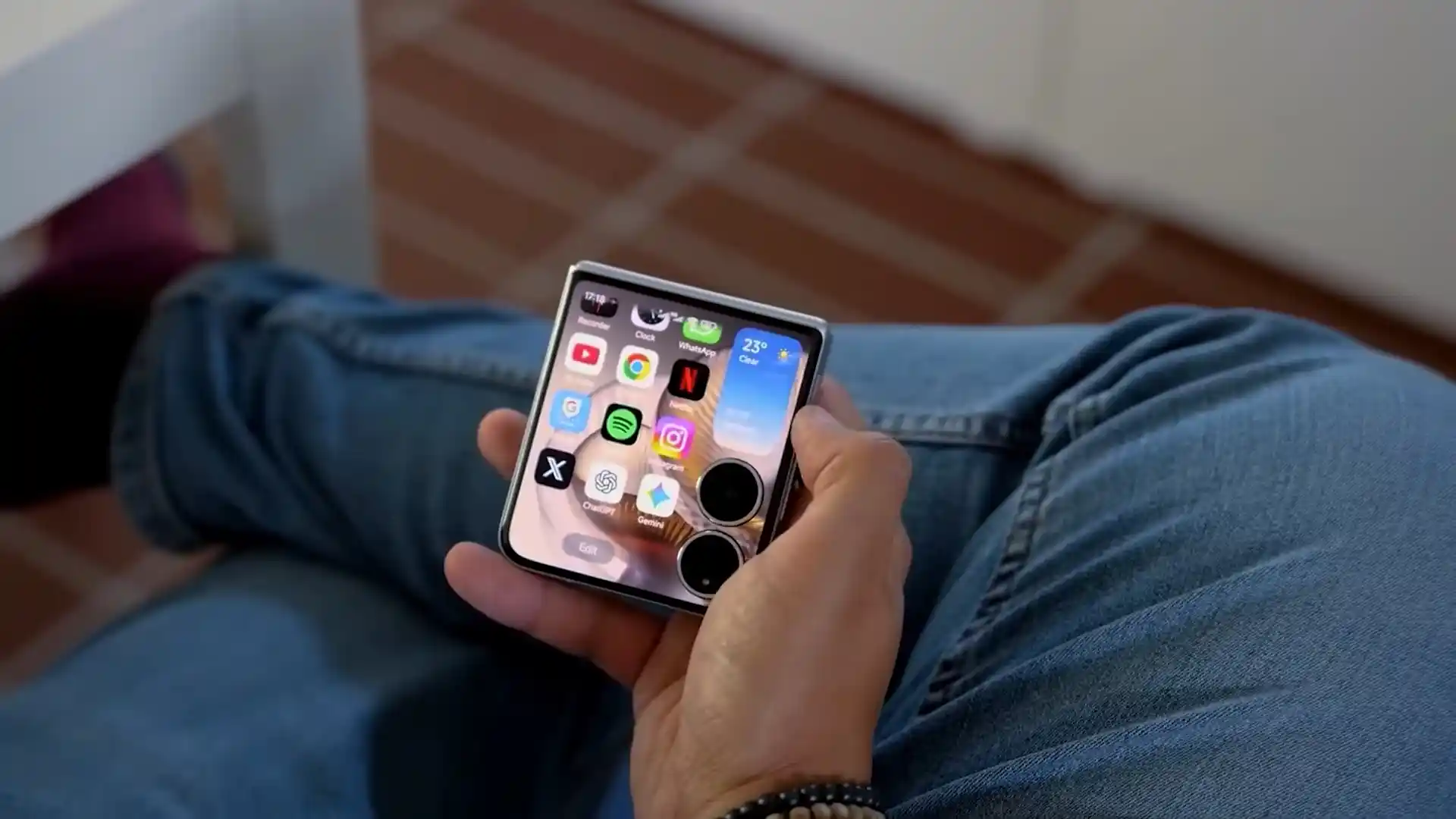
Welcome to the comprehensive Fastboot flashing guide for the Xiaomi MIX Flip 2 (released May 2025). Powered by the Qualcomm Qualcomm Snapdragon 8 Elite SM8750-AB (3nm TSMC N3E, 64-bit Octa-Core: 2x 4.32 GHz Oryon Prime + 6x 3.53 GHz Oryon Performance) processor and dual AMOLED displays, restoring this clamshell foldable requires executing official flash_all scripts via Mi Flash Tool over certified USB Type-C connections.
Use this walkthrough to recover from corrupted software, clear persistent system freezes, or install official HyperOS 3.0 (Android 16.0). Make sure to keep the phone unfolded flat on your bench and review the essential hardware safeguards below.
Which Flash Mode Should You Use?
Mi Flash Tool (Fastboot ROM)
The primary official flashing route for bixi. Mi Flash Tool runs flash_all.bat to write bootloader, super, and radio partitions in a single automated pass over high-speed UFS 4.0. Requires an unlocked bootloader.
Manual Fastboot CLI Commands
Deploy individual partition images (boot.img, init_boot.img, dtbo.img, vbmeta.img) directly via Platform Tools terminal commands. Ideal for root kernel installation or recovering specific corrupted partitions.
Qualcomm EDL 9008 Emergency Flash
Deep unbricking route for hard-bricked handsets that fail to enter Fastboot mode. Communicates directly with the Snapdragon 8 Elite BootROM via motherboard testpoints, requiring an authorized Xiaomi service account.
What You Need Before Flashing
Download and install Mi Flash Tool (2024+) and Qualcomm USB drivers on a 64-bit Windows PC.
Unlock via official Xiaomi Mi Unlock utility after binding your Mi Account under Developer Options.
Download the official regional TGZ archive and extract twice to C:\bixi_fw using 7-Zip.
Use a verified 5A/6A USB Type-C data sync cable connected directly to a rear PC motherboard port.
Verify battery level is at 50% or higher to sustain power throughout the 11.45 GB partition write.
Back up all personal files, photos, and messages, as executing flash_all.bat completely wipes internal UFS storage.
How to Flash the Xiaomi MIX Flip 2 — Quick Overview
A quick 5-step overview built specifically for the Xiaomi MIX Flip 2. The full Mi Flash Tool guide adds screenshots, progress tracking, and fixes for common errors.
-
Unlock bootloader & extract 11.45 GB TGZ package
-
Install Qualcomm USB & updated Xiaomi Fastboot drivers
-
Reboot device into Fastboot mode unfolded
-
Connect certified 5A/6A Type-C cable to PC rear port
-
Execute flash_all.bat in Mi Flash Tool
Fastboot Firmware Package for SM8750-AB
Official Fastboot firmware packages for the Xiaomi MIX Flip 2 (bixi) are distributed as regional .tgz archives containing flash_all.bat, flash_all_lock.bat, and raw partition images (boot.img, init_boot.img, dtbo.img, super.img, vbmeta.img, and xbl_s.img). Loaded via Mi Flash Tool in Fastboot mode, these scripts deploy factory HyperOS 3.0 (Android 16.0) partitions directly to the Qualcomm Snapdragon 8 Elite UFS 4.0 storage controller.
flash_all.bat
Inside the extracted HyperOS Fastboot package, flash_all.bat sits at the top level alongside flash_all_lock.bat and an /images/ subfolder containing partition binaries. Point Mi Flash Tool's folder path directly at the root extracted directory (C:\bixi_fw), select "clean all", and initiate flashing.
The Xiaomi MIX Flip 2 is powered by the Qualcomm Snapdragon 8 Elite SM8750-AB platform with UFS 4.0 flash storage, dual AMOLED displays, and a 5165 mAh silicon-carbon battery.
Never lock the bootloader (flash_all_lock.bat) when flashing cross-region firmware or modified system images, as Qualcomm TrustZone signature verification mismatches will immediately trigger a permanent bootloader lock brick.
Xiaomi MIX Flip 2 Firmware Versions
Official Xiaomi HyperOS 3.0 Fastboot ROM builds for the Xiaomi MIX Flip 2. Verify the build identifier matches your device hardware before flashing.
| Version | Region | Android Version | Size | MD5 | Download |
|---|---|---|---|---|---|
OS3.0.304.0.WOHCNXM (China) |
China (CN) — HyperOS 3.0 | Android 16.0 | 11.45 GB | 15fa4ada58a343f6a5584e2c368667da |
⬇️ Download |
Want to check full phone specs and hardware details? View the device details on AndroidFirmwareFile.com →
Xiaomi MIX Flip 2 — Important Notes
Flashing official factory Fastboot TGZ firmware via Mi Flash Tool unbricks software-damaged handsets, repairs persistent bootloops, eliminates corrupted system partitions, and restores factory HyperOS 3.0 performance.
Troubleshooting Xiaomi MIX Flip 2 Flashing & Fastboot Issues
Mi Flash Tool: "FAILED (remote: 'data too large for device buffer' or 'Write to super chunk failed')"
Triggered when flashing the 11.45 GB Fastboot package using legacy versions of Mi Flash Tool that cannot negotiate dynamic fastboot sparse chunk sizing. Workshop technicians resolve this by utilizing Mi Flash Tool (version 2024 or newer) bundled with current Android SDK Platform Tools (v35+) and executing from a short directory path (C:\bixi_fw\).
Fastboot CLI: "FAILED (remote: 'Token verify failed / Anti-rollback check error')"
Encountered when attempting to rollback from Android 16 (HyperOS 3.0) back to original Android 15 (HyperOS 2.0) factory packages. Xiaomi incremented the Oryon TrustZone rollback prevention counter in build WOHCNXM. Technicians observe that flashing the latest matching HyperOS 3.0 build restores normal bootloader authorization.
Post-Flash Display Issue: Outer Cover Screen Remains Black while Main Screen Boots
Observed during manual Fastboot CLI flashing when the Device Tree Blob Overlay (dtbo.img) or vendor_boot.img is flashed out of order or omitted. The Snapdragon 8 Elite Adreno 830 DPU requires synchronous initialization of both MIPI DSI display pipelines. Running the complete official flash_all.bat batch script guarantees that all secondary panel drivers are written in sequence.
Encountering flashing errors or driver issues during installation? Consult the comprehensive troubleshooting directory: Fastboot Error Directory →
Frequently Asked Questions — Xiaomi MIX Flip 2
You can trigger the Fastboot handshake while folded or unfolded: power off the phone completely, then press and hold Volume Down + Power together for 7 to 9 seconds. The orange "FASTBOOT" graphic appears on whichever display is active. However, technicians strongly recommend unfolding the clamshell fully flat on your bench before flashing to allow the upper chassis section housing the Snapdragon 8 Elite SoC to dissipate heat effectively.
The MIX Flip 2 features high-density UFS 4.0 storage written in multi-gigabyte sparse chunks. If connected through a front-panel PC USB hub or using a substandard charging-only Type-C cable, the USB controller buffer times out during heavy chunk transfers. Connect an authentic 5A/6A Type-C cable directly to a rear motherboard USB port and confirm Windows virtual memory (pagefile) has at least 16GB free.
The Snapdragon 8 Elite platform implements Qualcomm Secure Boot v3 with hardware-enforced cryptographic token authentication. If a device fails to enter Fastboot mode, Emergency Download Mode (EDL 9008) via motherboard testpoints cannot be flashed using generic QFIL without an authorized Xiaomi Service Account login. Attempting to bypass this yields an immediate "Sahara Fail / Device not authorized" halt.
On Snapdragon 8 Elite HyperOS 3.0 devices, relocking the bootloader on non-matching regional firmware (such as locking a Chinese domestic 2505APX7BC board with European firmware or modified vbmeta) causes Qualcomm TrustZone signature verification to fail at stage-1 bootloader startup, dropping the device into a persistent "The system has been destroyed" hardware lockout.
Ready to Flash?
Follow the full step-by-step Mi Flash Tool guide with interactive progress tracking, prerequisite checklist, and complete troubleshooting.