

Before you flash: Flashing firmware will erase all data on your device. Back up contacts, photos, and apps before proceeding. FlashGuideHub is not responsible for any damage caused by following this guide.
About the Xiaomi 15T
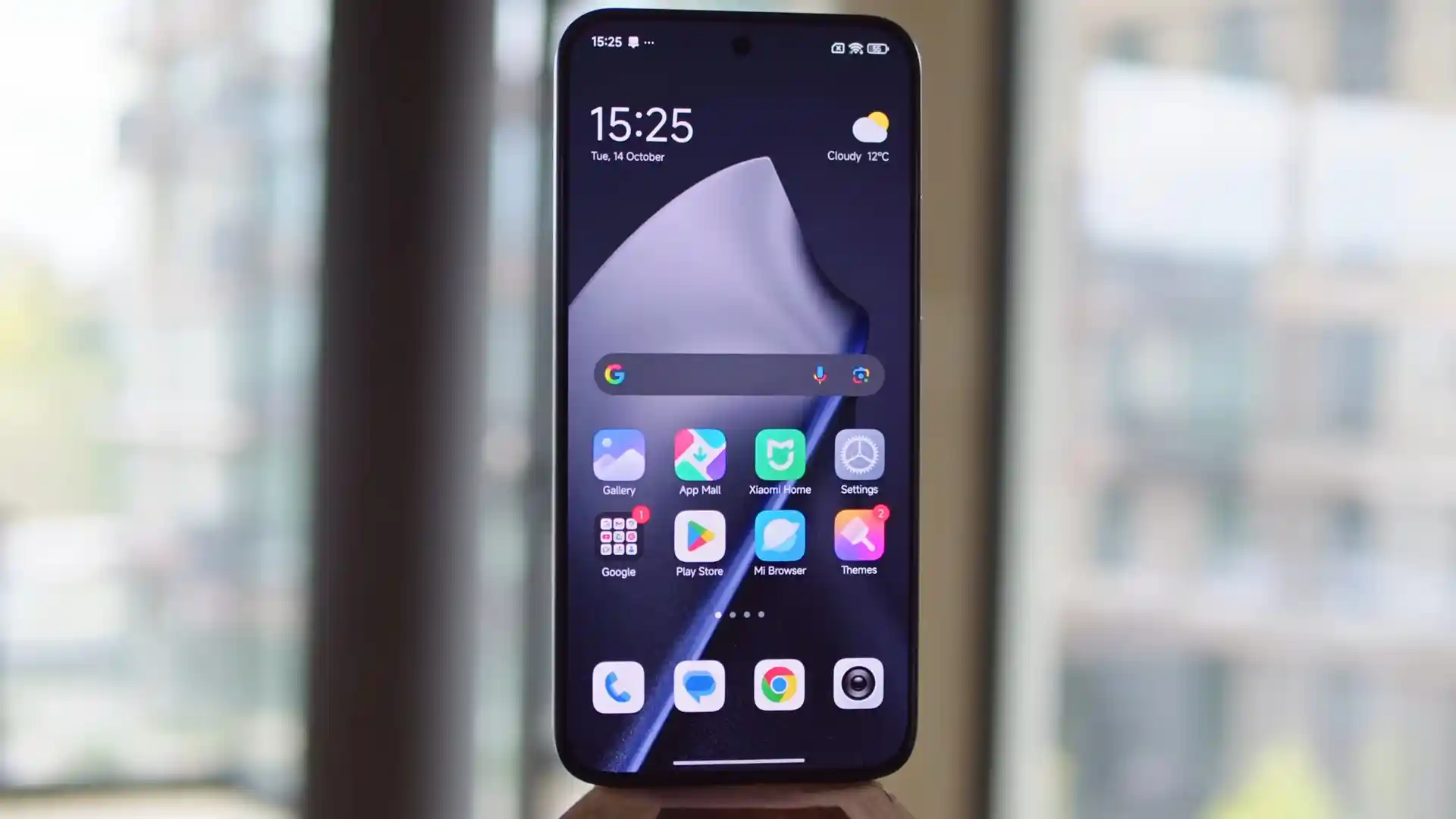
The Xiaomi 15T (hardware codename goya) was released in September 2026 featuring the MediaTek Dimensity 8400-Ultra (4nm TSMC MT6897) processor, an ARM Mali-G720 MC7 GPU, Leica Summilux triple cameras, and a 5,500mAh Surge battery with 67W HyperCharge support. This workshop guide covers the official Fastboot firmware restoration process using Xiaomi Mi Flash Tool.
Whether you need to recover a device stuck on the HyperOS boot logo, flash the official European EEA software build, or perform a clean unbrick flash, this technician guide provides verified hardware button combinations, driver handshake instructions, and partition recovery notes.
Which Flash Mode Should You Use?
MediaTek Fastboot Mode
The primary flashing environment used by Xiaomi Mi Flash Tool to flash complete stock TGZ firmware images.
Userspace Fastbootd Mode
Used for direct flashing and modification of dynamic logical partitions (system, vendor, product, odm).
What You Need Before Flashing
Use an official 6A USB Type-C data cable connected directly to a rear motherboard USB 3.0/2.0 port to prevent communication drops during large image streaming.
Ensure the 5500 mAh battery is charged to at least 50% capacity before starting the flashing process to avoid power interruptions.
Flashing Fastboot TGZ images via Mi Flash Tool strictly requires an unlocked bootloader. Locked devices will fail with an error.
How to Flash the Xiaomi 15T — Quick Overview
These 5 steps are tailored to the Xiaomi 15T (Dimensity 8400-Ultra). For screenshots, an interactive checklist, and troubleshooting, open the full Mi Flash Tool guide.
-
Unlock Bootloader
-
Reboot to Fastboot
-
Extract TGZ Package
-
Flash with Mi Flash
-
First Boot Setup
Fastboot Script & Partition Structure
Flashing the Xiaomi 15T via Fastboot does not require loading a MediaTek scatter file manually in standard operations; it utilizes the official flash_all.bat batch script provided within the unpacked TGZ firmware package.
flash_all.bat / MT6897_Android_scatter.txt
Xiaomi Fastboot ROMs for the goya board contain partition payloads that reinitialize preloader, boot, init_boot, vendor_boot, and the unified dynamic super partition containing logical system, vendor, and product blocks.
Always verify your extracted package includes flash_all.bat, flash_all_except_data_storage.bat, and images/super.img before initiating the flash process in Mi Flash Tool.
Xiaomi 15T Firmware Versions
The packages listed below are tested Fastboot TGZ builds for the Global and European (EEA) hardware variants of the Xiaomi 15T.
| Version | Region | Android Version | Size | MD5 | Download |
|---|---|---|---|---|---|
OS3.0.303.0.WOEMIXM |
Global (MI) | Android 16.0 | 9.7 GB | a97492bc480b1f69ca3d36181733b51e |
⬇️ Download |
OS3.0.311.0.WOEEUXM |
Europe (EEA) | Android 16.0 | 8.7 GB | e183636535b72c34f6c9f07e2f5a9ca8 |
⬇️ Download |
Looking for additional regional packages, recovery zips, or older updates? Browse the complete goya archive on AndroidFirmwareFile.com
Xiaomi 15T — Important Notes
The MediaTek Dimensity 8400-Ultra platform requires an unlocked bootloader for all Fastboot flashing operations. If your bootloader is locked, official Recovery OTA packages must be installed through the stock HyperOS recovery updater.
Troubleshooting Xiaomi 15T Flashing & HyperOS Issues
Fastboot Flash Error: Buffer Overflow / super.img Too Large
Outdated 32-bit fastboot.exe binaries bundled in older Mi Flash Tool versions run out of buffer memory when transferring the 8.5+ GB Android 16 dynamic super.img container. Download the latest official Google Platform-Tools (64-bit), copy the extracted files into the Mi Flash /Source/ThirdParty/Google/Android folder (replacing the old fastboot.exe), and restart Mi Flash Tool.
Anti-Rollback Check Failed: Current Version Is Lower Than Device Version
Attempting to flash an older firmware release on a device that has already received an updated bootloader with an incremented hardware anti-rollback (ARB) fuse index triggers an immediate flash abort. Check your device ARB counter via terminal with "fastboot getvar anti". Never attempt to downgrade below your current ARB index.
Mi Flash Error: Script Missing / Path Space Syntax Failure
The firmware directory path contains spaces, or the archive was extracted into multiple nested subdirectories preventing Mi Flash from locating flash_all.bat. Move the unpacked firmware folder to the root of your hard drive (e.g. C:\goya_fw), ensure flash_all.bat is in the selected root directory, and re-select the path in Mi Flash Tool.
Workshop solutions for common Mi Flash errors, Fastboot buffer overflows, and Android 16 partition write issues on the goya motherboard. Troubleshooting & Workshop Solutions →
Frequently Asked Questions — Xiaomi 15T
Under HyperOS 3.0 Virtual A/B architecture, the flash_all.bat script writes system images to the inactive slot and designates it as active upon completion. If your device enters a bootloop after a failed flash, connect in Fastboot mode and run "fastboot getvar current-slot" in terminal. You can manually toggle to the alternate bootable slot by executing "fastboot set_active other" or "fastboot --set-active=a" to restore system boot without wiping user data.
No. The official flash_all.bat script explicitly bypasses the persist partition to preserve hardware integrity. The persist partition contains unique optical calibration coefficients for the under-display fingerprint scanner, ambient light sensor, and display color matrix. Technicians must never execute "fastboot erase persist" or flash an empty persist image, as doing so permanently disables biometric authentication.
Certain automatic Windows driver updates assign a generic Kedacom USB driver to Fastboot devices, causing fastboot commands and Mi Flash Tool to hang indefinitely during handshake. To fix this, open Device Manager on your PC, right-click the Kedacom device, select "Update driver" > "Browse my computer for drivers" > "Let me pick from a list", and select "Android Device" followed by "Android Bootloader Interface" or "WinUSB".
Yes. Unlike Qualcomm platforms that require remote authorized service tokens for EDL 9008 unbricking, the MediaTek Dimensity 8400-Ultra architecture features a BootROM (BROM) interface. By installing MediaTek USB VCOM drivers and using MTK Auth Bypass utilities, technicians can bypass SLA/DA security handshakes and flash raw MT6897 scatter firmware directly via SP Flash Tool even if the bootloader interface is completely unresponsive.
Ready to Flash?
Follow the full step-by-step Mi Flash Tool guide with interactive progress tracking, prerequisite checklist, and complete troubleshooting.