

Before you flash: Flashing firmware will erase all data on your device. Back up contacts, photos, and apps before proceeding. FlashGuideHub is not responsible for any damage caused by following this guide.
About the Xiaomi Redmi Note 12 4G NFC
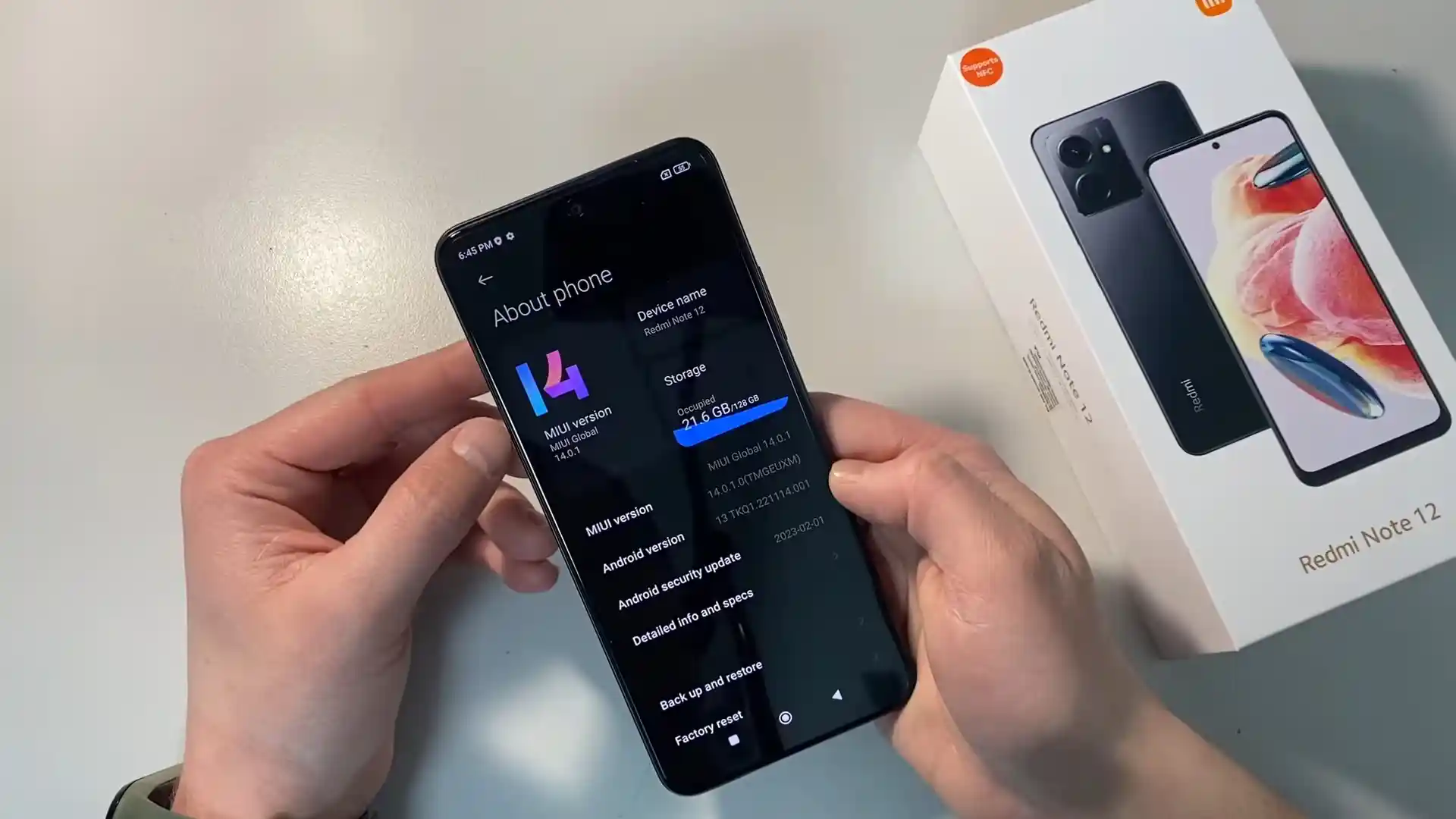
The Xiaomi Redmi Note 12 4G NFC (codename: topaz) launched in March 2023 on Qualcomm's Qualcomm Snapdragon 685 SM6225-AD (6nm TSMC) platform with a 120Hz AMOLED screen, NFC contactless hardware, UFS 2.2 storage, and a 5,000 mAh battery.
Whether you need to recover a bootloop with topaz_eea_global_images_OS2.0.215.0.VMGEUXM_20260921.0000.00_15.0_eea_b2c729a817.tgz, sideload an OTA ZIP, or install OrangeFox-R12.0-topaz.zip and Xiaomi.eu Hybrid, follow the instructions below.
Which Flash Mode Should You Use?
Mi Flash Tool (Fastboot / fastbootd ROM)
Official full-restore method executing flash_all.bat over userspace fastbootd for topaz. Requires an unlocked bootloader and erases all user data.
Mi Assistant (Recovery Sideload)
Stock recovery sideloading for locked bootloaders using signed OTA ZIP builds like topaz_eea_global-ota_full-OS2.0.215.0.VMGEUXM-user-15.0-d3c62436db.zip.
OrangeFox / TWRP & Xiaomi.eu Hybrid Script
Boot twrp-3.7.1_12-0-topaz-TeamWin.img via Fastboot to flash OrangeFox-R12.0-topaz.zip, or run Xiaomi.eu's Hybrid Fastboot/Recovery package.
Essential Setup Before Flashing 7.1GB HyperOS 2.0 Files
Fastboot .tgz and Xiaomi.eu Hybrid installs require Xiaomi Mi Unlock approval; locked devices must use Mi Assistant OTA.
Install Xiaomi USB drivers and Google Platform-Tools v35.0.0+ so 7.1GB+ HyperOS 2.0 super.img sparse transfers never fail.
Plug directly into a rear motherboard USB 2.0 socket to avoid USB 3.x xHCI controller timeouts during fastbootd reboots.
Verify at least 50% battery charge on the 5,000 mAh cell before starting dynamic Virtual A/B super writes.
Running flash_all.bat wipes internal UFS 2.2 storage completely. Save personal files off the phone or to microSD first.
Mi Flash & Fastbootd Walkthrough for Redmi Note 12 4G NFC
A fast reference for flashing the Xiaomi Redmi Note 12 4G NFC (Snapdragon 685) using Mi Flash Tool. For the complete walkthrough with images and error troubleshooting, see the full guide.
-
Unlock bootloader with Mi Unlock (or use Mi Assistant OTA for locked units)
-
Extract topaz_eea_global_images_OS2.0.215.0.VMGEUXM_20260921.0000.00_15.0_eea_b2c729a817.tgz twice to C:\topaz_fw\
-
Install Google Platform-Tools v35+ and Xiaomi Qualcomm USB drivers on 64-bit Windows
-
Boot into Fastboot (Volume Down + Power) and connect directly to a rear USB 2.0 port
-
Load C:\topaz_fw\ in Mi Flash Tool, verify "clean all", and allow fastbootd writes to finish
Finding flash_all.bat Inside Snapdragon 685 Packages
Official Xiaomi Redmi Note 12 4G NFC Fastboot packages arrive as double-compressed .tgz files. Extracting twice with 7-Zip reveals flash_all.bat at the top directory beside the images subfolder holding boot.img, vendor_boot.img, dtbo.img, and the 7.1GB+ dynamic super.img:
flash_all.bat
Extracting topaz_eea_global_images_OS2.0.215.0.VMGEUXM_20260921.0000.00_15.0_eea_b2c729a817.tgz twice with 7-Zip puts flash_all.bat at the outer level beside the images directory containing boot.img, vendor_boot.img, and super.img. Select that outer directory in Mi Flash Tool.
Codename topaz (model 23021RAA2Y) covers ONLY the NFC Redmi Note 12 4G (VMG builds). Never flash non-NFC tapas (VMT) or Redmi Note 12 5G (sunstone) builds.
Always select the outer folder holding flash_all.bat inside Mi Flash Tool (for example C:\topaz_fw\), never the nested images subfolder.
Keep "clean all" active; picking "clean all and lock" on cross-regional software will lock up startup.
Xiaomi Redmi Note 12 4G NFC Firmware Versions
Verified EEA Fastboot & OTA, Global Fastboot, Xiaomi.eu Hybrid, Official OrangeFox R12.0, and TWRP 3.7.1 builds for the Xiaomi Redmi Note 12 4G NFC (topaz). Visit the full archive below for Indonesia, Russia, and OrangeFox R11.3_1 downloads.
| Version | Region | Android Version | Size | MD5 | Download |
|---|---|---|---|---|---|
OS2.0.215.0.VMGEUXM |
Europe / UK EEA (EU) — HyperOS 2.0 | Android 15.0, Sep 2026 | 7.1 GB | b2c729a81729405e1c974deac6ea9345 |
⬇️ Download |
OS2.0.215.0.VMGEUXM (OTA) |
Europe / UK EEA Recovery ZIP | Android 15.0, Sep 2026 | 4.9 GB | d3c62436dbdeaa9a32adfecbd9958476 |
⬇️ Download |
OS2.0.210.0.VMGMIXM |
Global (MI) — HyperOS 2.0 | Android 15.0, Sep 2026 | 7.5 GB | 386fb11787f6f0f948f6644263bb5a2e |
⬇️ Download |
OS2.0.210.0.VMGMIXM (Xiaomi.eu) |
Xiaomi.eu Hybrid (Fastboot + Recovery) | Android 15.0, Sep 2026 | 4.77 GB | ec6846f7296dc33e524799ce581d3d9b |
⬇️ Download |
OrangeFox R12.0 |
Official Custom Recovery (topaz) | Android 15 FBEv2 ZIP | 68.0 MB | e189d6506191ecab65ca2350f0afbe7a |
⬇️ Download |
TWRP 3.7.1_12-0 |
Official TeamWin Recovery (topaz) | Fastboot / Virtual A/B IMG | 100.0 MB | 359bdfccdcbc1ddbc5fb00d9007032ae |
⬇️ Download |
Browse all 12 HyperOS 2.0, Xiaomi.eu & Custom Recovery builds for topaz on AndroidFirmwareFile.com → View full archive on AndroidFirmwareFile.com →
Comparing Fastboot, Mi Assistant & OrangeFox Hybrid Paths
The Xiaomi Redmi Note 12 4G NFC (codename topaz, model 23021RAA2Y) uses Qualcomm's Snapdragon 685 (SM6225-AD) with Virtual A/B storage. On unlocked handsets, Mi Flash Tool restores clean EEA or Global HyperOS 2.0 software using topaz_eea_global_images_OS2.0.215.0.VMGEUXM_20260921.0000.00_15.0_eea_b2c729a817.tgz over userspace fastbootd.
Locked devices can sideload topaz_eea_global-ota_full-OS2.0.215.0.VMGEUXM-user-15.0-d3c62436db.zip via Mi Assistant, while unlocked custom ROM users can deploy xiaomi.eu_TOPAZ_OS2.0.210.0.VMGMIXM_15.zip via its Hybrid scripts or OrangeFox-R12.0-topaz.zip (bootstrapped with twrp-3.7.1_12-0-topaz-TeamWin.img).
Fixing Redmi Note 12 4G NFC Sparse Write, Decryption & Lock Errors
Fastbootd Log: "FAILED (remote: data too large)" or Sparse Header Failure
Android 15 HyperOS 2.0 super.img exceeds 7.1 GB and uses oversized sparse chunks inside userspace fastbootd. Outdated fastboot binaries or aggressive USB 3.x power-saving controllers drop the connection during the fastboot -> fastbootd transition. Update to Google Platform-Tools v35+ and plug into a rear motherboard USB 2.0 port.
Mi Flash Dialog: "flash_all.bat not found" or Path Too Deep
Occurs when Mi Flash Tool points at an unextracted .tar intermediate archive, a directory path containing spaces, or inside the inner images subfolder. Extract twice using 7-Zip directly into C:\topaz_fw\ and select that top folder.
Prompt: "Unable to decrypt FBE" / "Data is corrupted" After Reboot
Older recoveries (or leftover Android 15 encryption keys after changing HyperOS builds) cannot unlock userdata metadata. Switch to OrangeFox-R12.0-topaz.zip for Android 15 FBEv2 support, or pick "Wipe Data" -> "Wipe All Data" in stock Mi Recovery.
Boot Freeze: "This MIUI version can't be installed on this device"
Triggered when selecting "clean all and lock" (flash_all_lock.bat) on cross-regional firmware or accidentally flashing non-NFC tapas builds onto topaz. Always keep "clean all" checked before flashing.
Need troubleshooting for another fastbootd or OrangeFox message? Fastboot & Mi Flash Error Directory →
EDL Auth Limits, Virtual A/B Slots & Xiaomi.eu Hybrid Q&A
No. On the 6nm Snapdragon 685 (SM6225-AD), Emergency Download (EDL 9008) enforces Xiaomi server challenge-response authorization. Always unlock your bootloader ahead of time to keep Fastboot/fastbootd access open, or use Mi Assistant recovery mode with signed OTA ZIPs if the bootloader is still locked.
Because topaz uses Virtual A/B without a legacy single /recovery partition, run "fastboot boot twrp-3.7.1_12-0-topaz-TeamWin.img" (or flash to vendor_boot/recovery_ab per your ROM tree) from an unlocked Fastboot prompt, then flash OrangeFox-R12.0-topaz.zip inside the booted environment so OrangeFox permanently patches both A/B slots and handles Android 15 decryption.
Xiaomi.eu's Hybrid HyperOS 2.0 release (xiaomi.eu_TOPAZ_OS2.0.210.0.VMGMIXM_15.zip) embeds Fastboot images alongside batch scripts ("windows_fastboot_first_install_with_data_format.bat" or update scripts) AND TWRP/OrangeFox flashable ZIP scripts in one archive, letting you extract and install from PC or flash cleanly inside OrangeFox R12.0.
Yes — official flash_all.bat and Xiaomi.eu install scripts intentionally avoid formatting /persist, keeping factory proximity sensor, NFC calibration, and display profiles intact. If a Type-C cable drops mid-flash, check "fastboot getvar current-slot" in bootloader Fastboot, run "fastboot set_active a" (or "b") if needed, and restart the script.
Ready to Flash?
Follow the full step-by-step Mi Flash Tool guide with interactive progress tracking, prerequisite checklist, and complete troubleshooting.