

Before you flash: Flashing firmware will erase all data on your device. Back up contacts, photos, and apps before proceeding. FlashGuideHub is not responsible for any damage caused by following this guide.
About the Xiaomi Mi 11
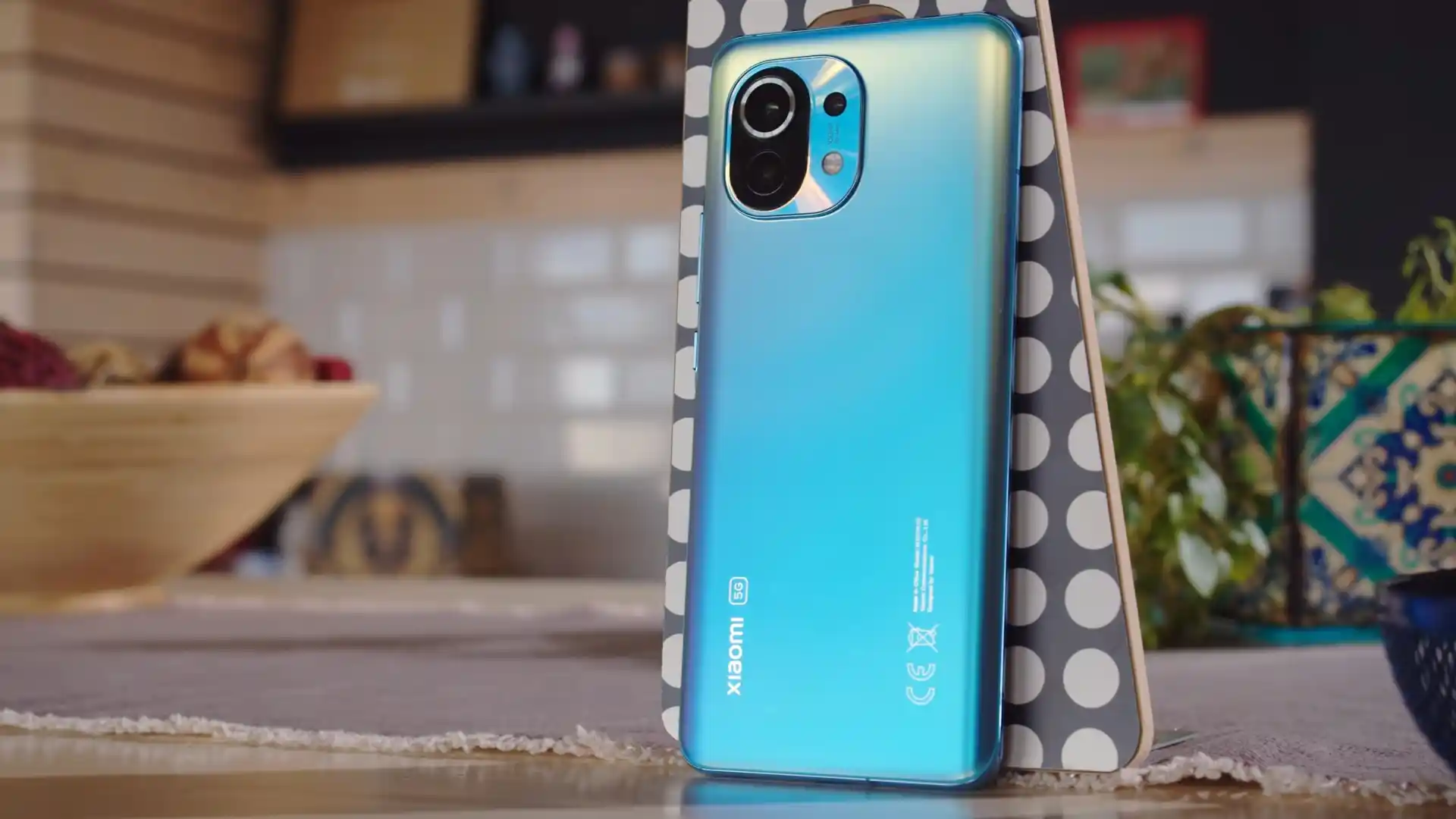
The Xiaomi Mi 11 (hardware codename venus, model numbers M2011K2G Global/EEA/UK and M2011K2C China) was released in December 2020 (China), February 2021 (Global), built on the Qualcomm SM8350 Snapdragon 888 5G (5nm) platform with an Adreno 660 GPU, a 6.81-inch curved 120Hz WQHD+ AMOLED display, Harman Kardon stereo speakers, and a 4,600 mAh battery supporting 55W wired and 50W wireless fast charging.
This workshop manual guides you through flashing official stock Fastboot firmware on the Xiaomi Mi 11 using Xiaomi Mi Flash Tool. Whether you are recovering a device stuck on the boot screen, clearing system bugs following an update, or restoring a clean factory state, follow these verified procedures to flash safely.
Which Flash Mode Should You Use?
Xiaomi Mi Flash Tool (Fastboot)
Official flashing utility for unlocked Xiaomi devices. Writes partition images directly through Fastboot and userspace fastbootd.
Custom Recovery (TWRP by skkk)
Community recovery environment for flashing Xiaomi.eu custom ROMs, installing Magisk root, and performing full partition backups.
Stock Recovery / Local Update
Official on-device recovery method for installing official Recovery OTA ZIP packages without wiping personal data.
Essential Equipment & Pre-Flashing Preparation
A 64-bit Windows 10 or 11 computer with current Qualcomm USB drivers and Android SDK Platform Tools installed.
An officially unlocked bootloader via the Xiaomi Mi Unlock utility is required for Fastboot partition flashing.
Ensure the 4,600 mAh internal battery holds at least 50% charge to prevent power loss during dynamic partition flashing.
Connect an authentic USB Type-C cable directly to a rear PC motherboard USB port to avoid data communication drops.
5-Minute Fastboot Flashing Walkthrough
5-step quick reference for the Xiaomi Mi 11. Need visuals or troubleshooting help? The full Mi Flash Tool guide covers everything in detail.
-
Unlock bootloader with official Mi Unlock tool
-
Extract venus_eea_global_images_OS2.0.3.0.UKBEUXM_20251227.0000.00_14.0_eea_8c3a763c4f.tgz twice
-
Enter Fastboot mode and check active slot with fastboot getvar current-slot
-
Configure Mi Flash Tool with clean all script
-
Flash firmware and let fastbootd write dynamic partitions
Fastboot Script Architecture & Flashing Options
Fastboot firmware packages for the Xiaomi Mi 11 extract into an images directory containing raw partition images alongside automated flashing scripts: flash_all.bat (clean flash), flash_all_except_storage.bat (preserve user files), and flash_all_lock.bat (clean flash and lock bootloader). To ensure clean system restoration, selecting flash_all.bat is recommended.
flash_all.bat
Official Fastboot images for the Xiaomi Mi 11 provide pre-configured command scripts for specific maintenance tasks. Understanding these scripts ensures the correct flashing mode is selected in Mi Flash Tool.
Never execute flash_all_lock.bat when flashing cross-regional firmware (for example, installing European EEA firmware onto a Chinese M2011K2C handset), as locking the bootloader against mismatched regional root certificates causes a permanent brick.
Xiaomi Mi 11 Firmware Versions
Below are verified factory Fastboot packages for European and China variants of the Xiaomi Mi 11, along with the stable Xiaomi.eu custom ROM. For additional regional packages and TWRP recovery images, visit the master archive.
| Version | Region | Android Version | Size | MD5 | Download |
|---|---|---|---|---|---|
OS2.0.3.0.UKBEUXM (HyperOS 2.0) |
EEA (Europe / UK) — M2011K2G | Android 14.0 | 6.7 GB | 8c3a763c4fc7d4cd6364835ced6b1b2f |
⬇️ Download |
OS2.0.6.0.UKBCNXM (HyperOS 2.0) |
China (CN) — M2011K2C | Android 14.0 | 6.8 GB | 2689ff7f695700d64ecbdde4bee9abae |
⬇️ Download |
OS2.0.6.0.UKBCNXM (Xiaomi.eu Custom ROM) |
Multi-Language (EU) — venus | Android 14.0 | 5.4 GB | 5b06d868e44ad3d693fd254043c4a8d5 |
⬇️ Download |
Need additional regional builds, recovery OTA files, or TWRP recovery images? Browse the full Xiaomi Mi 11 archive on AndroidFirmwareFile.com →
Xiaomi Mi 11 Partition Layout & Flash Script Structure
The Qualcomm Snapdragon 888 platform incorporates Google Virtual A/B partition architecture with dynamic partitions housed within super.img. Flashing begins in standard bootloader Fastboot mode and automatically transitions into userspace fastbootd to write dynamic logical partitions (system, system_ext, product, vendor, odm). Maintain a steady direct USB connection throughout this process.
Troubleshooting Xiaomi Mi 11 Flashing & Fastbootd Errors
Recovery Partition Missing: "fastboot: error: cannot load 'recovery': No such partition on venus"
The Xiaomi Mi 11 utilizes Virtual A/B architecture and does not possess a physical physical recovery partition. Recovery routines are embedded inside the boot partition ramdisk (boot_a and boot_b). Running fastboot flash recovery twrp.img fails with this error. To use custom recovery, run fastboot boot twrp.img to boot temporarily into recovery memory, or install permanently using fastboot flash boot twrp.img.
Fastbootd Sparse Timeout: "FAILED (remote: 'Error: write to device failed') during super.img flashing"
On HyperOS 2.0, the dynamic super partition measures over 6.5 GB and is divided into sparse chunks. During partition writing, the device transitions from bootloader Fastboot into userspace fastbootd. If PC USB power-saving features trigger a timeout or an unpowered front-panel USB hub drops the connection, the flash aborts. Connect the phone directly to a rear PC motherboard USB 2.0 port and disable USB selective suspend in Windows Power Options.
dm-verity Bootloop: "The system has been destroyed" after flashing custom recovery
Android Verified Boot 2.0 (AVB) verifies cryptographic hash trees on the boot partition against vbmeta. Flashing a custom recovery image or modified boot kernel trips verification, causing the device to halt with a system destroyed error. Disable AVB 2.0 enforcement by running fastboot --disable-verity --disable-verification flash vbmeta vbmeta.img before booting the modified kernel.
Cross-Flashing Sibling Mismatch: "FAILED (remote: 'Device mismatch: star != venus')"
Firmware packages for sibling flagships such as the Mi 11 Pro and Mi 11 Ultra (star) or Mi 11i (haydn) share the Snapdragon 888 chipset but utilize distinct camera sensor configurations, display controllers, and power ICs. Official flashing scripts verify the product codename before writing partitions. Never force flashing packages across codenames, as mismatched kernel device tree binaries will soft-brick the handset.
Encountering issues during flashing? Review these verified workshop troubleshooting notes for the Xiaomi Mi 11. Troubleshooting & Common Errors →
Flashing Diagnostics & Hardware Recovery FAQs
Flashing stock firmware via Mi Flash Tool using flash_all.bat flashes the system, vendor, and product volumes inside the dynamic super container while intentionally preserving the hardware persist partition. The persist partition stores factory optical baseline calibration tables for the Goodix under-display fingerprint reader and chromatic distortion maps for the 108 MP camera sensor. If persist is ever accidentally formatted, biometric sensor calibration must be restored by dialling *#*#6484#*#* into the phone dialler to run the CIT hardware optical sensor calibration test under controlled lighting.
Qualcomm's Snapdragon 888 processor is capable of generating intense localized heat during sustained workloads. Because the Mi 11 features a tightly packed motherboard where the Wi-Fi and Bluetooth IC sits directly adjacent to the main processor, accumulated thermal fatigue can weaken BGA solder connections over time. Transferring over 6.7 GB of uncompressed partition data generates sustained load on the storage controller and CPU; allowing the phone to cool to room temperature before flashing helps prevent thermal throttling and hardware stress.
The Xiaomi Mi 11 utilizes Google Virtual A/B dual-slot partitioning (slot _a and slot _b). If a newly installed update becomes stuck in a bootloop, power off the phone and hold Volume Down + Power to re-enter Fastboot mode. In your command prompt, check which slot is currently active by typing fastboot getvar current-slot. If the phone is failing on slot a, you can switch back to the alternate slot by entering fastboot set_active b (or fastboot set_active other) and rebooting with fastboot reboot.
For hard-bricked devices unable to access Fastboot mode, Qualcomm Emergency Download (EDL 9008) mode can be triggered using motherboard test points located underneath the upper graphite thermal dissipation shield near the rear camera module. Opening the chassis requires heating the perimeter of the curved Gorilla Glass Victus back panel to 75–80°C and using gentle suction. Extreme care is required when lifting the back cover to prevent tearing the 50W wireless charging induction coil and NFC flex cable. Note that flashing in EDL mode on the Snapdragon 888 platform enforces authorized Xiaomi service account verification.
Ready to Flash?
Follow the full step-by-step Mi Flash Tool guide with interactive progress tracking, prerequisite checklist, and complete troubleshooting.