

Before you flash: Flashing firmware will erase all data on your device. Back up contacts, photos, and apps before proceeding. FlashGuideHub is not responsible for any damage caused by following this guide.
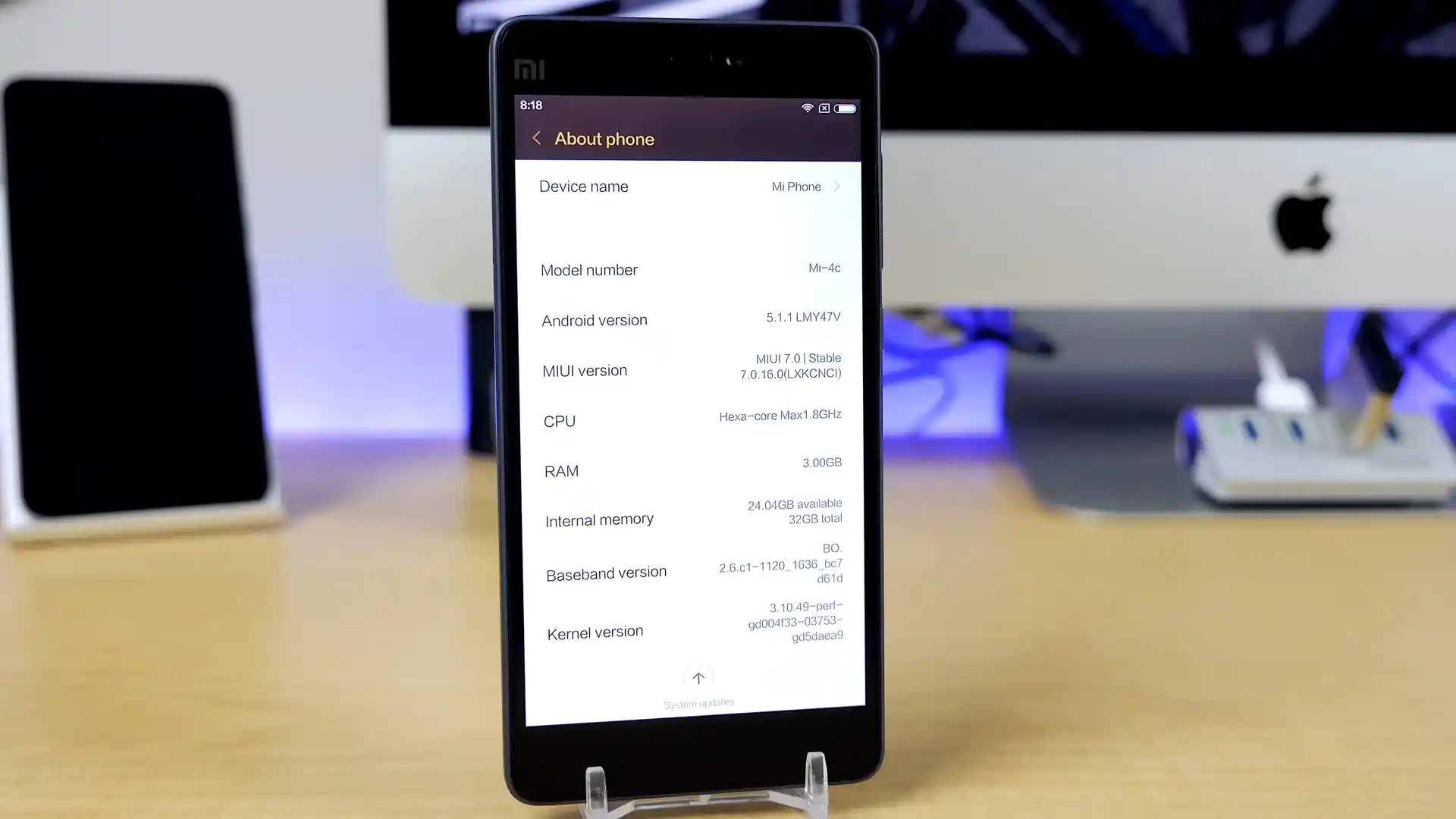
About the Xiaomi Mi 4c
This workshop guide provides step-by-step workshop instructions to flash official stock Fastboot firmware to the Xiaomi Mi 4c (September 2015) using Mi Flash Tool. Writing system and partition binaries to Qualcomm's Qualcomm Snapdragon 808 (MSM8992) platform over eMMC 5.0 storage requires stable USB driver handshakes and correct batch script selection.
Whether your phone is trapped in a startup bootloop, recovering from corrupted partitions, or returning to clean official MIUI 10.1 (Android 7.0 Nougat), follow the verified prerequisites, battery precautions, and step-by-step flashing procedures detailed below.
Which Flash Mode Should You Use?
Xiaomi Mi Flash Fastboot Flashing (Recommended)
Standard official method for restoring stock MIUI firmware using an unlocked bootloader and Mi Flash Tool in Fastboot mode.
Qualcomm EDL 9008 Emergency Unbrick
Low-level hardware unbrick mode for flashing raw partition images directly to eMMC storage when Fastboot mode is inaccessible.
Custom Recovery (TWRP Installation)
Custom recovery environment used for installing multi-language community packages like xiaomi.eu or managing root access.
Pre-Flash Hardware Checks & Snapdragon 808 Setup
Fastboot flashing requires an officially unlocked bootloader via the Xiaomi Mi Unlock utility.
A 64-bit Windows PC with Qualcomm QDLoader 9008 drivers and updated Android SDK Platform Tools installed.
Ensure the 3,080 mAh battery has at least 50% charge to prevent shutdown during eMMC partition writes.
Use a certified USB Type-C data sync cable plugged directly into a rear motherboard USB port.
Flashing stock Fastboot firmware with "clean all" completely wipes internal storage and applications.
Decompress the .tgz archive twice using 7-Zip until flash_all.bat is exposed in a clean root directory.
5-Step Fastboot Restoration Walkthrough for Mi 4c
5-step quick reference for the Xiaomi Mi 4c. Need visuals or troubleshooting help? The full Mi Flash Tool guide covers everything in detail.
-
Unlock bootloader with Mi Unlock
-
Extract libra_images_V10.1.1.0.NXKCNFI_20181009.0000.00_7.0_cn_24e34e7e33.tgz with 7-Zip
-
Enter Fastboot mode
-
Configure Mi Flash Tool with "clean all"
-
Flash firmware and await first boot
Firmware Package for Snapdragon 808 (flash_all.bat)
Official Fastboot firmware packages for the Xiaomi Mi 4c are distributed as .tgz archives containing raw partition binaries (boot.img, recovery.img, system.img, cache.img, userdata.img, emmc_appsboot.mbn) written via flash_all.bat or Qualcomm EDL rawprogram0.xml across the Snapdragon 808 eMMC 5.0 storage controller.
flash_all.bat
Official Xiaomi Mi 4c firmware is distributed as a compressed .tgz archive. Extract the archive twice using 7-Zip until the folder containing "flash_all.bat" and the raw partition images is visible.
Fastboot Flashing Rule: Always select "clean all" (flash_all.bat) when using Mi Flash Tool on imported hardware to avoid locking the bootloader against custom or community firmware.
Xiaomi Mi 4c Firmware Versions
Official stock firmware downloads for the Xiaomi Mi 4c. Verify your hardware model variant before downloading.
| Version | Region | Android Version | Size | MD5 | Download |
|---|---|---|---|---|---|
V10.1.1.0.NXKCNFI (MIUI 10.1) |
China (CN) | Android 7.0 | 1.3 GB | 24e34e7e3366eeb4a45bd4355b960fa5 |
⬇️ Download |
This phone has 2 additional multi-language and custom recovery packages in the full archive. Browse the complete archive on AndroidFirmwareFile.com →
Qualcomm MSM8992 Partition Layout & Storage Notes
The Xiaomi Mi 4c houses a 3,080 mAh internal lithium-ion battery supporting Qualcomm Quick Charge 2.0. Writing full MIUI 10.1 partition images takes approximately 2 to 4 minutes over eMMC 5.0. Confirm that your battery has at least 50% charge before beginning the flashing process to prevent unexpected shutdowns during partition writes.
Troubleshooting Xiaomi Mi 4c Flashing & MIUI Errors
FAILED (remote: "device is locked. Cannot flash images")
Fastboot rejects partition writes because the bootloader was locked in MIUI 7.2 or Android 7.0 updates. Unlock the bootloader via official Mi Unlock or flash through low-level Qualcomm EDL 9008 mode.
Mi Flash Error: "Write packet failed (remote device disconnected in EDL)"
Qualcomm QDLoader 9008 drops connection during eMMC flashing on modern Windows 10/11 xHCI USB 3.0 ports. Connect directly to a native USB 2.0 port or use an unpowered USB 2.0 hub.
Stock Script Failure: "install-recovery.sh overwrote custom recovery"
MIUI system partition contains an auto-recovery restoration script that runs on first boot. Immediately after flashing TWRP, hold Volume Up and Power to boot TWRP before system initialization.
system.img write failed: sparse chunk buffer overrun on eMMC 5.0
Older Fastboot binaries drop USB packets when writing 1GB+ system chunks to legacy eMMC storage. Use Android SDK Platform Tools v30+ and a certified USB Type-C cable.
For solving common Mi Flash Tool timeout codes, Qualcomm 9008 connection drops, and TWRP recovery issues: Xiaomi Flashing Error Directory →
Frequently Asked Questions About Flashing Mi 4c
Released in late 2015, the Mi 4c was among the first Xiaomi phones featuring a USB Type-C port. However, it uses USB 2.0 data lines paired with Qualcomm Quick Charge 2.0 (9V/1.2A 12W to 18W) rather than modern USB Power Delivery. Standard 5V/2A adapters charge the 3080 mAh battery fully in about 90 minutes.
The Mi 4c includes capacitive touch sensors along the plastic chassis rails for double-tap back and single-tap camera shutter functions. The driver calibration firmware is stored in the vendor and modem partitions; flashing official stock firmware automatically restores factory touch calibration under Settings > Edge Controls.
Yes. Since official Global MIUI firmware was never released for the China-exclusive Mi 4c, the European community developed official Xiaomi.eu ROMs (based on MIUI 10 Android 7.0). These community builds strip Chinese bloatware, include Google Play Store frameworks, and provide multi-language system translations.
The Snapdragon 808 (MSM8992) uses two high-performance Cortex-A57 cores and four energy-efficient Cortex-A53 cores. To prevent thermal throttling during continuous partition writes, place the phone on a cool, flat surface and avoid flashing while the battery is actively fast-charging.
Ready to Flash?
Follow the full step-by-step Mi Flash Tool guide with interactive progress tracking, prerequisite checklist, and complete troubleshooting.