

Before you flash: Flashing firmware will erase all data on your device. Back up contacts, photos, and apps before proceeding. FlashGuideHub is not responsible for any damage caused by following this guide.
About the Xiaomi Mi A3 (Android One)
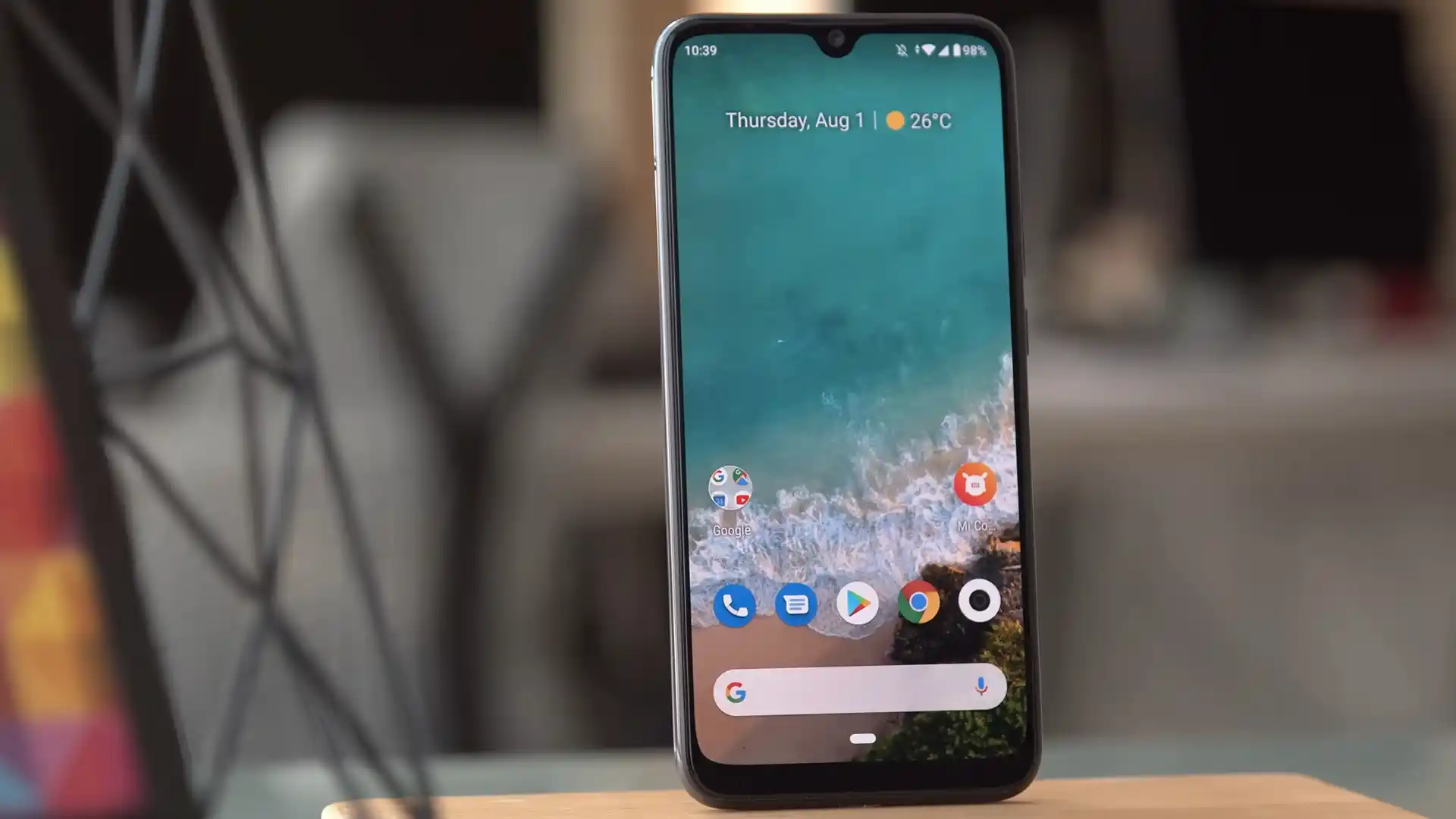
The Xiaomi Mi A3 (Android One) is an Android One smartphone released in July 2019, built on Qualcomm's 11nm Qualcomm Snapdragon 665 SM6125 (11nm) processor with an under-display optical fingerprint scanner, triple rear cameras, and pure A/B seamless update partitions.
This guide walks you through the complete restoration procedure using official Fastboot images and Mi Flash Tool, as well as temporary RAM booting and permanent dual-slot installation for custom recoveries.
Which Flash Mode Should You Use?
Fastboot Mode (Bootloader Flashing)
Official fastboot flashing mode used by Mi Flash Tool and flash_all.bat to write dual A/B partitions across active slots.
TWRP Dual-Slot A/B Installation
Temporarily boot twrp-3.7.0_9-0-laurel_sprout.img via "fastboot boot", then flash twrp-installer-3.7.0_9-0-laurel_sprout.zip across boot_a and boot_b.
Essential Checks Before Flashing Xiaomi Mi A3 (laurel_sprout)
Enable OEM Unlocking in Developer Options, then execute both "fastboot flashing unlock" and "fastboot flashing unlock_critical" (no Xiaomi account timer required).
Connect to a rear motherboard USB 2.0 socket with 64-bit Qualcomm drivers installed to prevent Snapdragon 665 Fastboot transfer dropouts.
Use a reliable USB-C cable capable of sustained data throughput without loose connection wiggle during multi-gigabyte system partition writes.
Verify adequate charge on the 4,030 mAh non-removable Li-Po battery before initiating full dual-slot firmware writes.
Running flash_all.bat with "clean all" selected formats internal UFS storage. Copy important documents, photos, and messages to external storage.
Mi Flash, Critical Unlock & A/B Walkthrough for laurel_sprout
A quick 5-step overview built specifically for the Xiaomi Mi A3 (Android One). The full Mi Flash Tool guide adds screenshots, progress tracking, and fixes for common errors.
-
Install Google Platform-Tools, Qualcomm USB drivers, and connect the Mi A3 to a native USB 2.0 port
-
Extract laurel_sprout_global_images_V12.0.26.0.RFQMIXM_20220808.0000.00_11.0_2292e2c0b1.tgz twice to C:\mia3_fw\
-
Reboot into Fastboot (Volume Down + Power) and unlock both standard and critical bootloader partitions
-
Run flash_all.bat from C:\mia3_fw\ via Mi Flash Tool with "clean all" selected to write dual A/B slots
-
Boot twrp-3.7.0_9-0-laurel_sprout.img via "fastboot boot" and flash twrp-installer-3.7.0_9-0-laurel_sprout.zip to patch both slots
Locating flash_all.bat & SM6125 Images in SM6125 Packages
In official Xiaomi Mi A3 Fastboot archives, flash_all.bat acts as the master flashing script while prog_ufs_firehose_sm6125.elf manages low-level UFS communication in emergency servicing states.
flash_all.bat
Extracting laurel_sprout_global_images_V12.0.26.0.RFQMIXM_20220808.0000.00_11.0_2292e2c0b1.tgz twice with 7-Zip reveals flash_all.bat in the root folder beside the images subdirectory containing rawprogram0.xml and prog_ufs_firehose_sm6125.elf. Point Mi Flash Tool to the outer directory.
Always verify "clean all" is selected inside Mi Flash Tool before flashing the Xiaomi Mi A3 to write all A/B partitions without relocking the bootloader.
Xiaomi Mi A3 (Android One) Firmware Versions
Tested Android 11.0 Fastboot packages and Official TWRP v3.7.0_9-0 recovery images for the Xiaomi Mi A3 (Android One) (laurel_sprout). Check the full archive on AndroidFirmwareFile for the EEA European release and legacy TWRP v3.6.2 builds.
| Version | Region | Android Version | Size | MD5 | Download |
|---|---|---|---|---|---|
V12.0.26.0.RFQMIXM |
Global Android One (MI) | Android 11.0 (Android One) | 2.44 GB | 2292e2c0b1c0e9839d5b14427154b5b4 |
⬇️ Download |
TWRP 3.7.0_9-0 (Boot Image) |
Official TeamWin Release | Dual-Slot boot_a/boot_b IMG | 41.05 MB | e5eef0bdc9e42abb4a262bb5288165c5 |
⬇️ Download |
Browse all 6 Android 11, EEA, and TWRP packages for Mi A3 on AndroidFirmwareFile.com → View full archive on AndroidFirmwareFile.com →
Fastboot & TWRP Dual-Slot Installation Modes
The Xiaomi Mi A3 (laurel_sprout) operates on Qualcomm's Snapdragon 665 platform with dual-slot A/B seamless system partitions. When restoring with laurel_sprout_global_images_V12.0.26.0.RFQMIXM_20220808.0000.00_11.0_2292e2c0b1.tgz, the installer writes partition images directly to the designated active slot.
Because the device lacks an independent recovery partition, custom recoveries like twrp-3.7.0_9-0-laurel_sprout.img reside inside the boot ramdisk. Always boot temporary images via Fastboot first before flashing permanent installer packages.
Fixing Mi A3 (laurel_sprout) Critical Unlock, Partition & 9008 Errors
Fastboot Output: "FAILED (remote: 'Flashing is not allowed for Critical Partitions')"
Community repair discussions highlight that laurel_sprout enforces separate protections on low-level firmware partitions. If flash_all.bat halts while writing modem, dsp, or tz images, boot into Fastboot mode and execute "fastboot flashing unlock_critical", then confirm the unlock prompt on the handset screen before running the flash script again.
Fastboot Error: "FAILED (remote: 'Partition table does not exist')"
Occurs when using outdated fastboot binaries or scripts designed for traditional single-slot devices that lack A/B slot suffix support. Update to current Google Platform-Tools and ensure the flashing utility targets active slot partitions such as boot_a/boot_b and system_a/system_b.
Device Manager: "Qualcomm HS-USB QDLoader 9008 (COM)" with Unresponsive Black Screen
Indicates the Snapdragon 665 board is trapped in emergency download mode following an interrupted low-level write or cross-flashing incompatible non-A/B CC9e images. Restoration requires connecting via an authorized Firehose programmer (prog_ufs_firehose_sm6125.elf) or authorized service utility with the battery flex cable temporarily disconnected.
Need help with another Fastboot or Qualcomm error code? Mi Flash & Fastboot A/B Error Directory →
A/B Partition Slots, Persist Safety & Storage Decryption Q&A
Because laurel_sprout utilizes Google's dual A/B partition topology, an interrupted system update typically affects only the newly active slot while the secondary slot remains untouched. If your handset fails to boot after an OTA update, enter Fastboot mode (Volume Down + Power), inspect your current active slot with "fastboot getvar current-slot", and switch active execution to the opposite partition using "fastboot set_active a" (or "b") before rebooting.
The optical under-display fingerprint sensor (Goodix/Focaltech) on the Mi A3 relies on unique hardware calibration matrices stored inside the /persist partition. Formatting or erasing /persist during fastboot cleanup permanently wipes these optical baselines, which disables the fingerprint scanner and causes enrollment failures that cannot be repaired without factory calibration tools.
Android 11 enforces hardware-backed file-based encryption (FBE) on laurel_sprout. When entering TWRP v3.7.0, you must enter your lock screen PIN or pattern when prompted to decrypt internal UFS storage. If decryption fails or displays scrambled folder names, community members recommend temporarily disabling screen locks in Android settings before entering recovery, or sideloading packages via ADB.
Qualcomm Snapdragon 665 bootloader implementations often experience timing handshakes timeouts when connected to high-speed USB 3.0/3.1 ports or through unpowered USB hubs, causing large sparse system images to halt mid-transfer. Connecting directly to a native motherboard USB 2.0 port with a high-grade USB Type-C data cable ensures stable, uninterrupted transfers.
Ready to Flash?
Follow the full step-by-step Mi Flash Tool guide with interactive progress tracking, prerequisite checklist, and complete troubleshooting.