

Before you flash: Flashing firmware will erase all data on your device. Back up contacts, photos, and apps before proceeding. FlashGuideHub is not responsible for any damage caused by following this guide.
About the Xiaomi Mi MIX 2
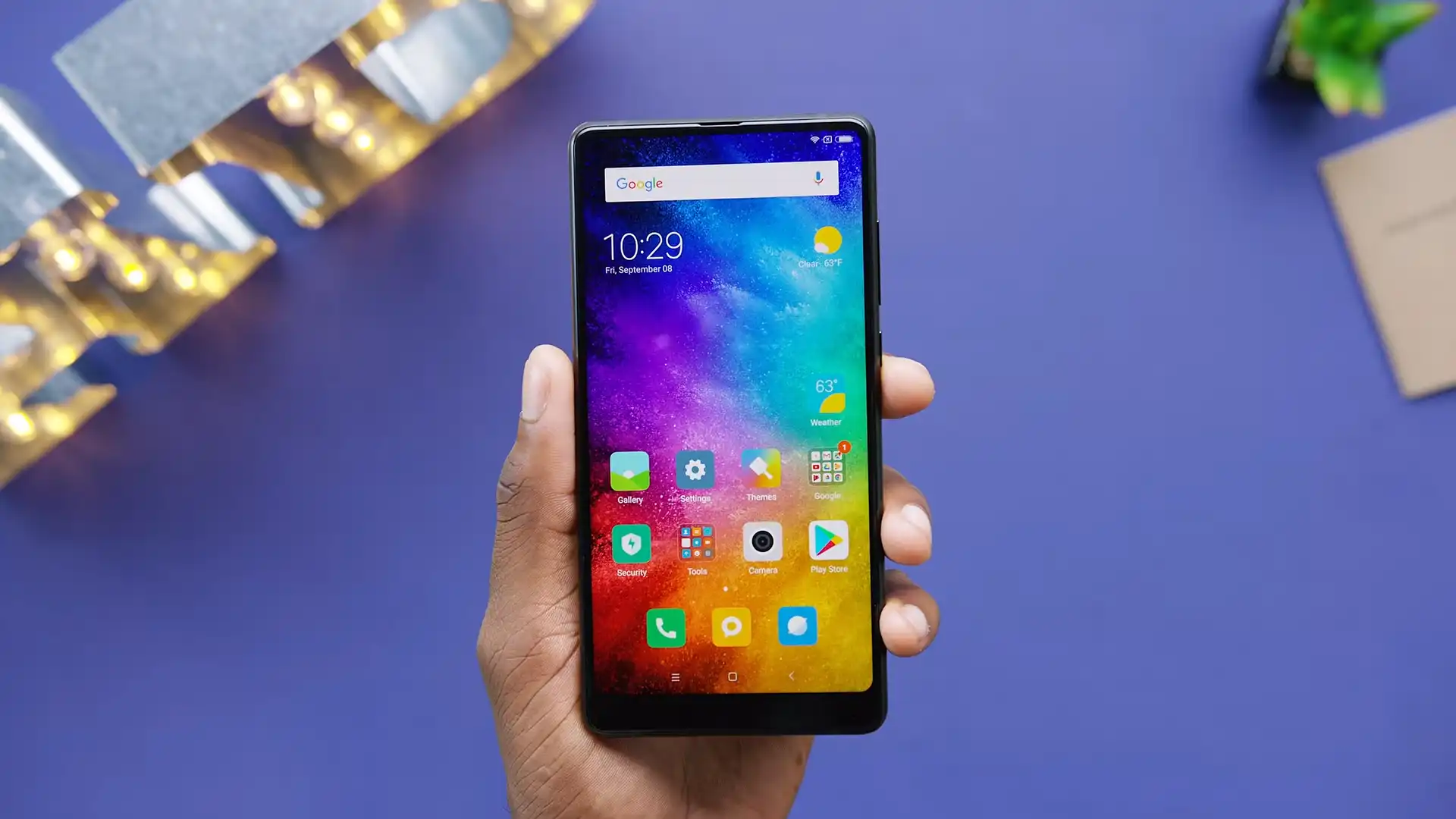
The Xiaomi Mi MIX 2 was released in September 2017, built on Qualcomm's flagship Qualcomm Snapdragon 835 MSM8998 (10nm LPE, 64-bit Octa-core: 4x 2.45 GHz Kryo 280 Gold + 4x 1.9 GHz Kryo 280 Silver) platform. Featuring a 5.99-inch bezel-less Full HD+ display, a ceramic chassis, a 12 MP camera with 4-axis OIS, and a 43-band global modem, the device delivered flagship performance worldwide.
Flashing official factory Fastboot firmware using Xiaomi Mi Flash Tool repairs corrupted partitions, recovers bootlooping devices, and restores official MIUI stability. Follow the verified driver preparation and procedural steps below to flash your device safely.
Which Flash Mode Should You Use?
Fastboot Mode (Bootloader Flashing)
Official flashing interface for unlocked devices. Writes raw partition blocks via Mi Flash Tool or flash_all.bat scripts.
Qualcomm HS-USB QDLoader 9008 (EDL Mode)
Emergency download mode accessed via motherboard test points. Requires Xiaomi server authorization on newer bootloaders.
Stock Android Recovery Mode
Stock recovery interface for executing factory data wipes or clearing cache partitions.
What You Need Before Flashing
A PC running 64-bit Windows with Mi Flash Tool and official Qualcomm USB drivers installed.
Download and unpack the official chiron Fastboot archive twice with 7-Zip until flash_all.bat is visible.
Ensure the 3400mAh battery has at least 50% charge to ensure stable power delivery throughout the flashing process.
Connect via a certified USB Type-C cable directly to a rear USB 2.0 port to prevent Snapdragon 835 handshake drops.
In Mi Flash Tool, select "clean all" at the bottom right. Never select "clean all and lock" on cross-regional hardware.
How to Flash the Xiaomi Mi MIX 2 — Quick Overview
A condensed step-by-step summary specific to the Xiaomi Mi MIX 2. Follow the full Mi Flash Tool guide for screenshots, an interactive progress checklist, and complete troubleshooting.
-
Unlock bootloader & extract Fastboot TGZ package
-
Install Qualcomm USB Drivers & Mi Flash Tool
-
Boot Mi MIX 2 into Fastboot mode
-
Select firmware root folder & choose "clean all"
-
Flash partitions and wait for automatic reboot
Fastboot Rawprogram XML & Firmware Package for Snapdragon 835
Official Fastboot firmware packages for the Xiaomi Mi MIX 2 (chiron) contain raw partition binaries (boot.img, system.img, vendor.img, cust.img, modem, and splash) orchestrated via rawprogram0.xml, patch0.xml, and flash_all.bat. When executed through Mi Flash Tool, these scripts write partition blocks directly to the Qualcomm Snapdragon 835 UFS 2.1 storage controller.
rawprogram0.xml
Official factory Fastboot firmware for the Xiaomi Mi MIX 2 utilizes rawprogram0.xml and patch0.xml executed through flash_all.bat. In Mi Flash Tool, select the root extracted folder containing these scripts.
The Mi MIX 2 (hardware codename chiron) features the Qualcomm Snapdragon 835 (MSM8998) processor with 6GB/8GB LPDDR4X RAM, fast UFS 2.1 storage, and a 3400mAh battery supporting Quick Charge 3.0.
Always confirm your device codename is "chiron" before flashing. Do not attempt to flash packages designed for the Mi MIX 2S (codename polaris) or original Mi MIX (codename lithium), as the chipsets, display controllers, and partition maps are completely incompatible.
Xiaomi Mi MIX 2 Firmware Versions
Tested stock firmware packages for the confirmed hardware variants of the Xiaomi Mi MIX 2. Always confirm your model codename is "chiron" before flashing.
| Version | Region | Android Version | Size | MD5 | Download |
|---|---|---|---|---|---|
V12.0.1.0.PDEMIXM (20200925.0000.00) |
Global Stable (MI) — Multilingual | Android 9.0 (MIUI 12.0) | 2.4 GB | — | ⬇️ Download |
V12.0.1.0.PDECNXM (20200731.0000.00) |
China Stable (CN) | Android 9.0 (MIUI 12.0) | 2.6 GB | — | ⬇️ Download |
This device family includes 5 verified packages across Global, China, Xiaomi.eu, official TWRP, and wzsx150 recovery releases. Browse the complete 5-package archive on AndroidFirmwareFile.com →
Xiaomi Mi MIX 2 — Important Notes
Flashing official Fastboot TGZ firmware via Mi Flash Tool repairs corrupted system partitions, resolves persistent bootloops, and restores factory MIUI stability.
Because newer bootloader builds enforce Xiaomi server authentication on Qualcomm 9008 emergency download mode, open EDL testpoint flashing cannot be performed without authorized credentials. Ensure your bootloader remains unlocked and maintain Fastboot access as your primary workshop recovery tool.
Troubleshooting Xiaomi Mi MIX 2 (chiron) Mi Flash & Fastboot Errors
Sensor Calibration: Ultrasonic Proximity Black Screen During Calls Post-Flash
Unlike handsets with standard infrared proximity sensors, the Mi MIX 2 utilizes Elliptic Labs ultrasonic proximity software. Community repair logs report that dirty flashing or wiping the persist partition corrupts the ultrasonic calibration tables, causing the display to stay completely black during voice calls. Technicians recommend avoiding persist wipes and restoring stock persist.img if proximity calibration drops.
Regional Boot Failure: "This MIUI version can't be installed on this device"
Occurs when flashing Global stable firmware (V12.0.1.0.PDEMIXM) onto Chinese domestic hardware models (MDE5 or MDT5) while selecting "clean all and lock". The locked bootloader checks the hardware region flag against the firmware region and blocks booting. Workshop recovery requires returning to Fastboot mode and flashing with "clean all" (flash_all.bat) to leave the bootloader unlocked.
For in-depth Xiaomi Fastboot error codes, EDL testpoint pinouts, and driver troubleshooting: Mi Flash Tool Error Directory →
Frequently Asked Questions — Xiaomi Mi MIX 2
On earlier MIUI 9 bootloaders, EDL 9008 mode was accessible without server authentication. However, starting with MIUI 10 updates on the Snapdragon 835 platform, Xiaomi enforced server authorization on EDL 9008. Flashing via test points with standard Mi Flash Tool will result in an "Unauthorized account" error. Workshop technicians recommend maintaining Fastboot mode access as your primary recovery route.
Snapdragon 835 bootloaders are known to drop USB handshakes when connected to USB 3.0/3.1 ports or AMD Ryzen motherboard chipsets. Connecting the USB Type-C cable to an older USB 2.0 rear port or utilizing a USB 2.0 powered hub resolves communication freezes during Fastboot transfers.
Android 9 Pie on the Mi MIX 2 enforces user partition encryption. If you switch ROMs or boot an older recovery build, TWRP cannot mount /data. Community technicians suggest updating to official TWRP 3.3.1-1 or navigating to "Wipe" > "Format Data" (typing "yes") to rebuild an unencrypted data filesystem before flashing.
Hold down the Power button continuously for 10 to 12 seconds until the screen turns completely dark. Immediately hold down Volume Down and Power together until the orange Fastboot rabbit appears on the display.
Ready to Flash?
Follow the full step-by-step Mi Flash Tool guide with interactive progress tracking, prerequisite checklist, and complete troubleshooting.