

Before you flash: Flashing firmware will erase all data on your device. Back up contacts, photos, and apps before proceeding. FlashGuideHub is not responsible for any damage caused by following this guide.
About the Xiaomi Redmi 4 Prime / Redmi 4 Pro
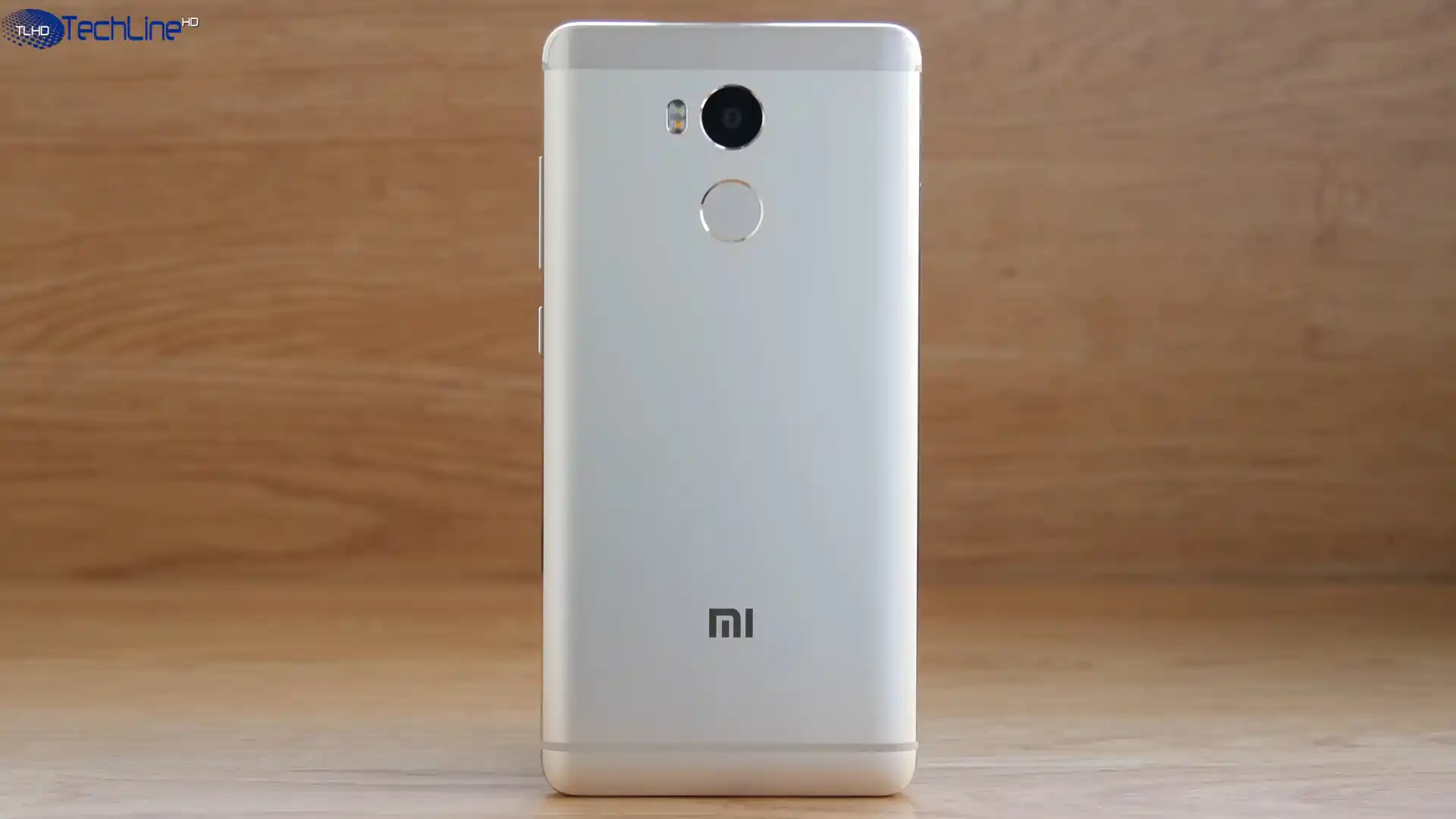
The Xiaomi Redmi 4 Prime / Redmi 4 Pro (codename: markw) launched in November 2016 with Qualcomm's Qualcomm Snapdragon 625 MSM8953 (14nm) chip, a 1080p 5.0-inch display, and a 4,100 mAh battery.
Whether you need to unbrick a dead handset over Qualcomm EDL 9008 with markw_global_images_V10.2.2.0.MBEMIXM_20190422.0000.00_6.0_global_7e9366b564.tgz or switch cleanly to Project Treble custom recovery via twrp-3.4.0-1-markw.img, follow the tested instructions below.
Which Flash Mode Should You Use?
Mi Flash Tool — EDL 9008 Mode (Locked or Bricked)
Writes stock eMMC images over the Qualcomm QDLoader 9008 interface without requiring an unlocked bootloader.
Mi Flash Tool / Fastboot CLI (Unlocked Devices)
Executes flash_all.bat or installs standalone recovery images like twrp-3.4.0-1-markw.img over Fastboot.
TWRP / OrangeFox / PBRP (Recovery ZIP)
Installs Xiaomi.eu, OrangeFox-markw-stable@R10.0.zip, PBRP-markw-3.1.0-20210713-1203-OFFICIAL.zip, or signed stock OTA ZIPs via custom/stock recovery.
Essential Prep Before Flashing Redmi 4 Prime (markw)
Run Xiaomi's 64-bit Mi Flash release on 64-bit Windows so Firehose transfers over COM ports never hit 32-bit RAM overflow.
Older MicroUSB ports wear loose over time. Use a firm, shielded data cable connected straight to a rear motherboard USB 2.0 port.
Extract the .tgz package twice with 7-Zip into C:\markw_fw\ without spaces so flash_all.bat runs cleanly.
Verify at least 40% charge (or re-seat the internal battery flex if opening the cover for test points) before starting.
Running flash_all.bat formats internal eMMC storage completely. Back up photos and files off the phone beforehand.
Mi Flash & Qualcomm 9008 Steps for Snapdragon 625
5-step quick reference for the Xiaomi Redmi 4 Prime / Redmi 4 Pro. Need visuals or troubleshooting help? The full Mi Flash Tool guide covers everything in detail.
-
Install 64-bit Mi Flash Tool and Qualcomm HS-USB QDLoader 9008 drivers
-
Extract markw_global_images_V10.2.2.0.MBEMIXM_20190422.0000.00_6.0_global_7e9366b564.tgz twice to C:\markw_fw\
-
Enter EDL 9008 (adb reboot edl / test points) if locked, or Fastboot (Vol Down + Power) if unlocked
-
Point Mi Flash Tool to C:\markw_fw\, click Refresh, and confirm "clean all"
-
Click Flash, allow eMMC writes to finish cleanly, and hold Power 10 seconds to reboot
Locating flash_all.bat & 8953 Firehose Files in Snapdragon 625 Packages
Official Xiaomi Redmi 4 Prime Fastboot images come inside double-compressed .tgz files. Extract the archive twice with 7-Zip so flash_all.bat sits at the top folder while rawprogram0.xml, patch0.xml, and the MSM8953 Firehose programmer sit inside the images folder:
flash_all.bat
Unpacking markw_global_images_V10.2.2.0.MBEMIXM_20190422.0000.00_6.0_global_7e9366b564.tgz twice with 7-Zip places flash_all.bat at the top directory next to the images folder containing rawprogram0.xml and the MSM8953 Firehose loader. Select the outer directory in Mi Flash Tool.
Codename markw (model 2016060) identifies ONLY the 5.0-inch 1080p Snapdragon 625 Redmi 4 Prime / Pro. Never cross-flash files built for Redmi 4 (prada) or Redmi 4X (santoni).
Select the outer directory holding flash_all.bat inside Mi Flash Tool (for example C:\markw_fw\), never the inner images subfolder.
Keep "clean all" selected; choosing "clean all and lock" on cross-regional firmware can prevent normal boot.
Xiaomi Redmi 4 Prime / Redmi 4 Pro Firmware Versions
Tested Fastboot, Recovery, TWRP, OrangeFox, and PBRP files for the Xiaomi Redmi 4 Prime / Redmi 4 Pro (markw). Visit the full archive below for Xiaomi.eu V10.2.1.0.MBECNXM, China Recovery ZIP, and standalone PBRP recovery.img downloads.
| Version | Region | Android Version | Size | MD5 | Download |
|---|---|---|---|---|---|
V10.2.2.0.MBEMIXM |
Global (MI / HM4ProGlobal) — MIUI 10.2 | Android 6.0 (Marshmallow), May 2019 | 1.51 GB | 7e9366b5647da312547c22e7f4ce228d |
⬇️ Download |
V10.2.2.0.MBEMIXM (OTA) |
Global Recovery ZIP | Android 6.0 (Marshmallow), May 2019 | 1.31 GB | b43768684c5ef23c5af6fff28660e9d0 |
⬇️ Download |
V10.2.2.0.MBECNXM |
China (CN / HM4Pro) — MIUI 10.2 | Android 6.0 (Marshmallow), May 2019 | 1.69 GB | 7f78c16ecaa8c2d9beb0d0437b049651 |
⬇️ Download |
TWRP 3.4.0-1 (redispade) |
Community Treble Recovery (markw) | Fastboot / TWRP IMG | 34.45 MB | a410f492425fc521422ec93af03dd2fa |
⬇️ Download |
OrangeFox R10.0 Stable |
Official OrangeFox ZIP (markw) | Custom Recovery ZIP | 36.51 MB | 9e6076c2e9c9e4d4af82cdc579d23b3e |
⬇️ Download |
PBRP 3.1.0 Official |
PitchBlack Recovery ZIP (markw) | Custom Recovery ZIP | 49.21 MB | d1fa375ce9afd0241181d3f9bba370bc |
⬇️ Download |
Browse all 9 MIUI 10, Xiaomi.eu, TWRP, OrangeFox & PBRP builds on AndroidFirmwareFile.com → View full archive on AndroidFirmwareFile.com →
Choosing EDL 9008, Fastboot, OrangeFox or Treble TWRP
The Xiaomi Redmi 4 Prime / Redmi 4 Pro (codename markw, model 2016060) runs on Qualcomm's Snapdragon 625 (MSM8953). With markw_global_images_V10.2.2.0.MBEMIXM_20190422.0000.00_6.0_global_7e9366b564.tgz, locked handsets can recover through Qualcomm EDL 9008 while unlocked phones can restore cleanly over Fastboot.
For running Global systems, flash miui_HM4ProGlobal_V10.2.2.0.MBEMIXM_b43768684c_6.0.zip through the Updater app. For custom ROMs, pick OrangeFox-markw-stable@R10.0.zip for stock MIUI / Xiaomi.eu setups or twrp-3.4.0-1-markw.img / PBRP-markw-3.1.0-20210713-1203-OFFICIAL.zip when installing Project Treble ROMs.
Fixing Redmi 4 Prime (markw) Fastboot, Driver & Treble Mount Errors
Status: "FAILED (remote: critical partition flashing is not allowed)"
This error occurs when trying to run Fastboot flashing on a Redmi 4 Prime whose bootloader is still locked. Boot into Qualcomm EDL 9008 mode instead ("adb reboot edl", a deep-flash EDL MicroUSB cable, or shorting the motherboard test points under the rear cover) and run Mi Flash over the COM port.
Mi Flash Dialog: "Missmatching image and device" or 32-Bit Memory Overflow
Triggered either by accidentally loading Redmi 4 (prada) or Redmi 4X (santoni) files, or by running outdated 32-bit Mi Flash versions that run out of RAM writing 1.5GB+ images over EDL. Confirm your package prefix is markw and use 64-bit Mi Flash on Windows.
Recovery Terminal: "Failed to mount '/vendor'" When Installing Community ZIPs
Non-Treble stock MIUI recoveries cannot locate a /vendor partition when flashing modern Project Treble custom ROMs. Flash redispade's twrp-3.4.0-1-markw.img or PBRP-markw-3.1.0-20210713-1203-OFFICIAL.zip which map Xiaomi's /cust space to /vendor.
Device Manager Warning: "QHSUSB_BULK" Driver Unbound
Windows detected the MSM8953 USB port in emergency download mode but lacks signed Qualcomm QDLoader 9008 drivers. Run Mi Flash Tool -> Driver -> Install (or briefly disable Windows Driver Signature Enforcement) until it registers cleanly under Ports (COM & LPT).
Need help decoding another Qualcomm COM or Fastboot status message? Mi Flash & Qualcomm EDL Error Directory →
EDL Unbricking, Treble /cust Remapping & IMEI Questions
Yes. Released in late 2016, the Redmi 4 Prime (Snapdragon 625 / MSM8953) uses an unauthenticated Firehose loader (prog_emmc_firehose_8953*.mbn) bundled inside its Fastboot package. Even when Fastboot commands are blocked, entering Qualcomm HS-USB QDLoader 9008 lets you flash a full stock .tgz image directly in Mi Flash Tool.
Xiaomi shipped the Redmi 4 Prime on Android 6.0 without a /vendor partition. redispade's Treble-compatible TWRP 3.4.0-1 and PBRP 3.1.0 repurpose Xiaomi's unused /cust partition (~500–800 MB) as a dedicated /vendor mount point, allowing Android 9+ GSI or Treble ROMs to install while flashing a stock Fastboot .tgz automatically restores the factory /cust layout.
Official OrangeFox R10.0 is tuned around markw's original MIUI layout and includes automated dm-verity and forced-encryption handling plus MIUI incremental OTA support, making it ideal if you stay on V10.2.2.0 MIUI or Xiaomi.eu V10.2.1.0 instead of switching to newer Treble AOSP ROMs.
Yes. Official flash_all.bat and Firehose rawprogram0.xml scripts skip erasing modemst1, modemst2, and fsg so your factory IMEI numbers, Wi-Fi/Bluetooth MAC addresses, and RF calibration stay preserved across clean restores.
Ready to Flash?
Follow the full step-by-step Mi Flash Tool guide with interactive progress tracking, prerequisite checklist, and complete troubleshooting.