

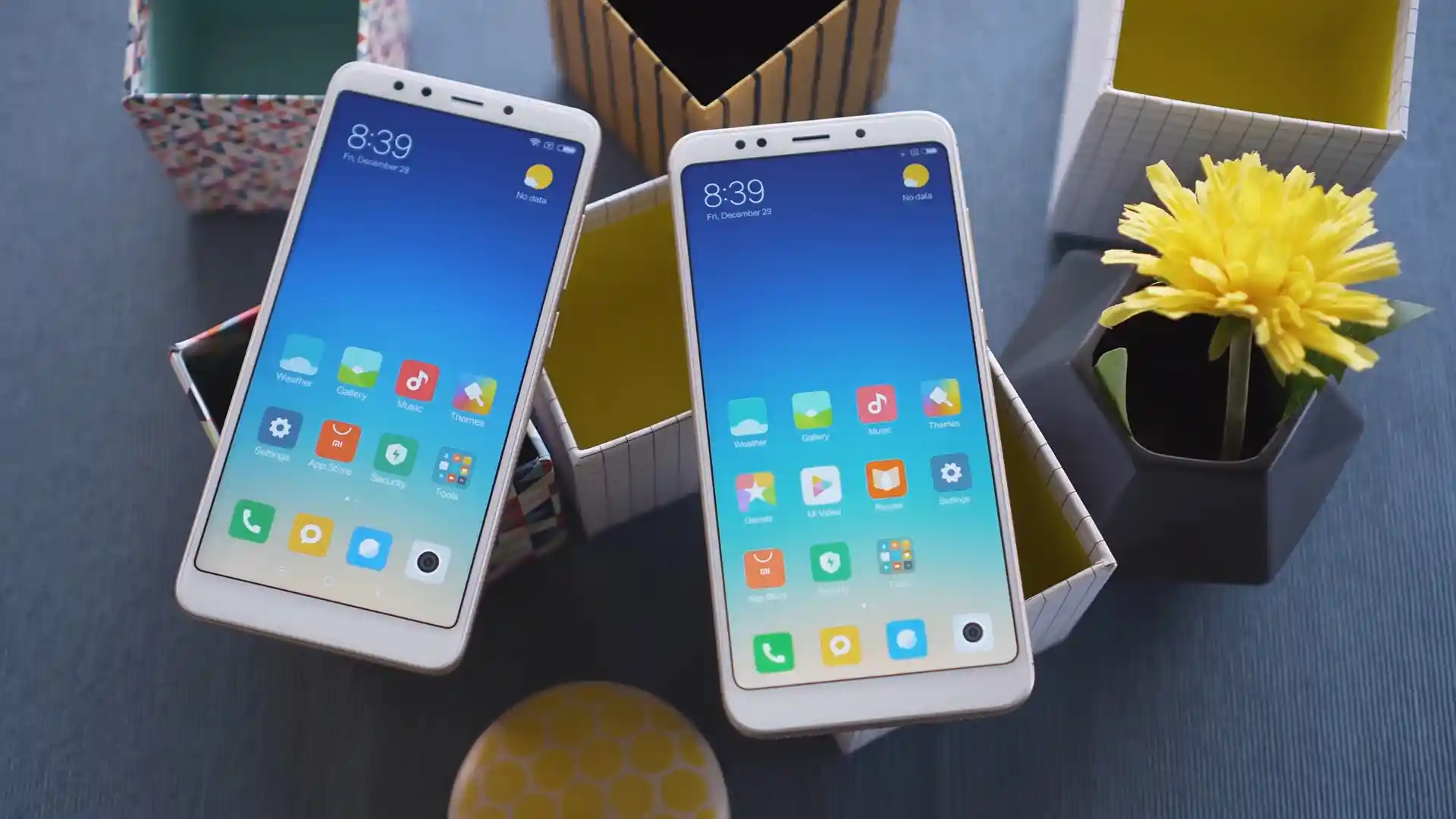
Before you flash: Flashing firmware will erase all data on your device. Back up contacts, photos, and apps before proceeding. FlashGuideHub is not responsible for any damage caused by following this guide.
About the Xiaomi Redmi 5
The Xiaomi Redmi 5 (codename: rosy) launched in December 2017 on Qualcomm's Qualcomm Snapdragon 450 SDM450 (14nm) platform using single-slot eMMC 5.1 partitions and unauthenticated 8953-series Firehose recovery.
Whether you need to recover a dead unit via 9008 test points with rosy_global_images_V11.0.2.0.ODAMIXM_20200103.0000.00_8.1_global_2ee99e9ab6.tgz or install PBRP 3.1.0 and Xiaomi.eu MIUI 11, follow the steps below.
Which Flash Mode Should You Use?
Mi Flash Tool (Fastboot Mode — Unlocked)
Writes full MIUI 11 Global V11.0.2.0, China V11.0.4.0, or Russia V11.0.1.0 partitions via flash_all.bat without opening the back shell.
Qualcomm EDL 9008 (Test-Point Rescue)
Bypasses locked bootloaders and unresponsive Fastboot states using the bundled 8953 Firehose programmer with no Mi Account approval.
Official TWRP 3.7.0_9-0 & PBRP 3.1.0
Installs Xiaomi.eu V11.0.4.0.ODACNXM, handles Oreo Format Data decryption, and takes full EFS backups.
Pre-Flash Setup for Redmi 5 (rosy) & microUSB Readiness
Ensure healthy charge on the 3,300 mAh battery before writing partitions in Fastboot.
Older 2017 microUSB ports loosen over time; plug into a rear PC motherboard USB socket.
Unpack the .tgz archive twice with 7-Zip so flash_all.bat sits in a short root folder.
Disconnect the battery flex before shorting SDM450 9008 pads so Sahara handshakes cleanly.
Mi Flash & EDL 9008 Walkthrough for Redmi 5 (rosy)
A fast reference for flashing the Xiaomi Redmi 5 (Snapdragon 450) using Mi Flash Tool. For the complete walkthrough with images and error troubleshooting, see the full guide.
-
Install Mi Flash Tool and Qualcomm HS-USB QDLoader 9008 Drivers
-
Extract rosy_global_images_V11.0.2.0.ODAMIXM_20200103.0000.00_8.1_global_2ee99e9ab6.tgz Twice to C:\rosy\
-
Boot Into Fastboot (Hold Volume Down + Power) or Unplug Battery for EDL 9008 Test Points
-
Pick "clean all" Inside Mi Flash Tool (Never Lock Cross-Region Hardware)
-
Click Flash and Wait Up to 10 Minutes for First Android 8.1 Oreo Boot
Finding flash_all.bat & 8953 Firehose Loader in SDM450 (MSM8953) Packages
Snapdragon 450 Fastboot images for Xiaomi Redmi 5 (rosy) bundle flash_all.bat alongside rawprogram0.xml, patch0.xml, and prog_emmc_firehose_8953_ddr.mbn inside images:
flash_all.bat
Extracting rosy_global_images_V11.0.2.0.ODAMIXM_20200103.0000.00_8.1_global_2ee99e9ab6.tgz twice with 7-Zip exposes flash_all.bat beside the images directory holding prog_emmc_firehose_8953_ddr.mbn.
Codename rosy covers ONLY the 5.7-inch Xiaomi Redmi 5 (MDG1 / MDE1 / MDT1 / MDI1). Never cross-flash Redmi 5 Plus (vince) or Redmi 5A (riva) files.
Keep "clean all" enabled when flashing cross-region builds, and unplug the battery flex cleanly before shorting the motherboard 9008 test pads.
Xiaomi Redmi 5 Firmware Versions
Tested Fastboot archives for Global, China, and Russia alongside Official TWRP 3.7.0_9-0 for Xiaomi Redmi 5 (rosy). Browse all 9 builds—including Recovery OTA ZIPs, Xiaomi.eu V11.0.4.0, and PBRP 3.1.0—below.
| Version | Region | Android Version | Size | MD5 | Download |
|---|---|---|---|---|---|
V11.0.2.0.ODAMIXM (Global Fastboot) |
Global Stable (MI) | Android 8.1 (Oreo / MIUI 11) | 1.87 GB | 2ee99e9ab6b57b1dea76f8dce10b5320 |
⬇️ Download |
V11.0.4.0.ODACNXM (China Fastboot) |
China Stable (CN) | Android 8.1 (Oreo / MIUI 11) | 2.00 GB | 50322f26090b4f59ca1e56a23f72d17b |
⬇️ Download |
V11.0.1.0.ODARUXM (Russia Fastboot) |
Russia Stable (RU) | Android 8.1 (Oreo / MIUI 11) | 1.85 GB | ca0470f25ec808cc2856c8e95363a6ed |
⬇️ Download |
Official TWRP 3.7.0_9-0 |
Custom Recovery IMG | Android 8.1+ / Universal | 34.46 MB | b1245505ac8ae0805be28f81b9908a35 |
⬇️ Download |
Browse all 9 MIUI 11, Xiaomi.eu, Official TWRP & PBRP files on AndroidFirmwareFile.com → View complete Xiaomi Redmi 5 archive on AndroidFirmwareFile.com →
8953 Firehose Rescue, PBRP 3.1.0 & Xiaomi.eu Notes
Unauthenticated Firehose Unbricking & Switching to Custom Recoveries: When rosy fails to boot Fastboot on a locked unit, opening the back cover and shorting the two motherboard EDL pads after unplugging the battery connector boots straight into Qualcomm 9008 for rosy_global_images_V11.0.2.0.ODAMIXM_20200103.0000.00_8.1_global_2ee99e9ab6.tgz.
On unlocked units, immediately hold Volume Up + Power after running fastboot flash recovery twrp-3.7.0_9-0-rosy.img so stock MIUI does not overwrite recovery before you install PBRP-rosy-3.1.0-20210925-1642-OFFICIAL.zip or xiaomi.eu_multi_HM5_V11.0.4.0.ODACNXM_v11-8.1.zip.
Fixing Redmi 5 (rosy) EDL Dropout, Fastboot Lock & Oreo Decrypt Errors
Mi Flash Alert: "FAILED (remote: Partition flashing is not allowed)" on Locked MDG1
Your bootloader is locked while attempting a Fastboot script write. Unlock it officially through Mi Unlock first, or open the back cover, disconnect the battery flex, and bridge the SDM450 EDL 9008 test pads to recover via Qualcomm QDLoader.
EDL Firehose Timeout When Battery Flex Stays Connected on SDM450
Community repair notes mention that leaving the 3,300 mAh battery flex plugged in while shorting rosy EDL test points frequently triggers Sahara hello packet dropouts in Mi Flash. Unplug the battery connector first, short the pads while plugging in microUSB, then reconnect the battery once status starts writing.
TWRP Decrypt Prompt Failing on V11.0.2.0.ODAMIXM / V11.0.4.0 Oreo
Changing MIUI branches or pattern locks on Android 8.1 Oreo can leave /data scrambled inside recovery. Use Wipe > Format Data (type "yes") inside twrp-3.7.0_9-0-rosy.img before flashing Xiaomi.eu V11.0.4.0.ODACNXM.
Device Manager Stuck on "QHSUSB_BULK" Over Legacy microUSB Port
Missing signed QDLoader drivers or worn 2017 microUSB cables cause Device Manager to stall as QHSUSB_BULK. Swap to a tight data-grade microUSB cable on a rear PC port and run the Qualcomm driver setup inside Mi Flash.
Looking for another Qualcomm 9008 or Fastboot code fix? Mi Flash & Qualcomm EDL Error Directory →
Unauthenticated 9008, EFS Safety & Recovery Combination FAQ
Yes. Because Xiaomi released the Redmi 5 in late 2017 on the 8953-series Snapdragon 450 platform before server-side EDL authorization locks were added, <code>prog_emmc_firehose_8953_ddr.mbn</code> bundled inside <code>rosy_global_images_V11.0.2.0.ODAMIXM_20200103.0000.00_8.1_global_2ee99e9ab6.tgz</code> flashes cleanly without Xiaomi service credentials.
First flash standalone <code>twrp-3.7.0_9-0-rosy.img</code> via <code>fastboot flash recovery</code> and hold <strong>Volume Up + Power</strong> to boot directly into recovery. If you prefer PitchBlack Recovery's dark theme and extra utilities, install <code>PBRP-rosy-3.1.0-20210925-1642-OFFICIAL.zip</code> straight from TWRP afterwards.
Stock Mi Flash scripts (<code>flash_all.bat</code>) re-write <code>NON-HLOS.bin</code> radio firmware alongside system and userdata while preserving <code>modemst1</code>, <code>modemst2</code>, and <code>fsg</code> EFS calibration blocks untouched. Back up EFS to a microSD card inside TWRP or PBRP beforehand for extra safety.
<code>xiaomi.eu_multi_HM5_V11.0.4.0.ODACNXM_v11-8.1.zip</code> is a China-based custom build requiring an unlocked bootloader. Equally, cross-flashing China <code>MDE1</code> vs Global <code>MDG1</code> stock software with <em>clean all and lock</em> triggers recovery lockouts on mismatched region hardware—always stick to <code>flash_all.bat</code>.
Ready to Flash?
Follow the full step-by-step Mi Flash Tool guide with interactive progress tracking, prerequisite checklist, and complete troubleshooting.