

Before you flash: Flashing firmware will erase all data on your device. Back up contacts, photos, and apps before proceeding. FlashGuideHub is not responsible for any damage caused by following this guide.
About the Xiaomi Redmi Note 15 4G
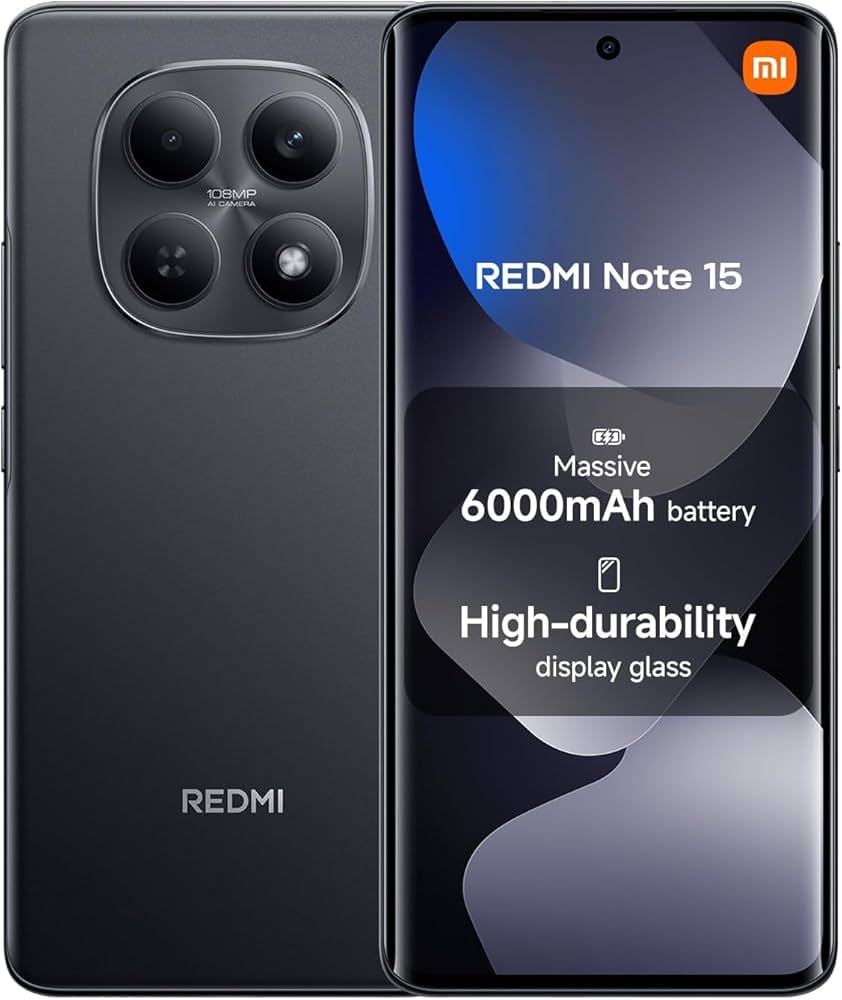
The Xiaomi Redmi Note 15 4G (codename: spinel) is a budget Android smartphone released in January 2026, powered by the MediaTek Helio G100 Ultra (MT6789) chipset. Xiaomi distributes it across three primary regional variants — Global, EEA/Europe, and Latin America — with additional builds for Russia, Indonesia, Turkey, and Taiwan.
Each regional variant carries a unique modem (radio) firmware optimised for local carrier bands and certification requirements. Using the wrong regional ROM is a permanent error that can corrupt cellular connectivity. The Prerequisites and Firmware Package sections below explain how to identify your region and select the correct Fastboot ROM before you begin.
Which Flash Mode Should You Use?
Fastboot (HyperOS ROM)
The standard method for the Redmi Note 15 4G. Writes every partition — boot, system, vendor, product, modem, userdata — in one automated pass via Xiaomi's Fastboot interface. Requires a prior bootloader unlock using Mi Unlock. Erases all user data.
Mi Flash Tool
Xiaomi's official PC-based flashing utility can flash Fastboot ROMs with a graphical interface. It performs the same operation as the flash_all script but with a GUI and progress indicator. Download from Xiaomi's official website, load the Fastboot ROM, connect the device in Fastboot mode, and click flash. Useful for users uncomfortable with command-line interfaces.
EDL / QFIL (Emergency)
The MediaTek Helio G100 Ultra's Emergency Download mode is accessible via hardware test points when the device is fully unresponsive. Requires authorised Xiaomi service account credentials and authentication files not publicly distributed. Not a standard user-accessible path — used only by authorised service centres with proprietary tools. If Fastboot and Mi Flash both fail, contact Xiaomi support directly.
What You Need Before Flashing
Required to run ADB/Fastboot commands and the flash_all script. Install Android SDK Platform Tools from Google's developer site to get the fastboot binary. Xiaomi USB drivers are required on Windows for the device to be recognised in Fastboot mode.
Fastboot flashing is only possible with a previously unlocked bootloader. Use Xiaomi's Mi Unlock tool on your PC — bind your Mi account to the device in Developer Options and wait through Xiaomi's mandatory waiting period (typically 7–15 days) before the unlock is approved. The unlock process permanently wipes the device once — complete this before downloading firmware.
Download the Fastboot ROM (.tgz) that matches your exact region: Global (2510DRA23G), EEA/Europe (2510DRA23E), or Latin America (2510DRA23L). Confirm in Settings → About Phone. The wrong regional ROM contains a different modem firmware and will corrupt cellular connectivity permanently if flashed.
A data-capable USB cable is essential — charge-only cables do not support Fastboot communication. Use the original Xiaomi cable or a known-good data cable. Avoid USB hubs; connect directly to a port on your PC.
The flash_all script writes multiple partitions over several minutes. A power-off during modem or boot partition writes can cause a permanent brick. The 6000mAh battery provides ample capacity — charge to at least 30% before starting, and keep the USB cable connected throughout.
Both the bootloader unlock step and the flash_all script wipe all user data. Back up photos to Google Photos, contacts to Google Contacts, and app data or documents to a PC or cloud service before beginning.
How to Flash the Xiaomi Redmi Note 15 4G — Quick Overview
A quick 5-step overview built specifically for the Xiaomi Redmi Note 15 4G. The full Fastboot guide adds screenshots, progress tracking, and fixes for common errors.
-
Unlock the bootloader (this wipes all data)
-
Download the correct regional HyperOS Fastboot ROM
-
Install ADB/Fastboot tools and Xiaomi USB drivers
-
Extract the Fastboot ROM and run the flash script
-
Wait for completion and allow first boot
Finding the HyperOS Fastboot ROM for MT6789
The Redmi Note 15 4G firmware is distributed by Xiaomi as a HyperOS Fastboot ROM (.tgz archive) containing a flash_all script plus an images folder with partition images. After extracting the .tgz archive, locate:
flash_all.bat
This script is inside the extracted HyperOS Fastboot ROM. After extracting the .tgz archive, look for flash_all.bat (Windows) or flash_all.sh (Linux/Mac) at the top level of the extracted folder. The same folder will contain an images subdirectory with individual .img files for each partition. Do not run the script from inside a compressed archive — fully extract the .tgz to a folder on your PC before executing.
The Redmi Note 15 4G (codename: spinel) ships in multiple regional variants: Global (2510DRA23G), EEA/Europe (2510DRA23E), and Latin America (2510DRA23L). Additional regional builds exist for Russia, Indonesia, Turkey, and Taiwan — each with region-specific modem firmware optimised for local carrier networks and certification requirements. Always download the Fastboot ROM whose filename or folder includes your exact region code.
HyperOS Fastboot ROMs from Xiaomi's official servers are distributed as .tgz archives. After extraction, the flash_all script and images folder are ready for flashing. On Windows, use flash_all.bat; on Mac/Linux, use flash_all.sh.
Important: The Redmi Note 15 5G (Snapdragon 6 Gen 3) is a different device with a different chipset and partition layout. Its Fastboot ROMs are incompatible with the 4G model (Helio G100 Ultra). Never flash 5G ROMs on the 4G variant or vice versa.
Xiaomi Redmi Note 15 4G Firmware Versions
Known stock HyperOS Fastboot ROM releases for the Xiaomi Redmi Note 15 4G. Always verify the version matches your device region before flashing.
| Version | Region | Android Version | Size | MD5 | Download |
|---|---|---|---|---|---|
OS3.0.301.0.WPGMIXM |
Global u2014 HyperOS 3 (Android 16) | — | 9.86 GB | — | ⬇️ Download |
OS3.0.1.0.WPGEUXM |
EEA/Europe u2014 HyperOS 3 (Android 16) | — | 8.8 GB | — | ⬇️ Download |
OS2.0.211.0.VPGMIXM |
Global u2014 HyperOS 2 (Android 15) | — | 8.8 GB | — | ⬇️ Download |
OS3.0.1.0.WPGTRXM |
Turkey u2014 HyperOS 3 (Android 16) | — | 8.4 GB | — | ⬇️ Download |
Showing 4 of 20+ available HyperOS Fastboot builds. View full firmware list on AndroidFirmwareFile.com →
Xiaomi Redmi Note 15 4G — Important Notes
The Redmi Note 15 4G launched with HyperOS 2 based on Android 15, with a confirmed upgrade path to HyperOS 3 (Android 16). Xiaomi has committed to 4 major Android upgrades and 5 years of security patches for this device, making it one of the best-supported budget phones in its class. Fastboot flashing works identically across all HyperOS versions — the same procedure applies whether you're flashing HyperOS 2 or HyperOS 3.
The massive 6000mAh battery is a significant advantage during flashing: even if the flashing process takes 5–10 minutes, the device has ample power to complete the operation without risk of battery drain mid-flash. However, the flash_all script writes the modem partition early in the sequence, so a power interruption during those first seconds is still dangerous — keep the USB cable connected throughout and ensure your PC does not enter sleep mode during flashing.
Common Errors on the Xiaomi Redmi Note 15 4G
"waiting for device" — Fastboot does not detect the phone
Fastboot cannot see the device. On Windows, open Device Manager and verify that "Android Bootloader Interface" appears when the phone is in Fastboot mode. If it shows as an unknown or unrecognised device, reinstall Xiaomi USB drivers. Use a data-capable USB cable (not a charge-only cable). Try a different USB port, preferably USB 2.0. Confirm the device is actually in Fastboot mode (Volume Down + Power, the screen should show the Fastboot logo).
FAILED (remote: 'Device is locked. Cannot flash')
The bootloader is still locked. Fastboot flashing requires an officially unlocked bootloader. Use Xiaomi's Mi Unlock tool to request and complete the unlock process. Note that you must bind your Mi account to the device in Developer Options and wait through Xiaomi's mandatory waiting period (typically 7–15 days) before the unlock is approved. After unlocking, the device will wipe all data and reboot. Re-enter Fastboot mode and run flash_all.bat again.
flash_all.bat fails — "cannot load" or "image not found"
The flash script cannot locate the partition image files. This happens when the script is executed from outside the extracted Fastboot ROM folder — the script references .img files using relative paths. Do not double-click flash_all.bat from Windows Explorer. Instead, open Command Prompt, navigate (cd) to the extracted folder, and run flash_all.bat from there. Alternatively, hold Shift + right-click inside the extracted folder and choose "Open Command Prompt here." Also verify that the .tgz archive was fully downloaded and extracted without errors.
FAILED (remote: 'This image is not for this device')
The Fastboot ROM you downloaded does not match your device's regional variant. Fastboot checks the region identifier embedded in the ROM against the device's hardware region code and rejects mismatches. Find your region in Settings → About Phone and download the Fastboot ROM for that exact region from Xiaomi's firmware repository. Do not attempt to force-flash a mismatched ROM — this can permanently corrupt the modem partition or cause a hard brick.
Device stuck on boot logo or bootloop after flashing
A failed or interrupted flash leaves partitions in an inconsistent state. Boot back to Fastboot mode by holding Volume Down + Power for 10–15 seconds. Re-run flash_all.bat from scratch with the same Fastboot ROM. If the device cannot reach Fastboot mode normally, try a hardware reset: hold Volume Up + Volume Down + Power simultaneously for 15+ seconds. As a last resort, Xiaomi's Mi Flash Tool (with the Fastboot ROM loaded) can sometimes recover devices that are unresponsive to manual Fastboot commands.
For the full Fastboot error database: Fastboot Error Directory →
Frequently Asked Questions — Xiaomi Redmi Note 15 4G
Yes, in two stages. Unlocking the bootloader via Mi Unlock immediately wipes all user data on the device as a security measure. Subsequently, the flash_all script formats userdata and cache partitions during the flashing process. Back up photos, contacts, messages, and app data to Google Drive, Mi Cloud, or a PC before beginning. The microSD card is not erased by either step, but all internal storage data — installed apps, app data, and documents — will be permanently lost.
Go to Settings → About Phone to find your device region. The model number is also printed on the retail box: 2510DRA23G (Global), 2510DRA23E (Europe/EEA), or 2510DRA23L (Latin America). Each regional variant ships with different modem firmware optimised for local carrier bands and network certifications. Flashing a ROM from the wrong region can break cellular connectivity — always download the Fastboot ROM that matches your exact region.
Xiaomi enforces a waiting period — typically 7 to 15 days — between binding your Mi account to the device and being able to unlock the bootloader. This is a security measure to deter theft and unauthorised resale. During this period, the Mi Unlock tool will display the remaining time. Once the wait period expires, you can complete the unlock in under 60 seconds. This waiting period applies to all Redmi Note 15 4G variants and cannot be bypassed.
Yes, Fastboot flashing supports downgrading from HyperOS 3 (Android 16) back to HyperOS 2 (Android 15) or earlier factory releases, provided you have the correct Fastboot ROM for your region. However, Xiaomi's anti-rollback protection (ARB) may prevent downgrading below a certain threshold on some devices. Check the ARB index in your current ROM before attempting a downgrade — flashing an older ROM with a lower anti-rollback version can brick the device. Always verify the ROM version compatibility before proceeding.
The Redmi Note 15 4G's MediaTek Helio G100 Ultra (MT6789) does support SP Flash Tool and EDL (Emergency Download) mode at the hardware level, as do all MediaTek chipsets. However, Xiaomi does not publicly distribute the required MTK scatter file or the authentication files needed for SP Flash Tool to communicate with the device. SP Flash Tool also requires authorised Xiaomi service account credentials for recent MediaTek devices. Fastboot with Xiaomi's official HyperOS Fastboot ROMs is the only fully supported and publicly accessible firmware restoration method for end users.
Ready to Flash?
Follow the full step-by-step Fastboot guide with interactive progress tracking, prerequisite checklist, and complete troubleshooting.