

Before you flash: Flashing firmware will erase all data on your device. Back up contacts, photos, and apps before proceeding. FlashGuideHub is not responsible for any damage caused by following this guide.
About the Xiaomi Redmi 8A
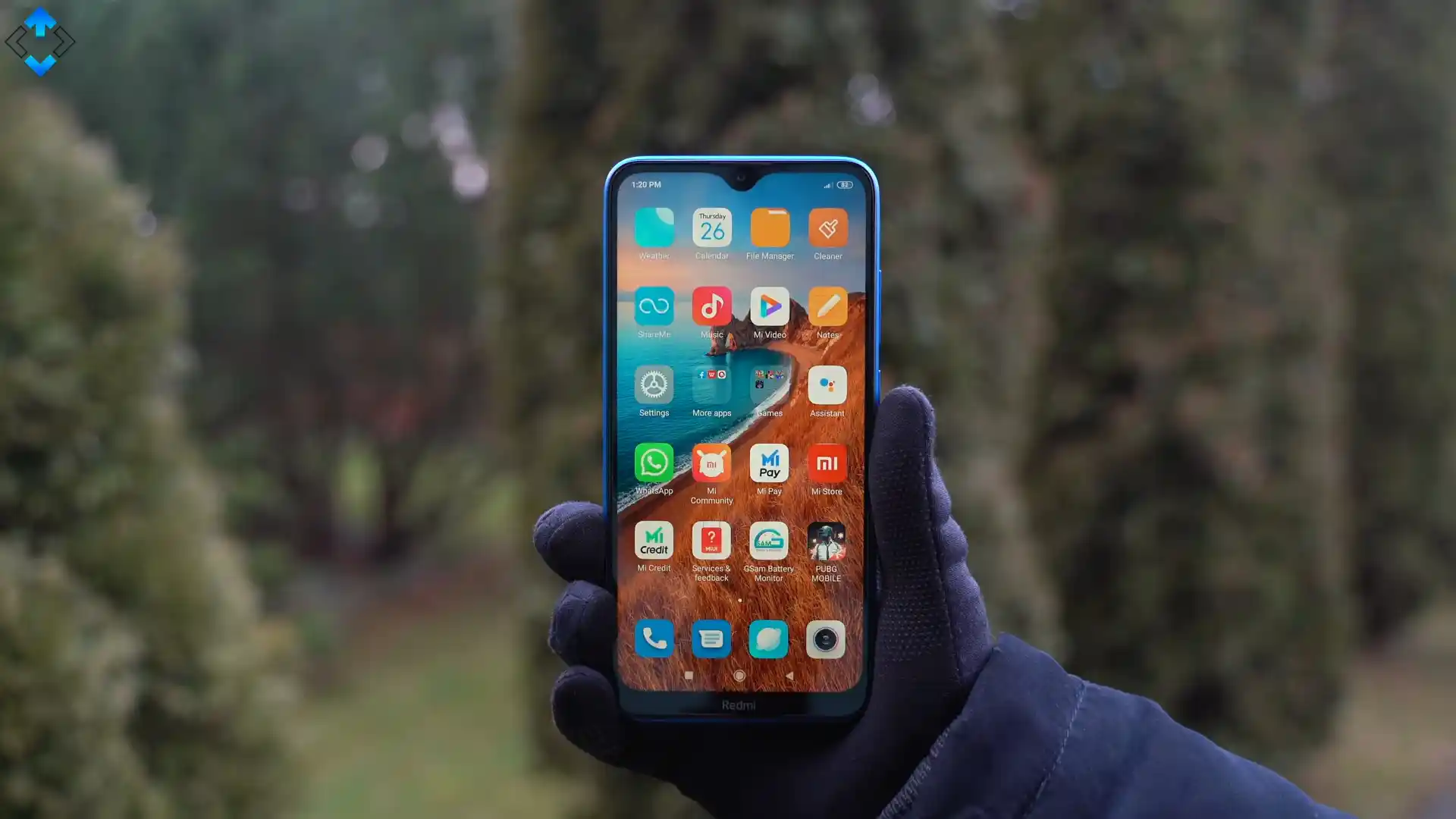
The Xiaomi Redmi 8A, launched in September 2019 on Qualcomm's Qualcomm Snapdragon 439 (12nm FinFET) processor, offers solid budget battery endurance with a 6.22-inch Dot Drop display and a large 5000 mAh battery. Whether you need to unbrick a handset stuck in a bootloop after an OTA update or reinstall clean factory MIUI software, this guide covers verified Fastboot flashing procedures.
Flashing on the Xiaomi Redmi 8A is performed using Xiaomi's Mi Flash Tool in Fastboot mode. Follow each preparation step carefully to ensure smooth partition installation without risking bootloader lockouts.
Which Flash Mode Should You Use?
Fastboot Mode
Primary flashing environment used by Mi Flash Tool to flash boot, system, vendor, and modem partitions.
Recovery Mode
Stock recovery environment for OTA zip sideloading, factory data wipes, and Mi Assistant connections.
Custom Recovery (TWRP / OrangeFox)
Custom recovery environment for installing flashable ZIPs, creating full NAND backups, and formatting encrypted data.
Emergency Download Mode (EDL 9008)
Hardware emergency recovery interface for reviving hard-bricked units with corrupted bootloaders.
Essential Equipment & Pre-Flash Requirements
A computer running Windows 10 or 11 with Qualcomm USB drivers and Android platform-tools properly configured.
An officially unlocked bootloader via the Xiaomi Mi Unlock tool. Flashing stock Fastboot images on a locked bootloader is blocked by security policies.
A genuine USB Type-C data cable connected directly into a rear USB 2.0 port on your computer to prevent communication dropouts.
Ensure the 5000 mAh battery holds at least 50% charge to prevent sudden power loss during partition writes.
Fastboot .tgz packages require two extractions (tar.gz -> tar -> folder) using 7-Zip to properly expose the flash_all.bat script and images.
5-Step Mi Flash & Fastboot Execution Flow
A quick 5-step overview built specifically for the Xiaomi Redmi 8A. The full Mi Flash Tool guide adds screenshots, progress tracking, and fixes for common errors.
-
Unlock bootloader with official Xiaomi Mi Unlock tool
-
Unpack olivelite_eea_global_images_V12.5.3.0.QCPEUXM Fastboot package twice with 7-Zip
-
Reboot phone into Fastboot mode by holding Volume Down and Power buttons
-
Verify anti-rollback index with fastboot getvar anti and check olivelite codename
-
Configure Mi Flash Tool with clean all flash_all.bat and execute flash on USB 2.0 port
Understanding the Fastboot Flash Script on Redmi 8A
On Xiaomi Qualcomm devices like the Xiaomi Redmi 8A, flashing execution is coordinated by the flash_all.bat batch script instead of a MediaTek scatter file. This script communicates with the Qualcomm bootloader to write partition images—including boot, recovery, system, vendor, and cust—directly into internal eMMC flash memory.
flash_all.bat
Unlike MediaTek smartphones that rely on scatter text files to identify partition boundaries, Qualcomm Snapdragon devices like the Redmi 8A utilize XML rawprogram partition tables and Windows batch scripts (flash_all.bat). The script automatically queries device parameters, formats partitions, and writes the bootloader, radio modem, recovery, system, and vendor images sequentially.
Always verify that "clean all" (flash_all.bat) is selected in Mi Flash Tool. Never select "clean all and lock" if flashing cross-regional firmware (such as Global or EEA ROMs on a Chinese model), as regional security certificate mismatches will lock the bootloader and cause a bootloop.
Xiaomi Redmi 8A Firmware Versions
Tested and recommended official stock Fastboot firmware builds for the Xiaomi Redmi 8A. Choose the package matching your specific hardware model variant.
| Version | Region | Android Version | Size | MD5 | Download |
|---|---|---|---|---|---|
V12.5.3.0.QCPEUXM (Android 10.0) |
EEA (Europe / UK) | Android 10.0 | 3.6 GB | 417695605c9e28ab66f5832ac3b40333 |
⬇️ Download |
V12.5.2.0.QCPMIXM (Android 10.0) |
Global (International) | Android 10.0 | 3.5 GB | 213ef1784df9cfc276a00d51b4498ae0 |
⬇️ Download |
V12.5.3.0.QCPCNXM (Android 10.0) |
China (CN) | Android 10.0 | 3.2 GB | 11862639cbe2925774fbcdbbdd6c8f7b |
⬇️ Download |
V12.5.2.0.QCPINXM (Android 10.0) |
India (IN) | Android 10.0 | 2.5 GB | 2070760cb50a9a9e9909512050c3ee3a |
⬇️ Download |
TWRP 3.7.0_9-0 (olivelite) |
Global / Community | Custom Recovery | 64 MB | 3dc58ea096d29da758ea003ff584061a |
⬇️ Download |
Looking for additional regional channels or custom recoveries? Browse the full archive on AndroidFirmwareFile.com →
Redmi 8A Flashing Protocols & Platform Notes
USB 2.0 Port Recommendation: Older Qualcomm bootloaders frequently drop connections on high-speed USB 3.0/3.1 ports during long partition writes. Always plug your USB-C cable directly into a rear USB 2.0 motherboard port to maintain stable communication.
Battery Safety Threshold: Confirm that the 5000 mAh battery holds at least 50% charge before beginning. If power cuts out mid-flash during system.img deployment, the device will drop into Qualcomm 9008 EDL mode.
Two-Step Archive Extraction: Xiaomi Fastboot .tgz archives (such as olivelite_eea_global_images_V12.5.3.0.QCPEUXM_20211026.0000.00_10.0_eea_417695605c.tgz) contain an embedded tar file. Use 7-Zip to extract the file twice so that the images folder and flash_all.bat script reside directly inside a clean, short directory path.
Troubleshooting Xiaomi Redmi 8A Flashing & Bootloop Issues
Anti-Rollback Security Block: "FAILED (remote: 'Anti-rollback check failed')"
Qualcomm anti-rollback protection blocks installation of any firmware with an ARB index lower than the one currently blown into the processor hardware fuses. Always check your device rollback status in Fastboot mode by running "fastboot getvar anti". Never attempt to flash an older MIUI build with a lower anti index, as the bootloader will reject the image to prevent hardware bricking.
Mi Flash EDL Handshake Rejection: "cannot receive hello packet" or "only nop and sig tag can be received"
This error occurs when attempting to flash the olivelite board in Qualcomm 9008 EDL mode without authorized Xiaomi service account credentials. Beginning with MIUI 10/11 updates, Qualcomm Firehose programmers on Xiaomi devices enforce cryptographic server authentication. Whenever possible, unlock the bootloader via official Mi Unlock and flash through standard Fastboot mode instead of forcing EDL test points.
Cross-Region Bootloader Lockout: "System has been destroyed" after clean all and lock
Selecting "clean all and lock" (flash_all_lock.bat) when flashing Global or European EEA firmware onto imported Chinese hardware models (M1908C3KC/M1908C3KE) causes the bootloader to relock against regional security certificates. Because Chinese hardware rejects Global cryptographic signatures upon relocking, the handset enters an unbootable state. Always verify that "clean all" (flash_all.bat) is selected at the bottom right of Mi Flash Tool before starting.
Resolve common flashing interruptions, Fastboot handshake errors, and bootloop issues encountered on the Redmi 8A. Troubleshooting & Error Resolutions →
Workshop & Flashing Troubleshooting FAQ
Qualcomm Snapdragon 439 devices can experience handshake timeouts when communicating over high-speed USB 3.0, 3.1, or 3.2 xHCI ports on modern Windows computers. During the transfer of large sparse system image chunks, the connection can stall unexpectedly. Workshop technicians recommend connecting the phone directly to a native black USB 2.0 port on the rear motherboard I/O panel, using a high-quality USB Type-C cable under 1 meter in length, and running command prompts or Mi Flash Tool with administrative privileges.
The Redmi 8A implements Android Verified Boot (AVB 2.0) on Android 10. When the stock bootloader detects that the recovery partition or system partitions have been altered by a custom recovery binary without disabling verification, it triggers an immediate bootloop back to fastboot or recovery. To prevent this, technicians flash an empty or patched vbmeta image with verification flags disabled using "fastboot --disable-verity --disable-verification flash vbmeta vbmeta.img" immediately after flashing the custom recovery image, or flash Magisk to patch boot verity flags.
TWRP and OrangeFox error 255 typically occurs on olivelite due to Qualcomm hardware-backed encryption or incompatible updater-script partition mounting calls on System-as-Root (SAR) layouts. If internal storage displays encrypted folders with random alphanumeric names, you must navigate to Wipe -> Format Data in TWRP, type "yes", and swipe to confirm. This completely wipes user data and clears the encryption keys on the eMMC flash, allowing clean ZIP installation.
If a device suffers a corrupted bootloader that prevents entering Fastboot mode or turning on, it can be revived using Qualcomm Emergency Download (EDL 9008) mode. On the Redmi 8A, entering EDL requires gently removing the plastic back cover, unscrewing the protective motherboard bracket, disconnecting the battery flex cable, and using fine tweezers to short the two circular gold test points located near the SIM card tray while connecting the USB cable to the PC. The device will be detected as Qualcomm HS-USB QDLoader 9008 under Windows Device Manager.
Ready to Flash?
Follow the full step-by-step Mi Flash Tool guide with interactive progress tracking, prerequisite checklist, and complete troubleshooting.