

Before you flash: Flashing firmware will erase all data on your device. Back up contacts, photos, and apps before proceeding. FlashGuideHub is not responsible for any damage caused by following this guide.
About the Xiaomi Redmi Go
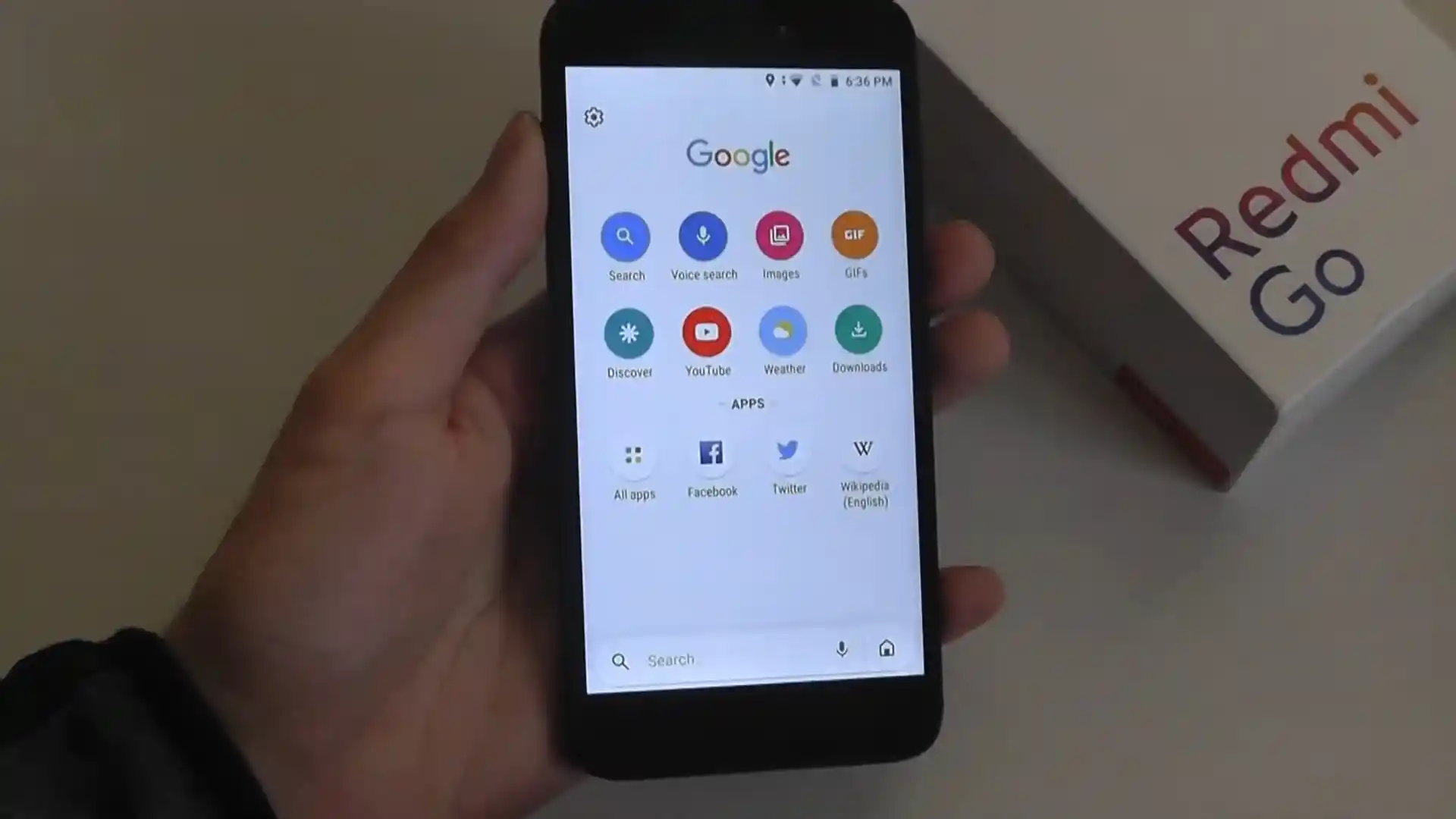
The Xiaomi Redmi Go (codename: tiare) launched in February 2019 on Qualcomm's Qualcomm Snapdragon 425 MSM8917 (28nm) chip running stock Android 8.1 Oreo (Go Edition) on 1 GB RAM and 8 GB or 16 GB eMMC 5.1 storage.
Whether you are unlocking via Fastboot to install PBRP 3.1.0 or fixing a bootloop with tiare_eea_global_images_V10.2.19.0.OCLEUXM_20210204.0000.00_8.1_41bdd4652f.tgz, follow the steps below.
Which Flash Mode Should You Use?
Mi Flash Tool (Fastboot Mode — Unlocked)
Flashes full Android 8.1 Go Edition partitions for EEA, Global, India, or Russia via flash_all.bat.
ADB Sideload (Stock Recovery OTA)
Applies official regional Recovery OTA ZIPs over USB without wiping user data when the phone still enters stock recovery.
Qualcomm EDL 9008 (Test-Point Rescue)
Low-level MSM8917 QDLoader recovery when Fastboot is unreachable on a locked board; requires authorized Xiaomi EDL credentials or service loader.
Pre-Flash Checks for Redmi Go (tiare) & OEM Unlocking
If the phone still boots, toggle OEM Unlocking in Developer Options so fastboot oem unlock-go works immediately.
Ensure steady 5V/1A charge on the 3,000 mAh battery; deep 0% drain on full 8 GB storage often triggers bootloops.
Use a tight data-rated microUSB cable plugged into a rear PC motherboard USB port to prevent disconnects.
Unpack the Fastboot .tgz twice with 7-Zip so flash_all.bat sits inside a short, space-free folder path.
Mi Flash & Fastboot Unlock Walkthrough for tiare
A fast reference for flashing the Xiaomi Redmi Go (Snapdragon 425) using Mi Flash Tool. For the complete walkthrough with images and error troubleshooting, see the full guide.
-
Enable OEM Unlocking and run fastboot oem unlock-go (plus flashing unlock-critical)
-
Extract tiare_eea_global_images_V10.2.19.0.OCLEUXM_20210204.0000.00_8.1_41bdd4652f.tgz Twice to C:\tiare\
-
Boot Into Fastboot (Hold Volume Down + Power) and Connect via Rear USB 2.0 Port
-
Select "clean all" Inside Mi Flash Tool (Never Lock Cross-Region Firmware)
-
Click Flash and Let Android 8.1 Go Complete Initial Setup
Locating flash_all.bat & Firehose Files in MSM8917 Archives
Snapdragon 425 Fastboot archives for Xiaomi Redmi Go (tiare) package flash_all.bat alongside rawprogram0.xml, patch0.xml, and the MSM8917 Firehose loader inside images:
flash_all.bat
Double-extracting tiare_eea_global_images_V10.2.19.0.OCLEUXM_20210204.0000.00_8.1_41bdd4652f.tgz with 7-Zip places flash_all.bat beside the images folder containing rawprogram0.xml and the MSM8917 programmer.
Codename tiare applies strictly to the 5.0-inch Xiaomi Redmi Go (M1903C3GG / M1903C3GH / M1903C3GI). Never cross-flash Redmi 5A (riva) or Redmi 4A (rolex) packages.
Keep "clean all" selected inside Mi Flash Tool, and remember that Android Go unlocks via fastboot oem unlock-go rather than Mi Unlock.
Xiaomi Redmi Go Firmware Versions
Tested Fastboot archives for EEA, Global, India, and Russia on Xiaomi Redmi Go (tiare). Grab the 4 matching Recovery OTA ZIPs and Official PBRP 3.1.0 (5 additional files) on AndroidFirmwareFile.
| Version | Region | Android Version | Size | MD5 | Download |
|---|---|---|---|---|---|
V10.2.19.0.OCLEUXM (EEA Fastboot) |
EEA European (EU) | Android 8.1 (Oreo Go Edition) | 850.11 MB | 41bdd4652f1132e1d2b0d886c10043b7 |
⬇️ Download |
V10.2.25.0.OCLMIXM (Global Fastboot) |
Global Stable (MI) | Android 8.1 (Oreo Go Edition) | 850.10 MB | cb376cc30dc2fb115e2a4ee18a601263 |
⬇️ Download |
V10.2.19.0.OCLINXM (India Fastboot) |
India Stable (IN) | Android 8.1 (Oreo Go Edition) | 849.53 MB | 968af387257f7b6bc299983fc236310f |
⬇️ Download |
V10.2.21.0.OCLRUXM (Russia Fastboot) |
Russia Stable (RU) | Android 8.1 (Oreo Go Edition) | 849.45 MB | 6a262f50b01441ce7381efafff16723b |
⬇️ Download |
Browse all 9 official Android Go packages and PBRP 3.1.0 on AndroidFirmwareFile.com → View complete Xiaomi Redmi Go archive on AndroidFirmwareFile.com →
Android Go Unlocking, EDL Auth & PBRP 3.1.0 Notes
Direct Android Go Unlocking & Recovery Notes: Unlike MIUI phones, tiare unlocks directly in Fastboot with fastboot flashing unlock-critical and fastboot oem unlock-go once OEM Unlocking is toggled on—making Fastboot restores with tiare_eea_global_images_V10.2.19.0.OCLEUXM_20210204.0000.00_8.1_41bdd4652f.tgz or tiare_global_images_V10.2.25.0.OCLMIXM_20210204.0000.00_8.1_cb376cc30d.tgz straightforward.
If your phone is locked and stuck in a bootloop after an 8 GB storage exhaustion or 0% battery drop, note that Qualcomm 9008 test-point flashing on this 2019 MSM8917 board checks for an authorized Xiaomi account in stock Mi Flash. Keep a verified copy of PBRP-tiare-3.1.0-20210606-1315-OFFICIAL.zip on your microSD card once unlocked for EFS backups and custom ROMs.
Fixing Redmi Go (tiare) Error 255, EDL Auth & 8 GB Storage Bootloops
Updater Error 255 When Installing Recovery Packages on Snapdragon 425
Community XDA threads indicate Error 255 commonly triggers on Redmi Go (tiare) when the bootloader is only partially unlocked or an outdated recovery build is used. Boot into Fastboot and confirm both "fastboot flashing unlock-critical" and "fastboot oem unlock-go" were executed before installing PBRP-tiare-3.1.0-20210606-1315-OFFICIAL.zip.
EDL Auth Prompt: "Only authorized accounts can proceed" in QDLoader 9008
Because the 2019 MSM8917 Redmi Go enforces Xiaomi server-side EDL authentication, standard Mi Accounts are rejected when shorting motherboard 9008 test points in official Mi Flash. Recover via Fastboot on an unlocked bootloader whenever possible, or use an authorized service account / patched Firehose workflow.
0% Battery Deep Discharge Bootloop on Full 8 GB eMMC Storage
Owners on Reddit report that letting the 3,000 mAh battery drain to 0% while the tight 8 GB eMMC flash is nearly full often leaves tiare stuck on the boot logo. Recharge with a steady 5V/1A wall adapter first, boot into recovery to clear cache, or clean-flash tiare_eea_global_images_V10.2.19.0.OCLEUXM_20210204.0000.00_8.1_41bdd4652f.tgz.
Looking for another Mi Flash or Fastboot error fix? Mi Flash & Fastboot Error Directory →
Bootloader Unlock, PBRP ZIP & EFS Safety FAQ
Unlike MIUI devices that bind your Mi Account and impose a waiting period, tiare runs AOSP-based Android 8.1 Oreo (Go Edition). Once you turn on OEM Unlocking in Developer Options, you can unlock directly from a PC terminal using fastboot oem unlock-go.
PBRP-tiare-3.1.0-20210606-1315-OFFICIAL.zip is a recovery installer package, not a raw image for fastboot flash recovery. First temporarily boot an existing compatible recovery .img via fastboot boot recovery.img (or open an already installed custom recovery), then flash the PBRP ZIP from microSD or sideload.
Keeping flash_all.bat (clean all) active prevents the bootloader from re-locking after cross-region flashes or custom recovery installs. Re-locking on mismatched software blocks Fastboot flashing if the phone fails to start.
No. Stock flash_all.bat writes NON-HLOS.bin radio firmware alongside boot, system, and userdata while leaving your EFS calibration blocks (modemst1, modemst2, fsg) intact. Avoid manual fastboot erase commands on EFS blocks and back them up to microSD in PBRP before experimenting with custom ROMs.
Ready to Flash?
Follow the full step-by-step Mi Flash Tool guide with interactive progress tracking, prerequisite checklist, and complete troubleshooting.