

Before you flash: Flashing firmware will erase all data on your device. Back up contacts, photos, and apps before proceeding. FlashGuideHub is not responsible for any damage caused by following this guide.
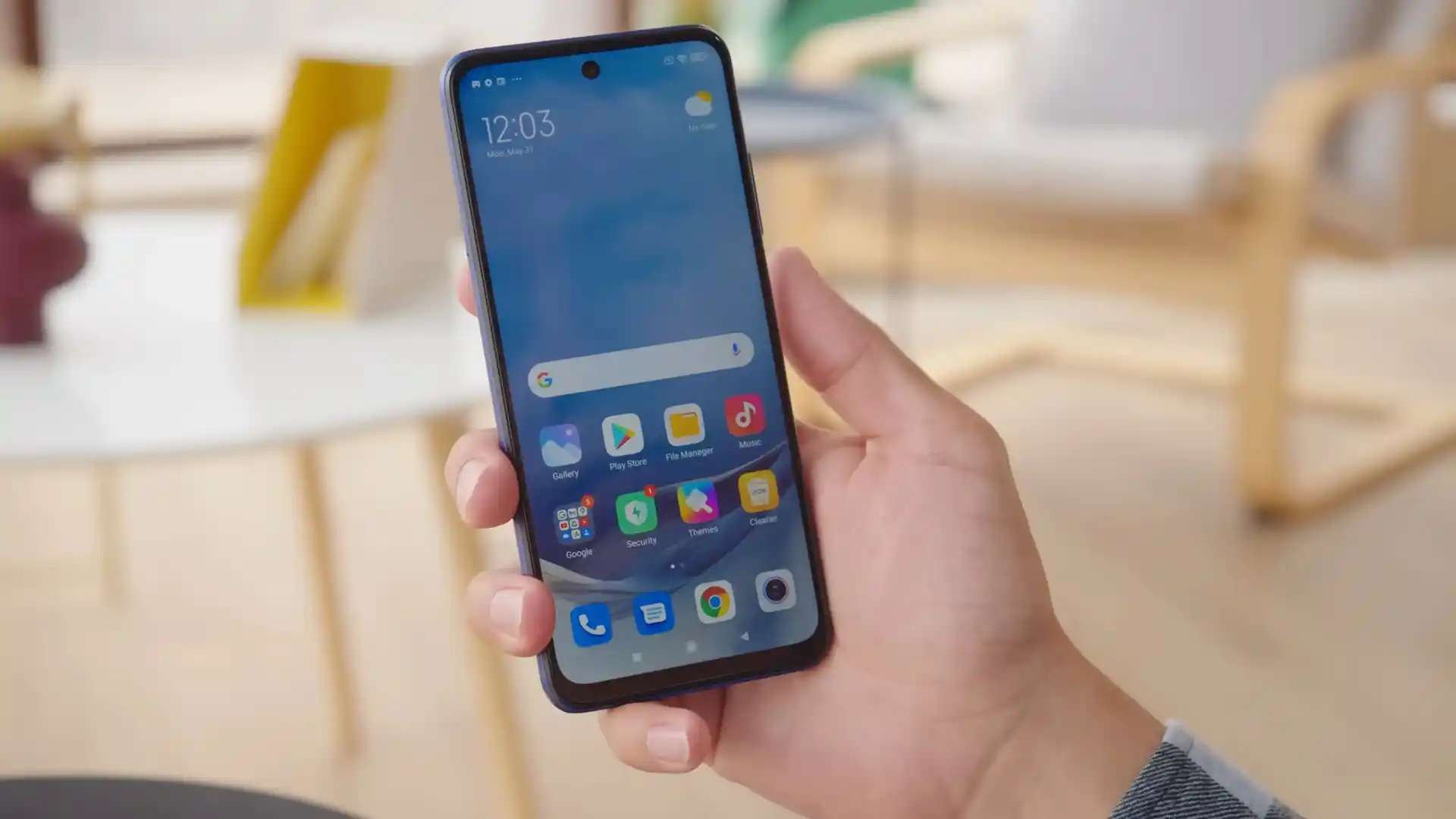
About the Xiaomi Redmi Note 10 5G / Note 11SE / Note 10T 5G
The Xiaomi Redmi Note 10 5G / Note 11SE / Note 10T 5G was launched in May 2021, built on the MediaTek Dimensity 700 5G MT6833 (7nm TSMC) processor. Known under hardware codename camellia (and camellia_in for Indian editions), this platform powers the Chinese Redmi Note 10 5G, Chinese Redmi Note 11SE, Indian Redmi Note 10T 5G, and Indian POCO M3 Pro 5G with up to 8GB of LPDDR4X RAM, a 6.5-inch 90Hz FHD+ display, and a 5000 mAh battery.
Flashing official Fastboot firmware recovers devices from bootloops, unbricks damaged partition tables, and restores clean factory MIUI 14 software. Follow the verified package downloads and step-by-step restoration instructions below to flash your phone safely.
Which Flash Mode Should You Use?
Xiaomi Mi Flash Fastboot Flashing (Recommended)
Standard official method for restoring stock MIUI firmware using an unlocked bootloader and Mi Flash Tool in Fastboot mode.
Stock Mi Recovery (System Updater)
Official on-device recovery method for installing signed Recovery OTA ZIP archives without wiping user files.
Pre-Flash Hardware Checks & Dimensity 700 Driver Setup
Fastboot partition flashing requires an officially unlocked bootloader via the Xiaomi Mi Unlock utility.
A 64-bit Windows PC with updated Xiaomi Fastboot drivers, MediaTek USB VCOM drivers, and Android SDK Platform-Tools.
Ensure the 5000 mAh battery has at least 50% charge to prevent unexpected shutdown during super partition writing.
Connect directly to a native motherboard USB 2.0 port to prevent communication drops during multi-gigabyte transfers.
Flashing stock Fastboot firmware with clean all formats internal storage; save all essential personal files beforehand.
5-Step Fastboot & Mi Flash Restoration Walkthrough
A condensed step-by-step summary specific to the Xiaomi Redmi Note 10 5G / Note 11SE / Note 10T 5G. Follow the full Mi Flash Tool guide for screenshots, an interactive progress checklist, and complete troubleshooting.
-
Unlock bootloader through official Xiaomi Mi Unlock tool
-
Extract camellia_images_V14.0.2.0.TKSCNXM_20230310.0000.00_13.0_cn_ee180bd1a8.tgz with 7-Zip
-
Boot handset into Fastboot mode using Volume Down + Power
-
Select folder in Mi Flash Tool and verify clean all option is active
-
Click Flash and monitor Dimensity 700 partition installation to completion
Firmware Package for MediaTek Dimensity 700 (flash_all.bat)
Official Fastboot firmware packages for the Xiaomi Redmi Note 10 5G and Note 11SE (camellia / camellia_in) are distributed as multi-gigabyte .tgz archives containing dynamic super partition images written via flash_all.bat across the MediaTek Dimensity 700 MT6833 UFS 2.2 storage controller.
flash_all.bat
Official stock Fastboot package containing the flash_all.bat flasher script, raw partition images, and dynamic super chunks for the Dimensity 700 MT6833 platform.
Fastboot Flashing Rule: Always select "clean all" (flash_all.bat) when using Mi Flash Tool on imported hardware to avoid locking the bootloader on cross-regional software. Devices carrying codename camellia lack NFC and use distinct preloader signatures from Global camellian variants.
Verified Fastboot & Recovery Packages (camellia)
Official stock firmware downloads for the Xiaomi Redmi Note 10 5G / Note 11SE / Note 10T 5G. Verify your hardware model variant before downloading.
| Version | Region | Android Version | Size | MD5 | Download |
|---|---|---|---|---|---|
V14.0.2.0.TKSCNXM (MIUI 14) |
China Stable (camellia) | Android 13.0 | 5.8 GB | ee180bd1a86caf951fcec876b69d8378 |
⬇️ Download |
V14.0.6.0.TKSINXM (MIUI 14) |
India Stable (camellia_in) | Android 13.0 | 4.8 GB | 940393ef3cb6e722b8953ad14247dc16 |
⬇️ Download |
V14.0.2.0.TKSCNXM (Recovery) |
China Stable (camellia) | Android 13.0 | 4.5 GB | 3b9393dc6292dddd25f146e8b02bd7ec |
⬇️ Download |
V14.0.6.0.TKSINXM (Recovery) |
India Stable (camellia_in) | Android 13.0 | 3.8 GB | 3afc727b1892c2002ac10a88388d0e3a |
⬇️ Download |
Need packages for the European or Global NFC variant (camellian)? Browse the camellian global archive on AndroidFirmwareFile.com →
MediaTek MT6833 Dynamic Partition Architecture
The Redmi Note 10 5G (camellia) houses a 5000 mAh internal lithium-polymer battery supporting 18W fast charging. Writing the full 5GB+ dynamic super partition image takes approximately 3 to 5 minutes over UFS 2.2 storage. Confirm that your battery has at least 50% charge before beginning the flashing process to prevent unexpected shutdowns during partition writes.
Troubleshooting Redmi Note 10 5G Flashing Errors
Auto-Fastboot Loop: Infinite reboot to FASTBOOT after flashing
Occurs on Virtual A/B MediaTek devices when the active boot slot flag is unset or points to an inactive slot following partition flashing. Open a terminal and execute "fastboot set_active a" followed by "fastboot reboot" to force the Dimensity 700 bootloader to initialize primary boot partitions.
MediaTek BROM Handshake Failure: SLA / DAA Authentication Challenge
When attempting low-level SP Flash Tool restoration in BootROM mode, MT6833 rejects unauthenticated flasher handshakes. Technicians must use MTKClient auth bypass utilities or an authorized service token to disable SLA protection before writing partition tables.
Preloader Mismatch Error: "FAILED (remote: invalid preloader image)"
Triggered when attempting to flash a Global camellian package onto a China domestic camellia board. Xiaomi enforces hardware-bound board ID checks in the preloader; always flash camellia or camellia_in specific firmware.
FAILED (remote: "Flashing is not allowed in Lock State")
The bootloader is locked. Fastboot partition writing is rejected by device hardware security. Unlock the bootloader via official Mi Unlock before running flash_all.bat scripts.
Encountering issues during flashing? Review these verified workshop troubleshooting notes for the MediaTek Dimensity 700 platform. Troubleshooting & Common Errors →
Frequently Asked Questions About Flashing camellia
The Chinese camellia hardware (M2103K19C / 22041219C) omits the NXP NFC controller chip present on Global camellian variants and features a dual-camera configuration rather than a triple sensor. Additionally, preloader partitions carry different cryptographic public keys, meaning cross-flashing camellian firmware onto camellia will cause a bootloader preloader rejection or brick.
In May 2022, Xiaomi relaunched the Chinese Redmi Note 10 5G hardware under the marketing moniker Redmi Note 11SE (model 22041219C). Both devices share the exact same camellia motherboard, Dimensity 700 MT6833 processor, display panel, and camera modules, using unified TKSCNXM Fastboot and Recovery packages.
The Dimensity 700 platform on camellia integrates MediaTek Pump Express and USB Power Delivery 2.0 standards, stepping down charging voltage to 9V/2A (18W) with compatible adapters and 5V/2A (10W) on standard USB bricks. Reaching a full charge from 0% takes approximately 105 to 115 minutes.
Yes. Xiaomi builds dormant Google Mobile Services (GMS) framework stubs into China MIUI 14. Users can toggle on "Basic Google Services" under Settings > Accounts & Sync and install the Google Play Store APK. Official unrooted China builds maintain Widevine L1 certificates for HD streaming on supported apps.
Ready to Flash?
Follow the full step-by-step Mi Flash Tool guide with interactive progress tracking, prerequisite checklist, and complete troubleshooting.