

Before you flash: Flashing firmware will erase all data on your device. Back up contacts, photos, and apps before proceeding. FlashGuideHub is not responsible for any damage caused by following this guide.
About the Xiaomi Redmi Note 5A / Redmi Y1 Lite
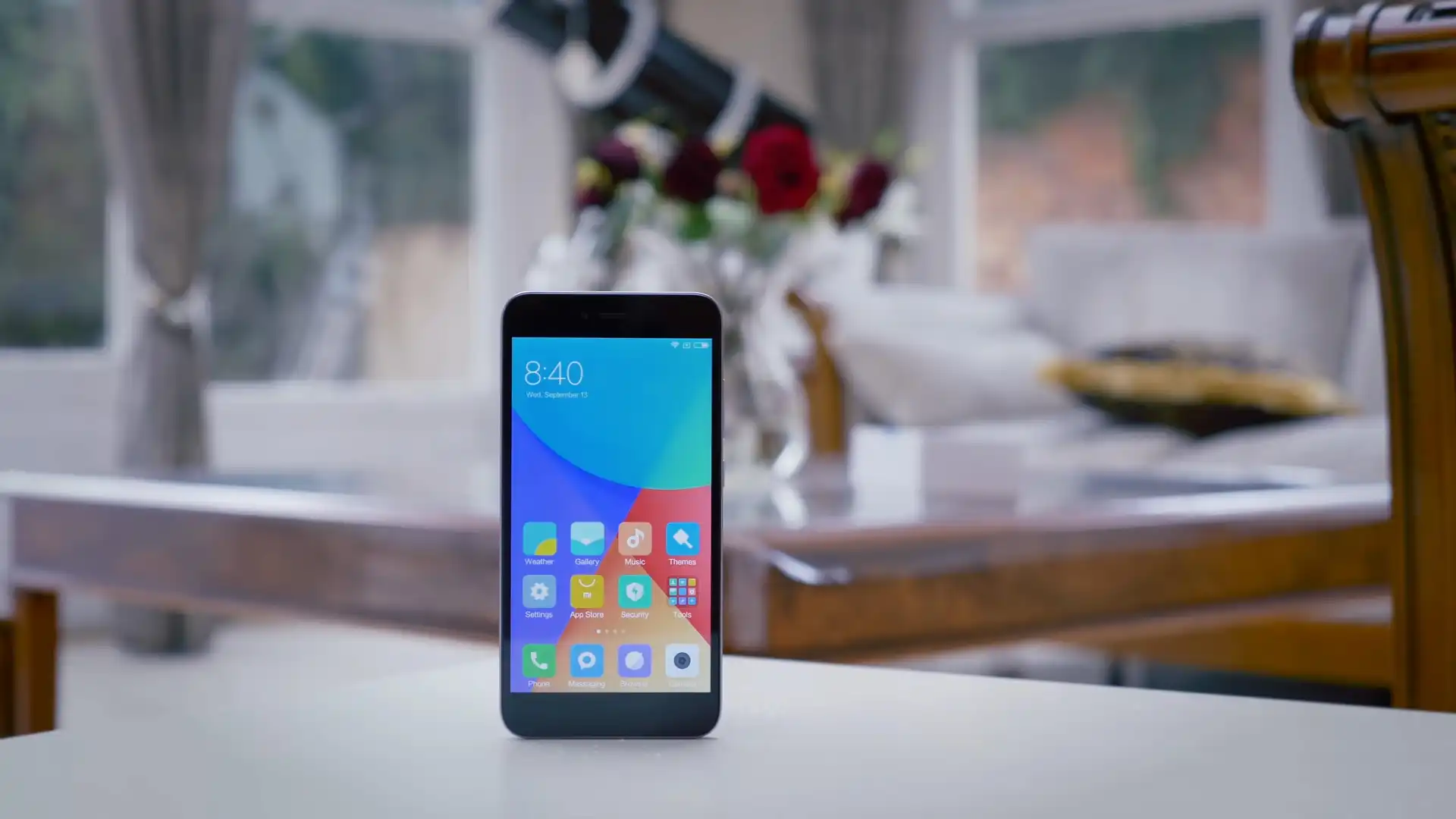
The Xiaomi Redmi Note 5A / Redmi Y1 Lite was released in August 2017, built on the Qualcomm Snapdragon 425 MSM8917 (28nm LP, 64-bit Quad-core 1.4 GHz Cortex-A53) platform. Featuring a 5.5-inch 720p HD display, a 13 MP rear camera, and a 3080 mAh battery, the device represents the standard entry-level variant without a fingerprint scanner.
Flashing official stock firmware using Xiaomi Mi Flash Tool repairs soft-bricked devices, recovers corrupted bootloader blocks, and restores original MIUI performance. Follow the verified driver preparation and procedural steps below to flash your device safely.
Which Flash Mode Should You Use?
Fastboot Mode (Bootloader Flashing)
Official flashing mode for unlocked devices. Deploys complete partition blocks via Mi Flash Tool or flash_all.bat scripts.
Qualcomm HS-USB QDLoader 9008 (EDL Mode)
Emergency download mode accessed via motherboard test points. Communicates directly with the Snapdragon 425 boot ROM without requiring bootloader unlocking.
Stock Android Recovery Mode
Stock recovery interface for executing factory data wipes or clearing cache partitions.
What You Need Before Flashing
A PC running 64-bit Windows with Mi Flash Tool and official Qualcomm USB drivers installed.
Download and extract the official V11.0.3.0.NDFMIXM archive twice with 7-Zip until flash_all.bat is visible.
Ensure the 3080mAh battery has at least 50% charge to ensure stable power delivery throughout the flashing process.
Use a quality microUSB data cable connected directly to a rear USB 2.0 port on the computer motherboard.
In Mi Flash Tool, select "clean all" at the bottom right. Never select "clean all and lock" on regional conversions.
How to Flash the Xiaomi Redmi Note 5A / Redmi Y1 Lite — Quick Overview
A fast reference for flashing the Xiaomi Redmi Note 5A / Redmi Y1 Lite (Snapdragon 425) using Mi Flash Tool. For the complete walkthrough with images and error troubleshooting, see the full guide.
-
Unlock bootloader & extract Fastboot TGZ archive
-
Install Xiaomi Qualcomm Drivers & Mi Flash Tool
-
Boot Redmi Note 5A into Fastboot mode
-
Select firmware folder & choose "clean all"
-
Execute flashing and await reboot
Fastboot Rawprogram XML & Firmware Package for Snapdragon 425
Official Fastboot firmware packages for the Xiaomi Redmi Note 5A (ugglite) contain raw partition images (boot.img, system.img, recovery.img, cust.img, and modem) executed via flash_all.bat, rawprogram0.xml, and patch0.xml. When loaded in Mi Flash Tool, these scripts deploy partition binaries directly to the Qualcomm Snapdragon 425 eMMC controller.
rawprogram0.xml
Official factory Fastboot firmware for the Xiaomi Redmi Note 5A utilizes rawprogram0.xml and patch0.xml executed through flash_all.bat. In Mi Flash Tool, select the root extracted folder containing these scripts.
The Redmi Note 5A / Redmi Y1 Lite (board codename ugglite) is built on the Qualcomm Snapdragon 425 (MSM8917) quad-core platform with 2GB RAM, 16GB eMMC 5.1 storage, and a 3080mAh battery.
Ensure you verify your board codename as "ugglite" prior to flashing. Packages marked "ugg" belong to the octa-core Snapdragon 435 high edition and are incompatible with this board.
Xiaomi Redmi Note 5A / Redmi Y1 Lite Firmware Versions
Tested stock firmware package for the confirmed hardware variant of the Xiaomi Redmi Note 5A / Redmi Y1 Lite. Always confirm your model codename is "ugglite" before flashing.
| Version | Region | Android Version | Size | MD5 | Download |
|---|---|---|---|---|---|
V11.0.3.0.NDFMIXM (20191022.0000.00) |
Global Stable (MI) — Multilingual | Android 7.1.2 (MIUI 11.0) | 1.80 GB | — | ⬇️ Download |
This device family includes 4 verified packages across Global, China, Xiaomi.eu, and official TWRP recovery releases. Browse the complete 4-package archive on AndroidFirmwareFile.com →
Xiaomi Redmi Note 5A / Redmi Y1 Lite — Important Notes
Flashing official Fastboot TGZ firmware via Mi Flash Tool restores corrupt bootloader partitions, resolves bootloop cycles, and restores factory MIUI software.
If your device is soft-bricked and fails to respond to hardware keys, remove the rear plastic housing and short the two gold EDL test points near the battery connector with tweezers while connecting the microUSB cable to force Qualcomm HS-USB QDLoader 9008 mode.
Troubleshooting Xiaomi Redmi Note 5A (ugglite) Mi Flash & Fastboot Errors
Display Issue: Black screen or inverted touch after flashing (Tianma vs EBBG panel)
Redmi Note 5A was manufactured with dual LCD panel vendor ICs (Tianma otm1901a and EBBG/Truly ili9881c). When flashing older custom ROMs or modified boot images, the kernel may lack driver definitions for the installed panel revision, leaving the display blank while the phone vibrates normally. Community repair technicians resolve this by flashing the official Global V11.0.3.0 stable fastboot package, which incorporates unified multi-panel dtbo drivers.
Bootloader Lockout: "FAILED (remote: unknown command)" during unofficial patch attempts
Observed when attempting legacy unofficial bootloader unlock methods that replace emmc_appsboot.mbn or patch devinfo. Modern Snapdragon 425 secure boot blocks modified bootloader partitions, causing the device to stall at "Press any key to shutdown". Technicians advise restoring stock partition binaries from the official Fastboot package and applying exclusively through the official Mi Unlock tool.
For in-depth Xiaomi Fastboot error explanations, EDL testpoint walkthroughs, and Sahara resolution steps: Mi Flash Tool Error Directory →
Frequently Asked Questions — Xiaomi Redmi Note 5A / Redmi Y1 Lite
No. While they appear similar outwardly, the Note 5A Prime (ugg) uses an octa-core Snapdragon 435 with a fingerprint scanner, whereas this device (ugglite) uses a quad-core Snapdragon 425 without fingerprint hardware. Cross-flashing will result in a hard brick.
This indicates communication latency or timeout on the Qualcomm EDL 9008 COM port. To resolve this, use a rear USB 2.0 motherboard port, place the firmware directly in C:\ugglite, and ensure Windows Driver Signature Enforcement is disabled.
This occurs when flashing international Global firmware onto a domestic China hardware model (MDE6) while selecting "clean all and lock". To prevent this, always select "clean all" (flash_all.bat) to leave the bootloader unlocked.
If the phone shows no display and will not boot into Fastboot, remove the plastic rear housing, bridge the two gold EDL test points near the battery connector with metal tweezers, and plug in the USB cable to enter Qualcomm HS-USB QDLoader 9008 mode for recovery flashing.
Ready to Flash?
Follow the full step-by-step Mi Flash Tool guide with interactive progress tracking, prerequisite checklist, and complete troubleshooting.