

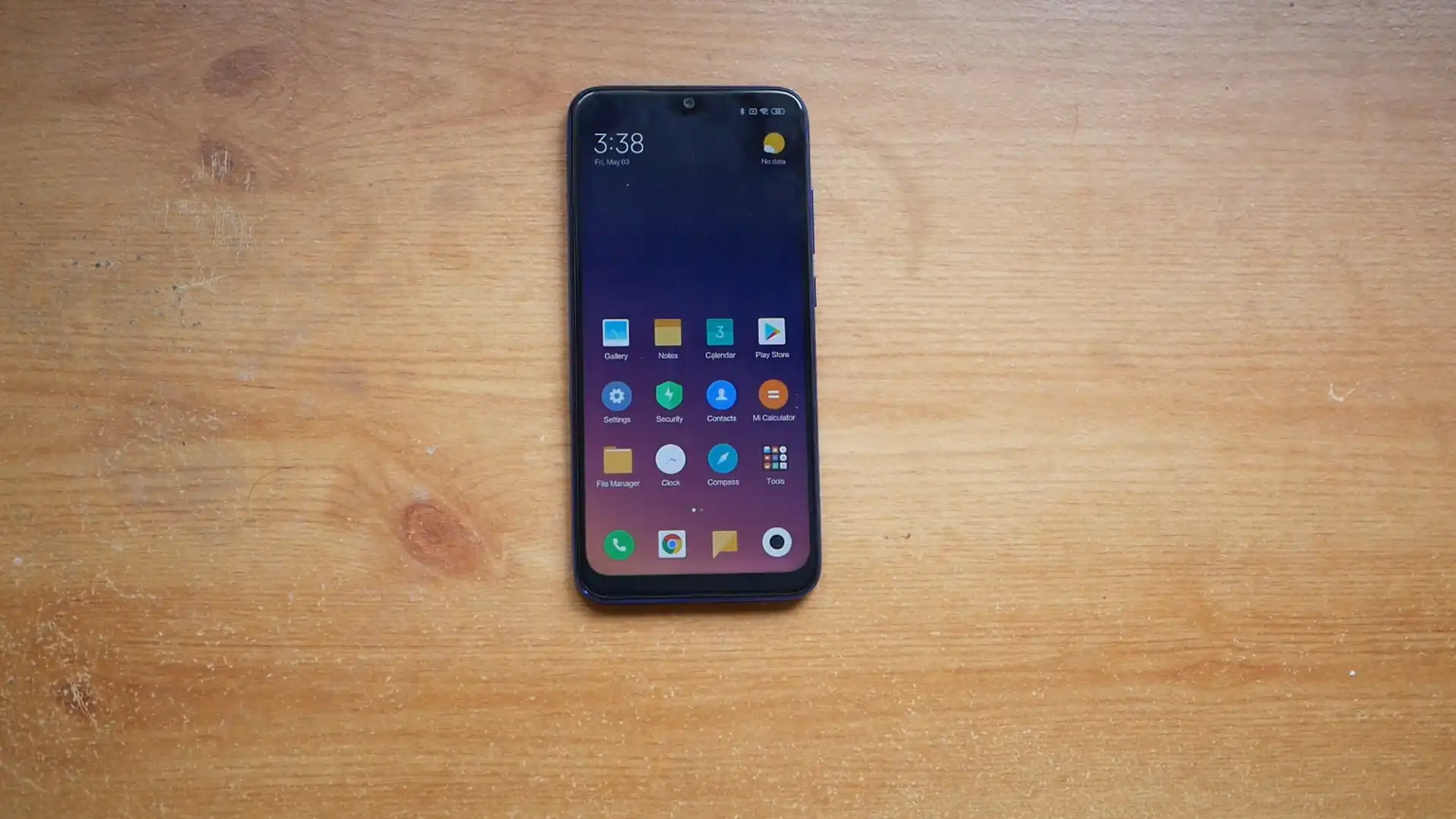
Before you flash: Flashing firmware will erase all data on your device. Back up contacts, photos, and apps before proceeding. FlashGuideHub is not responsible for any damage caused by following this guide.
About the Xiaomi Redmi Note 7 Pro
The Xiaomi Redmi Note 7 Pro was released in March 2019, built on the efficient Qualcomm Snapdragon 675 SM6150 (11nm LPP, 64-bit Octa-core: 2x 2.0 GHz Kryo 460 Gold + 6x 1.7 GHz Kryo 460 Silver) platform. Featuring a 6.3-inch Full HD+ waterdrop display, a 48 MP Sony IMX586 camera, and a 4000mAh battery with 18W fast charging, the device established a strong reputation for mid-range performance.
Flashing official factory Fastboot firmware using Xiaomi Mi Flash Tool repairs corrupted partitions, recovers bootlooping devices, and restores official MIUI stability. Follow the verified driver preparation and procedural steps below to flash your device safely.
Which Flash Mode Should You Use?
Fastboot Mode (Bootloader Flashing)
Official flashing interface for unlocked devices. Writes raw partition blocks via Mi Flash Tool or flash_all.bat scripts.
Qualcomm HS-USB QDLoader 9008 (EDL Mode)
Emergency download mode accessed via motherboard test points. Requires Xiaomi server authorization on the Snapdragon 675 platform.
Stock Android Recovery Mode
Stock recovery interface for executing factory data wipes or clearing cache partitions.
What You Need Before Flashing
A PC running 64-bit Windows with Mi Flash Tool and official Qualcomm USB drivers installed.
Download and unpack the official violet Fastboot archive twice with 7-Zip until flash_all.bat is visible.
Ensure the 4000mAh battery has at least 50% charge to ensure stable power delivery throughout the flashing process.
Use a quality USB Type-C data cable connected directly to a rear USB 2.0 port on the computer motherboard.
In Mi Flash Tool, select "clean all" at the bottom right. Never select "clean all and lock" on cross-region hardware.
How to Flash the Xiaomi Redmi Note 7 Pro — Quick Overview
A fast reference for flashing the Xiaomi Redmi Note 7 Pro (Snapdragon 675) using Mi Flash Tool. For the complete walkthrough with images and error troubleshooting, see the full guide.
-
Unlock bootloader & extract Fastboot TGZ package
-
Install Qualcomm USB Drivers & Mi Flash Tool
-
Boot Redmi Note 7 Pro into Fastboot mode
-
Select firmware root folder & choose "clean all"
-
Flash partitions and wait for automatic reboot
Fastboot Rawprogram XML & Firmware Package for Snapdragon 675
Official Fastboot firmware packages for the Xiaomi Redmi Note 7 Pro (violet) contain raw partition binaries (boot.img, system.img, vendor.img, cust.img, modem, and splash) orchestrated via rawprogram0.xml, patch0.xml, and flash_all.bat. When executed through Mi Flash Tool, these scripts write partition blocks directly to the Qualcomm Snapdragon 675 eMMC 5.1 storage controller.
rawprogram0.xml
Official factory Fastboot firmware for the Xiaomi Redmi Note 7 Pro utilizes rawprogram0.xml and patch0.xml executed through flash_all.bat. In Mi Flash Tool, select the root extracted folder containing these scripts.
The Redmi Note 7 Pro (hardware codename violet) features the Qualcomm Snapdragon 675 (SM6150) processor with 4GB/6GB/8GB LPDDR4X RAM, eMMC 5.1 storage, and a 4000mAh battery supporting 18W fast charging.
Always confirm your device codename is "violet" before flashing. Do not attempt to flash firmware packages from the standard Redmi Note 7 (codename lavender), as lavender uses the Snapdragon 660 processor and Samsung camera sensor, which are incompatible with violet hardware.
Xiaomi Redmi Note 7 Pro Firmware Versions
Tested stock firmware packages for the confirmed hardware variants of the Xiaomi Redmi Note 7 Pro. Always confirm your model codename is "violet" before flashing.
| Version | Region | Android Version | Size | MD5 | Download |
|---|---|---|---|---|---|
V12.5.1.0.QFHINXM (20210908.0000.00) |
India Stable (IN) — English & GMS | Android 10.0 (MIUI 12.5) | 2.7 GB | — | ⬇️ Download |
V12.5.4.0.QFHCNXM (20211108.0000.00) |
China Stable (CN) | Android 10.0 (MIUI 12.5) | 3.4 GB | — | ⬇️ Download |
This device family includes 5 verified packages across India, China, Xiaomi.eu, TWRP, and PBRP recovery releases. Browse the complete 5-package archive on AndroidFirmwareFile.com →
Xiaomi Redmi Note 7 Pro — Important Notes
Flashing official Fastboot TGZ firmware via Mi Flash Tool resolves corrupted system partitions, fixes persistent bootloops, and restores factory MIUI software stability.
Because the Snapdragon 675 architecture enforces Xiaomi server authentication on Qualcomm 9008 emergency download mode, open EDL testpoint flashing cannot be performed without authorized credentials. Ensure your bootloader remains unlocked and maintain Fastboot access as your primary workshop recovery tool.
Troubleshooting Xiaomi Redmi Note 7 Pro (violet) Mi Flash & Fastboot Errors
Anti-Rollback (ARB 4) Protection: eFUSE Tripping into EDL Mode on Downgrades
Observed when attempting to downgrade from Android 10 (MIUI 12/12.5) back to Android 9 (MIUI 10). The Snapdragon 675 bootloader enforces Anti-Rollback index 4. Forum repair logs confirm that flashing an older bootloader image trips the ARB hardware fuse, causing the board to drop permanently into Qualcomm 9008 EDL mode. Workshop repair discussions emphasize checking "fastboot getvar anti" before executing any downgrade flash.
Script Warning: "error: Not catch checkpoint ($fastboot -s .* lock)" in Mi Flash Tool
Frequently reported when flashing via Mi Flash Tool with "clean all" selected. The flashing process successfully transfers all partition images and the phone begins rebooting, but the tool displays this error message in red. This is a false alarm caused by Mi Flash checking for a lock status string that flash_all.bat omits. If the device reboots into MIUI, the flash succeeded.
For in-depth Xiaomi Fastboot error codes, EDL testpoint pinouts, and driver troubleshooting: Mi Flash Tool Error Directory →
Frequently Asked Questions — Xiaomi Redmi Note 7 Pro
No. On the Snapdragon 675 platform, Xiaomi enforced server authorization on Emergency Download (EDL 9008) mode. Attempting to flash test points in 9008 mode with standard Mi Flash Tool will result in an "Unauthorized account" error. Workshop technicians recommend keeping the bootloader unlocked and using Fastboot mode whenever possible.
Reboot the phone into Fastboot mode, open a Command Prompt in your platform-tools folder, and execute "fastboot getvar anti". If the returned index matches or is lower than the target ROM, flashing is safe. Attempting to flash a package with an older ARB index will brick the device into EDL mode.
Android 10 on the Redmi Note 7 Pro uses File-Based Encryption (FBE). Older recovery builds cannot decrypt user partitions. Technicians suggest using PitchBlack Recovery (PBRP v3.1.0) or newer TWRP builds, or navigating to "Wipe" > "Format Data" (typing "yes") to format the encrypted user partition before flashing.
Press and hold the Power button continuously for 10 to 12 seconds until the screen turns completely black. Immediately hold down Volume Down and Power together until the orange Fastboot logo appears on the display.
Ready to Flash?
Follow the full step-by-step Mi Flash Tool guide with interactive progress tracking, prerequisite checklist, and complete troubleshooting.