

Before you flash: Flashing firmware will erase all data on your device. Back up contacts, photos, and apps before proceeding. FlashGuideHub is not responsible for any damage caused by following this guide.
About the Huawei Y Max
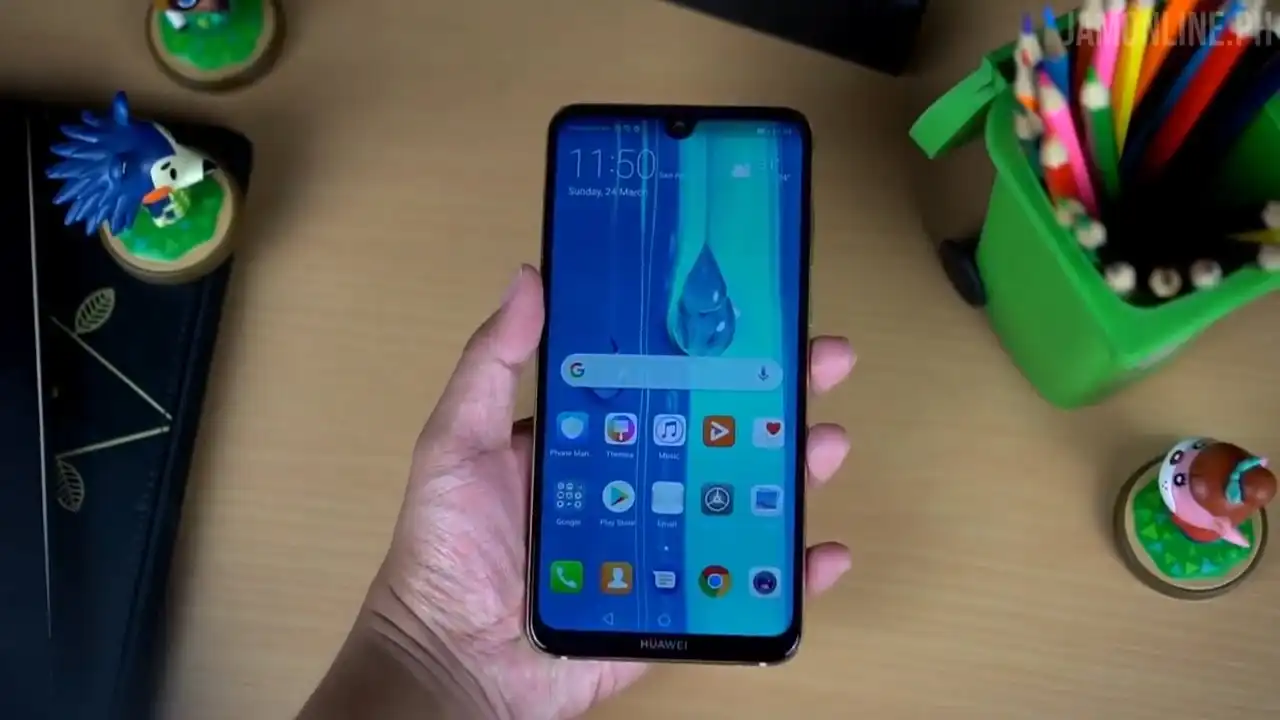
The Huawei Y Max was released in November 2018, built on the Qualcomm Snapdragon 660 (SDM660) platform. Sold under model series ARS-L22, Ares-AL00, and Ares-TL00 (internal codename Ares), the device is equipped with a 7.12-inch FHD+ display, up to 128 GB of storage, and a massive 5000 mAh battery.
Flashing factory stock firmware cures persistent software errors, repairs corrupted partition tables, and unbricks non-booting devices. Follow the verified file details and step-by-step instructions below to service your phone safely.
Which Flash Mode Should You Use?
Huawei Dload SD-Card Method (Recommended)
Standard factory update method using the 3-button combination with UPDATE.APP on a microSD card.
Qualcomm EDL Board Flashing (Factory Unbrick)
Deep hardware repair procedure using official Board Software files for devices that cannot boot into recovery.
What You Need Before Flashing
Confirm your exact model is ARS-L22, Ares-AL00, or Ares-TL00 before downloading.
A memory card formatted as FAT32 with a "dload" folder on the root directory.
Firmware writing takes several minutes; maintain adequate battery reserve.
Use a quality data cable if connecting to PC or powering via USB adapter.
Full Dload updates format internal storage; back up files if phone boots.
How to Flash the Huawei Y Max — Quick Overview
5-step quick reference for the Huawei Y Max. Need visuals or troubleshooting help? The full Huawei UPDATE.APP guide covers everything in detail.
-
Format microSD card as FAT32
-
Create "dload" folder and copy UPDATE.APP
-
Insert card into phone
-
Trigger 3-button installation
-
Wait for installation to finish
Firmware Package for Snapdragon 660 (UPDATE.APP)
Firmware packages for the Huawei Y Max series are supplied as official signed UPDATE.APP packages. These archives contain partition images for system, vendor, kernel, and modem partitions verified by Huawei stock recovery.
UPDATE.APP
Official Huawei Y Max firmware is distributed as UPDATE.APP packages. Extract the downloaded zip file and copy UPDATE.APP directly inside the "dload" folder on your SD card.
Model matching note: Verify your phone model number (ARS-L22, Ares-AL00, or Ares-TL00) before downloading. Flashing cross-model packages will trigger signature verification failures in EMUI recovery.
Huawei Y Max Firmware Versions
Official stock firmware packages for the Huawei Y Max. Verify your exact model number (ARS-L22, Ares-AL00, or Ares-TL00) before downloading.
| Version | Region | Android Version | Size | MD5 | Download |
|---|---|---|---|---|---|
8.2.0.146(C636R1P1) |
Global / Asia-Pacific (ARS-L22) | Android 8.1.0 Oreo (EMUI 8.2) | 3.00 GB | — | ⬇️ Download |
8.2.0.128(C00) |
China All-Netcom (Ares-AL00) | Android 8.1.0 Oreo (EMUI 8.2) | 6.00 GB | 4b71218cf6b915785efb3c2dc6e009ae |
⬇️ Download |
8.2.0.152(C01R2P1) |
China Mobile (Ares-TL00) | Android 8.1.0 Oreo (EMUI 8.2) | 6.00 GB | ca5fa9ca6f4f04b9822fbc6349aba2b6 |
⬇️ Download |
This phone has 2 additional maintenance releases and factory board software unbrick packages. See the complete archive on AndroidFirmwareFile.com →
Huawei Y Max — Important Notes
The Huawei Y Max features a large 5000 mAh battery. Installing full system firmware takes 5 to 10 minutes. Ensure your battery has at least 50% charge before beginning the update to prevent unexpected shutdowns.
Common Errors on the Huawei Y Max
EMUI Error: "Software install failed / Check failed"
The firmware build or regional branch code does not match your device model. Verify your phone model (ARS-L22, Ares-AL00, or Ares-TL00) and download the matching regional package.
Phone starts normally into Android without detecting update
Make sure the folder is named exactly "dload" in all lowercase letters and is located in the root directory of the memory card, not inside a subfolder.
Phone stuck in a bootloop after update completes
Residual cache from earlier firmware can prevent startup. Power off, hold Volume Up + Power to boot into EMUI Recovery, and select "Wipe cache partition" and "Factory reset".
For solving common EMUI "Software install failed" messages and recovery verification issues: Huawei & EMUI Flashing Error Directory →
Frequently Asked Questions — Huawei Y Max
Turn the phone completely off. Insert the microSD card with the dload folder. Press and hold Volume Up + Volume Down + Power simultaneously until the round EMUI installation screen appears on the display.
This error means the firmware region code does not match your phone (for example, trying to flash China C00 firmware onto a global C636 phone), the microSD card is not formatted as FAT32, or UPDATE.APP was placed inside a subfolder rather than directly inside "dload".
Yes. Format the USB drive as FAT32, place the UPDATE.APP inside a "dload" folder, connect it to the phone via a microUSB OTG adapter, and press the same 3-button combination.
Yes. Full firmware packages installed through the 3-button Dload method wipe internal user storage to ensure a clean factory install. Back up your files first if the phone can still boot.
Ready to Flash?
Follow the full step-by-step Huawei UPDATE.APP guide with interactive progress tracking, prerequisite checklist, and complete troubleshooting.