

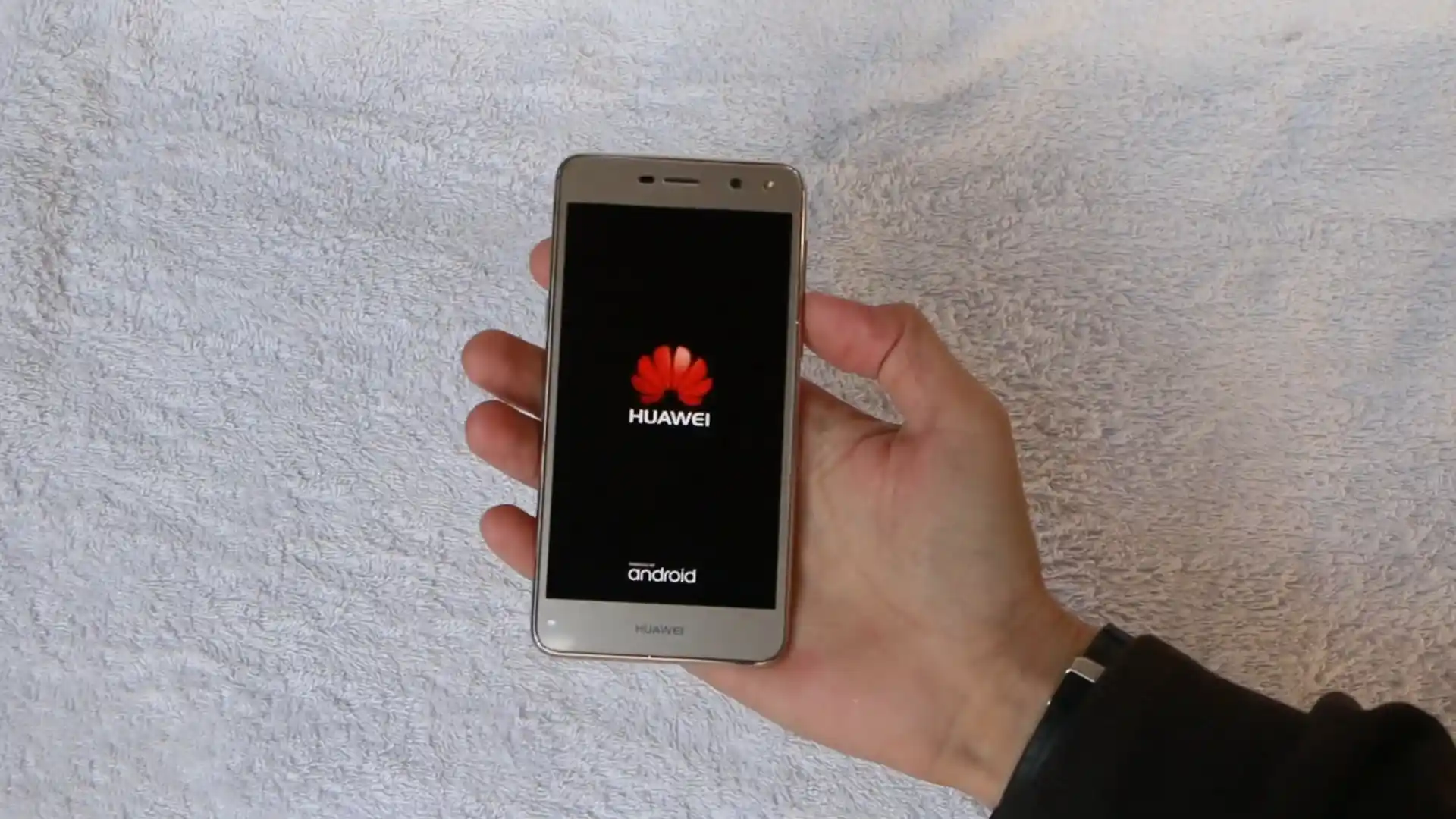
Before you flash: Flashing firmware will erase all data on your device. Back up contacts, photos, and apps before proceeding. FlashGuideHub is not responsible for any damage caused by following this guide.
About the Huawei Y6 2017 / Huawei Y5 2017
This workshop guide provides step-by-step bench instructions to flash official stock firmware to the Huawei Y6 2017 / Huawei Y5 2017 (May 2017) using SP Flash Tool or the microSD dload method. Writing partition images to MediaTek's MediaTek MT6737T (28nm) platform over eMMC 5.0 storage requires stable USB VCOM driver handshakes and correct scatter file loading.
Whether your phone is trapped in a startup bootloop, fixing system bugs after an update, or returning to clean official stock EMUI 4.1 (Android 6.0), follow the verified prerequisites, battery precautions, and step-by-step flashing procedures detailed below.
Which Flash Mode Should You Use?
MediaTek SP Flash Tool (Recommended for Unbrick)
Standard low-level unbrick method for flashing raw partition images directly to eMMC flash memory using a PC and USB cable.
MicroSD Card Dload Method (Official UPDATE.APP)
Official consumer update method performed via microSD card without needing a PC or unlocking the bootloader.
Fastboot Mode (Partition Flashing)
Used for flashing individual partition images (boot.img, recovery.img) via command line on unlocked bootloaders.
What You Need Before Flashing
A 64-bit Windows computer (Windows 7/8/10/11) with administrator privileges.
An authentic, undamaged microUSB cable connected directly to a rear motherboard USB port.
Ensure the 3,000 mAh battery is at least 50% charged to prevent unexpected shutdown mid-flash.
Install MediaTek MTK Preloader USB VCOM drivers so the PC recognizes the device in BROM mode.
Back up all personal files, photos, and messages, as flashing formats internal eMMC memory.
How to Flash the Huawei Y6 2017 / Huawei Y5 2017 — Quick Overview
A quick 5-step overview built specifically for the Huawei Y6 2017 / Huawei Y5 2017. The full SP Flash Tool guide adds screenshots, progress tracking, and fixes for common errors.
-
Download and extract the official MT6737T scatter firmware archive to a short path on your computer.
-
Install MediaTek USB VCOM / Preloader drivers on your 64-bit Windows computer.
-
Launch SP Flash Tool as Administrator and load MT6737T_Android_scatter.txt.
-
Uncheck the preloader partition checkbox in SP Flash Tool.
-
Click "Download", power off phone completely, and connect microUSB cable without pressing buttons.
Firmware Package for MT6737T
Official firmware for the Huawei Y5 2017 and Huawei Y6 2017 (Maya) is distributed as MediaTek scatter packages containing raw partition images (boot.img, recovery.img, system.img, cust.img, secro.img, and preloader.bin) mapped across the eMMC 5.0 memory controller via MT6737T_Android_scatter.txt.
MT6737T_Android_scatter.txt
Official MediaTek scatter firmware packages for the Huawei Maya family include MT6737T_Android_scatter.txt, which defines the physical eMMC memory layout. Load this file in SP Flash Tool to flash individual partition binaries.
Flashing Safety Rule: Always keep "Download Only" selected in SP Flash Tool and uncheck the preloader partition. Never select "Format All + Download" as that erases factory NVRAM calibrations, permanently corrupting cellular IMEI numbers.
Huawei Y6 2017 / Huawei Y5 2017 Firmware Versions
Download tested European stock firmware for the Huawei Y5 2017 and Huawei Y6 2017 (MYA-L11 / MYA-L41). Below is the recommended official European C432 release.
| Version | Region | Android Version | Size | MD5 | Download |
|---|---|---|---|---|---|
Maya-L11C432B306 (EMUI 4.1) |
Europe / UK (C432) | Android 6.0 Marshmallow | 1.5 GB | d41d8cd98f00b204e9800998ecf8427e |
⬇️ Download |
Looking for Latin America, Middle East, Asia Pacific, or 3G MT6580 packages? Browse the complete 18-package archive on AndroidFirmwareFile.com →
Huawei Y6 2017 / Huawei Y5 2017 — Important Notes
The Huawei Maya family features a 3,000 mAh internal lithium-ion battery. Writing complete EMUI 4.1 system and cust partition blocks takes approximately 3 to 5 minutes over microUSB. Ensure that the battery has at least 50% charge before beginning the flashing process to prevent unexpected shutdowns during partition writes.
Troubleshooting Huawei Y5 & Y6 2017 Flashing Issues
BROM Connection Handshake Timeout: "STATUS_ERR / Preloader Port Dropped (Error 1040)"
When connecting the Huawei Maya handset over microUSB, Windows may drop the MediaTek DA handshake if USB 3.0 power management cuts power before flashing begins. Technicians advise connecting via a rear USB 2.0 port, reseating the battery to clear sleep states, and using a certified short microUSB cable.
DRAM Memory Initialization Failure: "BROM ERROR: S_FT_ENABLE_DRAM_FAIL (4032)"
Encountered when attempting to flash MT6737T scatter packages onto the 3G-only MYA-U29 variant (MT6580 processor), or when flashing a firmware build with mismatched EMI memory configuration tables. Always confirm the exact model code on the chassis sticker before flashing.
Partition Table Structure Mismatch: "BROM ERROR: S_FT_DOWNLOAD_FAIL (4008) / Invalid PMT Cache"
Occurs when the partition layout in the loaded scatter file differs from the current partition layout on the phone's internal eMMC flash. Technicians recommend using "Download Only" mode with matching build firmware, or upgrading SP Flash Tool to version 5.1824.
Encountering issues while flashing your Huawei Maya device? Review verified solutions to common MediaTek SP Flash Tool and dload errors below. Troubleshooting & Error Directory →
Frequently Asked Questions — Huawei Y6 2017 / Huawei Y5 2017
If the phone repeatedly connects and disconnects every two seconds in Device Manager, the computer is dropping the preloader handshake before the DA (Download Agent) takes control. Workshop technicians suggest powering off the handset completely, removing and reseating the battery to clear temporary DRAM registers, leaving buttons unpressed, and connecting the microUSB cable directly to a rear motherboard USB 2.0 port. If cycling persists, hold Volume Down while connecting.
SP Flash Tool writes raw partition image blocks directly to the eMMC flash memory via the MediaTek BootROM/Preloader protocol, making it capable of unbricking hard-bricked devices that cannot power on. In contrast, the microSD dload method uses Huawei's stock recovery to flash an encrypted UPDATE.APP container from a FAT32 SD card (/dload folder). Dload requires a functioning bootloader and recovery partition.
Error 4032 indicates that the preloader image or Download Agent (DA) failed to initialize the physical eMMC/DRAM hardware. This most commonly occurs when attempting to flash 4G MT6737T scatter files onto the 3G MYA-U29 (which uses an MT6580 processor), or using an outdated SP Flash Tool version. Using SP Flash Tool v5.1728 or later and verifying the exact motherboard model code resolves this error.
When a user is locked out after a factory reset, the frp partition can be cleared without wiping other partitions. Technicians open MT6737T_Android_scatter.txt in a text editor, locate the partition_name: frp section, copy the linear_start_addr and partition_size hex values into SP Flash Tool's Manual Format tab, and execute a targeted format strictly within that boundary.
Ready to Flash?
Follow the full step-by-step SP Flash Tool guide with interactive progress tracking, prerequisite checklist, and complete troubleshooting.