

Before you flash: Flashing firmware will erase all data on your device. Back up contacts, photos, and apps before proceeding. FlashGuideHub is not responsible for any damage caused by following this guide.
About the Lenovo Tab 4 8 Plus
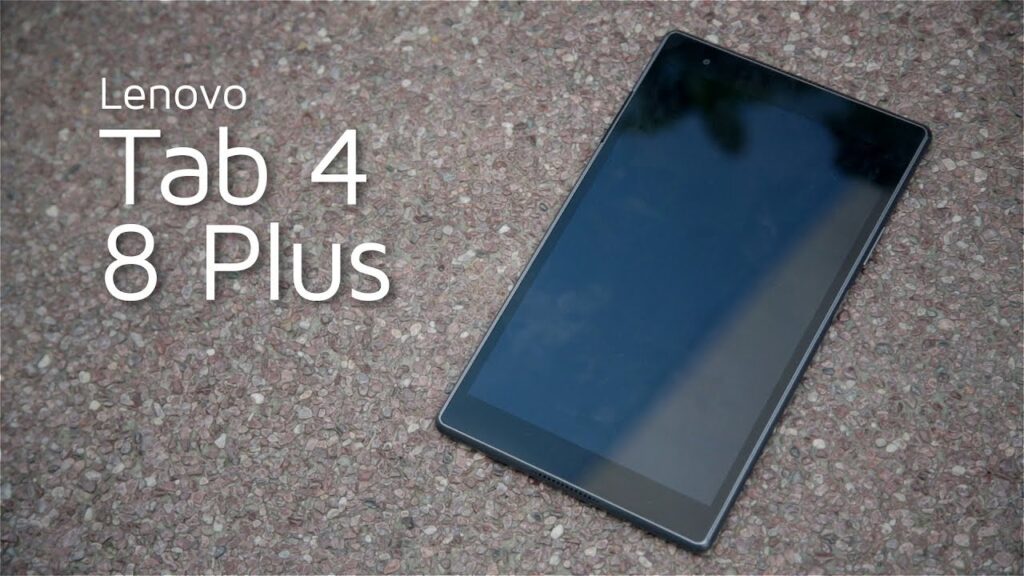
The Lenovo Tab 4 8 Plus is an 8.0-inch tablet released in May 2017, powered by the Qualcomm Snapdragon 625 (MSM8953) processor. Lenovo manufactured three main hardware variants: TB-8704F (Wi-Fi), TB-8704X (Global LTE), and TB-8704V (Verizon/Cellular).
Each model variant uses specific modem radio configurations and rawprogram XML structures. The sections below explain driver preparation, hardware identification, and the full QFIL flashing sequence.
Which Flash Mode Should You Use?
QFIL / Qualcomm EDL 9008 Mode
Primary stock flashing method. Writes raw eMMC partitions via Qualcomm Snapdragon 625 BROM EDL mode. Works on locked or unbricked devices without requiring bootloader unlock.
Manual Fastboot Flashing
Used for updating individual unencrypted image files (boot.img, recovery.img) via fastboot interface. Requires a previously unlocked bootloader.
What You Need Before Flashing
QPST and QFIL require a 64-bit Windows operating system (Windows 10 or 11 recommended) with driver signature enforcement configured if manually installing QDLoader INF files.
Download the firmware package corresponding to your exact model (TB-8704F, TB-8704X, or TB-8704V). Check Settings → About Tablet before flashing.
Use a high-quality USB Type-C data cable connected directly to a motherboard USB port. Charge-only cables will not establish the QDLoader COM connection.
Ensure the non-removable 4850mAh battery retains adequate charge to complete the full eMMC partition writing sequence without power failure.
Flashing via QFIL rawprogram0.xml completely wipes user data, internal storage, and apps. Back up personal files before proceeding.
How to Flash the Lenovo Tab 4 8 Plus — Quick Overview
A condensed step-by-step summary specific to the Lenovo Tab 4 8 Plus. Follow the full QFIL guide for screenshots, an interactive progress checklist, and complete troubleshooting.
-
Identify your exact hardware variant (TB-8704F, TB-8704X, or TB-8704V)
-
Install Qualcomm HS-USB QDLoader 9008 drivers and QPST/QFIL
-
Extract firmware package and locate QFIL files
-
Configure QFIL for Flat Build flashing
-
Boot tablet into Qualcomm EDL 9008 mode
-
Execute Download and wait for success verification
Firmware Files for Snapdragon 625
Lenovo Tab 4 8 Plus stock firmware packages use Qualcomm EDL rawprogram structures. Extracting the ZIP package reveals prog_emmc_firehose_8953.mbn (or .elf), rawprogram0.xml, patch0.xml, and partition image files (boot.img, system.img, recovery.img, modem.bin, dsp.img).
prog_emmc_firehose_8953.mbn
Extract the firmware ZIP package to access prog_emmc_firehose_8953.mbn, rawprogram0.xml, and patch0.xml. Ensure all extracted files remain in a single folder without spaces in the directory path.
The Lenovo Tab 4 8 Plus (Snapdragon 625, MSM8953) is split across three distinct hardware model variants: TB-8704F (Wi-Fi only), TB-8704X (Global LTE), and TB-8704V (Verizon / US Cellular).
Flashing stock firmware via QFIL writes directly to raw eMMC storage blocks over Qualcomm Emergency Download (EDL 9008) mode. This bypasses bootloader lock checks completely, making QFIL the primary recovery tool for unbricking boot-looped devices.
Always match the firmware package to your exact hardware model before starting QFIL. Cross-flashing cellular firmware onto a Wi-Fi unit results in modem system crashes, missing Wi-Fi/Bluetooth NVRAM addresses, and boot failures.
Lenovo Tab 4 8 Plus Firmware Versions
A representative build for each confirmed hardware model variant of the Lenovo Tab 4 8 Plus. Always verify your tablet variant before flashing.
| Version | Region | Android Version | Size | MD5 | Download |
|---|---|---|---|---|---|
S001018_1910091527 |
TB-8704F — ROW (Rest of World, Wi-Fi Only) | Android 8.1 Oreo | 2.10 GB | — | ⬇️ Download |
S001025_190606 |
TB-8704X — ROW (Rest of World, Global LTE) | Android 8.1 Oreo | 2.30 GB | — | ⬇️ Download |
S001026_1906291850 (SVC) |
TB-8704V — ROW / Verizon (Cellular Service) | Android 8.1 Oreo | 1.60 GB | — | ⬇️ Download |
This device has 4 verified builds across 3 confirmed hardware model variants (TB-8704F, TB-8704X, TB-8704V). See the complete archive on AndroidFirmwareFile.com →
Lenovo Tab 4 8 Plus — Important Notes
The Lenovo Tab 4 8 Plus shipped with Android 7.1.1 Nougat and received an official upgrade to Android 8.1 Oreo across all hardware variants. Flashing the latest S001018 (TB-8704F), S001025 (TB-8704X), or S001026 (TB-8704V) build brings the tablet to its final official software release.
If QFIL stalls during the initial Sahara protocol handshake, ensure the tablet battery holds at least 30% charge. In severe brick scenarios where key combos fail to trigger EDL 9008 mode, stripping the back cover to access test points (shorting EDL test points to ground while plugging in USB) forces the Snapdragon 625 boot ROM directly into 9008 mode.
Troubleshooting Lenovo Tab 4 8 Plus QFIL Flashing & EDL Errors
QFIL Error: "Download Fail: Sahara Fail: QSAHARASERVER Fail: Process fail"
Occurs when the tablet exits EDL mode before handshake completion or when the Firehose programmer file is mismatched. Re-enter EDL mode using Volume Up + Volume Down + USB insertion, verify Device Manager lists COM port 9008, and click Download immediately after connecting.
QFIL Error: "FH_MSG_COMMAND: Firehose fail / Read packet fail"
Usually indicates a weak USB cable connection or an incompatible USB 3.0/3.1 port controller. Connect the tablet directly to a native USB 2.0 port on the motherboard using a high-quality USB Type-C data cable and avoid external USB hubs.
Device Manager displays "QHSUSB_BULK" instead of "Qualcomm HS-USB QDLoader 9008"
Indicates that the Qualcomm QDLoader 9008 driver is missing on Windows. Download and install the 64-bit Qualcomm HS-USB driver package, reboot the PC, and reinsert the USB cable while holding Volume Up + Volume Down.
Fastboot Error: "FAILED (remote: 'partition table doesn't exist')"
Occurs when attempting to flash individual partition images via Fastboot onto corrupted storage. Fastboot cannot repartition raw eMMC structures on this device — use QFIL in EDL 9008 mode to write full partition tables using rawprogram0.xml.
Tablet boots to "Encryption Unsuccessful" or infinite Lenovo logo loop after QFIL flash
Caused by leftover user data encryption keys from a previous Android version. Power off, boot into Stock Recovery by holding Volume Up + Power, select "Wipe data / factory reset", confirm wipe, and reboot.
For complete QFIL error solutions and QDLoader driver guides: QFIL Troubleshooting & Error Directory →
Frequently Asked Questions — Lenovo Tab 4 8 Plus
Very likely, yes. Flashing TB-8704X (LTE) firmware onto TB-8704F (Wi-Fi-only) hardware — or the reverse — is the most common cause of baseband crashes, missing Wi-Fi/Bluetooth MAC addresses, or boot loops after an otherwise-successful QFIL flash. Confirm your tablet's actual variant via Settings → About Tablet → Model Number or the rear regulatory label, download the matching package from AndroidFirmwareFile's archive (linked above), and reflash with QFIL rather than assuming a hardware fault.
No. QFIL operates at the Qualcomm Snapdragon 625 Primary Bootloader (PBL) level via Emergency Download (EDL 9008) mode. This protocol communicates directly with raw eMMC storage partitions and bypasses Android bootloader lock enforcement.
Three usual causes: the Qualcomm QDLoader 9008 driver isn't installed yet (Device Manager will show "QHSUSB_BULK" or an unknown device instead — install the 64-bit Qualcomm HS-USB driver package and reboot); the tablet wasn't fully powered off before holding the buttons (a soft-off or a device still charging can skip EDL entry — hold power until it's completely off first); or a USB 3.0 hub/port is interfering — connect directly to a native USB 2.0 port on the PC with a data-capable Type-C cable.
Flashing LTE firmware on a Wi-Fi-only hardware unit causes baseband crashes, missing MAC address parameters for Wi-Fi and Bluetooth, or persistent boot loops due to missing hardware cellular modems.
Flat Build packages contain individual unencrypted partition images (boot, system, recovery, modem) alongside rawprogram0.xml for standard QFIL recovery. Service (SVC) packages contain factory production scripts and diagnostics tools designed for automated service center restoration.
Ready to Flash?
Follow the full step-by-step QFIL guide with interactive progress tracking, prerequisite checklist, and complete troubleshooting.