

Before you flash: Flashing firmware will erase all data on your device. Back up contacts, photos, and apps before proceeding. FlashGuideHub is not responsible for any damage caused by following this guide.
About the Xiaomi Redmi Note 12 4G
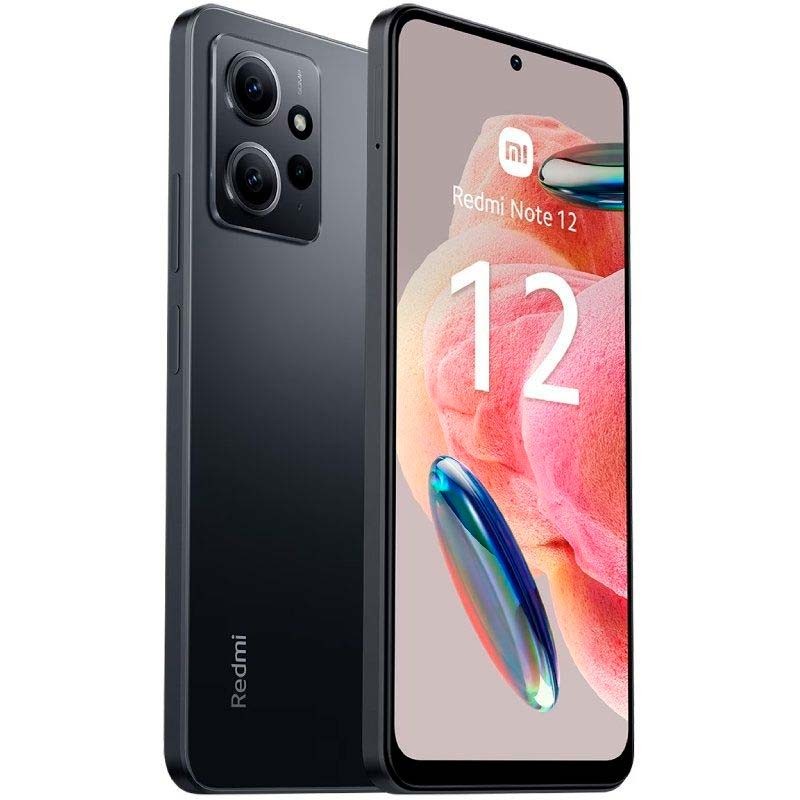
The Xiaomi Redmi Note 12 4G (codename: tapas) is a mid-range Android phone released in March 2023, built around the Qualcomm SM6225 Snapdragon 685 (6nm) chipset. Xiaomi sells it in three main regional flavors — Global, India, and Turkey — each carrying its own modem firmware branch rather than one universal build.
A closely related sibling, codename topaz, adds NFC and ships its own separate firmware — the two are not interchangeable even though the hardware looks nearly identical. Confirm your exact codename with a fastboot command before downloading anything, covered in the Prerequisites section below.
Which Flash Mode Should You Use?
Mi Flash Tool (Fastboot ROM)
The default route for the Redmi Note 12 4G. Mi Flash Tool wraps Qualcomm's Fastboot protocol in a GUI and drives the flash_all script bundled in Xiaomi's official regional ROM, writing every partition — bootloader, modem, system, vendor — in one pass. Needs an unlocked bootloader first and wipes all user data.
Manual ADB / Fastboot Commands
Skip the Mi Flash Tool interface and run fastboot commands directly from Android SDK Platform Tools. This is only worth it for surgical fixes — reflashing a single misbehaving partition like the modem — rather than a full firmware restore, since you are responsible for the correct partition order yourself.
EDL / QFIL (Emergency)
The Snapdragon 685 supports Qualcomm Emergency Download mode through hardware test points on the tapas board, usable when the phone will not respond in Fastboot at all. Xiaomi keeps the signed programmer file QFIL needs to itself, so this path realistically only works at an authorised Xiaomi repair centre.
What You Need Before Flashing
Mi Flash Tool's GUI is Windows-only. Grab it and the Xiaomi USB driver package from Xiaomi's developer site. On Mac or Linux you can still run the bundled flash_all.sh with Android SDK Platform Tools, just without the graphical interface.
Enable OEM Unlocking in Developer Options, bind your Mi Account, then run Mi Unlock Tool on a PC. Xiaomi enforces a waiting period between binding and approval — typically 7 to 15 days — before the unlock itself, which erases the phone, is allowed to run.
Match your build string exactly: VMTMIXM for Global, VMTINXM for India, VMTTRXM for Turkey. Cross-region flashing will still boot but can leave you with the wrong modem bands, so check Settings → About Phone before downloading.
Fastboot needs an actual data connection — plenty of bundled charging cables carry power only. Use the cable that shipped with the phone or a known data-rated USB-C cable, plugged straight into a port on the PC rather than a hub.
A mid-flash shutdown while the modem or boot partition is being written can leave the phone unable to reach Fastboot again. Charge to at least 60% first, and leave the cable connected for the whole flash — it usually finishes in well under ten minutes.
Both the account-bind step for unlocking and the flash itself wipe internal storage. Move photos, WhatsApp history, and any documents to a cloud account or PC first — a microSD card is untouched by the flash, but nothing on the phone's own storage is guaranteed to survive.
How to Flash the Xiaomi Redmi Note 12 4G — Quick Overview
5-step quick reference for the Xiaomi Redmi Note 12 4G. Need visuals or troubleshooting help? The full Mi Flash Tool guide covers everything in detail.
-
Confirm your codename is tapas, then unlock the bootloader
-
Pick the fastboot ROM that matches your region
-
Install Qualcomm drivers and Mi Flash Tool
-
Load the extracted ROM folder and start the flash
-
Wait for the reboot and check signal and IMEI
Finding the Firmware Package for SM6225
Xiaomi packages the Redmi Note 12 4G firmware as a regional fastboot ROM (.tgz). Once the archive is fully extracted, the folder you need to point Mi Flash Tool at contains:
flash_all.bat
This script sits inside the extracted fastboot ROM. After decompressing the .tgz, look for flash_all.bat (Windows) or flash_all.sh (Linux/Mac) at the top level, next to an images folder holding the individual partition files. Extract fully to a folder on your PC before pointing Mi Flash Tool at it — do not try to run the script from inside the compressed archive.
The tapas board ships as three main regional branches — Global (VMTMIXM, model 23021RAAEG), India (VMTINXM, model 23027RAD4I, no NFC), and Turkey (VMTTRXM). A separate NFC-equipped sibling, codename topaz, has its own firmware tree and is not interchangeable with tapas despite the near-identical hardware. Flashing across tapas regional branches will boot the phone, but leaves it on the modem and band configuration baked into whichever ROM you loaded, not necessarily the one printed on the box.
Inside the extracted .tgz you will find flash_all.bat for Windows and flash_all.sh for Linux/Mac at the top level, next to an images folder holding the individual partition files. Point Mi Flash Tool's Select field at this top-level folder — not the images subfolder — before clicking Flash.
A newer Global baseline, OS2.0.204.0 VMTMIXM, has been documented after OS2.0.203.0 but was not available as a direct download at the time this guide was written; if you can confirm it on your own device via OTA, note the build string before considering a downgrade.
Xiaomi Redmi Note 12 4G Firmware Versions
Known stock HyperOS fastboot ROM releases for the Xiaomi Redmi Note 12 4G. Always verify the branch matches your device region before flashing.
| Version | Region | Android Version | Size | MD5 | Download |
|---|---|---|---|---|---|
OS2.0.203.0.VMTMIXM |
Global (MI) u2014 HyperOS 2 (Android 15) | — | 6.64 GB | — | ⬇️ Download |
OS2.0.202.0.VMTINXM |
India (IN) u2014 HyperOS 2 (Android 15) | — | 5.55 GB | — | ⬇️ Download |
OS2.0.202.0.VMTTRXM |
Turkey (TR) u2014 HyperOS 2 (Android 15) | — | 6.07 GB | — | ⬇️ Download |
Showing all 3 official HyperOS 2 fastboot builds currently tracked for tapas. View the source listing on AndroidFirmwareFile.com →
Xiaomi Redmi Note 12 4G — Important Notes
Some early HyperOS 2 builds for the Redmi Note 12 4G, including 2.0.201.0, carried a lockscreen bug where a single wrong password could lock the phone out for several hundred minutes. The OS2.0.203.0 branch listed here is a later maintenance build and is generally reported as improved, though it is one release behind the newest Global baseline Xiaomi has documented. Keep the .tgz for your current build on hand before updating, in case a rollback is needed.
Because tapas uses a Qualcomm chipset rather than MediaTek, the emergency EDL path runs through QFIL and 9008 mode instead of SP Flash Tool and a scatter file — but Xiaomi withholds the signed programmer file that path needs, so Mi Flash Tool with a properly unlocked bootloader is the practical route for nearly everyone reading this guide.
Common Errors on the Xiaomi Redmi Note 12 4G
Mi Flash Tool shows an empty device list — "waiting for device"
Open Device Manager on Windows while the phone sits in Fastboot mode; if it shows an unrecognised device instead of an Android/Qualcomm bootloader interface, reinstall the Xiaomi USB driver package. Swap to a USB-C cable you know supports data, not just charging, and try a rear USB 2.0 port directly on the motherboard rather than a front panel header or hub. Re-enter Fastboot mode with Volume Down + Power and click Refresh again in Mi Flash Tool.
FAILED (remote: 'Command not allowed')
This is the tapas bootloader rejecting a write because it is still locked. Run Mi Unlock Tool and confirm the unlock actually completed — check Developer Options for "Bootloader unlocked" status rather than assuming the process finished. If the Mi Account bind wait period has not yet expired, Mi Unlock Tool will still show a countdown; flashing cannot proceed until that clears. After a confirmed unlock, reboot to Fastboot mode and start the flash again from Mi Flash Tool.
Mi Flash Tool sticks on "Sahara Fail S13" during flashing
This Sahara-protocol error usually means the extracted ROM folder is incomplete or the .tgz did not decompress cleanly. Delete the extracted folder, redownload the .tgz for your exact region, and extract it again to a short path with no spaces or special characters — Mi Flash Tool can fail silently on nested or deeply-indented folder paths. Also confirm the USB cable is fully seated, since a loose connection mid-transfer produces the same Sahara failure on tapas.
"NV data is corrupted" and no cellular signal after flashing
The modem/NV partition did not write correctly, almost always from flashing firmware built for a different region than the phone shipped with. Reflash the fastboot ROM matching your original branch — VMTMIXM, VMTINXM, or VMTTRXM — rather than switching to a different one to "fix" the issue, since a second cross-region flash compounds the corruption. If the correct regional ROM still leaves the modem broken after a clean flash, the phone likely needs a professional EFS/NV restore.
Device hangs on the Redmi logo after a flash from Mi Flash Tool
A hang on the boot logo after flashing usually means the flash was interrupted before every partition finished writing. Hold Volume Down + Power for around 10 seconds to force the phone back into Fastboot mode, then reopen Mi Flash Tool, re-select the same extracted ROM folder, and choose the full clean-flash configuration rather than a data-preserving one. If Fastboot mode will not respond at all, hold Volume Up + Volume Down + Power together for 15 seconds to force a hardware reset before retrying.
For the full firmware error database: Fastboot Error Directory →
Frequently Asked Questions — Xiaomi Redmi Note 12 4G
Yes, and it happens twice. Binding your Mi Account for the bootloader unlock wipes the device the moment the unlock is approved. Then, depending on the flash configuration chosen in Mi Flash Tool, the write pass can format userdata and cache again. Copy photos, WhatsApp chats, and game saves to a PC or cloud account first u2014 a microSD card, if you use one, is not touched by either wipe, but nothing on internal storage is safe.
Both share the tapas board family but ship different firmware trees. Run fastboot getvar product in Fastboot mode: tapas is the standard 4G model covered here, while topaz is a separate NFC-equipped build listed on its own firmware page. Flashing tapas firmware onto a topaz unit, or the reverse, will not necessarily brick the phone outright, but NFC and some modem features can stop working u2014 always match the codename before downloading anything.
Xiaomi requires binding your Mi Account in Developer Options, then waiting out a fixed period u2014 typically 7 to 15 days u2014 before Mi Unlock Tool will let you proceed. There is no way to shorten this on the Redmi Note 12 4G; the tool shows a countdown while you wait. Once the timer clears, the unlock itself takes under a minute and wipes the device as part of the process.
This points to a corrupted or mismatched modem (NV) partition, usually from flashing firmware for the wrong region or from an interrupted flash. Reflash the exact regional fastboot ROM your device shipped with u2014 VMTMIXM for Global units, VMTINXM for India, or VMTTRXM for Turkey u2014 using Mi Flash Tool from a fresh, fully-extracted .tgz. Repeatedly mixing regional branches makes the NV corruption harder to clear, so avoid cross-region flashing as a troubleshooting step.
The Snapdragon 685 does support Qualcomm EDL (Emergency Download) mode at the hardware level through short-circuit test points on the board, the same way any Snapdragon chipset does. Xiaomi, however, does not release the signed programmer file QFIL needs to talk to tapas in EDL mode, so the device stays unreachable in 9008 mode without it. EDL recovery on this phone is effectively limited to Xiaomi authorised repair centres u2014 Mi Flash Tool with an unlocked bootloader remains the only self-service option.
Ready to Flash?
Follow the full step-by-step Mi Flash Tool guide with interactive progress tracking, prerequisite checklist, and complete troubleshooting.