

Before you flash: Flashing firmware will erase all data on your device. Back up contacts, photos, and apps before proceeding. FlashGuideHub is not responsible for any damage caused by following this guide.
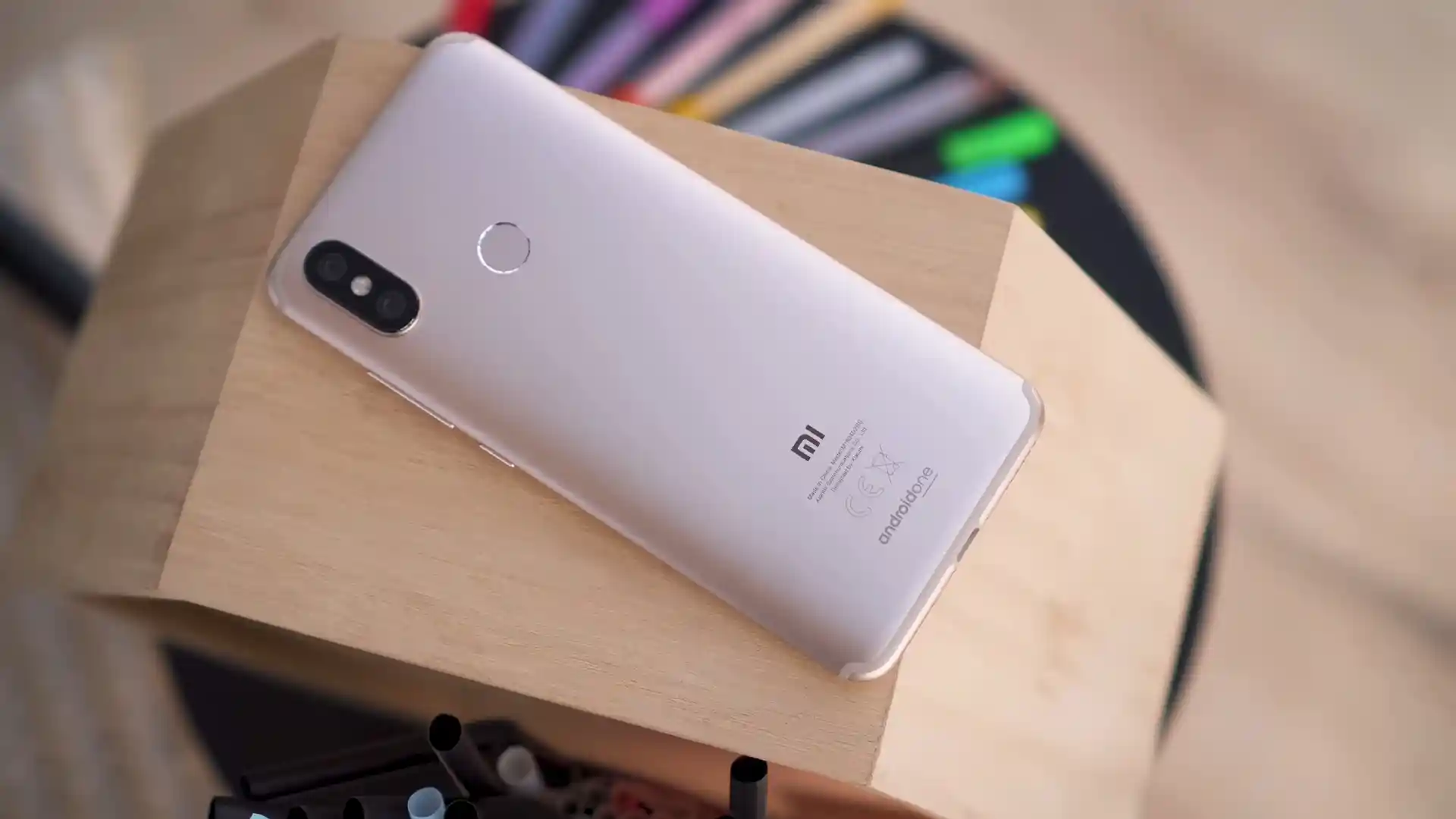
About the Xiaomi Mi A2 (Android One)
The Xiaomi Mi A2 (Android One) (codename: jasmine_sprout) launched in July 2018 as Xiaomi's second Google Android One smartphone on Qualcomm's Qualcomm Snapdragon 660 SDM660 (14nm) processor with A/B Seamless Update partitions.
Whether you are restoring Android 10 with jasmine_global_images_V11.0.28.0.QDIMIXM_20210702.0000.00_10.0_d88fa668a6.tgz or installing OrangeFox-jasmine_sprout-stable@R11.1_3.1.zip across both boot slots, follow the checks below.
Which Flash Mode Should You Use?
Mi Flash Tool (Fastboot A/B Restore)
Writes full factory Android 10 partitions (boot_a/b, system_a/b, vendor_a/b, modem) via flash_all.bat once standard and critical locks are open.
Stock Recovery ADB Sideload (OTA ZIP)
Installs the signed Android 10 package miui_JASMINEGlobal_V11.0.28.0.QDIMIXM_70b96d01bf_10.0.zip on locked or unlocked devices.
TWRP / OrangeFox Dual-Slot A/B Installation
Temporarily boot twrp-3.7.0_9-0-jasmine_sprout.img via "fastboot boot", then flash OrangeFox-jasmine_sprout-stable@R11.1_3.1.zip across boot_a and boot_b.
Essential Checks Before Flashing Xiaomi Mi A2 (jasmine_sprout)
Turn on OEM Unlocking in Developer Options, then run both "fastboot flashing unlock" and "fastboot flashing unlock_critical" (no Xiaomi account wait required).
Plug into a rear PC USB 2.0 port (or passive USB 2.0 hub) with Google Bootloader and Qualcomm drivers installed to prevent SDM660 Fastboot dropouts.
Use a reliable Type-C data cable rated for stable Fastboot and ADB Sideload transfers without loose connector movement.
Ensure healthy charge on the 3,000 mAh non-removable Li-Po cell before rewriting dual A/B partitions.
Both critical unlocking and flash_all.bat wipe the eMMC 5.1 userdata partition clean. Copy important files off the phone first.
Mi Flash, Critical Unlock & A/B Walkthrough for jasmine_sprout
A quick 5-step overview built specifically for the Xiaomi Mi A2 (Android One). The full Mi Flash Tool guide adds screenshots, progress tracking, and fixes for common errors.
-
Install Mi Flash Tool, Google Platform-Tools, and Qualcomm USB drivers on a native USB 2.0 PC port
-
Extract jasmine_global_images_V11.0.28.0.QDIMIXM_20210702.0000.00_10.0_d88fa668a6.tgz twice to C:\jasmine_fw\
-
Boot Fastboot (Volume Down + Power) and run both "fastboot flashing unlock" and "fastboot flashing unlock_critical"
-
Select C:\jasmine_fw\ in Mi Flash Tool with "clean all", or boot twrp-3.7.0_9-0-jasmine_sprout.img to flash OrangeFox-jasmine_sprout-stable@R11.1_3.1.zip
-
Alternatively sideload miui_JASMINEGlobal_V11.0.28.0.QDIMIXM_70b96d01bf_10.0.zip via Stock Recovery on locked units
Finding flash_all.bat & SDM660 Images in SDM660 Packages
Official Xiaomi Mi A2 Fastboot packages arrive as double-compressed .tgz archives. Extracting twice with 7-Zip exposes flash_all.bat at the top level alongside the images directory containing boot.img, system.img, vendor.img, and prog_emmc_firehose_Sdm660_ddr.mbn:
flash_all.bat
Extracting jasmine_global_images_V11.0.28.0.QDIMIXM_20210702.0000.00_10.0_d88fa668a6.tgz twice with 7-Zip exposes flash_all.bat at the outer level beside the images folder holding rawprogram0.xml and prog_emmc_firehose_Sdm660_ddr.mbn. Point Mi Flash Tool to the outer folder.
Codename jasmine_sprout (M1804D2SG / M1804D2SI) is strictly for the Android One Mi A2 with A/B slots. Never flash China MIUI software meant for the Xiaomi Mi 6X (wayne).
Point Mi Flash Tool at the outer folder containing flash_all.bat (e.g. C:\jasmine_fw\), never inside the images directory.
Keep "clean all" active, unlock both standard and critical partitions for Fastboot flashes, and use a native USB 2.0 port.
Xiaomi Mi A2 (Android One) Firmware Versions
Tested Android 10.0 Fastboot & Recovery builds alongside Official TWRP v3.7.0_9-0 and OrangeFox R11.1_3.1 for the Xiaomi Mi A2 (Android One) (jasmine_sprout). Check the full archive for PitchBlack Recovery (PBRP v3.0.0) and complete board specs.
| Version | Region | Android Version | Size | MD5 | Download |
|---|---|---|---|---|---|
V11.0.28.0.QDIMIXM |
Global Android One (MI) — Final Fastboot | Android 10.0, July 2021 | 1.57 GB | d88fa668a618ee50c055f26cf7f99a28 |
⬇️ Download |
V11.0.28.0.QDIMIXM (OTA) |
Global Recovery ZIP | Android 10.0, July 2021 | 1.25 GB | 70b96d01bf7303bde9eca89491b74269 |
⬇️ Download |
TWRP v3.7.0_9-0 (Boot IMG) |
Official TeamWin Bootable Image | fastboot boot RAM IMG | 31.41 MB | fc77f99da64204933ef37b2ddbe8a529 |
⬇️ Download |
OrangeFox R11.1_3.1 Stable |
Official OrangeFox A/B ZIP | Dual-Slot boot_a/boot_b ZIP | 50.75 MB | e42ed72c8c23ebb8cc9ff52b993c4665 |
⬇️ Download |
Browse all 5 Android 10, TWRP, OrangeFox & PBRP v3.0.0 packages for Mi A2 on AndroidFirmwareFile.com → View full archive on AndroidFirmwareFile.com →
Fastboot, ADB Sideload & TWRP / OrangeFox A/B Modes
The Xiaomi Mi A2 (codename jasmine_sprout, models M1804D2SG / M1804D2SI) runs pure Google Android One on Qualcomm's Snapdragon 660 (SDM660) with dual A/B partitions. With jasmine_global_images_V11.0.28.0.QDIMIXM_20210702.0000.00_10.0_d88fa668a6.tgz, unlocked devices restore cleanly via Mi Flash Tool once both standard and critical unlock commands are run.
If your bootloader is locked and stock Recovery still loads, install miui_JASMINEGlobal_V11.0.28.0.QDIMIXM_70b96d01bf_10.0.zip via ADB Sideload — or boot twrp-3.7.0_9-0-jasmine_sprout.img into RAM to flash OrangeFox-jasmine_sprout-stable@R11.1_3.1.zip across both A/B slots.
Fixing Mi A2 (jasmine_sprout) Critical Unlock, USB 3.0 & A/B Errors
Fastboot Output: "FAILED (remote: Flashing is not allowed for Critical Partitions)"
Community guides highlight that jasmine_sprout requires two separate unlock commands. If you only ran "fastboot flashing unlock", low-level bootloader images remain locked — enable OEM Unlocking and also execute "fastboot flashing unlock_critical" before flashing stock Fastboot packages.
USB 3.0 Fastboot Dropout: "Press any key to shutdown" or Data Transfer Failure
Experienced owners recommend avoiding USB 3.0/3.1 ports on Windows PCs, as the Snapdragon 660 bootloader frequently hangs or drops packets mid-transfer on xHCI controllers. Plug into a native rear motherboard USB 2.0 socket or insert an inexpensive USB 2.0 hub.
Terminal Rejection: "FAILED (remote: partition table doesn't exist)" on fastboot flash recovery
The Mi A2 stores its recovery ramdisk inside boot_a and boot_b and has no standalone /recovery partition. Instead of flashing directly to recovery, load twrp-3.7.0_9-0-jasmine_sprout.img into RAM with "fastboot boot twrp-3.7.0_9-0-jasmine_sprout.img", then flash OrangeFox-jasmine_sprout-stable@R11.1_3.1.zip.
Qualcomm 9008 Sahara Alert: "Authentication required" or Firehose Hello Timeout
Unlike the first-generation Mi A1, patched Snapdragon 660 bootloaders on jasmine_sprout check signed EDL authorization for prog_emmc_firehose_Sdm660_ddr.mbn. If a locked unit is stuck in EDL 9008, repair forum members note you will need an authorized Xiaomi service channel or a community-patched SDM660 firehose file.
Need help with another Fastboot or Qualcomm error code? Mi Flash & Fastboot A/B Error Directory →
A/B Slot Recovery, /persist Safety, Decryption & eMMC Health Q&A
Because jasmine_sprout uses dual A/B partitions, an interrupted OTA update often leaves only the newly updated slot unbootable while the previous slot remains intact. Boot into Fastboot (Volume Down + Power), check the current slot with "fastboot getvar current-slot", and switch to the opposite slot using "fastboot --set-active=a" (or "b") before rebooting.
Community repair threads note that wiping or formatting the /persist partition during manual cleanups or GSI installations strips calibration data for the 12 MP + 20 MP rear sensors, causing black viewfinders or camera crashes. Never format /persist in TWRP or Fastboot; if it was already damaged, community members restore a verified stock persist.img via Fastboot or recovery.
Android 10 file-based encryption (FBE) on jasmine_sprout often leaves older custom recoveries displaying scrambled folder names inside /data. OrangeFox-jasmine_sprout-stable@R11.1_3.1.zip ships with updated decryption blobs tailored for Android 10 kernels, whereas with standard builds you may need to remove the lock-screen PIN beforehand or use ADB Sideload.
Long-term Mi A2 owner reports document eMMC 5.1 storage degradation on aging 2018 units, which often starts as sudden freezes and loops on the Android One screen. If flash_all.bat completes system writes cleanly yet immediately fails on userdata or returns to the bootloop after a full Mi Flash restore, degraded eMMC flash blocks on the motherboard are a likely cause.
Ready to Flash?
Follow the full step-by-step Mi Flash Tool guide with interactive progress tracking, prerequisite checklist, and complete troubleshooting.