

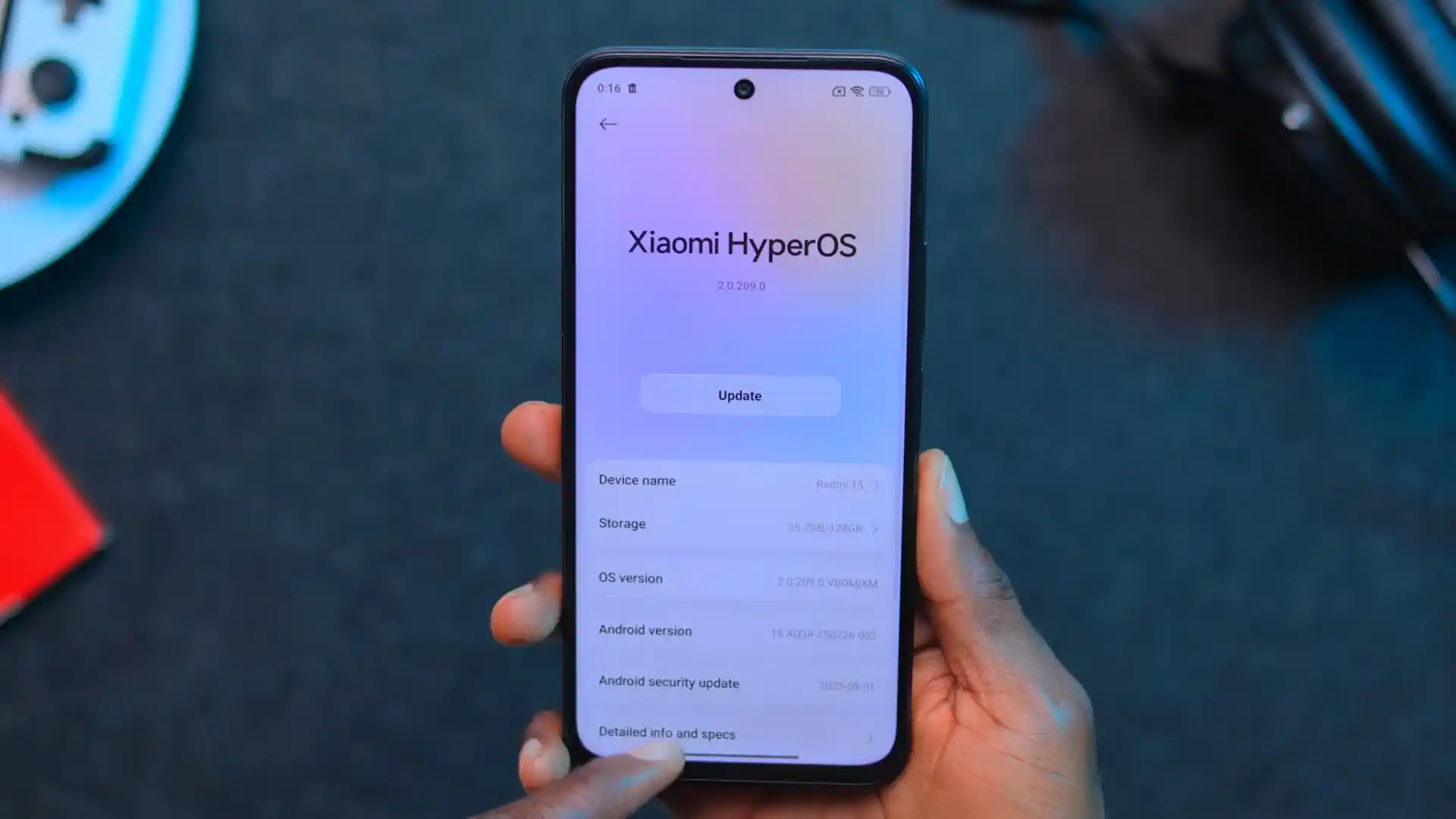
Before you flash: Flashing firmware will erase all data on your device. Back up contacts, photos, and apps before proceeding. FlashGuideHub is not responsible for any damage caused by following this guide.
About the Xiaomi Redmi 15 (4G) / POCO M7 (4G)
The Xiaomi Redmi 15 (4G) / POCO M7 (4G) family (codename: creek) launched on Qualcomm's Qualcomm Snapdragon 685 (6 nm) processor with HyperOS 3.0 on Android 16.0, a 6.9-inch 144Hz display, and a massive 7,000 mAh battery.
Whether unbricking a phone stuck in a bootloop with creek_global_images_OS3.0.305.0.WBOMIXM_20260916.0000.00_16.0_global_1acc0d1765.tgz or installing European firmware creek_eea_global_images_OS3.0.303.0.WBOEUXM_20261014.0000.00_16.0_eea_d5bb61681b.tgz, follow the verified steps below.
Which Flash Mode Should You Use?
Mi Flash Tool (Qualcomm Fastboot / flash_all.bat)
Full factory restore mode executing flash_all.bat over Fastboot to write boot, vendor_boot, super, and userdata partitions cleanly.
Stock Recovery (ADB Sideload OTA)
Installs official signed Recovery OTA ZIP packages without wiping personal data or requiring an unlocked bootloader.
Qualcomm Emergency Download (EDL 9008 Mode)
Low-level hardware unbricking path for Qualcomm chipsets via hardware test points when Fastboot is inaccessible.
Essential Requirements Before Flashing creek
Ensure your Xiaomi account is authorized and verify bootloader status before flashing Fastboot packages.
Install Google Android Bootloader and Qualcomm USB drivers on 64-bit Windows.
Connect using a sturdy USB Type-C data cable plugged directly into a rear PC port to avoid data write timeouts.
Ensure your 7,000 mAh battery has ample charge so the phone does not power down during partition writes.
Running flash_all.bat with clean all erases internal storage completely. Back up files before starting.
Mi Flash Tool Execution Steps for Snapdragon 685
5-step quick reference for the Xiaomi Redmi 15 (4G) / POCO M7 (4G). Need visuals or troubleshooting help? The full Mi Flash Tool guide covers everything in detail.
-
Verify bootloader unlock status through Developer Options and Fastboot CLI
-
Extract creek_global_images_OS3.0.305.0.WBOMIXM_20260916.0000.00_16.0_global_1acc0d1765.tgz to C:\creek_fw\
-
Install Qualcomm USB and Google Android Bootloader drivers on your PC
-
Enter Fastboot mode and connect via a rear USB motherboard port
-
Select firmware path in Mi Flash Tool, choose clean all, and flash
Locating flash_all.bat & Firmware Images in Snapdragon 685
Official Xiaomi Redmi 15 (4G) and POCO M7 (4G) Fastboot packages are distributed as double-compressed .tgz archives. Extracting twice using 7-Zip places flash_all.bat at the top folder level beside the images subfolder holding boot, vendor_boot, and super partition binaries:
flash_all.bat
Unpacking creek_global_images_OS3.0.305.0.WBOMIXM_20260916.0000.00_16.0_global_1acc0d1765.tgz twice with 7-Zip extracts flash_all.bat at the top level alongside the images folder holding super.img, boot, and vendor partitions. Select the top directory in Mi Flash Tool.
Hardware codename creek covers both Redmi 15 (4G) and POCO M7 (4G) on Qualcomm Snapdragon 685. Never flash files intended for 5G models like spring (Redmi 15 5G).
Select the outer directory containing flash_all.bat in Mi Flash Tool (e.g. C:\creek_fw\), never the inner images subfolder.
Always ensure clean all is selected; relocking cross-regional software can cause bootloops.
Xiaomi Redmi 15 (4G) / POCO M7 (4G) Firmware Versions
Tested Global, European, and Indonesian Fastboot builds for the Xiaomi Redmi 15 (4G) / POCO M7 (4G) (creek). Access additional regional archives below.
| Version | Region | Android Version | Size | MD5 | Download |
|---|---|---|---|---|---|
OS3.0.305.0.WBOMIXM |
Global (MI) — Android 16.0 | Android 16.0 (HyperOS 3.0), Sep 2026 | 7.96 GB | 1acc0d1765c0aaefc88ed0299ba7fbf0 |
⬇️ Download |
OS3.0.303.0.WBOEUXM |
Europe / UK EEA (EU) — Android 16.0 | Android 16.0 (HyperOS 3.0), Oct 2026 | 7.12 GB | d5bb61681bd07c35600f693daba768c0 |
⬇️ Download |
OS3.0.303.0.WBOIDXM |
Indonesia (ID) — Android 16.0 | Android 16.0 (HyperOS 3.0), Oct 2026 | 7.33 GB | 78d064761bc723c2f7074eeb0c30a3e1 |
⬇️ Download |
Browse all 12 regional HyperOS 3.0 packages for Redmi 15 & POCO M7 on AndroidFirmwareFile.com → View full archive on AndroidFirmwareFile.com →
Available Flashing Modes for Redmi 15 / POCO M7
The Xiaomi Redmi 15 (4G) and POCO M7 (4G) (hardware codename creek) run on the Qualcomm Snapdragon 685 platform with HyperOS 3.0 on Android 16.0. Flashing factory Fastboot packages like creek_global_images_OS3.0.305.0.WBOMIXM_20260916.0000.00_16.0_global_1acc0d1765.tgz or European release creek_eea_global_images_OS3.0.303.0.WBOEUXM_20261014.0000.00_16.0_eea_d5bb61681b.tgz through Mi Flash Tool provides a clean factory restoration.
For standard maintenance updates on functioning systems with locked bootloaders, signed Recovery OTA ZIP archives can also be installed using stock Recovery ADB sideload.
Resolving Redmi 15 & POCO M7 Fastboot & Driver Issues
Fastboot Error: "FAILED (remote: 'Flashing is not allowed in Lock State')"
Appears when attempting to flash official Fastboot packages while the bootloader remains locked. You must complete the official Xiaomi bootloader unlock process through Mi Community and verify that fastboot getvar unlocked returns yes before flashing.
Mi Flash Script Error: "cannot load 'super.img': data too large" or write timeout in fastbootd
Occurs when flashing large 4.8 GB+ super partition sparse chunks over an outdated fastboot binary or through front PC case ports. Update your Android SDK Platform-Tools to the latest revision, connect directly to a rear motherboard USB 2.0 port, and allow the UFS controller to complete block allocation without disconnecting.
Qualcomm Emergency Download (EDL 9008) Authentication Handshake Timeout
Triggered when attempting to restore a hard-bricked handset via motherboard test points without an authorized Xiaomi service account token. The Snapdragon 685 Firehose programmer rejects unsigned commands; whenever the device can still reach Fastboot mode, always prioritize fastboot flashing over EDL.
Encountering an unexpected error code or connection drop? Qualcomm & Fastboot Error Solutions →
Qualcomm Snapdragon 685 & HyperOS 3.0 Q&A
Under HyperOS 3.0 on Android 16, Xiaomi enforces account tier validation via the official Mi Community application before generating unlock tokens. Unlike older MIUI handsets where a 7-day wait timer was the only requirement, HyperOS devices must have active account binding approved in developer settings before fastboot flash scripts will execute.
Yes. Official flash_all.bat scripts for creek write system partitions including boot, init_boot, vendor_boot, super, and userdata, while leaving modemst1, modemst2, fsg, and /persist untouched. Your device unique dual-SIM IMEI numbers, Wi-Fi MAC addresses, and camera sensor baselines remain completely safe.
Selecting clean all and lock runs flash_all_lock.bat, which triggers an automated bootloader relock command. If you are flashing software from a different regional branch (for example, putting European WBOEUXM on an imported global unit) or using community builds like Xiaomi.eu, Xiaomi cryptographic integrity checks will fail at boot, forcing the phone into a recovery bootloop.
Ready to Flash?
Follow the full step-by-step Mi Flash Tool guide with interactive progress tracking, prerequisite checklist, and complete troubleshooting.